Platform Features
Everything you need to analyze markets, track insider activity, and make smarter trading decisions.
AI Chat
A conversational AI built into the platform that understands your charts and can take actions on them. Ask questions, get analysis, or let it draw on your chart.
- CL Free AI Model — included for all users with intelligent answers powered by market data and technical analysis
- CL Premium AI Model — higher-quality answers with live web search for real-time news, earnings, analyst ratings & market data on any stock
- AI Pattern Screener (Premium) — ask "What stocks have a double top on the 1h chart?" and it runs live chart-pattern detection — double tops & bottoms, head & shoulders, triangles, wedges, channels, flags — across 2,000+ liquid US stocks or any watchlist, on any timeframe from 15m to weekly
- Pine Script & ThinkScript conversion (Premium): paste any Pine Script indicator or strategy, or a thinkorswim ThinkScript study, and it becomes a live native indicator with editable inputs and save-to-library. Conversion costs no AI credits, and most ThinkScript studies convert by rules in about a second
- Adaptive answers — verdict-first buy/sell/hold calls, hold/trim/sell guidance anchored to your entry, long-term thesis breakdowns, or intraday levels depending on what you ask
- Acts on the platform for you: add or remove watchlist symbols, switch symbols and timeframes, add indicators and set alerts, all by asking, plus ranking your watchlist by any of 17 fundamentals (Premium)
- Agent mode (Premium and Pro): one request can chain several steps, such as looking up data, switching the chart, adding indicators and setting an alert, without you breaking it into separate messages
- Build custom indicators from a plain-English description (Premium), drawn on your chart as soon as they are built
- Compare up to 20 tickers in a single request with full per-ticker data
- Ask for support and resistance levels on any symbol — the AI identifies key levels and offers to automatically draw them on your chart as colored lines
- Screenshot and image analysis (Premium): capture the chart you are on with the camera button, or paste or attach your own screenshot, and the AI reads it visually for patterns, trend and levels
- Market sentiment analysis and trading strategy suggestions
- Quick Actions and AI Settings: one-click ready-made prompts (pin favorites or save up to 12 of your own), and a settings gear for your experience level, markets, account size and risk per trade, answer length, and whether chart changes apply automatically or ask first
- AI credits: 1 a day on Free (2 on your first day), 20 a day on Premium, unlimited on Pro. Platform questions are free, and a credit is refunded if a request fails
AI Strategy Backtester
Describe any trading strategy in plain English and the AI builds it, runs it against historical data, and plots every buy and sell signal on your chart. On Premium, activate it as a live alert to get notified when the next signal fires.
- Natural language strategy creation — just describe your idea and the AI does the rest
- Full performance stats: total return, win rate, profit factor, max drawdown, best and worst trade, and a trade-by-trade log
- Buy and sell markers plotted directly on the chart with a visual equity curve
- Monte Carlo & stress testing — 2,000 resamples of your trades give return and drawdown percentiles and the odds of a 20%, 30% or 50% drawdown, alongside slippage, best-trades-removed and worst-case-ordering scenarios
- Find Best Timeframe — automatically re-runs your strategy across 15m, 1h, 4h, and 1d and ranks them, Sharpe ratio included
- Strategy Alerts (Premium): turn a preset backtest into a live alert, checked on our servers every 5 minutes with email when buy or sell signals fire; custom AI strategies alert while ChartingLens is open
- AI Signal Tournament (Premium): ask for an indicator with buy/sell signals and the AI backtests seven classic strategies on your exact chart, ranks them by real performance, and applies the winner in one click
- 10+ preset strategies including Golden Cross, RSI Mean Reversion, MACD Crossover, SMC Fair Value Gap Retest, and more, on every plan for 1 AI credit each; backtesting a custom strategy you describe is Premium
Strategy Simulator
Backtest an entry strategy across a whole market instead of one chart. Free with a ChartingLens account, on its own page at chartinglens.com/simulator.
- Three universes: US stocks (up to 1,700 symbols per run), 24 crypto coins or 20 forex pairs
- Pick an entry strategy and an optional market-regime filter
- Exits your way: fixed % take-profit and stop-loss, an ATR stop or a swing-low stop, plus a max hold
- A random-entry control strategy, so you can see whether an idea beats chance
- Every run lands in a Comparison table, so changing one setting shows exactly what it did
Pine Script & ThinkScript Converter
Paste the source of a Pine Script indicator or strategy, or a thinkorswim ThinkScript study, into the AI Chat and it becomes a native indicator on your chart, with its inputs still adjustable. Premium.
- Rules first: a built-in compiler converts the script and runs it on your chart's data; the AI translates only what the compiler can't
- Pine Script v6, v5 and v4 (plus older v2/v3 spellings), with plots, fills, shapes, bgcolor, barcolor, labels, lines, boxes, tables and request.security()
- Conversion uses no AI credits, and every reply notes anything that had to be approximated
- Backtest Signals trades a strategy script's own orders bar by bar
- Save converted indicators to your library, edit them with AI, and scan a whole market with them
Live Charts
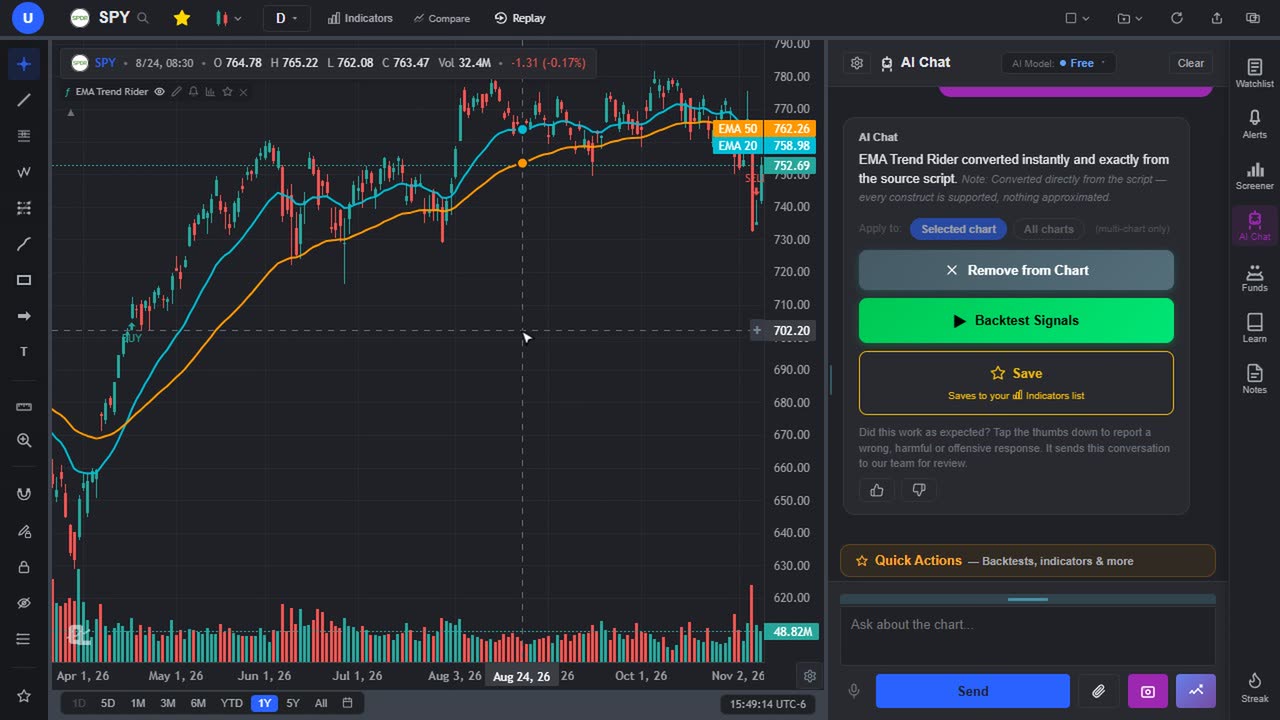
Professional-grade real-time charting for stocks, crypto, forex, metals, and futures across global markets. Built on a high-performance engine with pre/post market data.
- Real-time price updates — WebSocket for crypto, live polling for stocks
- Global markets: stocks, indices, and ETFs from US and international exchanges (ASX, HKEX, TSX, LSE, XETRA, NSE, TSE, and more), all free to chart on every plan
- 40+ real-time forex pairs and spot metals (gold, silver, platinum, palladium) with up to 20 years of history
- 10+ chart types: Candles, Bars, Heikin Ashi, Hollow Candles, Line, Step Line, Area, Baseline, Columns, Equivolume, and Volume Candles (Premium)
- Timeframes from 1 minute to monthly, plus custom intervals (Premium) — any interval (2h, 45m, 3d, 8h…) built from base bars with accurate OHLC and volume
- Deep intraday history — up to 2 years of candles on 5-minute and higher intraday charts for US stocks
- Lookback range selector — jump to 1D, 5D, 1M, 3M, 6M, YTD, 1Y, 5Y, All, or a custom range in one click
- Pre-market and post-market data: extended-hours candles on intraday US charts (Premium) plus pre/post prices in header, sidebar, and watchlists
- Futures support (ES=F, NQ=F, etc.) with live data outside regular hours
- Custom chart colors — pick your own candle, line, and volume colors, synced to your account, plus a full light mode
Multi-Chart Layouts
View up to 10 charts in 47 arrangements — side-by-side, stacked, one large chart with smaller ones, or full grids — each fully independent with its own symbol, timeframe, chart type, indicators, and drawings.
- 1 chart free; Premium and Pro open up to 10 charts per layout in 47 arrangements
- Each pane has its own symbol, timeframe, indicators, and drawings
- Per-chart indicator control — add an indicator to just the selected chart or all charts at once, and hide it per chart from the legend
- Multi-window support for multi-monitor setups (Premium)
- Drawing Sync: a drawing appears on every chart in the layout showing the same symbol, or switch it off to keep it on one chart
- Saved layouts capture your entire workspace (arrangement, symbols, timeframes, every indicator including custom AI-built ones, and drawings), saved to your account and mirrored live between devices with Multi-device sync on. Free keeps 1 layout, Premium 10, Pro unlimited
- Symbol-bound layouts: bind a layout to tickers and it loads automatically when you open one of them, so each stock can have its own view
Bar Replay
Step through historical price action candle by candle with a built-in paper trading simulator. Practice reading charts and testing strategies without risking real money.
- Paper trading simulator — place buy/sell orders with stop losses and take profits, and review your P&L stats after each session
- Date picker to start replay at any moment in history, or hit Random Date for blind practice
- Replay historical data at 0.1x to 10x speed, or step forward one candle at a time
- Works on any timeframe and any symbol
- Dedicated draggable playback control bar with play, pause, and speed controls
Technical Indicators
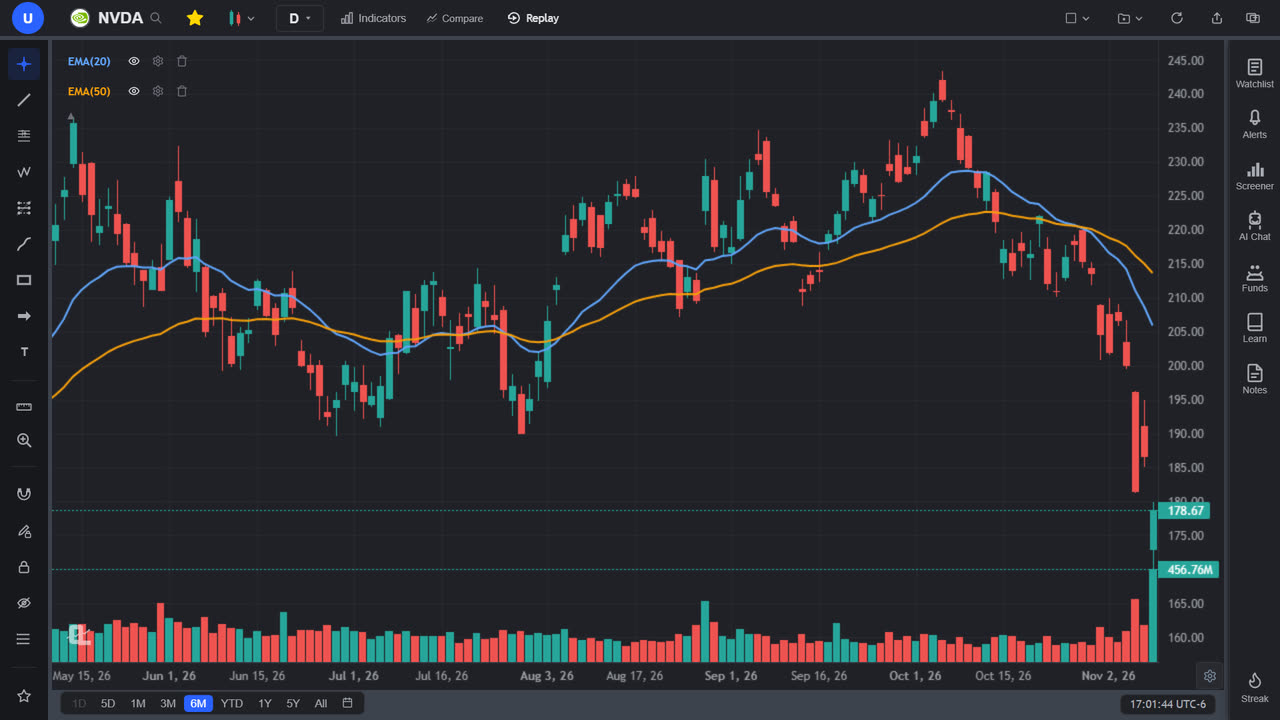
70+ built-in indicators with configurable parameters. Toggle visibility without removing them, and collapse the legend to keep your chart clean.
- Trend: SMA, EMA, TSMA, VWAP (session, week or month anchor), Anchored VWAP, Supertrend, Ichimoku Cloud, Alligator Pro
- Momentum: MACD, RSI, Stochastic Oscillator, ADX, CCI, WaveTrend Oscillator
- Volatility: Bollinger Bands, ATR, Keltner Channels
- Volume: On-Balance Volume (OBV), Volume analysis, Volume Profile Visible Range (Premium)
- Master Pattern Suite — 10 advanced indicators covering chart patterns, harmonics, Elliott Waves, market structure, divergence, S/R zones, and candlestick patterns
- Chart pattern recognition on every plan: Master Chart Patterns, Master Elliott Waves, Master Harmonic Patterns and Candlestick Pro draw double tops and bottoms, head and shoulders, triangles, wedges, flags, Elliott waves, harmonic XABCD patterns and candlestick reversals right on the chart
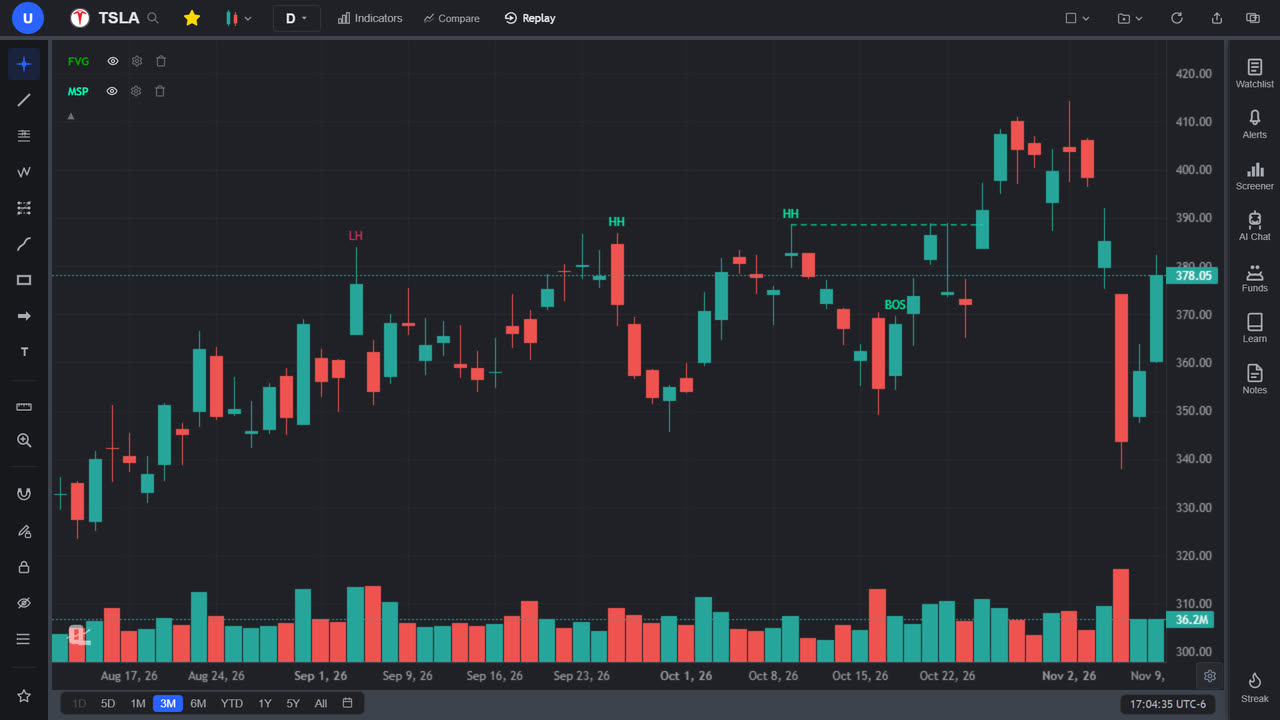
- Smart Money tools: Fair Value Gap Pro, Market Structure Pro (BOS and CHoCH), Liquidity Sweep Pro and Volume-Based Supply & Demand Zones
- Custom AI indicators (Premium): describe any indicator in plain English (or paste Pine Script or ThinkScript) and it renders natively on your chart, saved to a personal library, with every threshold and rule you specify honored, including conditional bar-by-bar line colors
- Auto Pattern Recognition — AI detects chart patterns and draws trendlines automatically (Premium)
- Every indicator fully editable — Inputs, Style, and Visibility tabs with per-component colors, plus an eye icon to hide/show without deleting
- Price source, an optional smoothing MA, opacity and line style on each indicator, and pane control: put it in a new pane or the same pane as another, then move, collapse or maximize panes
- Free charts hold 3 indicators at a time; Premium and Pro are unlimited
Smart Money Concepts Indicators
Built-in indicators that mark swing structure, breaks of structure, changes of character, fair value gaps and liquidity sweeps directly on your candles, free on every plan.
- Market Structure Pro: HH/HL/LH/LL swing labels, BOS and CHoCH on a close through the last swing, and EQH/EQL lines
- Fair Value Gap (FVG) Pro: ATR-filtered gap boxes with a CE midline, cleared when price trades back in
- Liquidity Sweep Pro: sweep-and-reject candles marked Sweep, or Sweep+ on the trend side of the 200 EMA
- Zone tools to pair with them: Master S/R Zones, Fractal Zones Pro, Smart Fibonacci Zones and Volume-Based Supply & Demand Zones
- An SMC Fair Value Gap Retest preset backtest (1 AI credit) and a free Fair Value Gaps course in Learn
Drawing Tools
82 professional drawing tools in 9 groups, free on every plan, with live previews as you draw and full customization. Drawings save to your account per symbol; turn on Multi-device sync and a trendline drawn on your desktop appears on your phone within a second.
- Trendlines with extend-to-infinity, horizontal/vertical lines, rays, and extended lines
- Full Fibonacci suite — retracements, trend-based extensions, fan, time zones, and channel
- Andrews' Pitchfork, Gann Fan, Gann Box, and Anchored VWAP
- XABCD harmonic pattern and Elliott Wave tools
- Freehand Brush and Highlighter that stay selected for stroke-after-stroke sketching
- Parallel channels, rectangles, ellipses, date range and price range boxes
- Long and short position trackers with entry, target, stop loss, and P&L visualization
- Text, notes, callouts, price labels, arrow markers, and price/date range measurers
- Favorites bar — star your go-to tools for a draggable quick-access bar you can place anywhere
- Magnet mode (weak and strong), undo/redo (Ctrl+Z / Ctrl+Y), customizable colors, line widths, and styles
- Editable Fibonacci and Gann levels: tap a level to show or hide it, or add your own, such as 0.826
- Drawing Sync in multi-chart layouts mirrors a drawing onto every chart showing the same symbol
Stock Screener
Server-side screener with 20+ fundamental and momentum filters plus technical indicator filters. Results come back in seconds, not minutes.
- Fundamental filters: Sector, Market Cap, P/E Ratio, EPS Growth, Dividend Yield, Beta, P/B Ratio, ROE, Debt/Equity, Profit Margin, PEG Ratio, Avg Volume
- Momentum & small-cap filters: Float, Short Float %, RVOL, Dollar Volume, Gap %, Pre-market %, % Change, Earnings Today
- Technical filters: MACD, Stochastic, ADX, MA crosses and 20/50/200 MA stacks, Bollinger Bands, 52-week high/low, volume surge, candlestick patterns, pullback-in-uptrend
- Chart Pattern filter (Premium) — match stocks with a fresh double top/bottom, head & shoulders, triangle, wedge, channel, or flag, detected on real price data and combinable with every other filter
- Dual timeframe mode (Premium) — confirm setups across two timeframes at once
- One-click curated presets like "$3-10 High RVOL Gappers" and "Short Squeeze Candidates"
- Screener Loadouts — save entire filter setups as reusable named loadouts, synced to your account
- 2,000+ US stocks plus 10 international markets: ASX, HKEX, LSE, TSX, XETRA, Euronext Paris, NSE/BSE, TSE, SGX and NZX
- Result cards show sector badge, key metrics, and click-to-chart. Free shows the top 10 matches per scan; Premium and Pro show every match
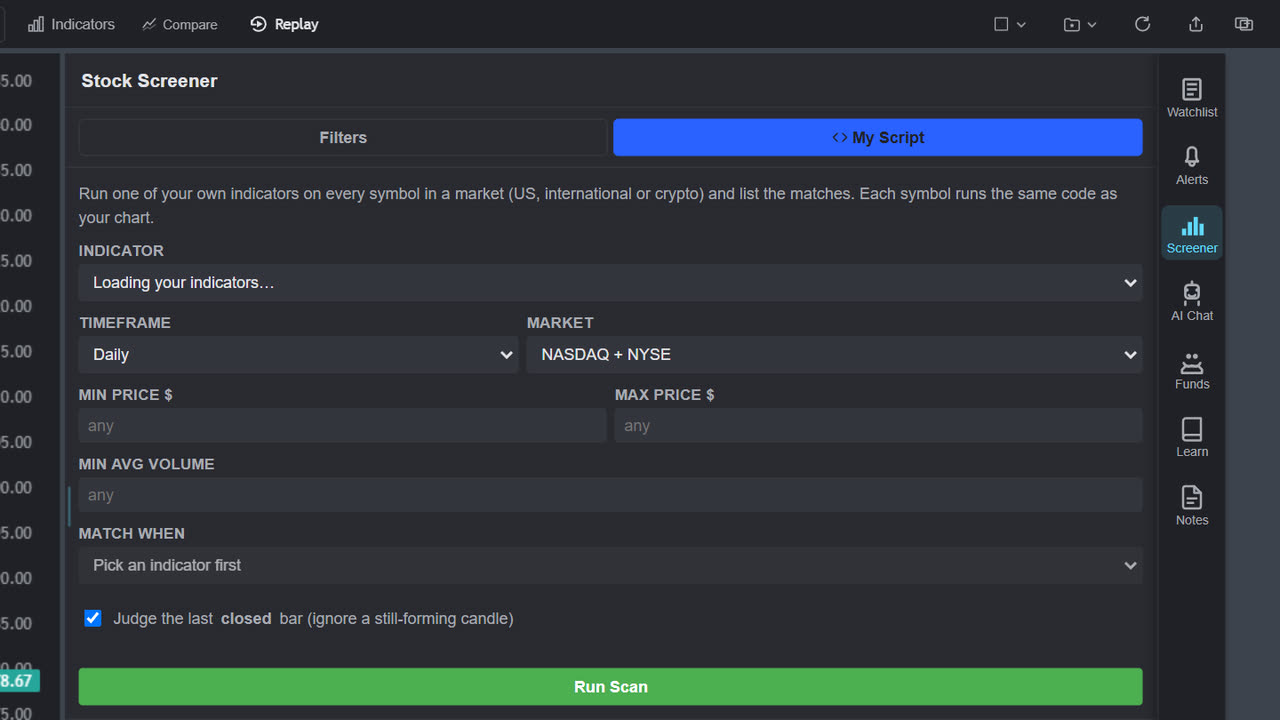
- My Script scanner (Premium): run your own indicator, a converted Pine script or an AI-built one, across a whole market, a watchlist or crypto pairs, match on its buy/sell signals, plotted values or alert conditions, and export the results to CSV
- AI screening (Premium): describe a screen in plain English in the AI Chat, or ask it to scan for a chart pattern, and it runs the scan for you
Custom Script Scanner
The My Script tab of the Stock Screener runs one of your own indicators on every symbol in a market or across your watchlists, and lists where it matches. Premium.
- Scan with a converted Pine Script or ThinkScript study, an AI-built indicator, or anything in your saved library
- US markets, 10 international exchanges, every Coinbase USD crypto pair, or your watchlists, on Daily, Weekly or intraday bars
- Match on BUY/SELL signals, plotted or hidden values, shape markers, alert conditions, or the text in a script's table
- Judge the last closed bar, so a still-forming candle can't create or erase a match
- A full NASDAQ + NYSE daily scan takes about a minute or two; results export to CSV
Legendary Investor & Politician Tracking
See exactly what the world's greatest investors and members of Congress are buying and selling — and how their trades are actually performing. Parsed directly from SEC 13F filings and STOCK Act disclosures with performance tracking, overlap detection, and recent-trade feeds.
- Politician trades — every stock trade disclosed by members of the House and Senate (Pelosi, Crenshaw, Tuberville, Gottheimer and 180+ more), with buy/sell, family account, size range and filing lag, updated daily from the official filings
- Politician performance — return since each disclosed buy, win rate, best and worst trade, benchmarked against the S&P 500, plus a recent-trades feed and overlap view showing which stocks several politicians are trading at once
- 20 legendary investors: Buffett, Burry, Ackman, Dalio, Druckenmiller, Griffin, Icahn, and more (Premium)
- Performance tracking — estimated return since each fund's latest filing, benchmarked against SPY with alpha, plus a portfolio risk score
- Deep fund analytics — sector mix, market-cap distribution, concentration, style & quality metrics, and top contributors/detractors per fund
- Recent buys at a glance — NEW BUY, BOUGHT +X%, and SOLD −X% badges on every holding, plus a filter showing only what changed this quarter
- Quarter activity per fund — turnover, net buy ratio, and New Buys / Added To / Trimmed lists
- Portfolio overlap detection — surface stocks that 2+ legendary investors are buying at the same time
- Each fund's latest 13F parsed with CUSIP-to-ticker conversion, its top 10 positions at a glance
- In the app, the whole Hedge Fund Holdings and Politicians panel is Premium, Berkshire included; Free accounts see a locked preview. The public Congress Stock Tracker on our free tools page shows the last 60 days of disclosed trades with no account
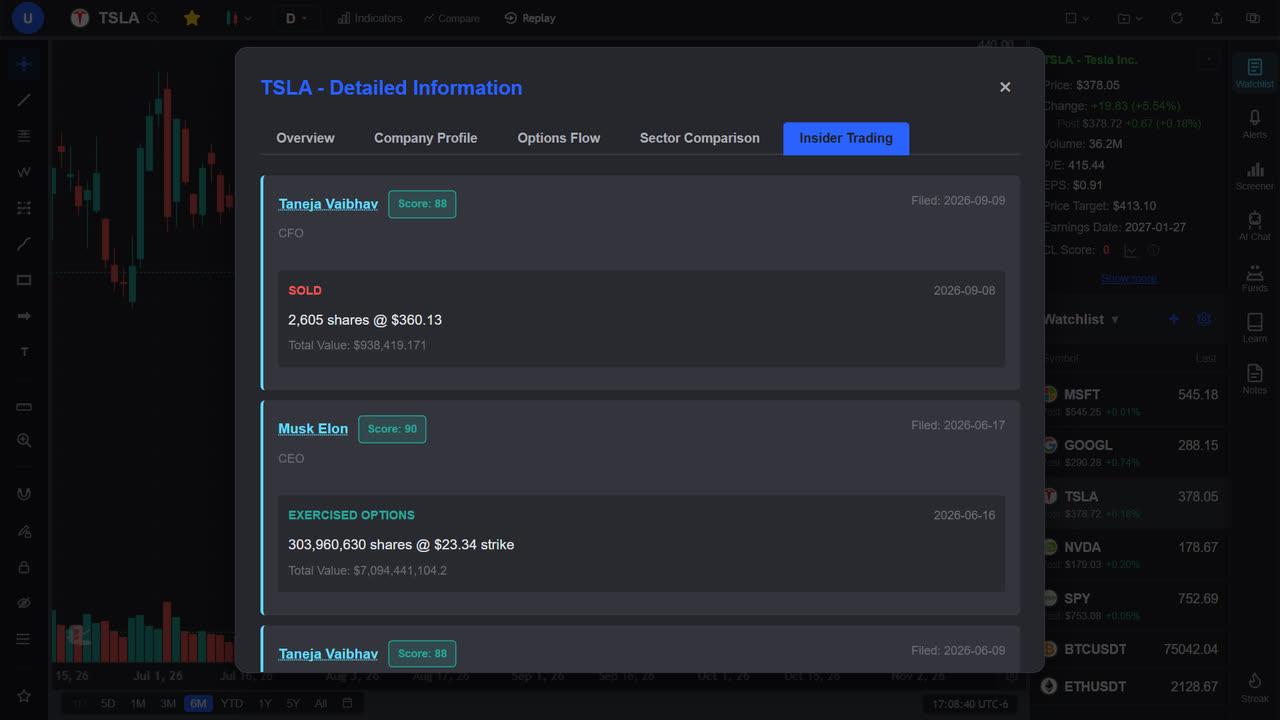
Insider Trading Data
Track corporate insider buying and selling, free on every plan, with a confidence score for every insider so you know whose trades are actually worth following.
- The latest SEC Form 4 filings for any stock (up to 50, refreshed hourly) in the Insider Trading tab under Show more on the stock-info box, labeled as buys, sells and option activity, with routine grants and RSUs filtered out
- Insider Confidence Score (0–100) — every insider rated on trading skill, timing, conviction, and consistency
- Per-insider performance breakdown — realized and unrealized P&L, average buy price, and full transaction history
- Position summary with P&L tracking from trade date to current price
- New Form 4 filings since your last visit, listed in the Daily Digest that opens when you come back
Price Alerts
Set alerts on price levels, indicator conditions, and trendline crossings. Visual dashed lines show your alerts directly on the chart.
- Price level alerts: above or below any price, free on every plan (Free holds 3 active alerts, checked in the app while ChartingLens is open)
- Indicator-based alerts (Premium): RSI, MACD, Smart MACD, Stochastic, ADX, and price vs. a moving average — crosses or numeric levels you pick
- Multi-timeframe confirmation — stack rules and require them on two timeframes at once, e.g. RSI and MACD on both the 1h and the daily
- Trendline alerts with price cross or candle close triggers (Premium)
- Signal alerts on custom AI indicators (Premium) — click the bell icon in any custom indicator's legend to get notified the moment it prints a new buy or sell signal while ChartingLens is open
- Quick-add "+" buttons on the price axis and directly on indicator panes to drop an alert at that exact value
- Per-alert trigger modes (once / every time), candle-close or live-price evaluation, and expiration
- Strategy alerts (Premium): get notified when one of 11 preset strategies, such as a golden cross, fires a buy or sell signal
- Premium and Pro price, indicator, trendline and strategy alerts are checked on our servers every 5 minutes, even with your browser closed, with email notifications. Premium holds 20 active alerts (10 with email), Pro is unlimited. Free price alerts fire while ChartingLens is open
- Phone push notifications for your server-checked alerts on Premium and Pro in the ChartingLens mobile app, coming soon
Watchlists
Create multiple named watchlists with live prices, drag to reorder, and cloud sync. Collapsed and expanded views with pre/post market data.
- Named watchlists: create, rename, delete, and switch between them. Free keeps 1 list of up to 40 symbols, Premium 10 lists with unlimited symbols, Pro unlimited
- Live price, change, and change % for every symbol
- Sortable by symbol, price, change, or % change, then back to your own order
- Bulk import: paste a whole ticker list (commas, spaces or line breaks; exchange prefixes and duplicates are cleaned up) to fill a watchlist in one go
- Pre-market and post-market prices shown when available
- Drag and drop to reorder symbols
- Star button in the header to quickly add/remove the current chart symbol
- Real-time sync — add, remove, or reorder symbols on one device and every other signed-in device updates within a second
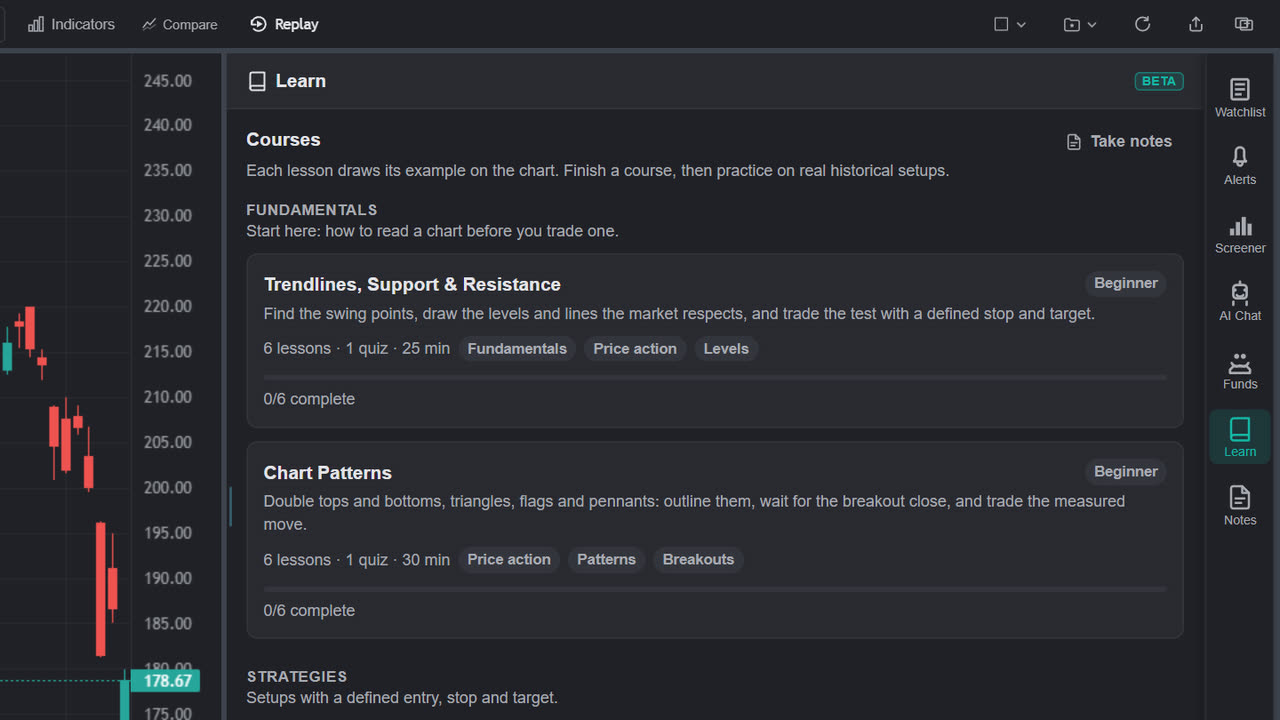
Learn: Courses That Draw on Your Chart
Interactive courses in the right sidebar that draw each lesson's example straight onto real price, with quizzes that test what the lesson taught and graded practice on genuine historical setups.
- Fundamentals track: Trendlines, Support & Resistance, and Chart Patterns — every lesson free
- Strategies track: Fair Value Gaps and their inversions, drawn live on the candles as you read
- Quizzes that test the lesson on the chart in front of you — count the swings, read a touch bar, place the stop — and explain every wrong answer
- Practice on examples (Premium) — a real historical setup replays bar by bar, you mark the zone and take the trade, then Finish & Grade scores your read
- Lessons take over the chart while they run and hand back your exact symbol, range and lookback when you leave
- A Take notes button opens the trading journal beside any lesson
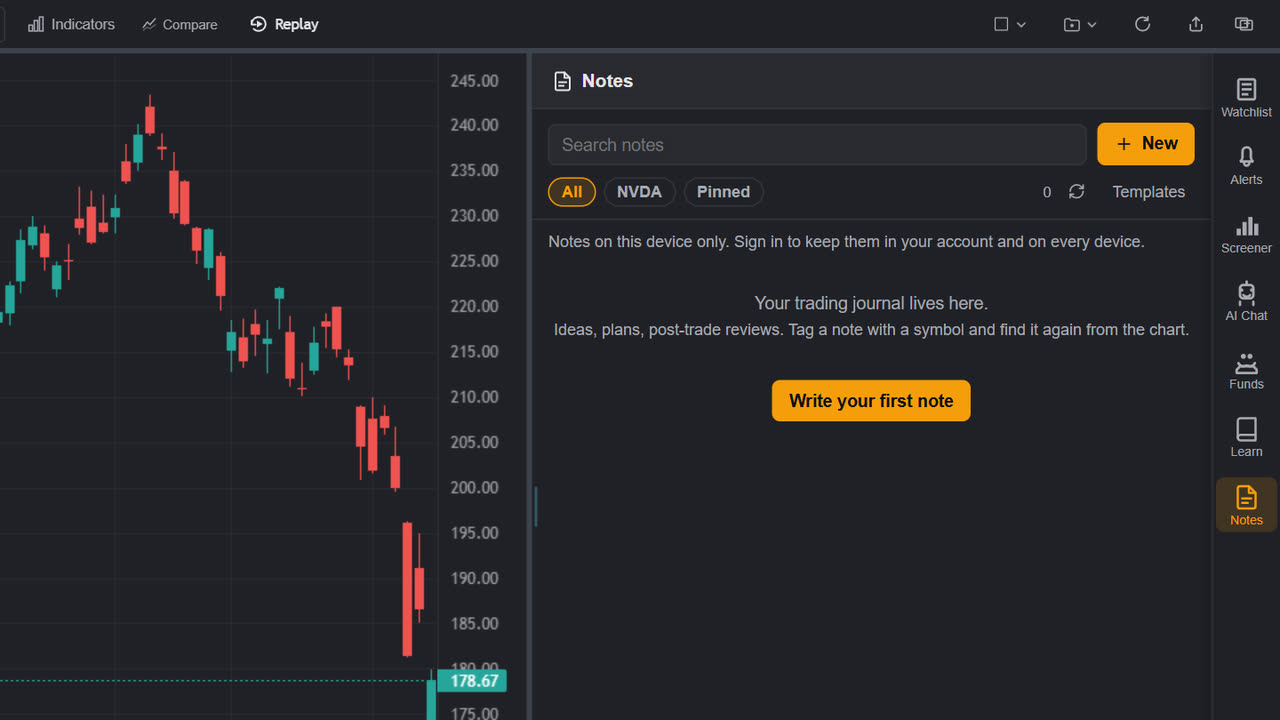
Notes: Your Trading Journal
A trading journal that lives beside the chart. Write the plan next to the setup it belongs to, tag it with the symbol, and find it again on any device.
- Notes named by their first line and tagged with the symbol on the chart when you write them
- Pin the notes you keep coming back to; search across everything
- A built-in Trade review template (entry, stop, target, size, result) plus up to 20 of your own, such as a pre-market plan or a weekly debrief, so every entry starts with the right questions
- Synced to your account, so a plan written at the desk is on your phone at the open
- Free: 3 notes of up to 5,000 characters. Premium: 25 notes of up to 50,000. Pro: unlimited
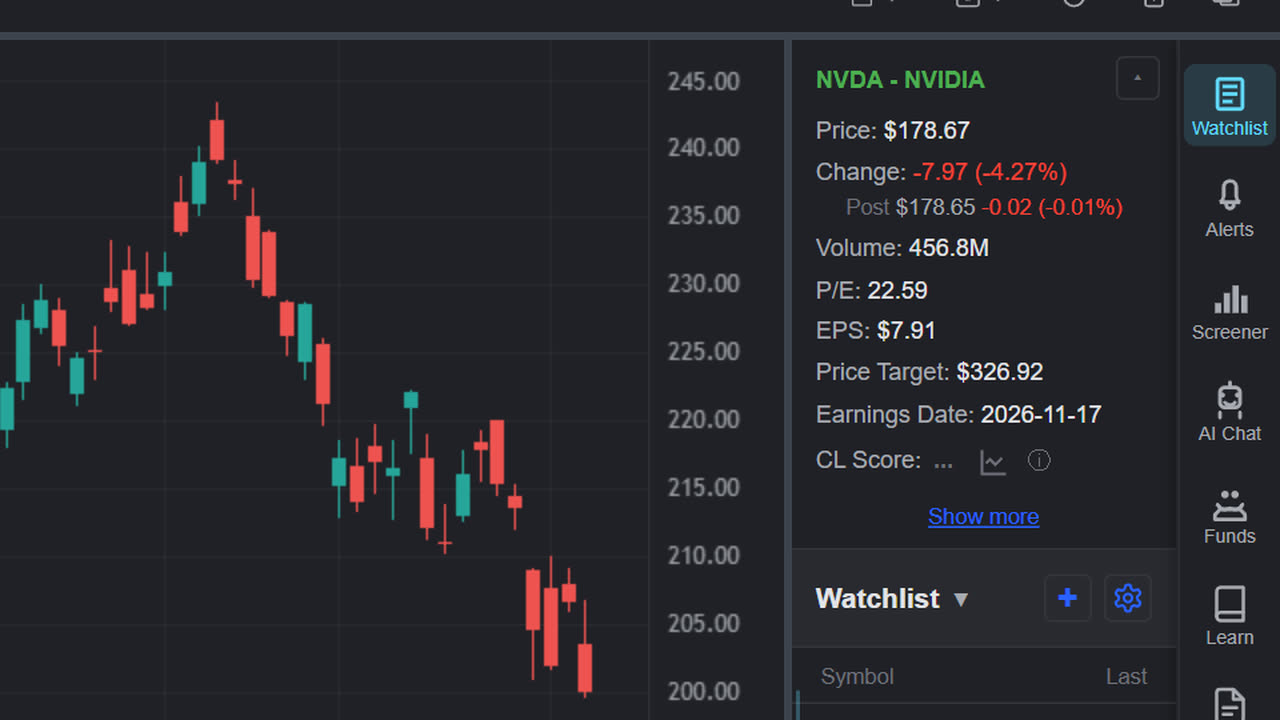
Stock Information
Comprehensive company data in the sidebar and a detailed "Show More" modal with financial trends, analyst targets, and insider data, free on every plan.
- Key metrics at a glance: P/E, EPS, analyst target price, earnings date
- Pre/post market prices and extended hours change
- Detailed modal with revenue, earnings and margin trends over recent quarters, EPS actual vs estimate, balance-sheet health and free cash flow
- Options Flow tab — options activity broken down by expiration, strike, and put/call ratios
- Analyst recommendations, institutional and insider ownership, float and short interest
- Insider Trading tab with the latest Form 4 buys and sells for the stock
- Sector and industry comparisons with peer companies
- Company profile, employee count, and description
CL Score
A 0 to 100 score for any stock, shown on a badge in the stock-info box at the top of the Watchlist panel.
- Built from trend (ADX and directional movement) and momentum (MACD, Stochastic, RSI) on the latest daily candles, adjusted for valuation (P/E) and analyst price-target upside
- 70 and above reads strong, 50 to 69 moderate, below 50 weak
- A toggle beside the badge plots the score's markers on the chart
- Free accounts get 1 reveal a day plus Daily Streak rewards; Premium and Pro reveal without limit
Ready to get started?
Join traders who use ChartingLens to make better decisions.
Create Free Account