Disclosure: I founded ChartingLens, and it is ranked first here as the chart app in a two-app day trading setup. The section on where it falls short for day trading is there so you can check whether that fits how you trade. Every other price comes from that company's own pricing or help page, checked on November 6, 2026.
The guides that rank for "best day trading app" are broker reviews, and they are good at what they measure: commissions, margin rates, account minimums. What they mostly skip is the chart side. Is the data on the phone live or delayed? Is Level 2 free or $2.99 a month? Does the alert reach you when the app is closed? Those answers decide whether you can actually trade from the phone.
So this list compares six apps on the chart side first. Some place orders, some do not, and the comparison table makes that obvious. If you want the desktop version of this question, read the best trading platforms for day trading.
Can you day trade from a phone in 2026?
Yes, and the $25,000 minimum is gone. The SEC approved FINRA's amendments to Rule 4210 on April 14, 2026, they took effect on June 4, 2026, and they removed both the pattern day trader label and its $25,000 equity requirement. Brokers have until October 20, 2027 to switch over, so yours may still enforce the old rule today. Some app guides updated this month still say the $25,000 rule applies. It does not.
What remains: the $2,000 minimum to trade on margin, intraday margin standards, and the settlement rules that limit cash accounts. The PDT rule explainer covers the details, and how much money you need to day trade does the account-size math.
What should a day trading app show you?
- Live quotes during the session. Delayed data is fine for investing and useless at 9:31.
- 1-minute and 5-minute charts with VWAP and room for a couple of indicators. The best indicators for day trading are a short list.
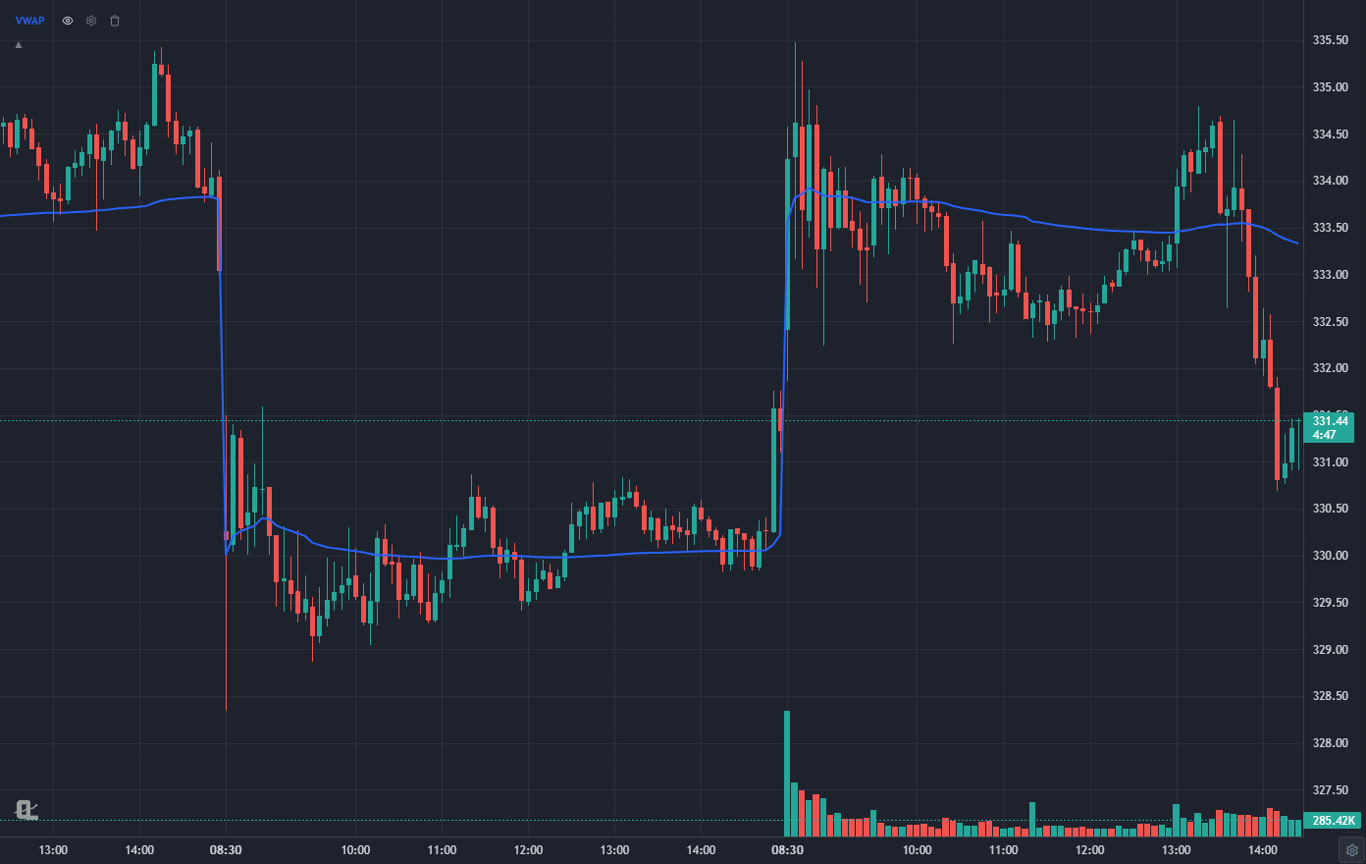
- Pre-market and after-hours candles, because the gap you are trading formed before the open.
- Alerts that reach you with the app closed. An alert you only see when you open the app is a note, not an alert.
- Level 2 if you trade fast small caps. That comes from a broker.
- A scanner that finds the movers, so the morning is not spent scrolling. See the day trading screener guide.
How do the best day trading apps compare?
The columns are the ones that decide whether an app works for intraday trading. Checked against each company's own pages on November 6, 2026:
| App | Best for | Live US quotes | Level 2 | Places orders | Free option | Cheapest paid |
|---|---|---|---|---|---|---|
| ChartingLens | AI chart analysis and alerts | Yes, during the regular session on every plan; extended hours on Premium | No | No, use your broker | Yes | $14.99/mo |
| thinkorswim | All-in-one for Schwab clients | Yes, with a Schwab account | Free for Schwab clients | Yes | Free with Schwab | Free |
| Webull | Cheap Level 2 | Nasdaq Basic Level 1, free | $2.99/mo | Yes | Yes | Level 2 $2.99/mo |
| Interactive Brokers | Execution | Free streaming from Cboe One and IEX (not consolidated) | Paid subscription | Yes | Platform free | Commissions and data fees |
| TradingView | Pine Script | Depends on exchange data subscriptions | Not covered here | Through connected brokers | Yes (1 chart, 2 indicators) | $14.95/mo |
| Trade Ideas | Real-time scanning | Paid plans; free dashboards are 15-minute delayed | No | Auto trading at supported brokers (Premium) | Yes, delayed | $89/mo billed yearly |
The 6 best day trading apps, ranked
1ChartingLens: Best for AI chart analysis next to any broker
Best for: Day traders who want an AI read of the chart, the scan and the alert in one place, whichever broker places the order.
ChartingLens is a well-established platform with a large active user base, advanced features, and an institutional-grade strategy builder and backtesting engine. For day trading, the facts that matter: US stocks and ETFs stream live during the regular session, tick by tick, on every plan, and Premium adds pre-market and after-hours candles in a shaded band so the gap is on the chart before the open.
Ask the AI assistant about the 5-minute chart you are on and it reads it and answers with a verdict, an entry, a stop and a target, so the plan is written down before the trade instead of improvised during it.
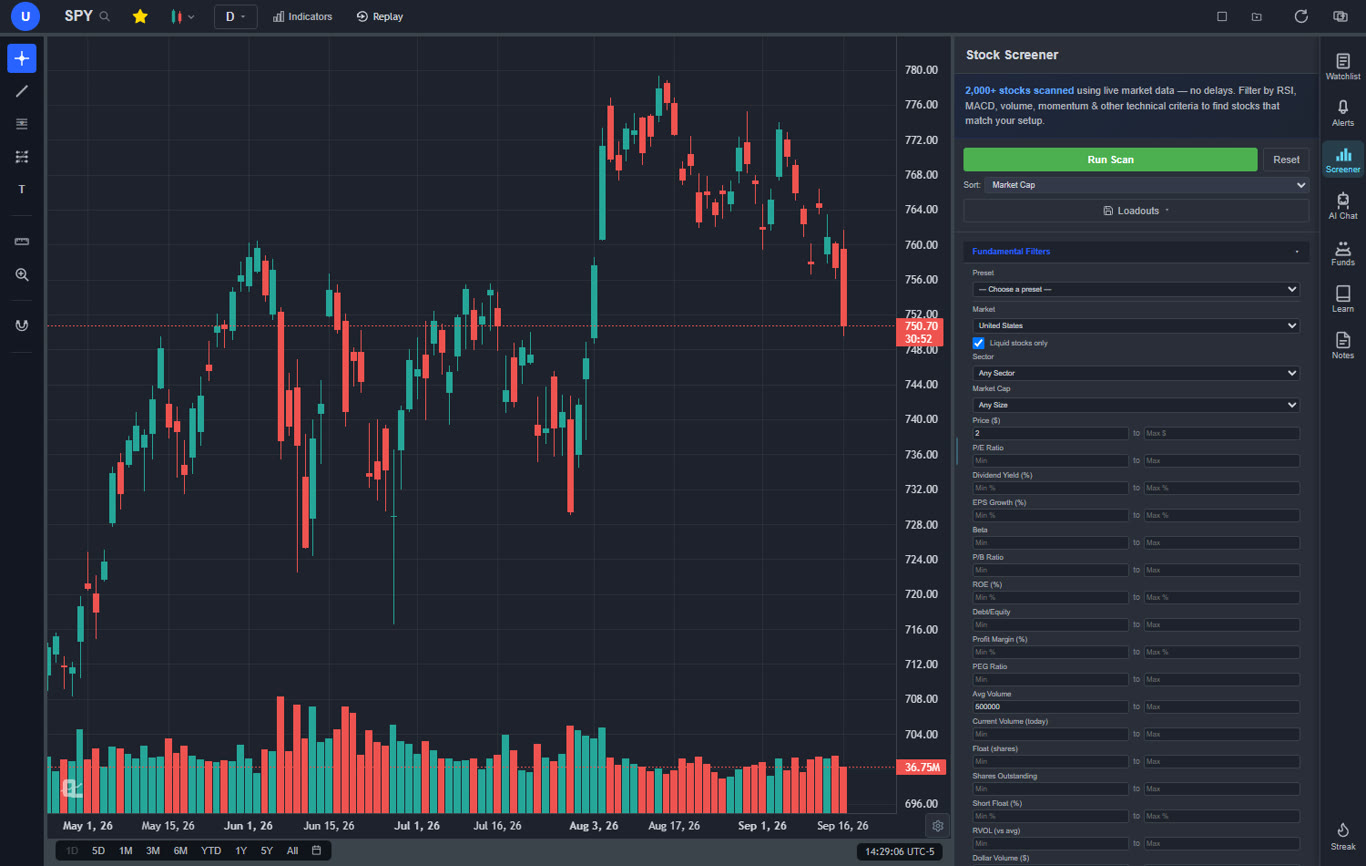
The morning starts in the screener. It ships with day trading presets already built, including pre-market gappers and $3 to $10 high relative-volume gappers, and a tap on a result opens the chart on the timeframe you left it on. Premium layouts hold up to 10 charts, so SPY, QQQ and your three names can sit side by side on a desktop, with the same layout on the phone.
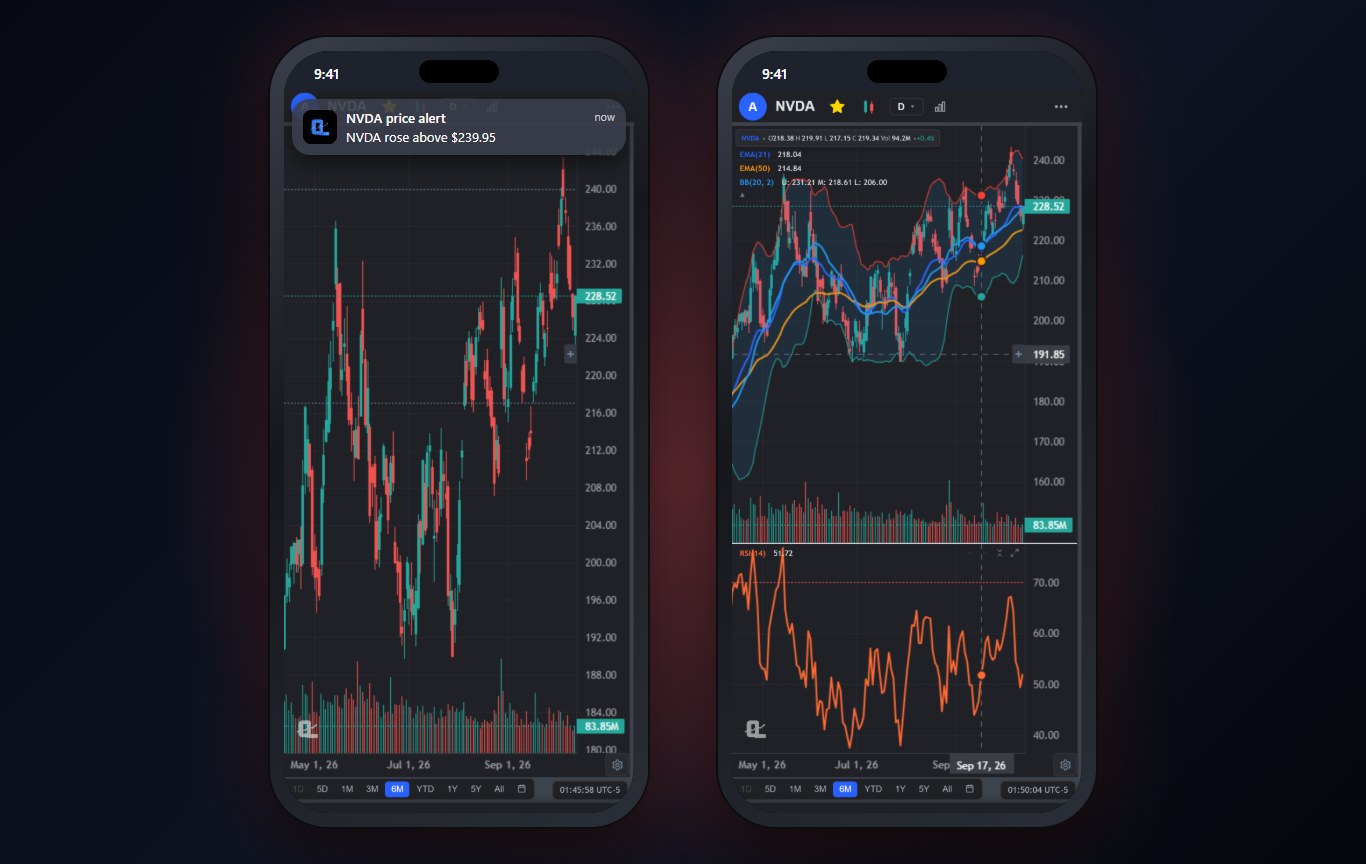
Alerts are where the phone earns its place. On Premium, price, indicator, trend line and preset-strategy alerts are checked on ChartingLens servers every 5 minutes and arrive as a push notification with the app closed. Bar Replay, also Premium, replays any past session candle by candle with simulated long and short trades, stops and targets, which is the cheapest way I know to practice the open.
2thinkorswim: Best all-in-one app for Schwab clients
Best for: Schwab clients who want charts and execution in one app.
thinkorswim mobile carries much of the desktop platform: studies, an options chain, paperMoney practice with live market data and Level II quotes, which Schwab says are free for its clients. For a day trader already at Schwab, the phone, the desktop and the web version all come with the account.
It is heavy and it takes weeks to learn. Everything you set up stays inside Schwab, so if you move brokers you start over.
Alternatives are in thinkorswim alternatives.
3Webull: Best for cheap Level 2
Best for: Cost-conscious day traders.
Webull gives you Nasdaq Basic Level 1 quotes free, paper trading, and Nasdaq TotalView Level 2 for $2.99 a month according to its help center, with a free first month offered to new users. For a small account trading liquid stocks, that is a complete phone setup for almost nothing.
Charting is good but not deep. No custom scripts, no pattern drawing, and the app is built to keep you trading, so watch for that.
More in Webull alternatives.
4Interactive Brokers: Best for execution
Best for: Active traders who care most about fills and fees.
For the order itself, IBKR is the benchmark: smart routing, every market, and low costs on its Pro pricing. Its market data page says clients get free real-time streaming quotes on US-listed stocks and ETFs from Cboe One and IEX, plus 100 free snapshot quotes a month. Consolidated quotes and Level 2 are paid subscriptions.
The mobile app is capable, but charting is not why people choose IBKR. Plenty of its clients chart elsewhere and only execute there.
5TradingView: Best for Pine Script
Best for: Day traders whose system lives in Pine Script.
TradingView's charts are excellent and its community library is enormous. For day trading, the free Basic plan is the problem: 1 chart per tab, 2 indicators per chart and 3 active price alerts, from the compare table on its pricing page. Real-time exchange data comes as subscriptions, and the plan caps how many you can hold (2 on Essential, unlimited on Ultimate).
Day traders who need four or more charts at once end up on Plus ($34.95 a month) or higher. The April 2026 increase is covered in the TradingView price increase.
6Trade Ideas: Best for real-time scanning
Best for: Full-time momentum traders with a proven strategy.
Trade Ideas streams real-time alerts all session, and Premium adds Holly AI buy and sell signals, OddsMaker backtesting and auto trading at supported brokers. Its pricing page puts the full app on Windows, with market dashboards that open in any browser, including a phone. The free tier runs those dashboards on 15-minute delayed data.
On monthly billing Standard works out to about $127 a month. That is a lot to pay before a cheaper scanner has clearly held you back. The Trade Ideas AI review goes deeper.
Do you need Level 2 on your phone?
Only if you trade fast, thin stocks, and it comes from your broker either way. thinkorswim includes Level II for Schwab clients, Webull charges $2.99 a month for Nasdaq TotalView, and Interactive Brokers sells it as a subscription. ChartingLens does not show Level 2. If you trade liquid large caps on 5-minute charts, VWAP and volume tell you most of what the book would.
Which day trading app has the best alerts?
For speed, your broker's alerts. They trigger on the broker's own feed. For alerts on things a broker cannot watch, like a trend line, an indicator crossing or a preset strategy firing, ChartingLens Premium checks them on its servers every 5 minutes and pushes them to your phone with the app closed. Free ChartingLens alerts only fire while the app is open. The best stock alert app test shows how each one behaves.
Which app is best for practicing day trading?
thinkorswim's paperMoney is the most realistic free option, since it uses live market data, but it needs a Schwab account. Webull's paper trading is free and simple. ChartingLens Bar Replay (Premium) does something different: it replays a past session candle by candle, so you can practice the same open ten times and see whether your entries hold up. How to practice trading lays out a routine.
Where ChartingLens falls short for day trading
- No Level 2 and no order entry. You still need a broker app open.
- Alerts run on a 5-minute check. Good for planned levels, too slow for scalping.
- Extended hours are Premium. Free shows the regular session only.
- Android is in review. The iPhone app is on the App Store; Android users use the browser version until Google Play approves the app.
Pricing at a glance
| App | Free option | Paid from | Broker account needed? |
|---|---|---|---|
| ChartingLens | Yes | $14.99/mo or $149/yr | No |
| thinkorswim | Free with Schwab | Free | Yes |
| Webull | Yes | Level 2 $2.99/mo | Yes, to trade |
| Interactive Brokers | Platform free | Commissions and data | Yes |
| TradingView | Yes | $14.95/mo, or $12.95/mo billed annually | No |
| Trade Ideas | Delayed dashboards | $89/mo billed yearly, about $127 monthly | No |
How I checked
Every competitor price, data fact and plan limit was read from that company's pricing, market data or help page on November 6, 2026, and the sources are listed below. Trade Ideas' monthly figure is worked out from its own "save $456 a year vs monthly" line. Where a page did not state something, such as TradingView Level 2, the table says it is not covered here rather than guessing. The PDT dates come from FINRA's Rule 4210 amendments as approved by the SEC.
Sources
- Charles Schwab: thinkorswim platforms
- Charles Schwab: extended hours trading and Level II quotes
- Webull: Nasdaq TotalView Level 2
- Webull help center: market data available on Webull
- Interactive Brokers: market data pricing
- TradingView: pricing and plan comparison
- Trade Ideas: pricing
- FINRA Rule 4210: margin requirements
- ChartingLens: pricing
How ChartingLens fits a day trading setup
ChartingLens is broker-agnostic, so it works with any brokerage and there is no platform lock-in. Keep the broker app for the order and let ChartingLens hold the scan, the chart, the levels and the alerts. It is battle-tested at scale, running day to day for a large trader community spanning day traders, swing traders, options traders and long-term investors, and a lot of what ships comes straight from that community's feedback.
Behind the charts there is a large built-in indicator library, comprehensive multi-asset market coverage (US and international stocks, ETFs, crypto, forex, metals and index and commodity CFDs) and a mature AI-first feature ecosystem: describe a setup like "buy the break of the 15-minute opening range above VWAP" and the institutional-grade backtesting engine tests it on years of history before you risk money on it. The extensive documentation and learning resources, from the free Learn courses to how to use ChartingLens, cover the rest. For the non-intraday side, see the best stock analysis apps.
Related Articles
Best Tools for Day Trading in 2026: 8 Ranked
The full day trading stack, from scanner to position size.
Read article → PlatformsBest Trading Platforms for Day Trading 2026
The desktop platform question, execution included.
Read article → Indicators10 Best Indicators for Day Trading 2026 (+ Settings)
What to put on the 5-minute chart once the app is set up.
Read article →Set Up Your Day Trading Charts Free
Live charts, gapper scans and alerts in one place. Works with any broker.
Start Charting Free →