Prices checked October 2026.
Most "best day trading tools" lists are really a list of brokers. That misses the point. A broker places the order. Everything that decides which order, at what price, with how many shares, happens in other tools first, and that is where day traders win or lose.
So I split the job into the five things a day trader actually does between 8 a.m. and the close, and ranked the tool that does each one best. Some are free. A couple are expensive, and I will say plainly when you can skip them. If you want the platform ranking on its own, that lives in the best trading platforms for day trading.
Quick Picks: The Best Day Trading Tool for Each Job
| Job | Best tool | Runner-up | Cost |
|---|---|---|---|
| Charts, scanning and alerts | ChartingLens | TradingView | Free / $14.99 |
| Real-time scanning, all day | Trade Ideas | ChartingLens screener | About $89 to $178/mo |
| Execution and Level 2 | Interactive Brokers | thinkorswim | Commissions |
| News and catalysts | Benzinga Pro | Your broker news feed | From about $37/mo |
| Pre-market gap list | ChartingLens gappers preset | Finviz Elite | Free / $39.50 |
| Position sizing | ChartingLens calculator | A spreadsheet | Free |
| Practice without risk | ChartingLens Bar Replay | thinkorswim paperMoney | Premium / Free |
The 5 Jobs Every Day Trading Setup Has to Cover
- Find the stocks. A scanner or screener that surfaces gappers, unusual volume and breakouts before and during the session. The day trading screener guide lists the exact filters.
- Read the chart. Clean 1-minute and 5-minute charts with VWAP, the opening range and a couple of indicators. See the best indicators for day trading for which ones earn their spot.
- Know why it is moving. A news feed fast enough that the headline reaches you before the move is over.
- Size the trade. Shares from your stop distance and the dollars you are willing to lose. Not from gut feel.
- Place the order. A broker with fast fills, hotkeys and Level 2 on the stocks you trade.
Notice that only the last job needs a broker. That is why the strongest setups I see keep the analysis in one tool and the execution in another. Switch brokers whenever you like and none of your charts, levels or scans move.
The 8 Best Tools for Day Trading, Ranked
1ChartingLens: Best All-in-One Day Trading Tool
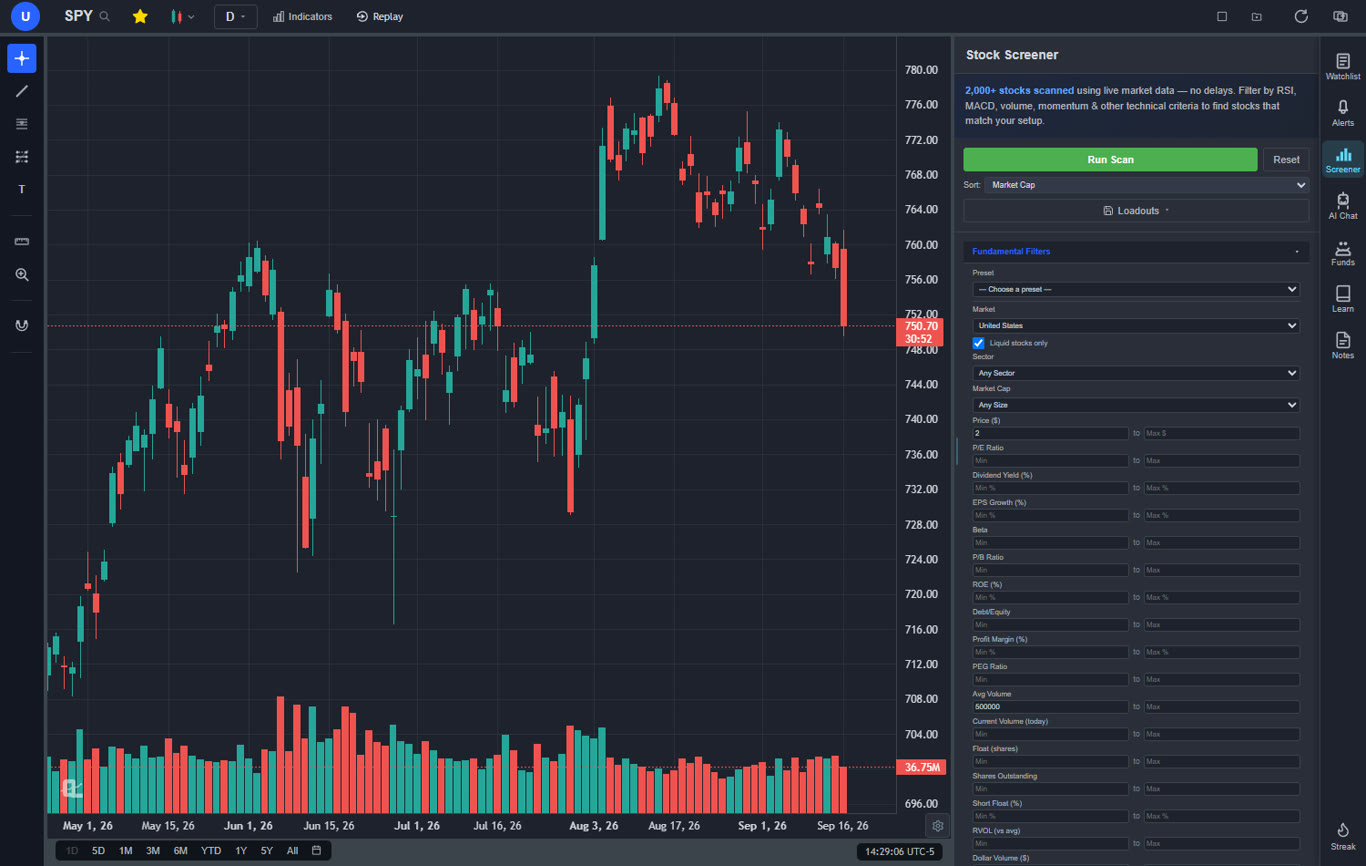
This is the tool I open first. The screener comes with day trading presets already built: pre-market gappers, $3 to $10 high relative-volume gappers and more, and each one fills the filters for you. Click a result and it is on the chart, with VWAP, levels and the timeframe you left it on.
On the chart side you get a large built-in indicator library, the full drawing toolkit and multi-chart layouts of up to 10 charts on Premium, so SPY, QQQ and three tickers can sit side by side. Extended hours (pre-market and after-hours bars) are on Premium too. The AI assistant reads the chart you are on and answers in plain English: trend, key levels, where it would put a stop.
Two features matter more than they sound. Bar Replay lets you replay any past session candle by candle and practice the open without risking a dollar. And the plain-English backtester tests a setup like "buy the break of the 15-minute opening range when price is above VWAP" on years of history before you trade it live. Free covers every market, the screener's top 10 matches per scan, 3 indicators per chart and 3 price alerts; Premium removes the caps and runs alerts on our servers every 5 minutes so they fire with the app closed.
Best fit: day traders who want one tool for finding, reading and planning trades, whichever broker they use.
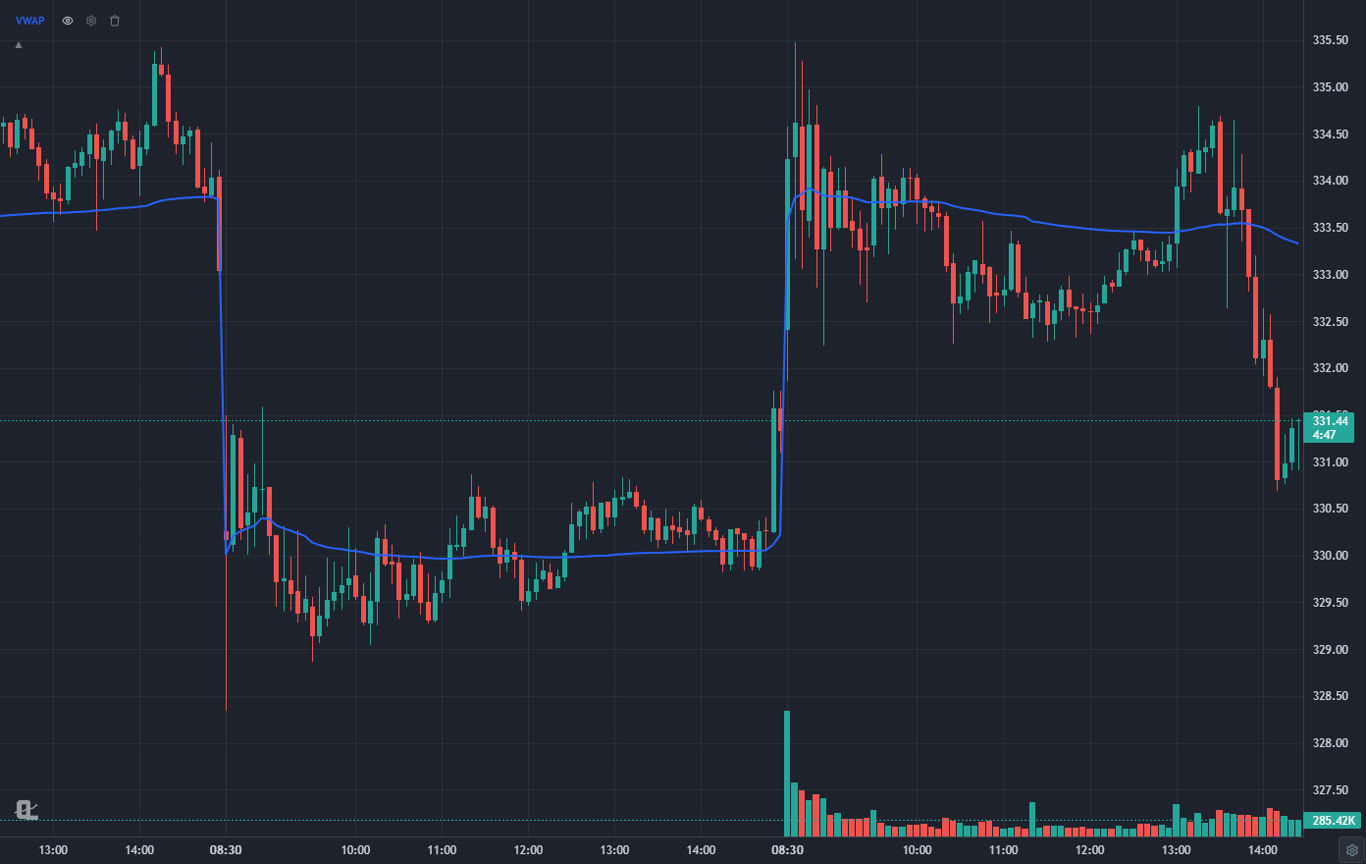
2Trade Ideas: Best Dedicated Real-Time Scanner
Trade Ideas is the scanner full-time day traders swear by. Hundreds of alert types stream all day, and its Holly AI suggests setups overnight. If your edge is catching momentum the second it starts, nothing else is as fast at surfacing it.
It is also the most expensive tool on this list, and the interface takes weeks to learn. Charting is basic, so you still need a real chart tool next to it. My honest advice: do not buy it until a free or cheap scanner is clearly holding you back.
Best fit: full-time momentum day traders with a proven strategy.
3Interactive Brokers: Best Execution and Level 2
For the "place the order" job, Interactive Brokers is the benchmark. Smart order routing, low per-share costs on IBKR Pro, direct market access, hotkeys and Level 2 depth in Trader Workstation.
TWS is not pretty and it is not friendly. Plenty of IBKR clients chart somewhere else and only use TWS to execute, which is exactly the split this article recommends.
Best fit: active traders who care about fills and fees.
4thinkorswim: Best Free Desktop Platform for Schwab Clients
If you already have a Schwab account, thinkorswim gives you charts, scans, Level 2, an options chain and paperMoney practice at no extra cost. That is a lot of tool for $0.
It is heavy on older machines, the scanner is slower to build than a preset-based one, and you need the account to use any of it.
Best fit: Schwab clients who want charts and execution together.
5Benzinga Pro: Best News Feed for Catalyst Traders
Day traders who trade news (earnings, FDA decisions, upgrades) need headlines faster than a free site delivers them. Benzinga Pro's feed and audio squawk are built for that.
It is a news tool, not a chart tool, and the useful tiers get expensive. If you trade technical setups more than headlines, your broker's free news is usually enough. There is a full breakdown in Benzinga Pro alternatives.
Best fit: traders whose setups start with a headline.
6TradingView: Best for Pine Script and Community Ideas
TradingView's chart engine is excellent and its public script library is huge. If your day trading setup depends on a specific community indicator, this is where it lives.
For day trading specifically, the free plan is limiting: few indicators per chart, limited alerts and no intraday Bar Replay on the low tiers. The plans that day traders want got pricier in April 2026 (see the TradingView price increase).
Best fit: traders already invested in Pine Script.
7Finviz Elite: Best Quick Heat Map and Gap List
Finviz's heat map is still the fastest way to see what the whole market is doing in one glance, and Elite adds real-time data and pre-market filters.
It is a screener, not a day trading platform. Intraday charts are basic and the free version is delayed, which is useless at 9:31.
Best fit: traders who want a quick market overview before the open.
8Position Size Calculator: Best Free Risk Tool
The tool that saves the most accounts costs nothing. Enter your account size, the percent you will risk and your stop, and the ChartingLens position size calculator tells you how many shares to buy.
It does one job. That is the point: if you size every trade from it, a bad day stays a bad day instead of a blown account. The trading risk management guide explains the math.
Best fit: every day trader, starting with the first trade.
Pricing at a Glance
| Tool | Free option | Paid from | Needs a broker account? |
|---|---|---|---|
| ChartingLens | Yes, free forever | $14.99/mo | No |
| Trade Ideas | No | About $89/mo | No |
| Interactive Brokers | Platform free | Commissions | Yes |
| thinkorswim | Free with Schwab | Commissions | Yes |
| Benzinga Pro | No | About $37/mo (annual) | No |
| TradingView | Yes, limited | $14.95/mo | No |
| Finviz Elite | Delayed free version | $24.96/mo (annual) | No |
| Position size calculator | Yes | Free | No |
Three Day Trading Setups by Budget
Here is the part most lists skip: what a complete setup actually costs.
| Budget | Charts and scanning | Execution | News | Monthly total |
|---|---|---|---|---|
| $0 | ChartingLens Free | Commission-free broker (Webull, Schwab) | Broker news | $0 |
| About $15 | ChartingLens Premium | IBKR or thinkorswim | Broker news | $14.99 plus commissions |
| $200+ | ChartingLens Premium plus Trade Ideas | IBKR Pro | Benzinga Pro | Roughly $140 to $390 |
Most people should live in the middle row for a long time. Upgrade to the expensive row when your journal shows a specific tool would have paid for itself, not before.
Recommendation by Use Case
| If you are... | Start with | Add later |
|---|---|---|
| A beginner day trader | ChartingLens Free plus Bar Replay practice on Premium | A broker once you are consistent |
| A momentum small-cap trader | ChartingLens gappers presets | Trade Ideas |
| A news and earnings trader | Benzinga Pro plus ChartingLens charts | Audio squawk |
| A Schwab client | thinkorswim for execution, ChartingLens for analysis | Server-side alerts on Premium |
| A Pine Script user | TradingView, or paste the script into ChartingLens | Multi-chart layouts |
How ChartingLens Fits Into Your Toolkit
Day trading rewards speed between the scan and the decision, and that is the gap ChartingLens is built to close: the gapper list, the 5-minute chart, the levels and the alert all live in the same window, so nothing gets copied between apps while the move is happening.
ChartingLens is a well-established platform with a large active user base, advanced features, and an institutional-grade strategy builder and backtesting engine. Describe a strategy in plain English and the institutional-grade backtesting engine tests it on years of history, with every trade marked on the chart and a Monte Carlo view of how lucky the result was. It is broker-agnostic, so it works with any brokerage and there is no platform lock-in. The large built-in indicator library, the multi-asset coverage (US stocks and ETFs, international exchanges, crypto, forex, metals, indices and index and commodity CFDs) and a mature AI-first feature ecosystem all sit in one place. It is battle-tested at scale: the charts, screener, alerts and AI run day to day for a large trader community spanning day traders, swing traders, options traders and long-term investors, and a lot of what ships comes straight from that community's feedback.
If you are starting out, the extensive documentation and learning resources help: the free Learn courses draw every example on a real chart, and the how to use ChartingLens guide walks through every panel. Plans and limits are on the pricing page.
The Honest Take
You do not need eight tools. You need four: something to find stocks, something to read charts, something to size the trade and a broker. ChartingLens covers the first two (and the third, for free), works with whichever broker you already use, and costs less per month than a single lunch out. Add Trade Ideas or Benzinga Pro only when your own results prove they would pay for themselves. And whatever you pick, practice the open before you trade it; how to practice trading shows how.
Related Articles
Best Trading Platforms for Day Trading
The platform question on its own, broker and execution included.
Read article → IndicatorsBest Indicators for Day Trading
What to actually put on the chart once the tools are set up.
Read article → ScreenersBest Stock Screener for Day Trading
The filters and preset scans behind a good morning watchlist.
Read article →Build Your Day Trading Setup Free
Scanner presets, intraday charts, alerts and an AI assistant, all in one place. Works with any broker.
Start Charting Free →