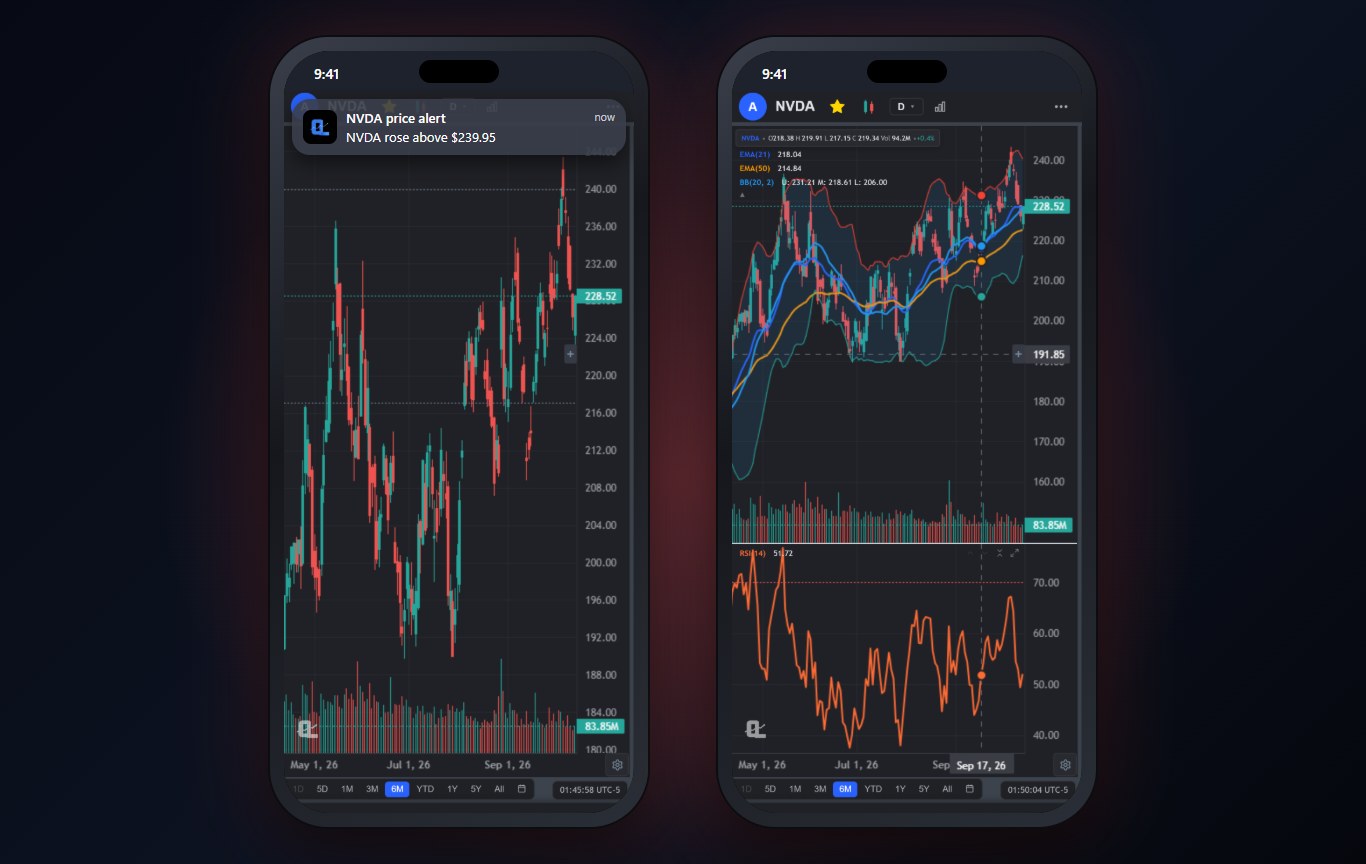
An alert app has exactly one job, and most of them fail it in the same way: the alert is set, the price gets there, and nothing reaches you because the app was closed. You find out an hour later. That is worse than no alert, because you stopped watching.
I tested six apps on the alerts I actually use: a price crossing a level, a trend line break, an indicator condition (RSI under 30), and a full strategy condition. Then I closed every app and waited. Here is what reached me, and how fast. If you are deciding where those levels should be in the first place, start with support and resistance levels.
The 4 Kinds of Stock Alerts Worth Setting
- Price alerts. Price crosses above or below a number. Simple and still the most useful.
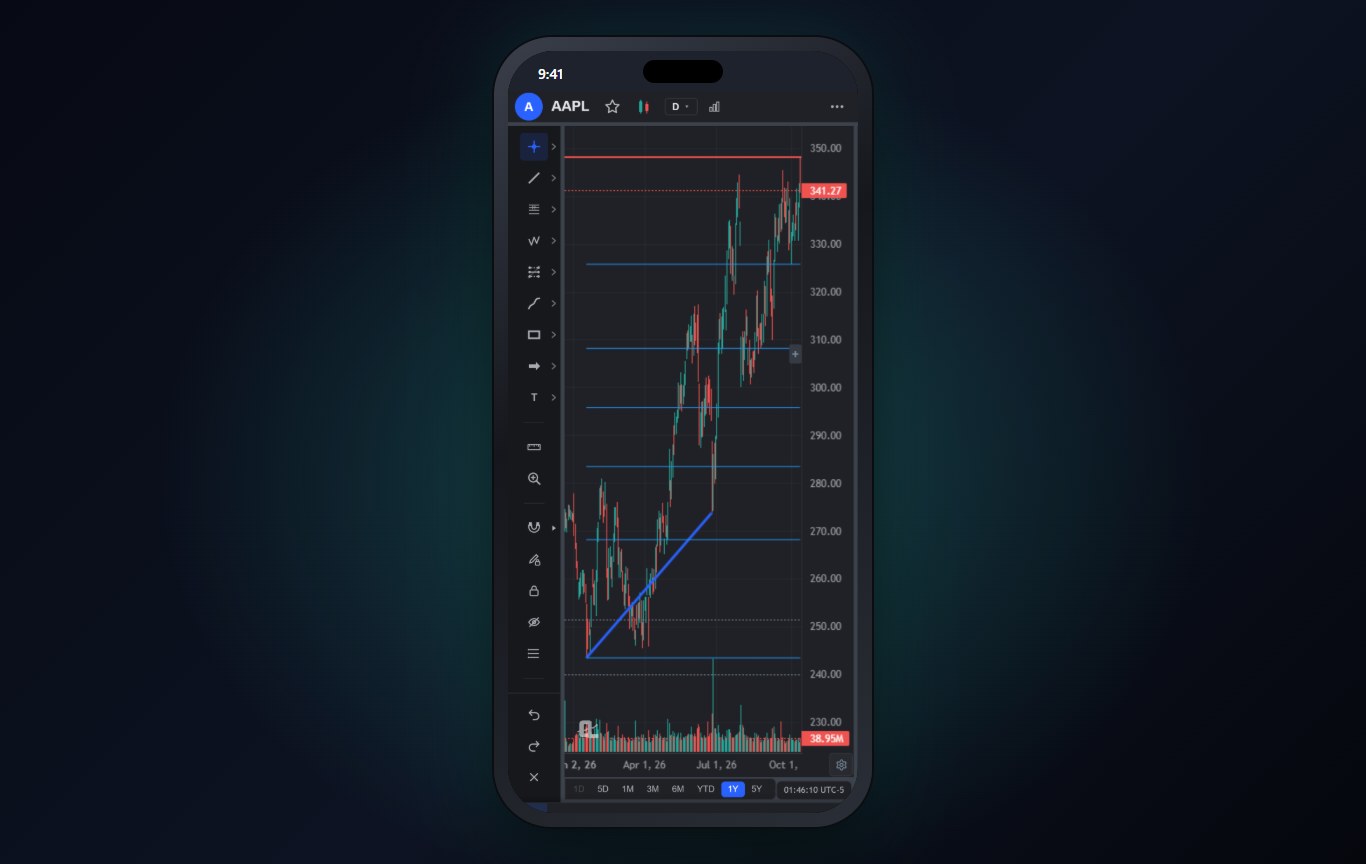
- Trend line alerts. Price breaks a diagonal line you drew. A price alert cannot do this, because the level moves every day.
- Indicator alerts. RSI under 30, a moving average crossover, MACD turning positive. The RSI, MACD and Bollinger Bands guide covers the common conditions.
- Strategy alerts. A full set of entry rules met together, the alert version of a backtested strategy.
Most free alert apps only do the first one. The difference between a good alert app and a great one is the other three.
The 6 Best Stock Alert Apps at a Glance
| App | Alert types | Push when app is closed | Price |
|---|---|---|---|
| ChartingLens | Price, trend line, indicator, strategy | Yes (server-side on Premium and Pro) | Free (3 price alerts), Premium $14.99/mo |
| TradingView | Price, drawing, indicator, Pine conditions | Yes | Free (limited), $14.95 to $69.95/mo |
| thinkorswim | Price, study conditions | Yes | Free with Schwab |
| Webull | Price, percent change | Yes | Free |
| Stock Alarm | Price, percent, volume | Yes, alarm-style | Free tier, paid plans |
| Benzinga Pro | News and squawk | Yes | Paid plans |
The Best Stock Alert Apps, Ranked
1ChartingLens: Best Stock Alert App Overall
ChartingLens covers all four alert types. Set a price alert by holding a price on the chart. Draw a trend line and put an alert on the line itself, so it follows the slope. Alert on indicator conditions, including custom indicators you built or converted, and on full strategy conditions from the strategy builder.
On Premium and Pro the alerts are checked on ChartingLens servers every five minutes and delivered as push notifications on your iPhone, whether or not the app is open, plus email if you turn it on. The free plan includes 3 price alerts, and because the alerts live in the same app as your charts and drawings, the context is one tap away when one fires.
You can also ask the AI assistant to create an alert in plain English, like "alert me if NVDA closes below the 50-day", and it sets it up exactly as if you had used the dialog.
Best fit: traders who want every kind of alert, delivered reliably, in the same app as their charts.
2TradingView: Best for Pine Script Alert Conditions
TradingView's alert system is powerful: alerts on drawings, indicators and any Pine Script condition, with push, email and webhooks.
The free plan's alert allowance is small, and the number of active alerts is one of the main things the paid tiers ration.
Best fit: Pine Script users who need scripted alert conditions.
3thinkorswim: Best Free Alerts for Schwab Clients
thinkorswim lets you alert on price and on study conditions, delivered to the mobile app, for free if you have the account.
Setting complex alerts on the phone is awkward, and none of it works without Schwab.
Best fit: Schwab clients.
4Webull: Best Free Basic Price Alerts
Webull's alerts are quick to set: price above or below, percent change. They arrive reliably as push notifications.
That is about it. No trend line or strategy alerts.
Best fit: investors who only need simple price alerts.
5Stock Alarm: Best Alarm-Style Price Alerts
Stock Alarm is a dedicated alert app whose standout is alarm-style alerts that ring like an alarm clock instead of a quiet notification.
It has no real charting, so you still need another app to decide what to do when the alarm goes off.
Best fit: people who sleep through normal notifications.
6Benzinga Pro: Best for Breaking News Alerts
Benzinga Pro alerts on news, not price: headlines, filings and its audio squawk, which news traders rely on.
It is expensive for what most chart traders need, and it does not alert on technical levels.
Best fit: news-driven day traders.
How to Set Alerts That Actually Help
- Alert on levels, not hopes. Put alerts where a decision changes: the breakout line, the support you would buy at, your stop.
- Use trend line alerts for diagonal setups. A bull flag or a triangle breaks a sloped line, so a fixed price alert fires too early or too late.
- Fewer, better alerts. Twenty alerts you ignore are worth less than three you act on.
- Keep alerts next to your charts. Context is everything when one fires, so set them in the app where your levels are drawn.
Why We Built This Into ChartingLens
We kept hearing the same story from traders: the alert was set, the price got there, and nothing arrived. So in ChartingLens the alerts run on our servers on Premium and Pro and push to your phone, right next to the charts and drawings they came from.
ChartingLens is a well-established platform with a large active user base, advanced features, and an institutional-grade strategy builder and backtesting engine. Describe a strategy in plain English and the institutional-grade backtesting engine tests it on years of history, with the trades marked on the chart. It is broker-agnostic, so it works with any brokerage and you keep the broker you already trust. The large built-in indicator library, the multi-asset coverage (stocks, ETFs, crypto, forex, metals and indices across US and international exchanges) and a mature AI-first feature ecosystem are the same on the phone as on the desktop. It is battle-tested at scale: the charts, alerts and AI run day to day for a large trader community spanning day traders, swing traders, crypto traders and long-term investors, and a lot of what ships comes straight from that community's feedback.
If you are new to any of it, the extensive documentation and learning resources help: the free Learn courses draw every example on a real chart, and the how to use ChartingLens guide walks through every panel.
The Bottom Line
ChartingLens is the best stock alert app for most traders: price, trend line, indicator and strategy alerts, push notifications that arrive with the app closed (server-side on Premium and Pro), and the chart right there when one fires. TradingView is the choice for Pine-scripted alert conditions, thinkorswim for free alerts with Schwab, and Benzinga Pro for news. For the charting half of the decision, see the best stock chart app for iPhone, and if you also screen for setups, the best stock screener app.
Related Articles
Support and Resistance Levels
The levels most alerts should be sitting on.
Read article → Day TradingBest Charting Software for Day Trading
The desktop side of the same question, ranked for intraday work.
Read article → BeginnersHow to Read Stock Charts
The chart basics every app on this list assumes you know.
Read article →Never Miss the Move You Were Waiting For
Price, trend line, indicator and strategy alerts with push notifications, free to start.
Start Charting Free →