TradingView has been the go-to charting platform for retail traders since the early 2020s. Its clean interface, massive indicator library, and active social community have made it the default choice for millions of traders worldwide. But as of 2026, you are paying between $14.95 and $59.95 per month for its paid plans — and its free tier has become increasingly restrictive.
So the real question is: is TradingView still worth the money in 2026, or can you get the same (or better) features for less?
This is an honest review. We will break down every TradingView tier, acknowledge what it does well, identify what it is missing, and then compare it head-to-head with ChartingLens — a platform that delivers AI-powered charting and analysis at a fraction of the cost. If you are looking for a broader comparison of alternatives, see our guide to the best TradingView alternatives in 2026.
What TradingView Costs in 2026
TradingView offers four paid tiers plus a free plan. Here is exactly what you get at each level:
Free (Basic)
- 1 indicator per chart
- 1 price alert
- 1 chart layout
- Ads displayed throughout the interface
- No multi-chart layouts
- Basic stock screener access
Essential
- 2 indicators per chart
- 20 price alerts
- 2 charts per layout
- No ads
- 10 saved chart layouts
- Custom time intervals
Plus
- 5 indicators per chart
- 100 price alerts
- 4 charts per layout
- No ads
- Intraday exotic charts (Renko, Kagi, etc.)
- Volume Profile indicators
Premium
- 25 indicators per chart
- 400 price alerts
- 8 charts per layout
- No ads
- Second-based alerts and intervals
- All chart types and indicator features
Put simply: TradingView's free tier is designed to get you to upgrade. One indicator per chart means you cannot even run RSI and MACD on the same chart without paying. One alert means you cannot meaningfully track opportunities. And the ads are a constant nudge toward a subscription.
Most traders who stick with TradingView end up on the Plus plan at $29.95/month. That is $359.40 per year just for a charting platform — and it still does not include AI features, insider trading data, or hedge fund holdings.
What TradingView Does Well
Let us be clear: TradingView is a genuinely good platform. If you are evaluating whether it is worth paying for, you should know what you are getting.
Massive Community and Social Features
TradingView has the largest social trading community of any charting platform. You can publish trade ideas, follow other traders, comment on analyses, and browse thousands of community-created indicators and strategies. If social trading is important to you, no other platform comes close.
Pine Script Ecosystem
TradingView's proprietary Pine Script language lets you build custom indicators, alerts, and backtesting strategies. The community has created thousands of free Pine Script indicators. If you know how to code (or are willing to learn), Pine Script gives you enormous flexibility. This is one of TradingView's most defensible advantages.
Multi-Asset Coverage
TradingView covers stocks, crypto, forex, futures, bonds, and indices from exchanges around the world. If you trade multiple asset classes, TradingView's breadth is excellent.
Excellent Charting Interface and Drawing Tools
The charting experience is polished. TradingView offers 80+ drawing tools including trendlines, Fibonacci retracement, Gann fans, Elliott Wave tools, XABCD patterns, and more. The interface is responsive and well-designed, and keyboard shortcuts make it fast to navigate.
Broker Integrations
TradingView connects directly to brokers like TradeStation, Interactive Brokers, and others, allowing you to execute trades without leaving the chart. This is a genuine convenience for traders who want analysis and execution in one place.
What TradingView Is Missing
Here is where the case for paying $30–$60/month starts to weaken. For everything TradingView does well, there are significant gaps — especially in 2026, when AI-powered trading tools have become standard on competing platforms.
No AI Buy/Sell Signals at Any Price
TradingView does not generate AI-powered buy/sell signals. Not on the free tier. Not on Premium at $59.95/month. If you want machine learning-driven signals directly on your chart, you need a different platform. AI-assisted trading tools have become a core expectation for many traders, and TradingView does not offer them.
No AI Trading Assistant
There is no conversational AI assistant that can answer questions about a stock, explain a chart setup, or help you analyze market conditions. Some competing platforms now offer this as a standard feature.
No Automated Chart Pattern Recognition
TradingView does not automatically detect chart patterns like head and shoulders, double tops, triangles, or wedges. You need to spot patterns manually or find a community Pine Script indicator that attempts to do it (with varying accuracy).
No Insider Trading Data
TradingView does not surface SEC-filed insider transactions. You cannot see when CEOs, directors, or major shareholders are buying or selling their own company's stock. This data is available for free on other platforms.
No Hedge Fund Holdings
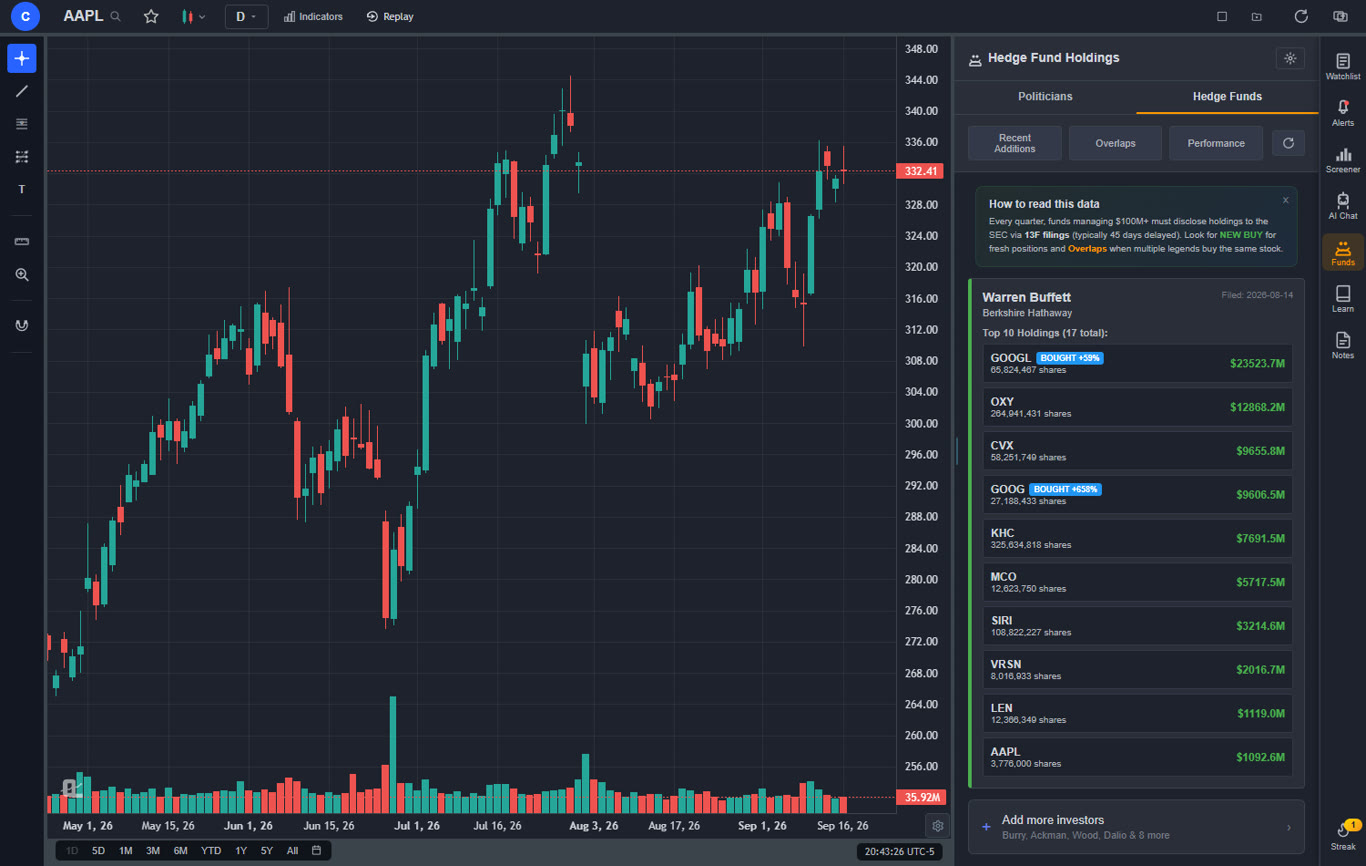
You cannot track 13F portfolio holdings of legendary investors like Warren Buffett, Michael Burry, or Ray Dalio on TradingView. Platforms that offer this give traders insight into what the world's best investors are buying and selling.
No Plain-English Backtesting
Backtesting on TradingView requires learning Pine Script. If you want to test a strategy like "buy when RSI crosses above 30 and MACD is bullish," you need to write code. There is no way to describe a strategy in plain English and see results. For a guide on backtesting without coding, see our article on how to backtest a trading strategy.
Free Tier Is Essentially Unusable
One indicator per chart, one alert, and persistent ads make TradingView's free tier more of a demo than a functional tool. It is designed to show you what you are missing, not to help you trade effectively. Any serious analysis requires upgrading.
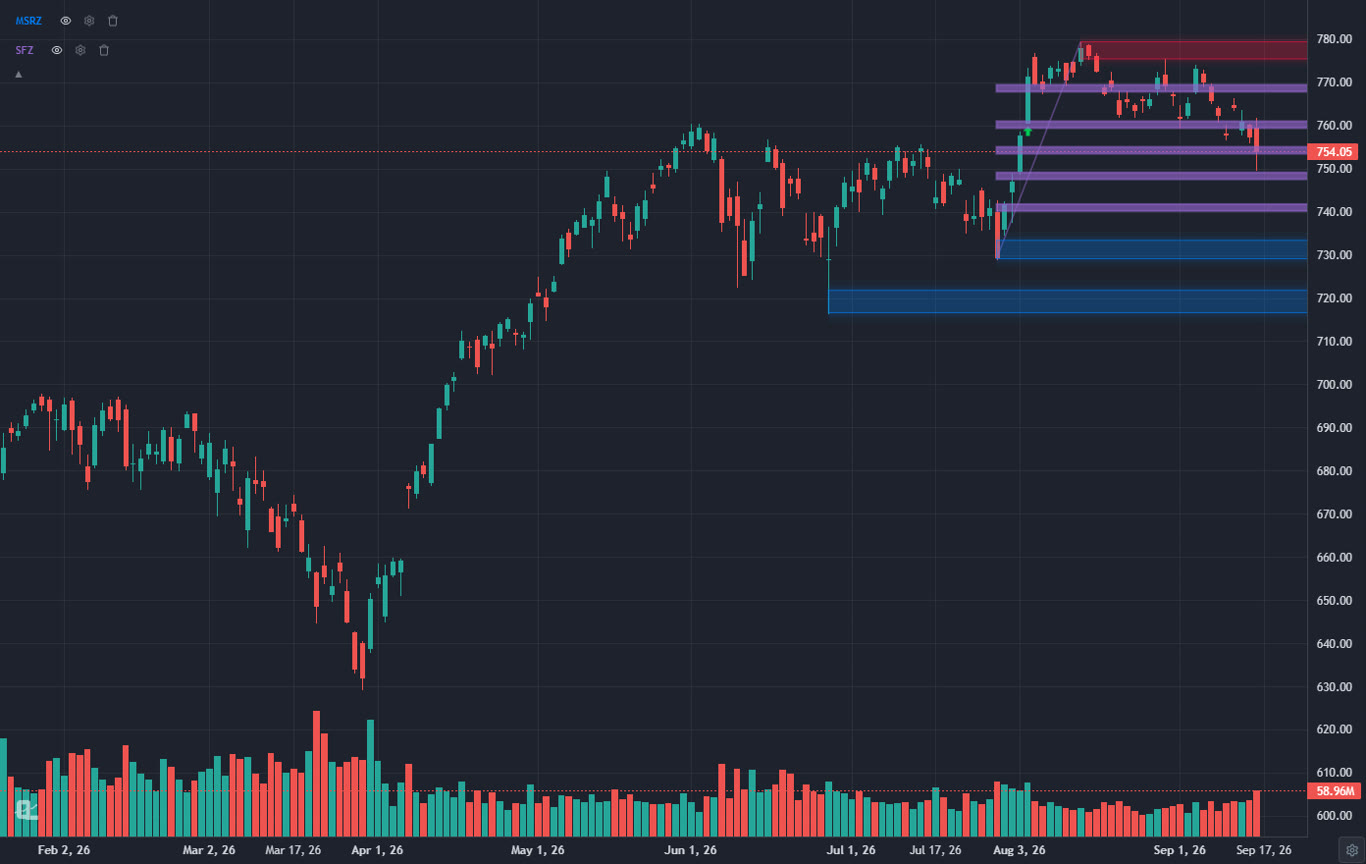
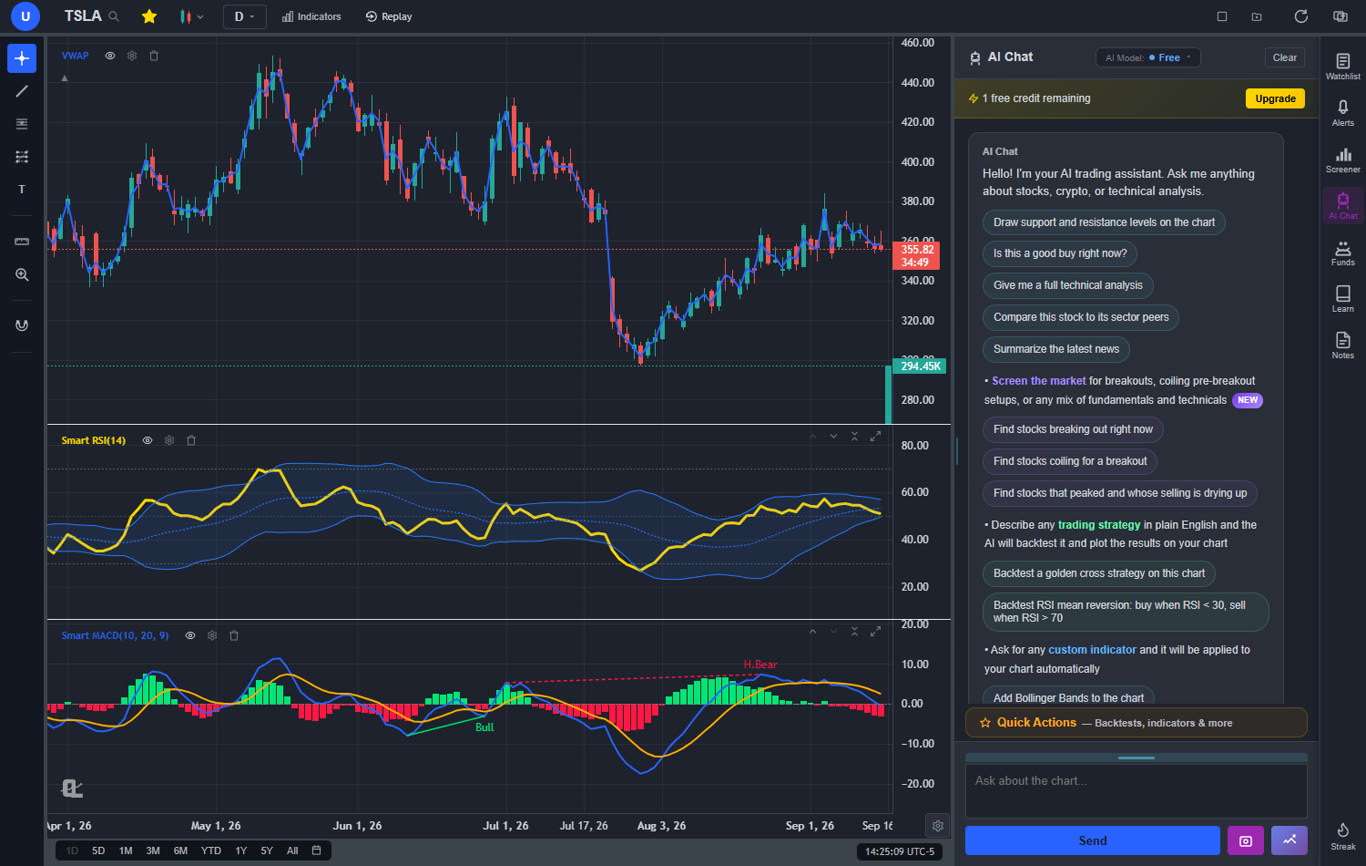
TradingView vs ChartingLens: Price-for-Feature Comparison
This is the comparison that matters most: what do you actually get for your money? We will compare TradingView's free and Plus plans against ChartingLens's free and Premium plans, since those are the tiers most traders consider. For a deeper feature-by-feature breakdown, see our full ChartingLens vs TradingView comparison.
Free Tier: ChartingLens Free vs TradingView Free
| Feature | ChartingLens Free | TradingView Free |
|---|---|---|
| Price | $0 | $0 |
| Indicators per Chart | 15+ (no limit) | 1 |
| Price Alerts | Yes | 1 alert |
| Ads | No ads | Ads displayed |
| AI Buy/Sell Signals | Yes | No |
| Insider Trading Data | Yes | No |
| Hedge Fund Holdings | Yes | No |
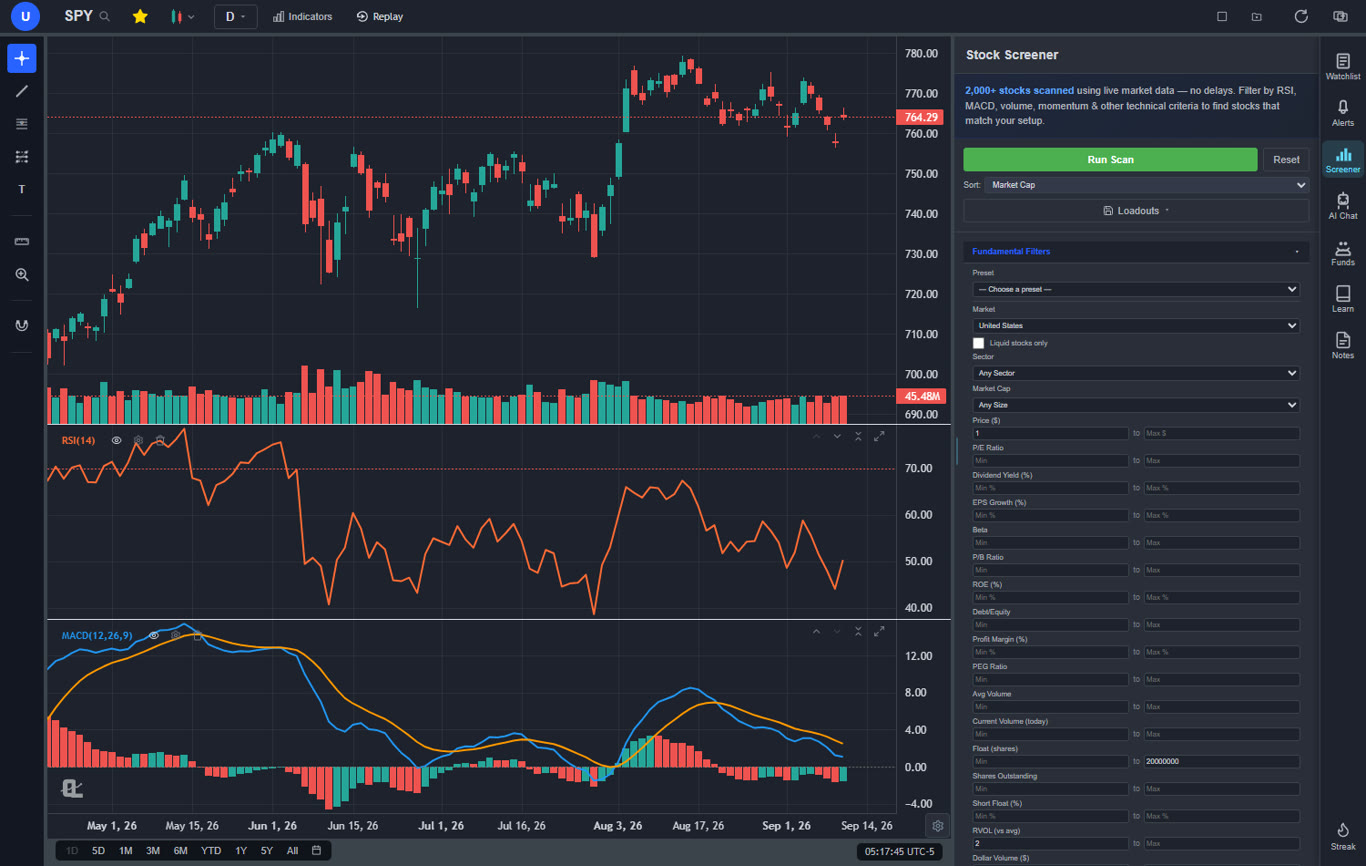
| Stock Screener | Yes | Limited |
| Drawing Tools | Trendlines, Fib, channels, rays, more | Full drawing toolkit |
| Strategy Backtesting | 2 preset strategies (plain English) | Requires Pine Script |
| Real-Time Charts | Stocks & crypto | Stocks & crypto |
| Social Community | No | Yes |
The gap at the free tier is stark. ChartingLens gives you a fully functional trading analysis platform. TradingView gives you a restricted preview.
Paid Tier: ChartingLens Premium ($14.99/mo) vs TradingView Plus ($29.95/mo)
| Feature | ChartingLens Premium ($14.99/mo) | TradingView Plus ($29.95/mo) |
|---|---|---|
| Annual Cost | $119.88/year | $359.40/year |
| Indicators per Chart | 15+ (no limit) | 5 |
| AI Buy/Sell Signals | Yes (2,000+ stocks scanned daily) | No |
| AI Trading Assistant | Yes (advanced) | No |
| Auto Pattern Recognition | Yes | No |
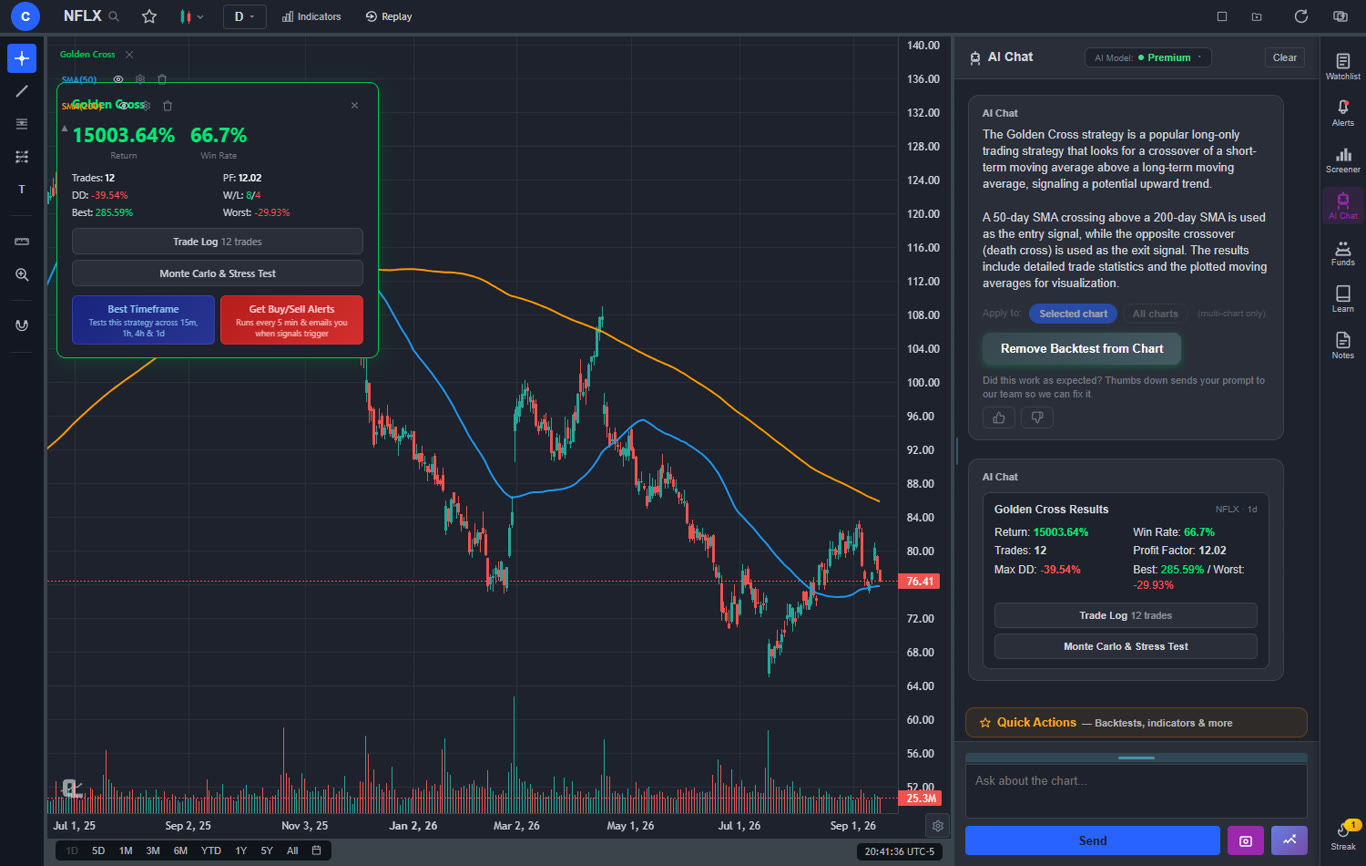
| Custom Backtesting | Unlimited (plain English, no coding) | Via Pine Script (coding required) |
| Find Best Timeframe | Yes — tests across 15m, 1h, 4h, daily | No |
| Volume Candles | Yes | No (requires Premium at $59.95/mo) |
| Volume Profile (VRVP) | Yes | Yes |
| Insider Trading Data | Yes | No |
| Hedge Fund Holdings | Yes | No |
| Bar Replay | Yes | Yes |
| Ads | No ads | No ads |
| Pine Script | No | Yes |
| Social Community | No | Yes |
| Broker Integration | No | Yes |
Value Winner: ChartingLens
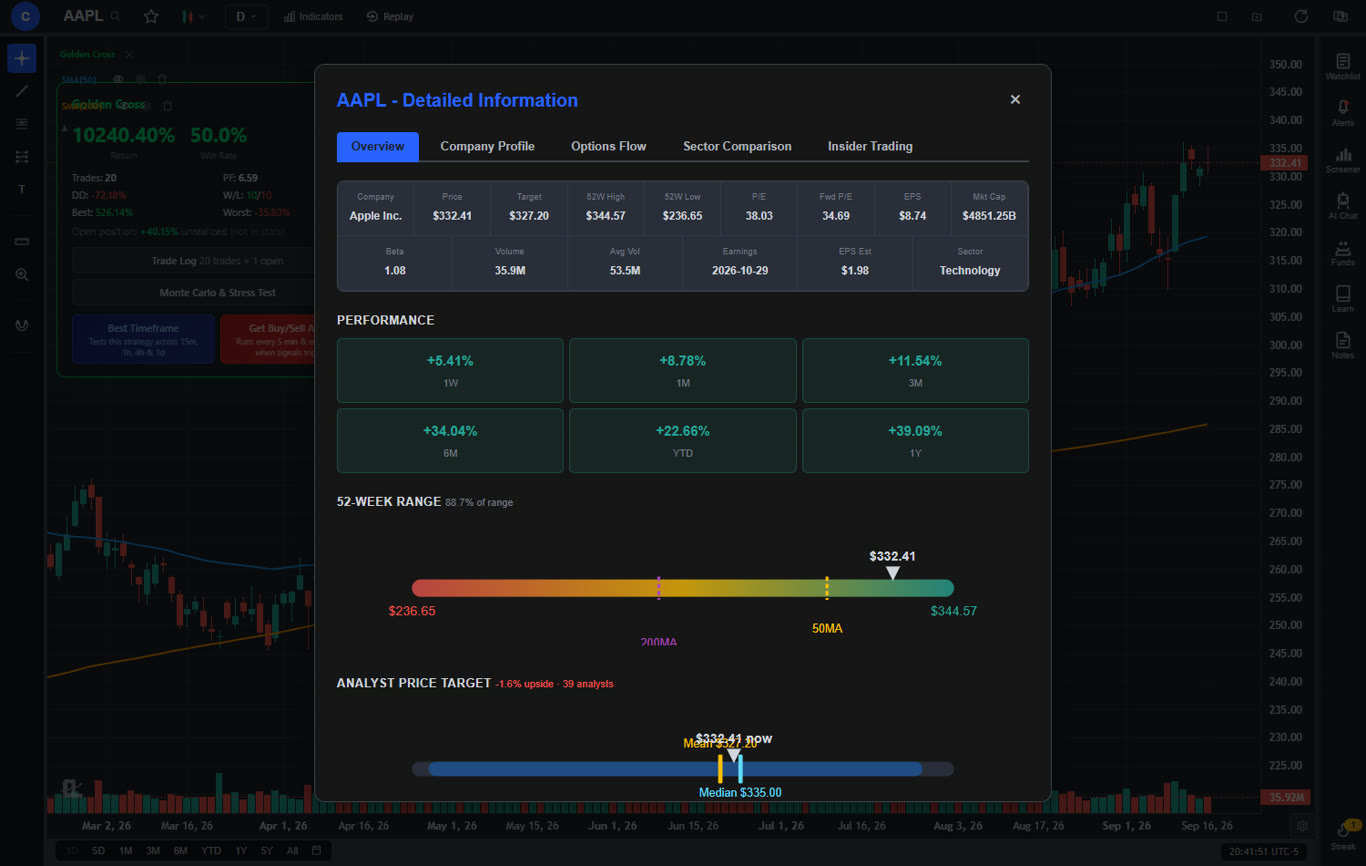
ChartingLens Premium at $14.99/mo includes AI signals, an AI assistant, auto pattern recognition, plain-English backtesting, insider data, and hedge fund holdings — none of which are available on TradingView at any price. TradingView Plus at $29.95/month gives you more drawing tools, Pine Script, social features, and broker integration. For pure analytical power per dollar spent, ChartingLens delivers significantly more.
Who Should Still Pay for TradingView
TradingView is still the right platform for certain types of traders. If any of the following describe you, a TradingView subscription may be worth the cost:
Pine Script Power Users
If you build custom indicators, create automated alert conditions, or rely on community-developed Pine Script strategies, TradingView is the only major platform that offers this. Pine Script is a genuine competitive moat. No other charting platform has an equivalent scripting ecosystem.
Traders Who Need Social and Community Features
If you actively follow other traders, publish trade ideas, or learn by reading community analyses, TradingView's social network is unmatched. ChartingLens and most other platforms do not offer a social component.
Forex and Futures Traders Who Need Broad Asset Coverage
If you trade forex pairs, commodity futures, or need data from international exchanges, TradingView's multi-asset coverage is among the best available. ChartingLens currently focuses on stocks and crypto. If your trading extends beyond those asset classes, TradingView's breadth is a meaningful advantage.
Traders Who Need Broker Integration
If executing trades directly from your charts is important to your workflow, TradingView's broker integrations (TradeStation, Interactive Brokers, and others) save you the step of switching between platforms. ChartingLens is an analysis-first platform and does not connect to brokers for execution.
Who Should Switch to ChartingLens
If none of the TradingView-specific use cases above describe you, there is a strong case for switching. Here is who benefits most from moving to ChartingLens:
Traders Who Want AI-Powered Analysis
If you want AI-assisted trading — buy/sell signals generated by machine learning, an AI assistant that can explain chart setups, and automated pattern recognition — ChartingLens is the only choice between the two. TradingView does not offer any of these features at any price.
Traders Paying $30+/Month for Features ChartingLens Offers at $14.99
If you are on TradingView Plus ($29.95/month) primarily for more indicators, alerts, and chart analysis capabilities, ChartingLens gives you all of that plus AI features for $14.99/mo — or free, depending on which features you need. That is a savings of $240 per year.
Traders Frustrated by the Restrictive Free Tier
If you have been using TradingView's free tier and hitting walls (one indicator, one alert, ads everywhere), ChartingLens's free tier is a significant upgrade. You get unlimited indicators per chart, AI signals, insider data, hedge fund holdings, and a stock screener — all with no ads and no credit card required.
Traders Who Want Backtesting Without Learning Pine Script
If you want to test trading strategies but do not want to learn a programming language, ChartingLens's plain-English backtester lets you describe a strategy in natural language and see results instantly. No coding required. For a complete guide, read how to backtest a trading strategy without coding.
Traders Who Want Insider and Institutional Data
If you follow insider buying patterns or want to see what hedge fund managers like Buffett and Burry are holding, ChartingLens gives you this data for free. Getting comparable data elsewhere typically costs $20–$50/month through specialized services. For more on why this matters, see our guide on how to track insider trading and hedge fund holdings.
The Verdict
Is TradingView worth it in 2026? It depends on what you need.
If you are a Pine Script power user, a social trader, or a forex/futures trader who needs broad market coverage and broker integration — yes, TradingView is still worth paying for. The Plus plan at $29.95/month is the best value among its paid tiers for most active traders.
But if you primarily need charting, technical indicators, price alerts, and market analysis — which describes the majority of retail traders — ChartingLens delivers more value at every price point. Its free tier alone outperforms TradingView's free plan by a wide margin. And at $14.99/mo, ChartingLens Premium gives you AI signals, an AI assistant, auto pattern recognition, plain-English backtesting, insider data, and hedge fund holdings — features that TradingView does not offer at $59.95/month.
The bottom line: TradingView was worth the price when it was the only serious web-based charting platform. In 2026, it is no longer the only option — and for most traders, it is no longer the best value. If you are already on a guide to switching from TradingView, you will find the transition straightforward.
Try ChartingLens Free — See If It Replaces Your TradingView Subscription
No credit card required. Get a large indicator library, AI buy/sell signals, insider trading data, and hedge fund holdings instantly. If it works for your workflow, you just saved yourself $30–$60 per month.
Start Charting Free