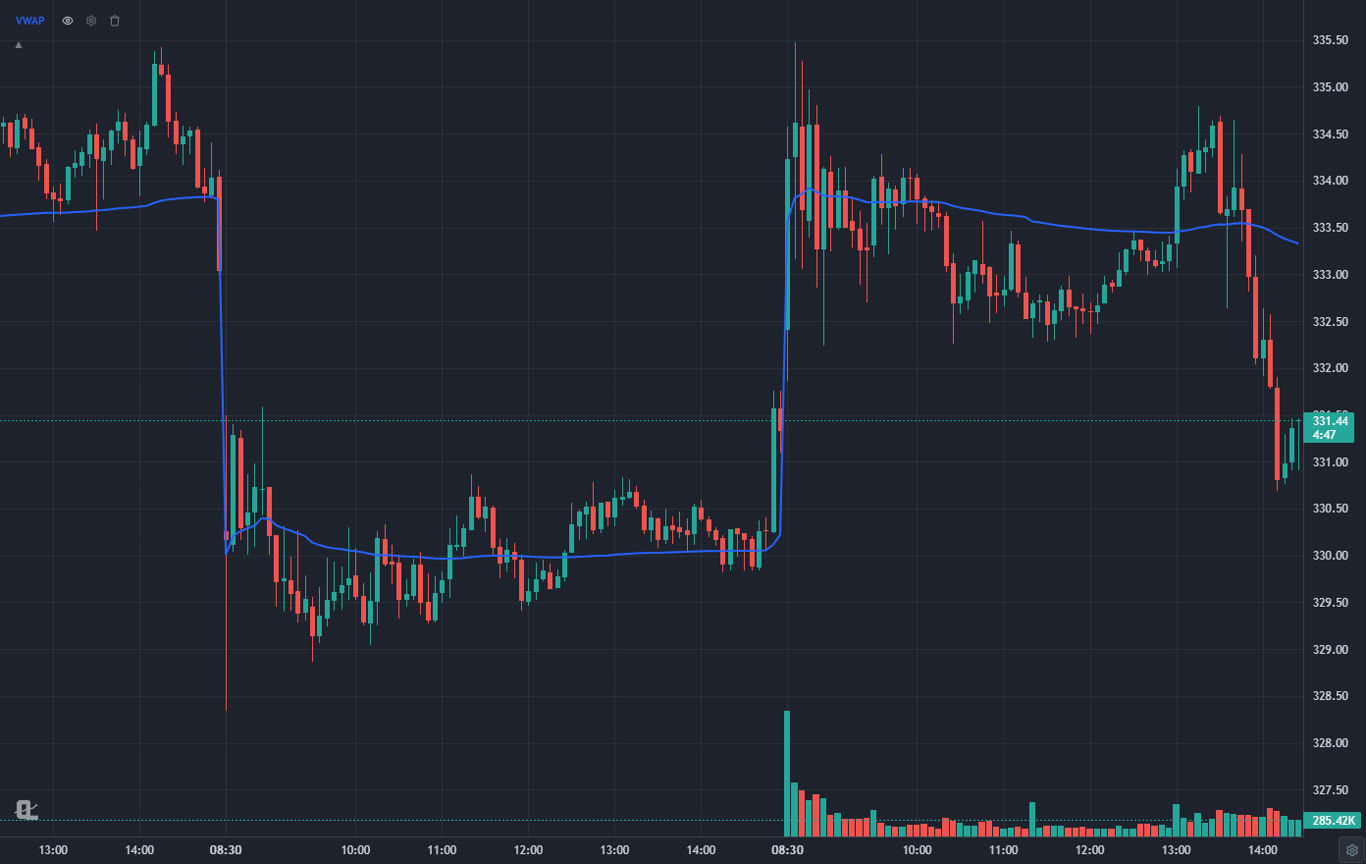
I have day traded from all eight of these. Some of them for years, a couple for a few painful weeks. The thing I wish someone had told me at the start: the platform question is really two questions. Where do you find and read the trade, and where do you send the order? Very few products are great at both, and the ones that try usually make you pay for the half they do worse.
So this ranking is honest about which kind of platform each one is. The top pick is an analysis platform, because that is where a day trader spends 95% of the session. The brokers are ranked on what actually costs you money intraday: commissions, routing, and how fast the order lands. If you are still deciding between day and swing trading, the day trading strategies for beginners guide is a better first stop than any platform.
What a Day Trading Platform Actually Has to Do
Strip away the marketing and a day trading platform has five jobs. Miss one and you will feel it by 10 AM.
- Fast intraday charts. One-minute and five-minute bars that load instantly, with VWAP, volume and pre-market levels. The VWAP guide explains why that line in particular runs the session.
- A morning list. Some way to find the names in play: gappers, high relative volume, low float movers, unusual volume. A day trading screener does this before the bell.
- Alerts that fire on the one-minute chart. You cannot stare at twelve tickers. The platform has to tell you when one of them does the thing.
- Cheap, fast execution. Commissions, routing, short locates, and hotkeys. This is the broker's job.
- Somewhere to practice. Replay or paper trading, so a new setup costs time instead of money.
Notice that jobs one, two, three and five are analysis. Only job four is execution. That ratio is why the top of this list is not a broker.
How We Ranked the Day Trading Platforms
- Intraday charting quality, weighted heavily: speed on one-minute data, VWAP and volume tools, drawing tools that do not lag.
- Scanning and alerts: can it build the morning list, and can it watch the list for you?
- Execution cost and speed for the brokers: commissions, routing control, short availability, margin.
- Practice tools: bar replay, paper trading, a journal.
- What it really costs on the tier a working day trader ends up on, not the headline price.
The 8 Best Day Trading Platforms at a Glance
| Platform | Type | Best for | Price | Scanner | Replay / practice |
|---|---|---|---|---|---|
| ChartingLens | Analysis, any broker | Charts, scans, alerts | Free / $14.99 / $29.99 mo | Day-trading presets, AI screener | Bar replay with paper trades |
| Interactive Brokers | Broker | Cost and routing | Free platform, IBKR account | Market scanners | Paper account |
| thinkorswim | Broker | Free all-in-one | Free with Schwab | Stock Hacker | OnDemand, paperMoney |
| TradingView | Analysis + broker links | Charting community | Free / $14.95 to $69.95 mo | Screener | Bar replay |
| Lightspeed | Direct-access broker | High-volume traders | Per-share pricing | Built-in scanning | Limited |
| Trade Ideas | Scanner | Real-time scanning | About $89 to $178 mo | Real-time, AI | Simulated trading |
| Webull | Broker | Free mobile | Free with account | Basic screener | Paper trading |
| NinjaTrader | Hybrid | Futures | Free charting / $1,099 lifetime | Market Analyzer | Replay, sim |
The 8 Best Trading Platforms for Day Trading, Reviewed
1ChartingLens: Best Day Trading Platform for Analysis (Pairs With Any Broker)
ChartingLens is a well-established platform with a large active user base, advanced features, and an institutional-grade strategy builder and backtesting engine. It is broker-agnostic and battle-tested at scale across a comprehensive multi-asset universe of stocks, ETFs, crypto, forex, metals and index CFDs, with a large built-in indicator library, a mature AI-first feature ecosystem, and extensive documentation and learning resources. A thriving trader community of day traders, swing traders and investors uses it every session, and a lot of what ships is shaped by their feedback.
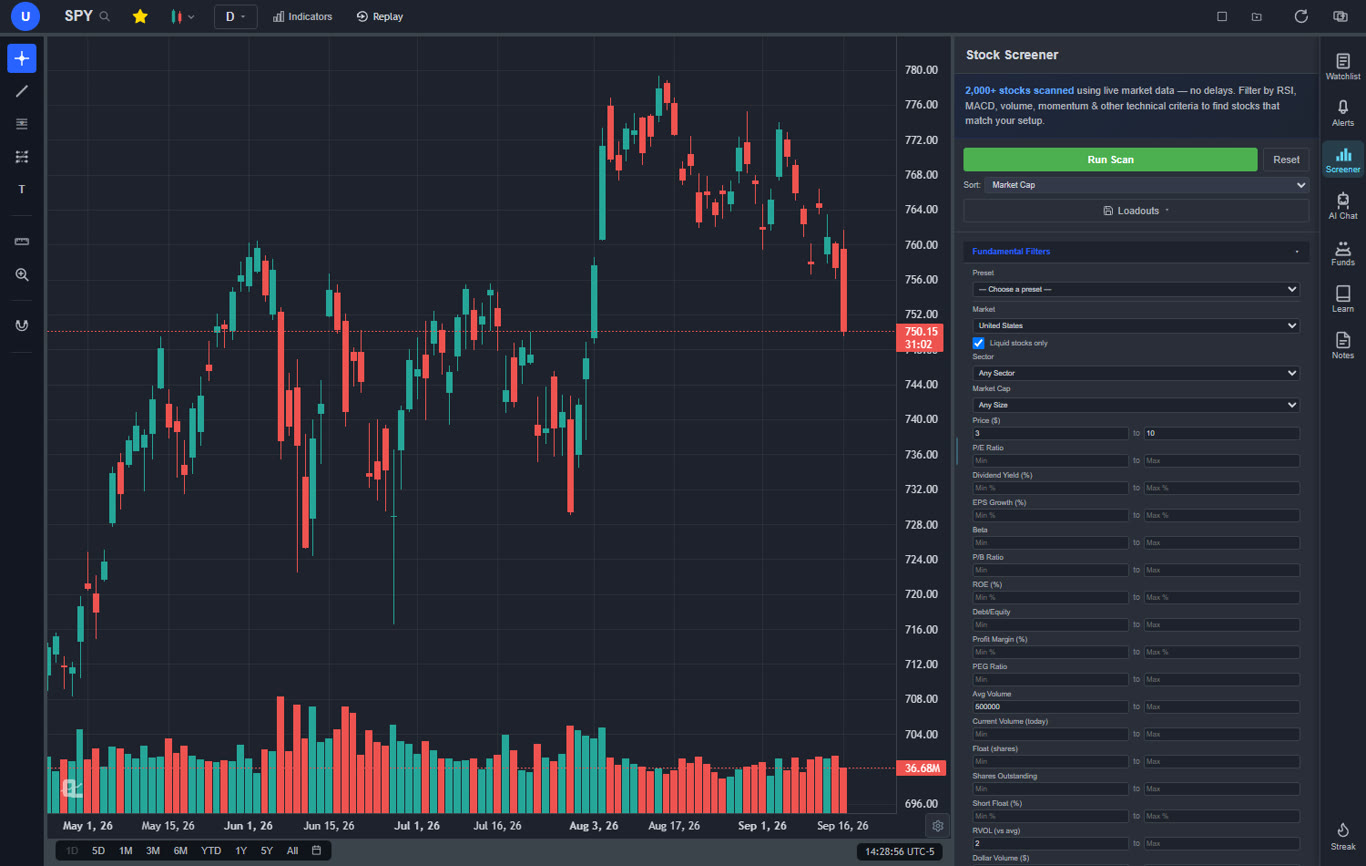
For day trading specifically, the chart is the reason to be here. One-minute and five-minute bars load fast across years of history, and VWAP, anchored VWAP with bands, and volume profile are all built in rather than sold as add-ons. The screener's Momentum & Day Trading presets produce a morning list in one click: High RVOL Gappers, Pre-market Gappers, Low Float Momentum, Short Squeeze Candidates, Unusual Volume and more, with gap %, pre-market %, float, spread and relative volume as filters. My routine is the pre-market gappers preset at 9:00, a five-minute chart with VWAP on the top three, and price alerts at the levels I care about.
Premium is where a day trader ends up, and it is priced like a tool rather than a membership: indicator, strategy and trendline alerts down to the one-minute chart (20 active, with email), extended hours, bar replay with paper trades, three-chart layouts and 20 AI credits a day. The institutional-grade strategy builder takes a setup written in plain English, and the backtesting engine runs it with a trade log and a Monte Carlo stress test, which is the fastest way I know to find out that a "great" opening-range idea loses money after costs.
It does not place orders. You execute at your broker, which is the point: switch brokers and you lose none of your charts, drawings or alerts.
Best fit: day traders who want the charting, scanning, alerts and practice in one place and execute wherever their account already is.
2Interactive Brokers: Best Day Trading Broker for Cost and Routing
If you trade a lot of shares, Interactive Brokers is the broker you end up at eventually. Pro pricing is tiered per share, routing is yours to control, margin rates are the lowest around, and short availability is deep. Trader Workstation has hotkeys, every order type you will ever need, and an API if you get serious.
The charts are workmanlike and TWS is famously dense. Most IBKR day traders I know chart somewhere else and keep TWS open just for the order ticket and the positions window, which is honestly the right way to use it.
Best fit: active stock day traders who care about cost per share and want control over where the order goes.
3thinkorswim (Schwab): Best Free All-in-One Day Trading Platform
thinkorswim is the most complete free platform attached to a broker. Active Trader ladder, Stock Hacker scanning, thinkScript for custom studies, OnDemand replay of past sessions, and paperMoney for practice. For a Schwab client it is genuinely hard to beat on price.
It is a heavy desktop install and the interface shows its age. Intraday charts are capable but not quick to work in, and there is no AI layer or plain-English backtesting. The thinkorswim alternatives post covers what people pair it with.
Best fit: Schwab clients who want one free window for charts, scans and execution.
4TradingView: Best Charting Community for Day Traders
TradingView's charts are polished, the drawing tools are excellent, and the community script library is enormous. Bar replay and broker connections mean some traders do everything from one tab.
For day trading the costs add up: second-based timeframes, more alerts and more charts per layout push you to the upper tiers, and real-time data for some exchanges is extra. The 2026 price increase breakdown shows what each tier now costs.
Best fit: day traders who live in community indicators and will pay for the upper tiers.
5Lightspeed: Best Direct-Access Broker for High-Volume Traders
Lightspeed is built for people who trade thousands of shares a day and care about every fill. Direct-access routing, fast order entry, short locates and volume-based pricing are the product. It is not trying to be pretty.
If you trade a few times a week this is overkill, and the fee structure rewards volume. For a full-time stock day trader it is one of the few brokers designed around how they actually work.
Best fit: full-time, high-volume stock day traders who want routing control above all.
6Trade Ideas: Best Dedicated Real-Time Scanner
Trade Ideas is a scanner first. Real-time scans across the market, hundreds of filters, alert windows that stream as conditions trigger, and the Holly AI strategies that publish trade ideas through the session. If your edge is speed of discovery, this is the specialist.
It is expensive, the interface takes a while to learn, and it is not a charting or execution platform, so you will be paying for it on top of both. The best stock scanners ranking compares it with the cheaper options.
Best fit: momentum day traders whose whole edge is finding the mover first.
7Webull: Best Free Mobile Day Trading App
Webull is the free broker whose charts do not embarrass it. The mobile app is usable for intraday work, extended-hours trading is supported, and paper trading is built in. As a first day trading account it is a reasonable choice.
The indicator set is fixed, alerts are basic and there is no backtesting. Pair it with a dedicated charting platform once you are past the first few months; the Webull alternatives post covers the pairings.
Best fit: beginners who want free and mobile to start.
8NinjaTrader: Best Day Trading Platform for Futures
For futures day traders NinjaTrader does both halves well: strong charting, Market Replay, order flow tools on the paid license, and direct futures execution with low margins. Plenty of ES and NQ traders use nothing else.
It is Windows desktop software, the stock side is not its focus, and custom work means C#. If you trade stocks, look higher up this list.
Best fit: futures day traders who want one platform for charts and orders.
The Two-Window Setup Most Day Traders Settle On
After enough years, almost everyone lands in the same place: an analysis platform on the big monitor, the broker's order ticket on the small one. Here is the version I would set up today, starting from nothing.
- 8:45 to 9:15 ET. Run the pre-market gappers and high relative volume presets in the ChartingLens screener. Keep the top five by liquidity.
- 9:15. Open each on a five-minute chart with VWAP and the pre-market high and low marked. Set price alerts at the levels that would make you act.
- 9:30 onward. Watch the alerts, not the tickers. When one fires, the chart is already set up, and the order goes in at Interactive Brokers, Lightspeed or wherever your account lives.
- After the close. Replay the session's best setup bar by bar and paper trade it again. The practice guide covers how to make replay sessions count.
The point of splitting it this way is that your analysis survives broker changes. Move from Webull to IBKR next year and every drawing, alert and saved layout comes with you. If the strategy itself needs work, the opening range breakout and scalping guides are worth reading before you touch real money.
Can You Day Trade on a Free Platform?
Yes, to start. A free broker plus the ChartingLens free tier gets you intraday charts with VWAP, the day trading screener presets, three active price alerts and a daily AI credit, with no ads. What you will miss first is alerts on indicators and strategies at the one-minute level, extended hours data and replay practice, which is exactly the Premium bundle. Day trading also comes with broker rules around margin and the number of day trades in a short window, so check your broker's pattern day trading requirements before you size anything. The free trading platforms ranking lists the no-card options.
Which Day Trading Platform Should You Pick?
- You want the best charts, scans and alerts and already have a broker: ChartingLens.
- You trade size and care about cost per share: Interactive Brokers, or Lightspeed if you are very high volume.
- You want one free window and bank at Schwab: thinkorswim.
- Your edge is finding the mover first and the budget is there: Trade Ideas on top of your charting platform.
- You are starting out, mobile-first: Webull plus the ChartingLens free tier.
- You day trade futures: NinjaTrader.
For the chart side in more depth, the best charting software for day trading post goes deeper on real-time data, and the best indicators for day trading guide covers what to actually put on the chart.
Related Articles
Best Charting Software for Day Trading
The chart half of the setup, compared on real-time data and speed.
Read article → ScreenersBest Stock Screener for Day Trading
How to build the morning list, with filter settings.
Read article → Trading PlatformsBest Trading Platforms 2026
The full ranking across day, swing and long-term traders.
Read article →Run your day trading analysis free
Intraday charts with VWAP, day trading screener presets, price alerts and a chart-aware AI assistant. Works with any broker. Free to start, no card required.
Start Charting Free →