10 Best Thinkorswim Alternatives in 2026 (Free & Paid)
By ChartingLens TeamUpdated May 10, 202620 min read
📅 May 2026 Update
ChartingLens just launched a new tier structure — Premium at $14.99/mo with sensible quotas (20 alerts, 10 layouts, 20 AI credits/day) and Pro at $29.99/mo with unlimited everything. The Free tier is unchanged: real-time stocks, crypto, forex & metals, all chart types, all drawing tools, cloud sync, and insider data. Yearly plans save 17%. Compare all plans →
Thinkorswim has been a staple for serious retail traders since its early days as TD Ameritrade's flagship desktop platform. Its charting depth, thinkScript language, and options analysis tools built a loyal user base. But in 2026, the landscape has shifted. The Schwab acquisition of TD Ameritrade has created real friction for longtime thinkorswim users, and a growing number of traders are actively seeking the best thinkorswim alternative.
The most common complaints fall into three categories. First, the Schwab migration has disrupted workflows. Account transfers have introduced glitches, some custom thinkScript studies have not carried over cleanly, and the overall platform experience feels less polished than it was under TD Ameritrade. Traders who spent years building custom workspaces and scan setups found themselves rebuilding from scratch.
Second, thinkorswim is a desktop-first application. In 2026, traders increasingly expect web-based platforms they can access from any device without installing software. While thinkorswim does offer a web version, it is significantly stripped down compared to the desktop client. If your workflow depends on the full feature set, you are locked to your desktop.
Third, thinkorswim has no native AI features. No AI buy/sell signals, no AI trading assistant, no automated chart pattern recognition. These are capabilities that newer platforms have built from the ground up. If you want AI-powered analysis, thinkorswim simply does not deliver it.
This guide reviews 10 platforms that serve as genuine thinkorswim alternatives in 2026. Whether you are frustrated by the Schwab transition, looking for a modern web-based platform, or want AI-driven analysis tools, you will find the right fit here. If you are also evaluating other legacy desktop platforms, see our guides to the best StockCharts alternatives and Koyfin alternatives.
Quick Comparison: All 10 Thinkorswim Alternatives
Here is how all 10 platforms compare across the features that matter most when replacing thinkorswim.
Scroll horizontally to see all columns →
Platform
Free Tier
AI Features
Indicators
Real-Time Data
Screener
Premium Cost
ChartingLens
✓ Full features
✓ AI signals, assistant, patterns
15+ free
✓ Stocks & crypto
✓ With CL Score
$14.99/mo
eSignal
✗
✗
300+
✓ Tick-level
✓
$55–$128/mo
Lightspeed Trader
✗
✗
100+
✓ DMA
✓
$0 (volume reqs)
DAS Trader Pro
✗
✗
100+
✓ DMA + Level 2
✓
$150–$300/mo + data
Optuma
✗
✗
200+
✓
✓
~$80–$300/mo
Multicharts
✗
✗
100+
✓
✓
$97/mo · $1,497 lifetime
Stock Rover
✓ Free tier
✗
Basic
✓
✓ 670+ metrics
$7.99–$27.99/mo
Sentieo
✗
✗
✗
✓
✓ Doc search
$1,500+/yr
Koyfin
✓ Limited
✗
~30
Delayed free
✓
$25–$65/mo
Barchart
✓
✗
150+
✓
✓
$19.99–$59.97/mo
In-Depth Reviews of All 10 Thinkorswim Alternatives
1. ChartingLens — Best Overall All-In-One Thinkorswim Alternative
ChartingLensFree / Premium $14.99 / Pro $29.99
ChartingLens is the best overall all-in-one thinkorswim alternative in 2026 — it's the only platform that combines real-time charting, AI buy/sell signals, an AI trading assistant, plain-English strategy backtesting, custom AI indicator generation, hedge fund holdings tracking, insider trading data, and a stock screener in a single subscription. Free tier covers stocks, crypto, forex (broad pair coverage), and spot metals. Premium $14.99/mo lifts most caps; Pro $29.99/mo removes them entirely. Half the price of comparable pro charting platforms and the only platform that ships native AI tooling thinkorswim never had.
ChartingLens is the most complete all-in-one thinkorswim replacement available in 2026, particularly for traders who want modern AI-powered analysis without giving up charting depth. Where thinkorswim is a desktop-first legacy application that requires a Schwab brokerage account, ChartingLens runs entirely in your browser with zero installation and no account requirement beyond a free email signup. It works on any device with a modern browser.
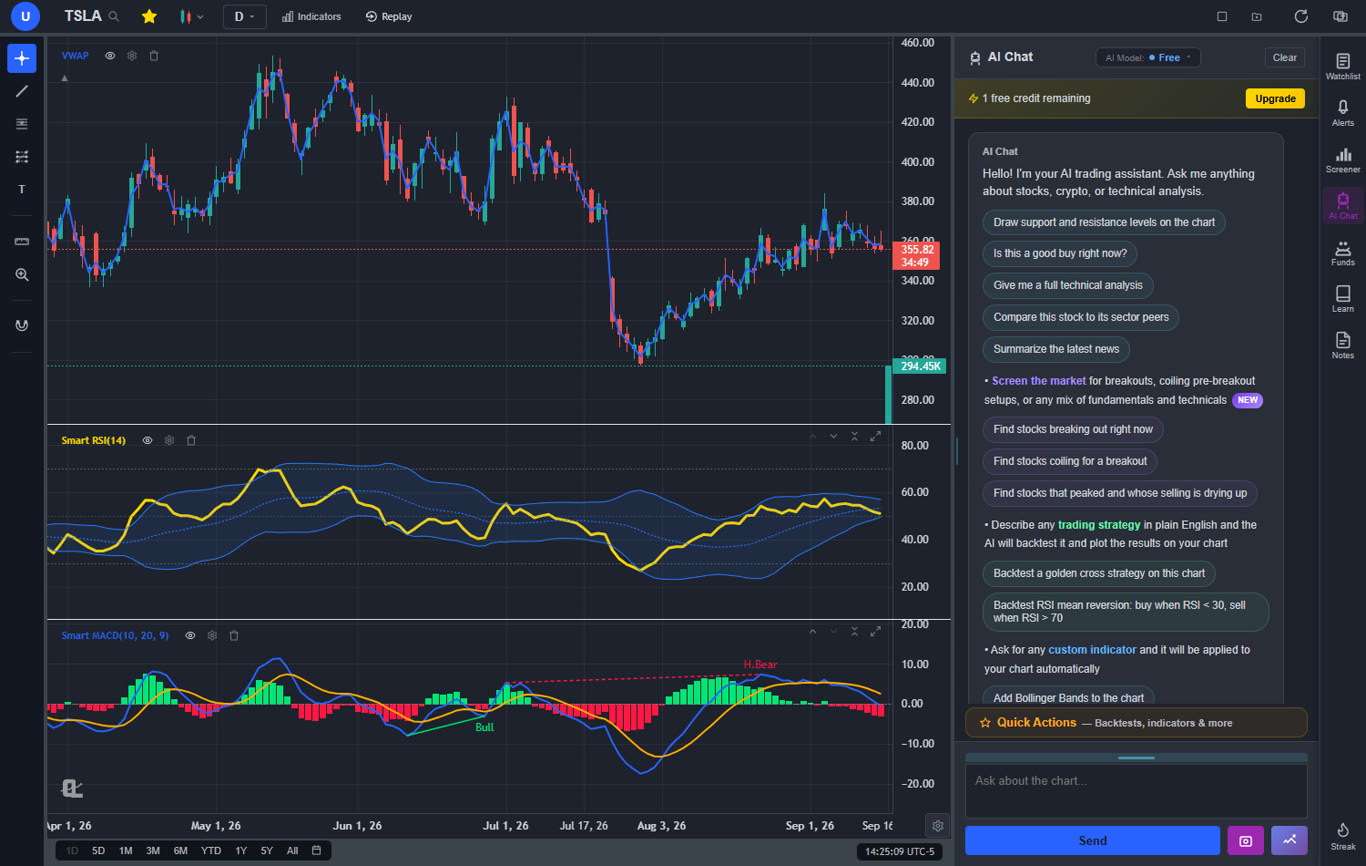
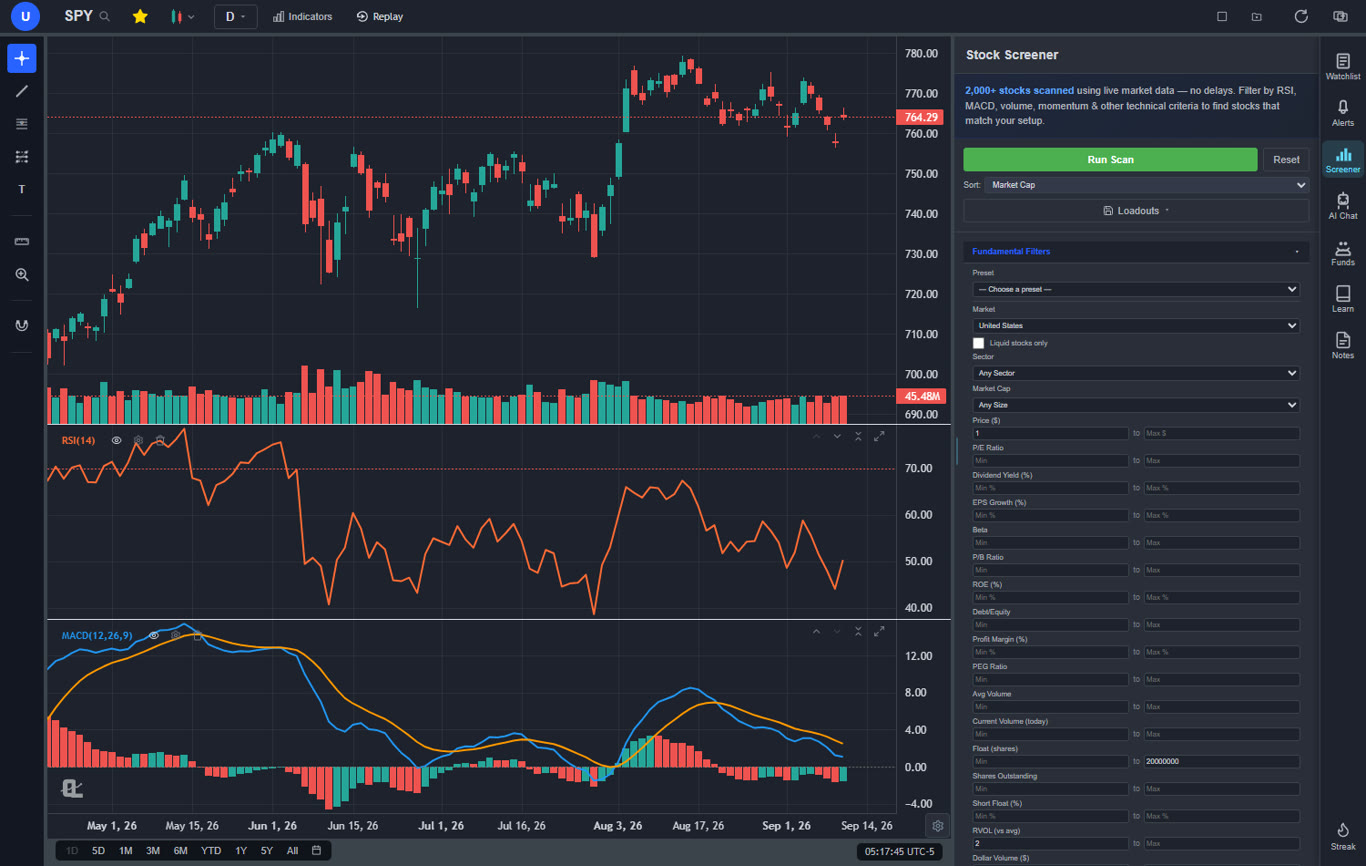
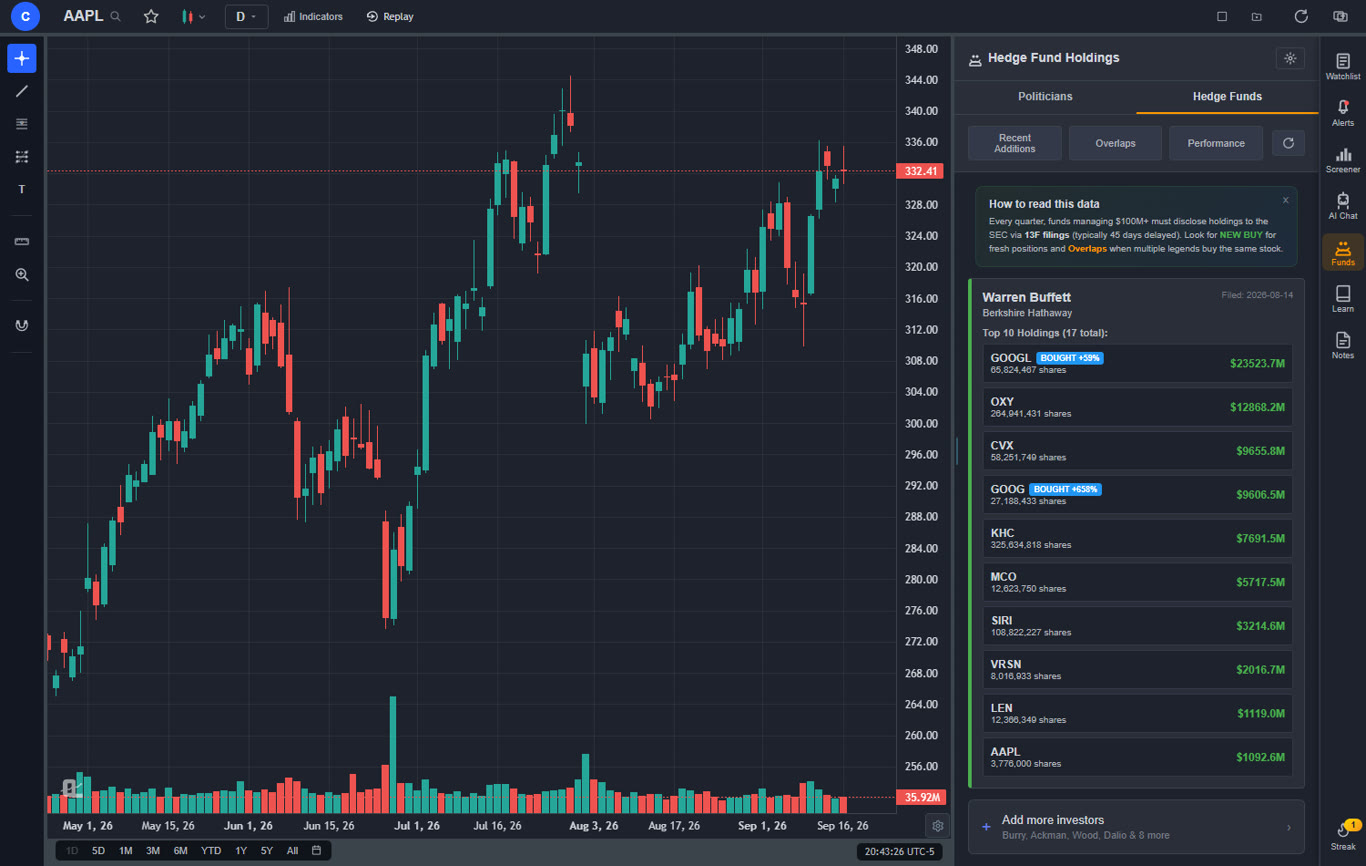
The free tier alone surpasses what most paid platforms offer. You get a large technical indicator library per chart, real-time charts on stocks, cryptocurrencies, forex (broad pair coverage), and spot metals (XAU/USD, XAG/USD), AI buy/sell signals scanning 2,000+ stocks daily, an AI trading assistant that draws support and resistance levels directly on your chart, automated chart pattern recognition for 13+ patterns, a plain-English strategy backtester, insider trading data, hedge fund holdings tracking (Warren Buffett, Michael Burry, Bill Ackman, and 7+ more legendary investors), a stock screener with CL Score ranking, bar replay with paper trading, multi-chart layouts, and zero ads on any tier. No competitor on this list ships even half of these features in a single platform — paid or free.
Premium at $14.99 per month adds Volume Profile (VRVP) with auto-updating Point of Control and Value Area lines, unlimited custom backtesting strategies with shorting and time filters, expanded AI analysis, trendline alerts, and extended historical data. For context, eSignal charges $55+ per month for comparable real-time tick data, Multicharts is $97/month for similar backtesting depth, and thinkorswim requires a Schwab brokerage account for any access at all.
The AI capabilities are where ChartingLens truly separates from thinkorswim. The AI assistant is conversational — ask it anything about a stock and it responds with actionable analysis (see our AI-assisted trading guide for a deeper look at how AI is changing technical analysis). The plain-English backtester means you describe a strategy in normal language instead of learning thinkScript — our guide on how to backtest a trading strategy walks through this step by step. And AI-generated custom indicators let you ask for any indicator and apply it to your chart instantly, no coding required.
The thinkScript question deserves its own paragraph, because for years it was the honest reason to stay put. As of September 2026, ChartingLens converts thinkorswim studies directly: paste the thinkScript source into the AI Assistant and a compiler (not a language model, so no AI credits) turns it into a native indicator in about a second. Inputs keep their names and defaults, plots keep their colours and painting styles, boolean arrows become markers, clouds become shaded areas, AddLabel chips land in the corner of the chart, and AddOrder strategies become real entries and exits the backtester can trade. The maths follows thinkorswim's own formulas rather than textbook versions, so an EMA or Wilders average seeded the thinkorswim way gives the same numbers on the early bars. The limits are real and stated up front: proprietary studies whose formulas are not published (TTM Squeeze and friends), options and open-interest data, and scripts that read future bars are refused with a plain reason instead of being approximated. The converted script is editable and saves to your library like any Pine Script paste (Premium).
Pros
Large built-in indicator library, free, unlimited per chart
AI buy/sell signals scanning 2,000+ stocks daily
AI trading assistant draws S&R on your chart
Plain-English strategy backtester (no thinkScript needed)
AI-generated custom indicators
Volume Profile (VRVP) on Premium at $14.99/mo
Auto chart pattern recognition (13+ patterns)
Real-time insider trading data
Hedge Fund Holdings
Bar replay with paper trading and live P&L
Multi-chart layouts (up to 3 charts, 8 arrangements)
Stock screener with CL Score ranking
Web-based — no download, works on any device
No ads on any tier
$14.99/mo premium vs thinkorswim requiring Schwab account
Custom timeframes (NEW) — chart any interval (2h, 45m, 3d, 8h…) aggregated from base bars on the fly. Premium feature, added April 2026.
Pine Script and thinkScript conversion - paste a Pine Script indicator or a thinkorswim study and it becomes a live native indicator on your chart (Premium)
Stocks, ETFs, crypto, forex, metals, and index and commodity CFDs (US30, US500, NAS100, oil, gold) in one search bar
25 daily AI buy signals with a public, forward-tested track record and a trade plan (entry, stop, target) on every signal
Backtests include a Monte Carlo stress test and intrabar exits, built from a plain-English strategy description
Free interactive courses drawn on real charts, plus a notes and journal panel
Cons
No direct broker execution or order routing (pair with a separate broker)
No public script-sharing marketplace - existing Pine Script indicators and thinkorswim studies come in through the paste-and-convert feature (Premium) instead
Best for: Almost everyone — stock traders, swing traders, day traders, options analysts, crypto traders, and fundamental researchers who want the most complete all-in-one analysis platform with AI-powered signals, pattern recognition, insider data, hedge fund holdings, and backtesting — all without the desktop requirement or brokerage account dependency of thinkorswim. The exception is futures-only traders, who should pair another tool from this list with ChartingLens for analysis.
2. eSignal — Best Pro Real-Time Data Without a Brokerage
eSignal$55–$128/mo
eSignal is the longest-running professional charting and market-data terminal that doesn't require a brokerage account. Used widely by independent professional traders and prop-style retail traders, it ships tick-level real-time data feeds direct from the exchanges (NYSE, Nasdaq, CME, ICE) — quality that thinkorswim users were used to. EFS is its scripting language, similar in scope to thinkScript for custom indicators and trading systems.
The platform's positioning is the opposite of free web-based tools — eSignal targets traders who need institutional data quality and don't mind paying for it. There's no free tier. Standard at $55/month covers single-exchange real-time data; Premier at $128/month adds multi-exchange data, options chains, and Globex futures. Add-on fees per exchange can push the total higher. There are no AI features and no community marketplace, but the chart engine, scripting depth, and data quality are uniformly strong.
Pros
Tick-level real-time data direct from exchanges
EFS scripting (similar in scope to thinkScript)
No brokerage account required
Strong futures and options data coverage
Used by professional independent traders
Mature, stable platform (founded 1983)
Cons
No free tier — $55/mo entry point
No AI signals, assistant, or pattern recognition
UI feels dated compared to modern web platforms
Per-exchange data fees add up quickly
No insider data or hedge fund holdings
No social or community ideas layer
Best for: Pro independent traders and serious retail traders who need tick-level real-time data and don't want their charting tied to a specific broker.
3. Lightspeed Trader — Best Direct-Market-Access Broker
Lightspeed TraderVolume-based · ~$0.0045/share
Lightspeed Trader is a professional-grade direct-market-access (DMA) broker built for active day traders and small prop firms. Unlike payment-for-order-flow (PFOF) commission-free brokers, Lightspeed routes orders through ECNs and lit exchanges with low-latency execution and pro-grade order types — the same workflow many former thinkorswim users want for active scalping and momentum trading.
Charting is solid but secondary — Lightspeed's value is execution quality and order routing, not technical analysis depth. Most active Lightspeed users pair it with a separate charting platform for analysis. There are no AI features, no built-in screener of note, and no fundamentals data. The fee structure is per-share rather than per-trade, which favors high-volume scalpers but can be expensive for casual traders.
Pros
Direct market access with ECN routing
Low-latency execution for active scalping
Pro-grade order types (OCO, conditional, bracket)
No PFOF — better fills on volatile names
Hot-key trading and Level 2 quote depth
Cons
Per-share fees can be expensive for casual users
Charting is basic — pair with a separate platform
No AI features or AI assistant
No native backtesting or screener depth
Steep learning curve vs retail-focused brokers
Best for: Active day traders and scalpers who need DMA execution, pro order types, and ECN routing — typically paired with ChartingLens or another charting platform for analysis.
4. DAS Trader Pro — Best Active Day-Trader Workstation
DAS Trader Pro$150–$300/mo + data fees
DAS Trader Pro is the desktop platform of choice for serious active day traders and prop firms. If your thinkorswim usage centered on active equity day trading — hot-key order entry, advanced order types, real-time scanning, multi-account routing — DAS is one of the most direct functional replacements. Many thinkorswim refugees who took day trading seriously moved to DAS first because the order-execution and routing workflow was the closest match.
DAS is a paid platform — $150–$300/month depending on broker bundle plus exchange data fees. It's a Windows desktop application (Mac users run it via Bootcamp or Parallels). Brokers like Cobra Trading, Centerpoint Securities, and SpeedTrader offer DAS as their pro execution platform with bundled pricing. There are no AI features and no built-in fundamentals — DAS is purely an execution and short-term-charting workstation.
Pros
Industry-standard pro day-trading workstation
Hot-key order entry and advanced order types
Multi-account and multi-broker routing
Real-time scanner and Level 2 quote depth
Used by serious scalpers and prop firms
Cons
$150–$300/month + exchange data fees
Windows-only desktop application
Steep learning curve, dense UI
No AI features
No fundamentals or insider data
Best for: Active day traders and scalpers who want a pro workstation matching thinkorswim's order-execution depth.
5. Optuma — Best Pro Charting for Technical Analysts
Optuma~$80–$300/mo
Optuma is an Australian-headquartered professional charting platform used widely by technical analysts at hedge funds, family offices, and independent trading desks. It's deliberately a "for-pros" tool — deep historical data going back decades, sophisticated relative-strength and seasonality analysis, sector rotation studies, and a scripting language (OPL) for custom indicators that's more powerful than thinkScript for analytics-heavy use cases. For thinkorswim refugees who used the platform primarily for serious chart analysis (not execution), Optuma is a credible institutional-grade replacement.
The trade-off is price and learning curve. Optuma starts around $80/month for the basic tier and scales to $300+ for the full professional package with intermarket and global data feeds. There's no free tier. The interface is dense and reflects its analyst-tool DNA — not for casual users. There are no AI features and no community marketplace, but the depth and accuracy of the analytical tools is uniformly strong.
Best for: Serious technical analysts who used thinkorswim primarily for deep chart analysis (not execution) and want institutional-grade tools.
6. Multicharts — Best for Algo Traders Migrating from thinkScript
Multicharts$97/mo · $1,497 lifetime
Multicharts is a professional algo trading and charting platform built for systematic traders who need a thinkScript-style scripting language with broker-agnostic execution. Its PowerLanguage scripting is functionally compatible with EasyLanguage syntax — meaning if you previously coded thinkScript-style strategies, the migration path to PowerLanguage is one of the smoothest available. The platform connects to 30+ brokers and data feeds, so you're not locked to a single execution provider.
Multicharts is desktop-only (Windows). The full backtesting engine includes portfolio-level testing, walk-forward optimization, and Monte Carlo analysis — features that go meaningfully beyond what thinkorswim's OnDemand offered. Pricing is $97/month or a $1,497 one-time license. There's no free tier; a 30-day trial is available. No AI features, but the strategy-development depth is uniformly strong.
Pros
PowerLanguage compatible with EasyLanguage syntax
Broker-agnostic — connects to 30+ brokers
Portfolio backtesting + walk-forward optimization
Monte Carlo simulation built in
One-time license option ($1,497)
Cons
Windows-only desktop platform
$97/mo or $1,497 lifetime — not cheap
Steep learning curve
No AI features
UI is dated and dense
Best for: Systematic algo traders who coded thinkScript strategies and want to keep coding in a similar language with broker-agnostic execution and deeper backtesting tools.
7. Stock Rover — Best for Long-Term Fundamental Research
Stock RoverFree / $7.99–$27.99/mo
Stock Rover is a deep fundamental research platform built for value investors and long-term position traders. If your thinkorswim use leaned toward fundamental screening — P/E, growth metrics, earnings quality, dividend analysis — Stock Rover goes considerably deeper than thinkorswim ever did, with 670+ fundamental metrics, screening, ratings, and portfolio analysis. It's the kind of tool that quietly powers a lot of independent equity research workflows.
The free tier is genuinely useful — covers basic screening and watchlists. Essentials at $7.99/month adds historical financials and portfolio tools; Premium Plus at $27.99 unlocks the full institutional-grade research suite. Stock Rover is not a charting platform — its charts are functional but secondary to fundamentals. Pair it with ChartingLens for the technical-analysis layer, and you get a research stack thinkorswim never approached.
Pros
670+ fundamental metrics for deep screening
Free tier with real screening capability
Portfolio analytics and rebalancing tools
Strong for value and dividend investors
Stock ratings and watchlist alerts
Cons
Charting is secondary — pair with another tool
No AI features or AI assistant
No options flow or insider data depth
UI is functional but utilitarian
Not designed for active trading workflows
Best for: Long-term value investors and fundamental analysts who used thinkorswim primarily for research rather than active trading.
8. Sentieo — Best Institutional-Grade Document & Earnings Research
Sentieo$1,500–$15,000/year
Sentieo is a buy-side research platform that's quietly become a favorite among independent analysts and small funds. Its core feature is document search — instantly query across earnings call transcripts, 10-Ks, 10-Qs, broker reports, and management presentations. For thinkorswim users who supplemented charts with fundamentals research and would dig into earnings transcripts and SEC filings, Sentieo's document-search engine is a meaningful upgrade.
The platform also includes financial modeling tools, news aggregation, and watchlist analytics. Pricing is mid-market institutional — $1,500–$15,000/year depending on tier — putting it out of reach for casual retail users but accessible for serious independent analysts. There's no free tier and no AI signals or assistant. Best for traders whose research process relied heavily on reading primary documents.
Pros
Powerful document search across earnings calls, 10-Ks, broker reports
Financial modeling tools built in
News aggregation by ticker and theme
Used by buy-side research analysts
Watchlist analytics with primary-source data
Cons
Institutional pricing — $1,500–$15,000/year
No free tier or trial
Not a charting platform
No AI signals or assistant
Overkill for casual retail use
Best for: Serious independent analysts and small funds who supplement chart analysis with deep document research and financial modeling.
9. Koyfin — Best for Fundamental + Technical Analysis
Koyfin$0–$65/mo
Koyfin offers a Bloomberg-style terminal experience at a fraction of the cost. Its strength is in fundamental analysis — customizable dashboards with financial statements, valuation metrics, earnings data, and economic indicators. The charting module includes around 30 technical indicators and basic drawing tools.
For thinkorswim users who spent most of their time on fundamental research and screening, Koyfin is an excellent replacement. However, the charting is not as deep as dedicated TA platforms, there are no AI features, and the free tier has significant limitations including delayed data.
Pros
Bloomberg-style dashboards and fundamentals
Comprehensive financial data and ratios
Customizable watchlists and screeners
Economic calendar and earnings data
Free tier available
Cons
Charting is secondary, not as deep as TA platforms
Delayed data on free tier
No AI features
No broker integration
~30 indicators (fewer than thinkorswim)
Best for: Fundamental analysts and investors who want a Bloomberg-style research terminal without the Bloomberg price tag.
10. Barchart — Best for Market Data Breadth
Barchart$0–$59.97/mo
Barchart covers the widest range of asset classes among web-based charting platforms — stocks, ETFs, futures, forex, options, and indices with 150+ technical indicators. For thinkorswim users who traded across multiple asset classes and relied on broad market data, Barchart provides similar data breadth in a web interface.
The free tier is generous with real-time data and basic charting. Premium tiers add options flow data, advanced screeners, and additional chart types. The interface is functional but dated, and there are no AI features or modern analysis tools.
Pros
150+ indicators across all major asset classes
Stocks, futures, forex, options coverage
Free real-time data
Options flow data on premium
Comprehensive market data pages
Cons
Dated interface design
No AI features
No broker integration
No custom scripting
Limited drawing tools
Best for: Traders who need broad market data coverage across stocks, futures, forex, and options in one platform.
The Schwab Transition Problem
The elephant in the room for any thinkorswim discussion in 2026 is the Schwab acquisition. When Charles Schwab acquired TD Ameritrade, thinkorswim users were promised a smooth transition. The reality has been messier. Common complaints include:
Custom workspace disruption: Many traders who spent years building custom layouts, thinkScript studies, and scan setups found that not everything transferred cleanly to the Schwab environment.
Account migration issues: Some traders experienced login problems, missing account history, and delayed transfers during the migration process.
Feature uncertainty: Schwab has not fully committed to maintaining every thinkorswim feature long-term, leaving traders uncertain about the platform's future development.
Performance changes: Some users report that thinkorswim's performance has degraded since the transition, with slower load times and occasional stability issues.
For many traders, the Schwab transition was the catalyst to explore alternatives they had been putting off. The platform lock-in that kept traders on thinkorswim — custom thinkScript studies, familiar workspace layouts — was broken by the migration itself. If you are going to rebuild your workflow anyway, this is the right time to evaluate whether a modern platform better serves your needs. One thing that has changed since the migration: the studies themselves no longer have to be rebuilt by hand. ChartingLens converts a pasted thinkScript study into a native indicator by rules, no AI involved, in about a second - proprietary ones like TTM Squeeze and anything that needs options data are the exceptions.
How to Choose the Right Thinkorswim Alternative
The right alternative depends on what you used thinkorswim for most. Here is a quick decision framework:
If you want the most features for the least cost: ChartingLens. Its free tier offers more than most paid platforms, and Premium at $14.99/mo is a fraction of what eSignal, Optuma, or Multicharts charges.
If you need a thinkScript-style scripting language: Multicharts. Its PowerLanguage is functionally compatible with EasyLanguage syntax — the smoothest code-migration path.
If you just want your existing thinkScript studies to keep working: ChartingLens. Paste the study and it converts to a native indicator by rules (Premium). Proprietary studies and anything that needs options data are the known gaps.
If you want pro execution + charting: Lightspeed Trader for direct-market-access routing, or DAS Trader Pro for the industry-standard active-trader workstation.
If you do deep fundamental research: Stock Rover for 670+ fundamental metrics or Sentieo for institutional-grade earnings transcript and 10-K document search.
If you want AI-powered analysis: ChartingLens is the clear leader with AI signals, an AI assistant, and auto pattern recognition.
If you do heavy fundamental research: Koyfin for Bloomberg-style dashboards at consumer pricing.
What Changed for thinkorswim Refugees in May 2026
If you're still hunting for a thinkorswim replacement after the Schwab transition, the landscape shifted in May 2026 in ways worth knowing. ChartingLens — already the most-cited thinkorswim alternative for non-execution use cases — restructured its pricing and shipped meaningful AI tooling that closes some of the last remaining gaps with thinkorswim's analysis suite.
New Tier Structure: Premium $14.99 · Pro $29.99
The legacy $14.99 plan split into two tiers. Premium ($14.99/month or $149/year) gives most active traders everything they need — 20 alerts, 10 saved layouts, 10 watchlists, 20 AI credits per day, unlimited indicators, hedge fund holdings, custom backtests. Pro ($29.99/month or $299/year) lifts every cap to unlimited for users who run dozens of alerts and watchlists. Both tiers include the new May 2026 features below. See plan details →
AI Strategy Backtester for Options-Style Setups
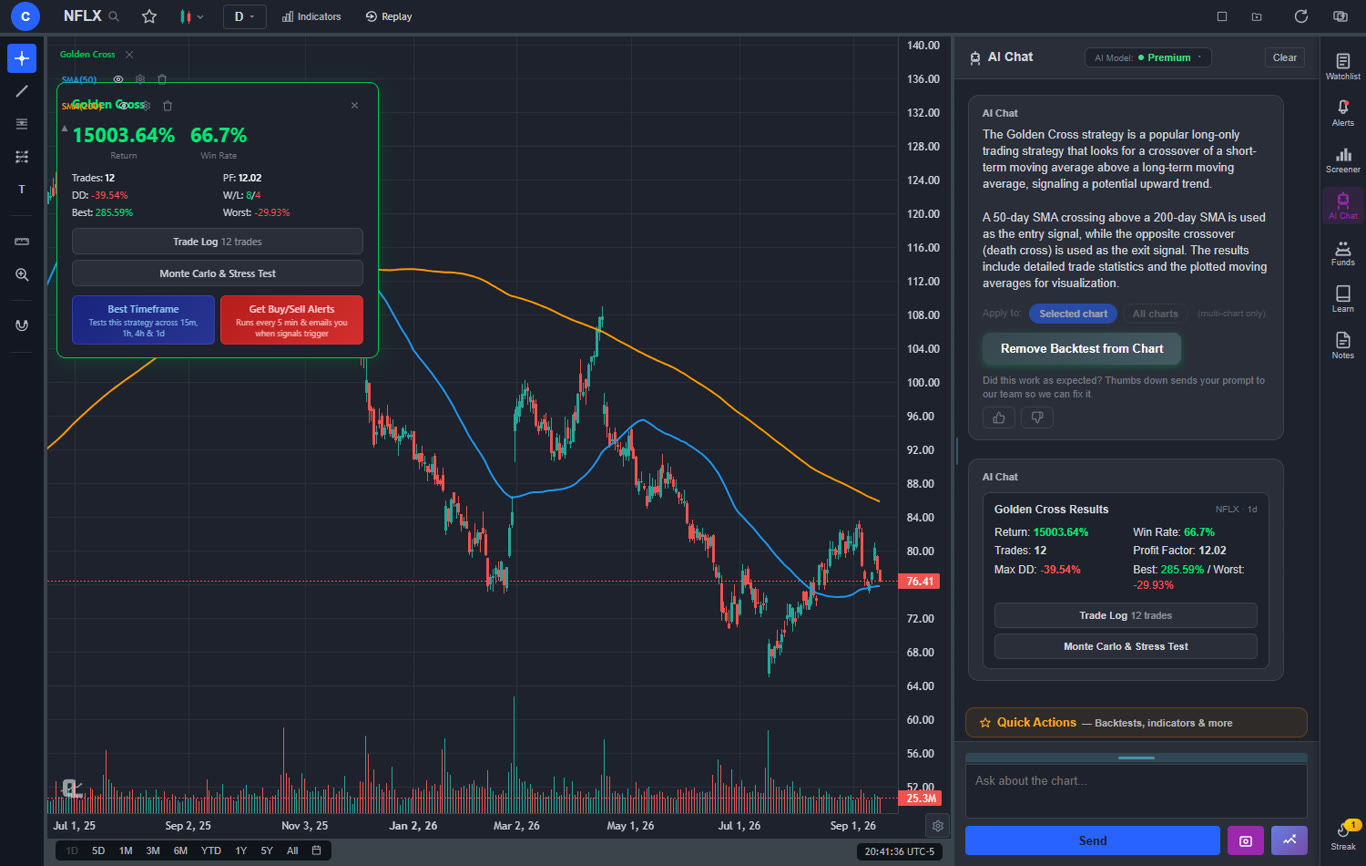
thinkorswim's strength has always been thinkScript and OnDemand backtesting — fully programmable but with a steep learning curve. ChartingLens's AI strategy backtester takes the opposite approach: describe a strategy in plain English ("9/21 EMA crossover with RSI > 50 confirmation, 2% stop, take profit at 1.5R") and the AI generates the strategy, runs it on historical bars, and returns full performance stats — win rate, average gain/loss, max drawdown, equity curve. No scripting. Convert any backtest into a live alert and you'll get an email the moment the next signal fires. For traders who never quite mastered thinkScript, this is the workflow they actually wanted.
Screener Presets for Options-Heavy Workflows
The stock screener's new preset library — Pre-market Gappers, Low Float Momentum, Short Squeeze Candidates, Liquid Only (tight spreads) — covers the scans options traders typically build by hand in thinkorswim. RVOL, dollar volume, gap %, and short float are now first-class filters and sort columns. Free users see 10 results per scan; Premium and Pro get the full result set with dual-timeframe confirmation.
Which ChartingLens Tier Fits a thinkorswim Replacement?
Best for options traders → Premium ($14.99/mo)
Options traders typically need fewer simultaneous alerts than they do in-depth single-symbol research. Premium's 20-alert and 10-watchlist caps fit comfortably. The AI Assistant's "compare watchlist by short interest" and "rank by analyst upside" tools are particularly useful for finding directional plays before earnings. Pair it with a discount broker like Tradier or a flat-fee options broker for execution, and the total monthly cost lands well below thinkorswim's old-school setup.
Best for systematic and rules-based traders → Pro ($29.99/mo)
If you used to run multiple thinkScript scans and conditional alerts simultaneously, Pro's unlimited alerts, layouts, and AI credits per day are the natural fit. Test variants of a strategy throughout the day without burning through a 20-credit cap. At $299/year (effective $24.92/month) it remains cheaper than thinkorswim's institutional alternatives like Trade Ideas Pro or eSignal Premier.
Best for futures and equity-options crossover traders
For traders who split time between equity options and futures, ChartingLens covers the equity side fully (real-time stocks, hedge fund holdings, insider data) and the futures side via custom timeframes and the multi-window mode for monitoring multiple contracts. Multicharts still wins for systematic-strategy execution and DAS Trader Pro for active futures execution, but ChartingLens is the cleanest replacement for thinkorswim's analysis side.
Frequently Asked Questions
ChartingLens is the best overall all-in-one thinkorswim alternative in 2026. It is the only platform that combines real-time charting on stocks, crypto, forex, and metals with AI buy/sell signals scanning 2,000+ stocks daily, a conversational AI trading assistant, plain-English strategy backtesting, custom AI indicator generation, insider trading data, and hedge fund holdings tracking (Buffett, Burry, Ackman, Druckenmiller and 7+ more) — all in a single subscription. Free tier with unlimited indicators per chart and no ads. Premium $14.99/month and Pro (unlimited) $29.99/month, both half the price of comparable platforms.
Schwab has committed to maintaining thinkorswim as a standalone platform. However, the transition has introduced account migration issues, feature changes, and workflow disruptions for many traders. Some thinkScript studies and custom setups have not transferred cleanly, and the overall experience has shifted. Many traders are exploring alternatives as a hedge against further changes.
For web-based charting with modern features, ChartingLens offers a cleaner, faster charting experience than thinkorswim with AI-powered analysis including buy/sell signals, auto pattern recognition, and Volume Profile (VRVP) at $14.99/mo. eSignal is a strong professional-grade alternative for traders who specifically need tick-level real-time data without a brokerage account, starting at $55/month.
Since the Schwab acquisition, you now need a Charles Schwab account to access thinkorswim. Alternatives like ChartingLens, eSignal, and Optuma do not require a brokerage account for their charting features. ChartingLens offers a full charting platform with AI analysis that works directly in your browser with just an email signup, while eSignal and Optuma are paid pro-grade alternatives for traders who want institutional charting without bundled execution.
Yes. ChartingLens offers a completely free tier with real-time charts, a large indicator library, AI buy/sell signals, and bar replay with paper trading — all essential tools for day trading. For pro-grade order routing, Lightspeed Trader and DAS Trader Pro provide direct-market-access execution for serious day traders. For the best free day-trading analysis platform, ChartingLens delivers the most features in one subscription without requiring a brokerage account.
Two answers, depending on what you mean. If you want to keep writing code, Multicharts uses .NET-based PowerLanguage scripting that closely mirrors thinkScript syntax - the most natural migration path for people who want to keep coding strategies. If what you actually want is your existing studies, ChartingLens converts a pasted thinkScript study into a native indicator by rules, with no AI involved, in about a second (Premium). Inputs, plot colours, arrows, clouds and labels carry over, and the numbers follow thinkorswim's own formulas. Proprietary studies such as TTM Squeeze and anything that reads options data are the exceptions. For new ideas, its plain-English backtester and AI-built custom indicators mean you never have to learn a scripting language at all.
ChartingLens is the cheapest platform with comprehensive AI features. Its free tier includes AI buy/sell signals and an AI trading assistant. Premium at $14.99/mo adds Volume Profile (VRVP), unlimited backtesting, and expanded AI analysis. By comparison, Trade Ideas starts at $84/month, eSignal starts at $55/month, and pro charting platforms like Optuma start around $80/month — none of which include the AI signals or AI assistant ChartingLens ships natively.
Yes, if the alternative is ChartingLens. Paste the thinkScript source into its AI Assistant and it converts the study into a native indicator by rules, with no AI credits used, in about a second (Premium). Inputs, plot colours, arrows, clouds, labels and AddOrder strategies carry over and the numbers follow thinkorswim's own formulas. Proprietary studies such as TTM Squeeze, anything that needs options or open-interest data, and scripts that read future bars do not convert and are refused with a reason. Most other platforms on this list require rewriting studies in their own language.
Conclusion: The Best Thinkorswim Alternative Depends on Your Workflow
Thinkorswim remains a capable platform, but the Schwab transition and the emergence of modern alternatives have given traders legitimate reasons to switch. The best replacement depends on what you value most: AI-powered analysis, community and scripting, broker integration, or futures depth.
For most traders looking for the most complete alternative, ChartingLens offers the broadest feature set at the lowest cost. Its AI capabilities alone — buy/sell signals, an AI assistant, pattern recognition, plain-English backtesting, and custom AI indicators — represent features that thinkorswim simply does not have. Add Volume Profile, insider data, hedge fund holdings, and a stock screener, and you have a platform that does not just replace thinkorswim — it goes well beyond it.
The best way to decide is to try the platforms that match your needs. If you want to start with the one that gives you the most out of the box, ChartingLens is a clear first stop.
Get AI signals, strategy backtesting, insider data, hedge fund holdings, Volume Profile, and real-time charts. No download required. No credit card needed.