Is NinjaTrader Worth It in 2026? Honest Review & Modern Alternatives
By ChartingLens TeamApril 5, 202618 min read
📅 May 2026 Update
ChartingLens just launched a new tier structure — Premium at $14.99/mo with sensible quotas (20 alerts, 10 layouts, 20 AI credits/day) and Pro at $29.99/mo with unlimited everything. The Free tier is unchanged: real-time stocks, crypto, forex & metals, all chart types, all drawing tools, cloud sync, and insider data. Yearly plans save 17%. Compare all plans →
NinjaTrader is the gold standard for futures order flow analysis, but the $1,099 lifetime license plus $50–100+/month in data feeds makes it one of the most expensive charting setups available. For traders who don't specifically need footprint charts and depth of market for futures scalping, there are modern platforms that deliver more analytical power for a fraction of the cost.
If you trade stocks, crypto, or anything beyond futures — or if you want AI-powered analysis, browser-based access, or simply don't want to spend $1,700+ in your first year — ChartingLens gives you AI buy/sell signals, an AI assistant, auto pattern recognition, insider data, and a strategy backtester starting at $0/month. NinjaTrader offers none of these features at any price.
What NinjaTrader Actually Costs (The Full Picture)
The first thing most people get wrong about NinjaTrader pricing is thinking $1,099 is the total cost. It is not. NinjaTrader requires a separate data feed subscription to deliver real-time market data, and that ongoing cost is what turns a seemingly reasonable one-time purchase into a serious monthly expense.
Here is what each tier actually costs:
NinjaTrader Free (Sim Trading)
Platform$0
DataDelayed only
Live tradingNot available
LimitationsSim only, basic features
NinjaTrader Lease ($99/month)
Platform lease$99/month
Data feed (Rithmic, CQG, or Kinetick)$50–$100+/month
Real monthly cost$150–$200/month
NinjaTrader Lifetime License ($1,099)
Platform (one-time)$1,099
Data feed (ongoing)$50–$100+/month
Year 1 total cost$1,699–$2,299
The data feed cost is the part NinjaTrader's marketing tends to minimize. You need a provider like Rithmic, CQG, or Kinetick to get real-time futures data. Rithmic typically runs $50–$75/month for basic CME access, while adding more exchanges pushes that higher. CQG starts around $50/month. Kinetick (NinjaTrader's own data service) starts at $50/month for end-of-day data with real-time add-ons costing more.
Compare this to platforms like TradingView that bundle data into the subscription, or ChartingLens where real-time stock and crypto charts are included on the free tier with no additional data costs.
What NinjaTrader Does Well (Genuinely)
Let's be fair here. NinjaTrader did not earn its reputation by accident. For a specific type of trader, it remains one of the most powerful platforms available. These are its genuine strengths:
Best-in-Class Order Flow & Depth of Market
NinjaTrader's order flow tools are exceptional. The platform offers real-time depth of market (DOM) visualization, bid/ask volume analysis, and order flow indicators that show you exactly where institutional buyers and sellers are positioned. If you are a futures scalper who makes decisions based on order flow, NinjaTrader's DOM is as good as it gets in the retail space.
Footprint / Volumetric Charts
Footprint charts (also called volumetric bars) display the volume traded at each price level within a candlestick. This is a specialized tool that most platforms do not offer at all. NinjaTrader's implementation is detailed and customizable, letting you see delta, volume, and bid/ask imbalances within each bar. For futures traders who rely on this data, NinjaTrader delivers it better than almost anyone.
Market Replay with Tick-Level Data
NinjaTrader's market replay system lets you replay past market sessions tick by tick, practicing your order flow reads and execution without risking capital. The replay data is granular enough to simulate real-time conditions accurately. For traders who want to deliberately practice futures scalping, this is a valuable training tool. (If you are interested in replay-based practice more broadly, see our guide on how to backtest a trading strategy.)
NinjaScript for Custom Indicators & Strategies
NinjaScript is NinjaTrader's C#-based programming language for building custom indicators, strategies, and automated trading systems. It is a full programming environment with access to .NET libraries, which means the ceiling for what you can build is extremely high. If you are a developer-trader who wants to code custom order flow indicators or fully automated futures strategies, NinjaScript gives you the power to do it.
Direct Futures Execution
NinjaTrader connects directly to futures brokers through supported data feed providers, allowing you to execute trades with low latency directly from the platform. The order entry tools, including the SuperDOM and Chart Trader, are designed for speed and efficiency. For active futures traders who place dozens or hundreds of trades per session, this integration matters.
What NinjaTrader Is Missing in 2026
Here is where the honest assessment gets less flattering. NinjaTrader's strengths are real, but so are its gaps — and in 2026, those gaps are increasingly hard to overlook.
Desktop-Only — No Web, No Mobile
NinjaTrader requires a Windows desktop installation. There is no web version, no macOS support, no mobile app. If you want to check a chart from your phone, review a position from a tablet, or access your analysis from a different computer, you cannot. In 2026, when platforms like ChartingLens and TradingView run entirely in a browser on any device, desktop-only is a significant limitation.
No AI Features Whatsoever
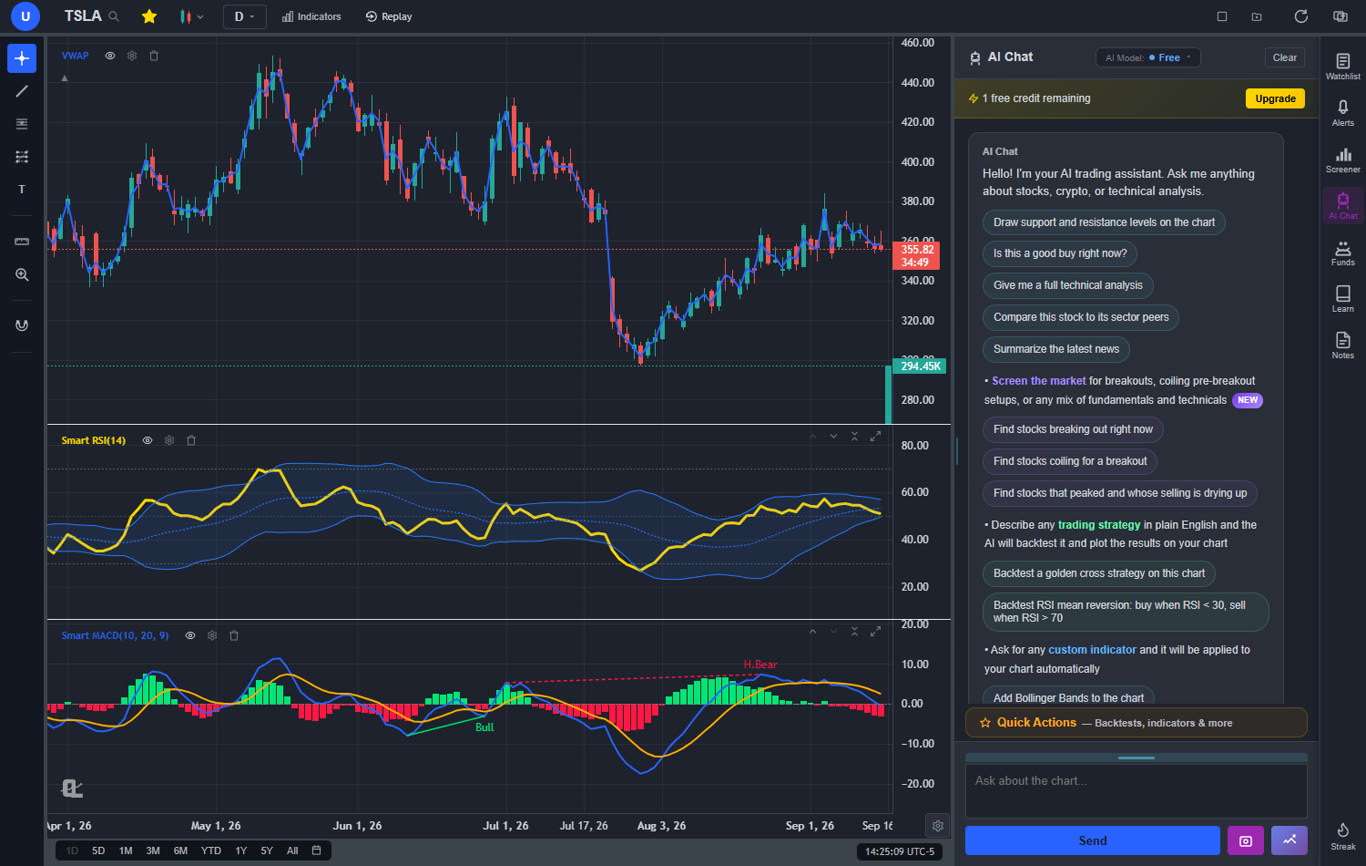
This is NinjaTrader's most glaring gap in 2026. The platform has zero AI capabilities at any price point. No AI buy/sell signals, no AI trading assistant, no automated chart pattern recognition, no AI-powered screening. You can build custom indicators with NinjaScript, but that requires learning C# — it is not the same as having an AI assistant that analyzes your chart and identifies patterns in plain English. For context, ChartingLens offers all of these AI features on its free tier. Check our AI-assisted trading guide to see what modern AI analysis looks like.
Primarily Futures — Limited Stock & Crypto
NinjaTrader is built for futures. Its stock coverage is limited and lacks the analytical tools that stock-focused traders need — no stock screener, no insider trading data, no hedge fund holdings, no fundamental analysis panels. Crypto coverage is minimal. If you trade equities, ETFs, or crypto alongside or instead of futures, NinjaTrader forces you to maintain a second platform for those assets.
No Insider Trading Data or Fundamental Data
NinjaTrader is purely a technical analysis and execution platform. There is no way to view SEC insider filings, no earnings data, no analyst estimates, no fundamental ratios, no hedge fund holdings. Modern platforms integrate technical and fundamental data because most traders benefit from seeing both. NinjaTrader offers only one half of the analysis picture.
Steep Learning Curve
Between the platform configuration, data feed setup, workspace customization, and NinjaScript programming, NinjaTrader has one of the steepest learning curves of any retail trading platform. This is not inherently bad — powerful tools often require investment to learn. But when alternatives offer comparable or superior analytical power with a fraction of the setup complexity, the learning curve becomes a cost rather than a feature.
Dated Interface
NinjaTrader's interface has not changed meaningfully in years. The menus, windows, and visual design look like software from the early 2010s. This is a cosmetic issue, but usability and aesthetics are connected. Modern platforms have demonstrated that you can have professional-grade tools wrapped in a clean, intuitive interface. NinjaTrader has not kept pace.
NinjaTrader vs ChartingLens: Cost Comparison
Here is a direct cost comparison to put NinjaTrader's pricing in perspective. We are comparing the NinjaTrader lifetime license path (its best value option) against ChartingLens Premium.
Scroll horizontally to see all columns →
Feature
NinjaTrader (Lifetime)
ChartingLens (Premium)
Year 1 Cost
$1,699–$2,299
$119.88 ($14.99/mo)
Year 2+ Cost
$600–$1,200/yr (data feeds)
$119.88/yr
Free Tier
Sim only, delayed data
✓ Full features, real-time data
AI Buy/Sell Signals
✗
✓ 2,000+ stocks daily
AI Trading Assistant
✗
✓
Auto Pattern Recognition
✗
✓ 13+ patterns
Order Flow / Footprint
✓ Best-in-class
✗
Volume Profile (VRVP)
✓
✓
Futures Execution
✓ Direct
✗
Stock & Crypto Coverage
Limited
✓ Full coverage
Insider Trading Data
✗
✓
Hedge Fund Holdings
✗
✓
Stock Screener
✗
✓ With CL Score
Strategy Backtester
✓ NinjaScript (C#)
✓ Plain English
Bar Replay / Paper Trading
✓ Tick-level
✓
Web-Based / Mobile
✗ Desktop only
✓ Any browser
Custom Scripting
✓ NinjaScript (C#)
✗
Ads
None
None (any tier)
The numbers speak for themselves. NinjaTrader's Year 1 cost is roughly 14 to 19 times higher than ChartingLens Premium. And while NinjaTrader wins clearly on order flow, footprint charts, and futures execution, ChartingLens wins on everything else — AI features, stock/crypto coverage, browser access, insider data, and cost efficiency.
The question is not which platform is "better" in the abstract. It is which platform is better for what you actually do.
Who Should Pay for NinjaTrader
We are not going to pretend NinjaTrader is never worth it. For certain traders, it genuinely is. Here is who should consider paying:
Full-Time Futures Scalpers Who Need Order Flow
If you make your living scalping ES, NQ, or CL futures and your edge depends on reading order flow, NinjaTrader's DOM and volumetric tools are hard to beat. Sierra Chart is the closest competitor here, but NinjaTrader's ecosystem of third-party add-ons and its market replay system give it an edge for dedicated order flow traders. The $1,099 license pays for itself quickly if you are trading futures full-time.
Traders Who Specifically Need Footprint Charts
Footprint (volumetric) charts are a specialized tool that very few platforms offer well. If your strategy is built around reading delta imbalances, volume clusters, and bid/ask ratios within individual bars, NinjaTrader's footprint implementation is among the best. Sierra Chart is the main alternative here, and it is cheaper — but NinjaTrader's ecosystem is larger.
Traders Who Need Direct Futures Execution
If you need to execute futures trades directly from your charting platform with low latency and advanced order types, NinjaTrader connects directly to major futures brokers through Rithmic and CQG. For traders who need to enter and exit positions in seconds from a DOM ladder, this integration is essential. Alternatives like Thinkorswim and TradeStation also offer futures execution, but NinjaTrader's SuperDOM is purpose-built for speed.
Who Should Use ChartingLens Instead
For the majority of traders who do not need NinjaTrader's specific futures order flow tools, ChartingLens delivers more analytical power at a dramatically lower cost. Here is who benefits most from switching:
Stock and Crypto Traders
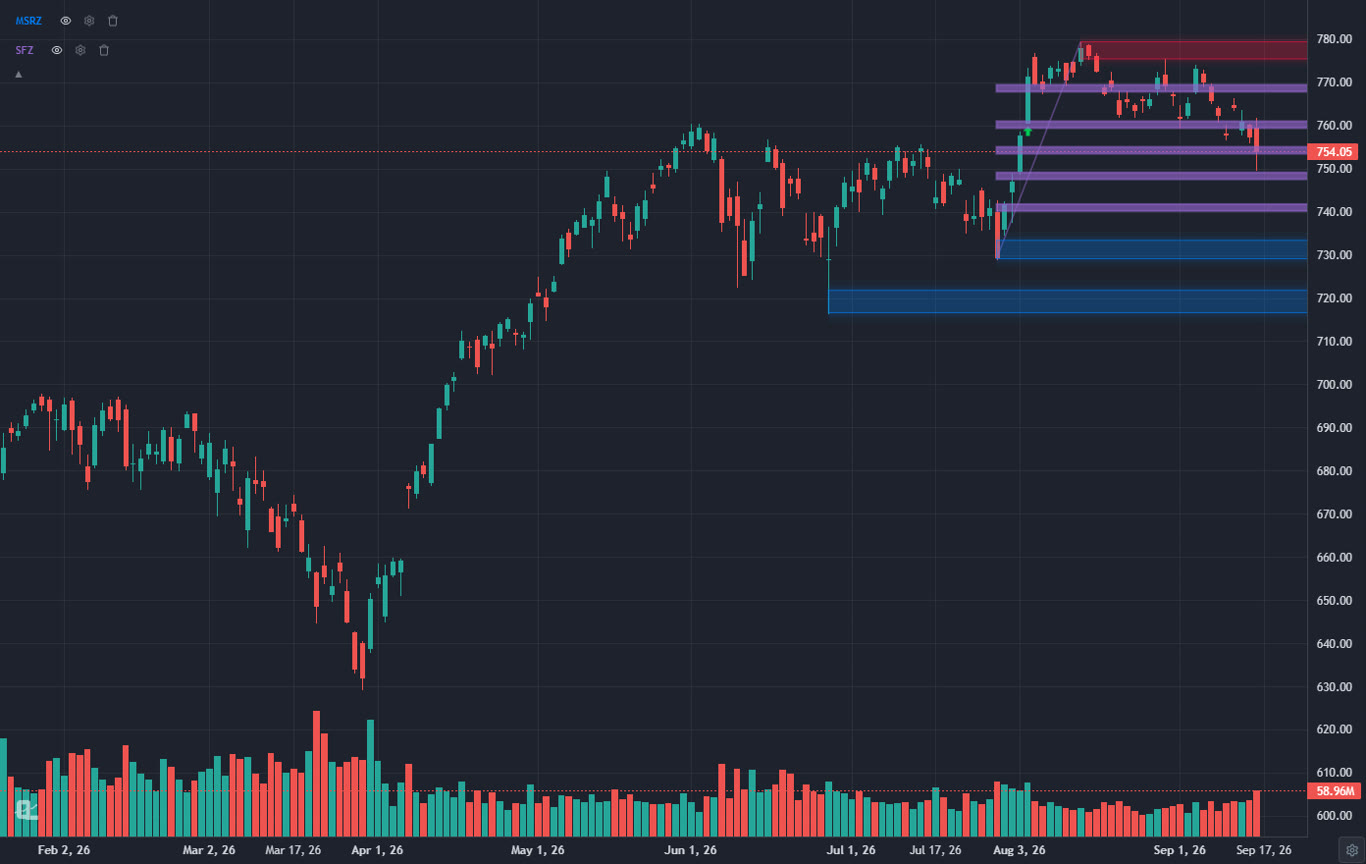
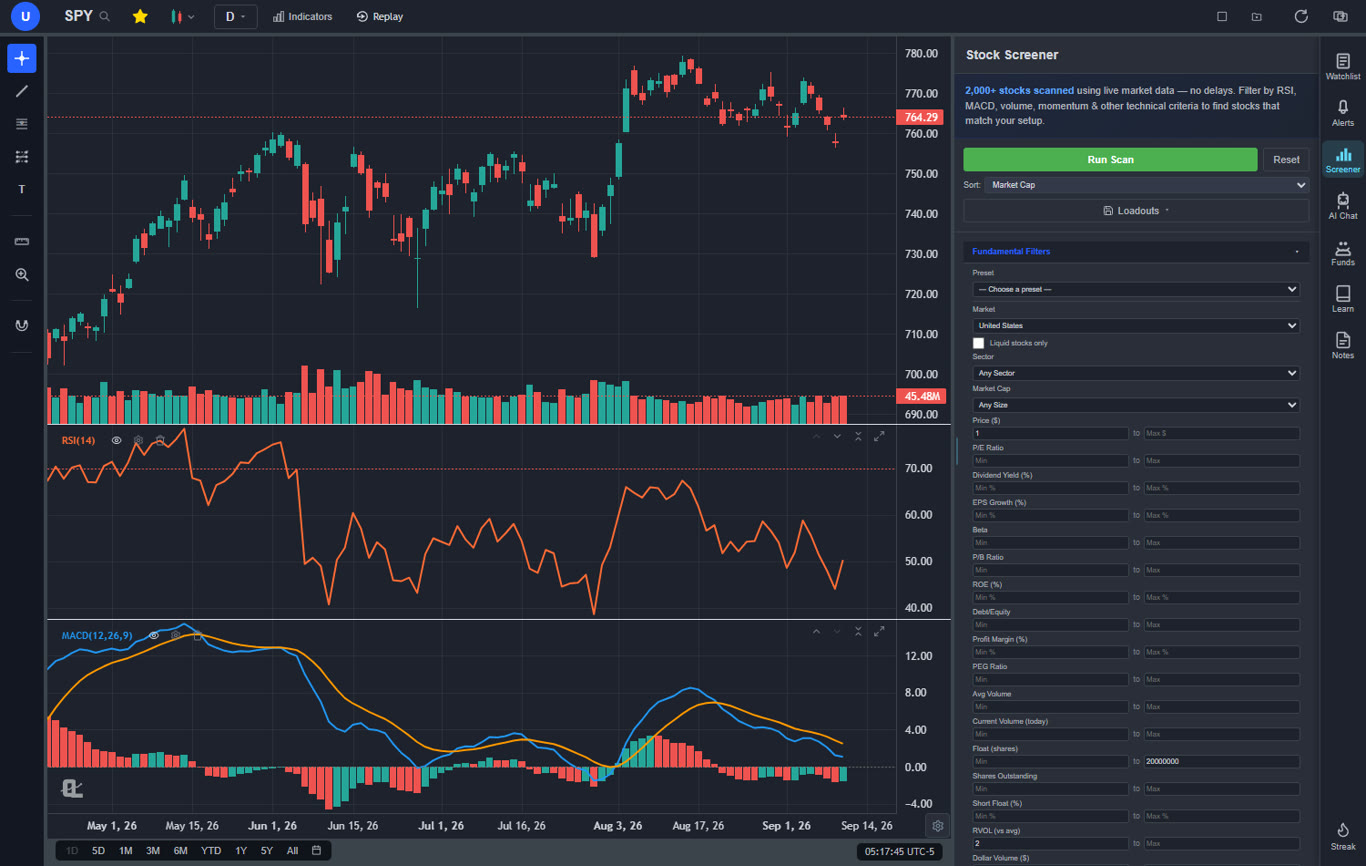
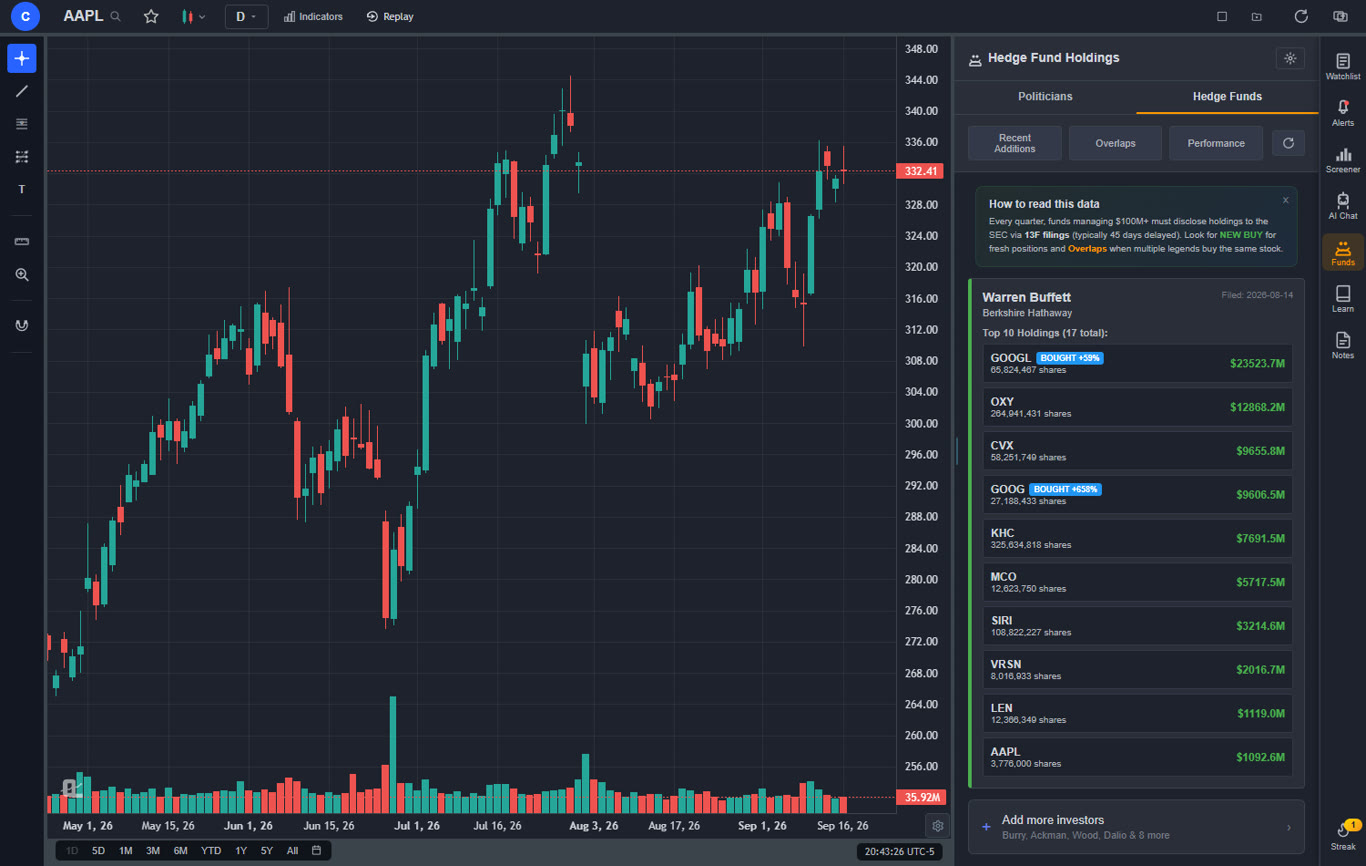
NinjaTrader barely covers stocks and has minimal crypto support. ChartingLens is built for stocks and crypto with real-time charts, a large technical indicator library, AI buy/sell signals scanning 2,000+ stocks daily, a stock screener with CL Score ranking, insider trading data from SEC filings, and hedge fund holdings. If you trade equities or crypto, NinjaTrader is simply the wrong tool — you would be paying $1,099+ for a platform that does not serve your market.
Traders Who Want AI Analysis Without Learning NinjaScript
NinjaScript requires C# programming knowledge. ChartingLens offers AI buy/sell signals, an AI trading assistant that analyzes your charts in natural language, auto chart pattern recognition for 13+ patterns, and a plain-English strategy backtester — all without writing a single line of code. You get more analytical automation on ChartingLens's free tier than NinjaTrader offers at $1,099. For a deeper look at what AI can do for your trading, see our guide to AI-assisted trading.
Traders Who Want Browser-Based Access
If you want to check your charts from your phone, review analysis on a tablet, or access your platform from any computer without installing software, NinjaTrader cannot help you. ChartingLens runs in any modern browser — desktop, laptop, tablet, or phone. No download, no installation, no Windows requirement. Your charts and analysis are accessible from anywhere.
Traders Who Do Not Need Order Flow or Footprint Charts
This is the key question: do you actually use order flow data and footprint charts? If the answer is no — and for most traders, it is — then you are paying a premium for NinjaTrader's signature feature while getting less of everything else. ChartingLens gives you Volume Profile (VRVP), technical indicators, AI analysis, insider data, and a backtester at a fraction of the price. The best NinjaTrader alternatives page covers more options if you are exploring the market.
The Verdict: Is NinjaTrader Worth It?
For full-time futures scalpers who depend on order flow and footprint charts: yes. NinjaTrader remains the best retail platform for that specific workflow. If order flow reading is your edge and futures are your market, the $1,099 lifetime license is a reasonable investment that pays for itself. Just budget for the $50–$100+/month data feed on top of it.
For everyone else: no. And "everyone else" is the vast majority of traders. If you trade stocks, crypto, or any combination of assets — if you want AI-powered analysis — if you want to access your charts from a phone or tablet — if you do not need footprint charts and depth of market — NinjaTrader is the wrong tool at the wrong price point.
The trading software market has evolved dramatically since NinjaTrader established its position. Platforms like ChartingLens now offer AI buy/sell signals, AI trading assistants, automated pattern recognition, insider trading data, hedge fund holdings, strategy backtesting in plain English, and Volume Profile — all from a browser, all starting at $0/month. NinjaTrader offers none of these features at any price. For a broader look at what is available, check our best TradingView alternatives and best TradeStation alternatives guides.
The $1,099 lifetime license is not expensive if you use what NinjaTrader is uniquely good at. But it is extremely expensive if you are paying for capabilities you do not need while missing the capabilities you do.
Frequently Asked Questions
If you are committed to NinjaTrader long-term and trade futures daily, the $1,099 lifetime license pays for itself in about 11 months compared to the $99/month lease. However, if you are unsure whether NinjaTrader is the right fit, start with the lease so you can switch platforms without losing $1,099. Keep in mind that you still need a data feed subscription ($50–$100+/month) regardless of which option you choose — that ongoing cost never goes away.
The real total cost of NinjaTrader includes the platform license ($1,099 lifetime or $99/month lease) plus a mandatory data feed subscription from providers like Rithmic, CQG, or Kinetick, which typically costs $50–$100+ per month depending on the exchanges you need. If leasing, the true monthly cost is roughly $150–$200. If you bought the lifetime license, Year 1 costs $1,699–$2,299, and Year 2+ costs $600–$1,200 per year in ongoing data feed charges. By comparison, ChartingLens Premium costs $119.88/year total with no additional data fees.
No. NinjaTrader is primarily designed for futures trading and its stock capabilities are very limited. There are no AI buy/sell signals for equities, no stock screener, no insider trading data, no analyst estimates, and no fundamental analysis tools. For stock trading, ChartingLens is a far better fit — it offers AI signals scanning 2,000+ stocks daily, a stock screener with CL Score ranking, insider trading data from SEC filings, hedge fund holdings, and auto chart pattern recognition, all starting on the free tier.
No. NinjaTrader has no AI features at any price tier — not on the free sim, not on the $99/month lease, and not on the $1,099 lifetime license. There are no AI buy/sell signals, no AI trading assistant, and no automated pattern recognition. You can build custom indicators with NinjaScript (a C#-based programming language), but that requires developer-level programming knowledge. ChartingLens offers AI buy/sell signals, an AI trading assistant, and auto pattern recognition for 13+ chart patterns on its free tier — no coding required.
ChartingLens is the best NinjaTrader alternative for traders who focus on stocks and crypto rather than futures. It offers AI buy/sell signals scanning 2,000+ stocks daily, an AI trading assistant, auto chart pattern recognition for 13+ patterns, insider trading data, hedge fund holdings, a stock screener with CL Score, Volume Profile (VRVP), a plain-English strategy backtester, and bar replay with paper trading — all from a browser with no download required. The free tier alone offers more stock and crypto analysis tools than NinjaTrader provides at any price point. For more options, see our full best NinjaTrader alternatives guide.
Yes, but with significant limitations. NinjaTrader's free mode is sim trading only with delayed data. You cannot place live trades, you do not get real-time market data, and you are limited to basic charting features. To trade live or access real-time data, you need the $99/month lease or $1,099 lifetime license, plus a paid data feed subscription ($50–$100+/month). ChartingLens offers a more useful free tier with real-time charts, AI buy/sell signals, an AI trading assistant, auto pattern recognition, insider data, and a strategy backtester — all with no time limit and no credit card required.
Try ChartingLens Free — AI-Powered Analysis Without the $1,099 Price Tag
Get AI buy/sell signals, an AI trading assistant, auto pattern recognition, insider data, hedge fund holdings, Volume Profile, and real-time charts. No download. No credit card. No data feed subscription.