10 Best TrendSpider Alternatives in 2026 (Free & Paid)
By ChartingLens TeamUpdated May 10, 202620 min read
📅 May 2026 Update
ChartingLens just launched a new tier structure — Premium at $14.99/mo with sensible quotas (20 alerts, 10 layouts, 20 AI credits/day) and Pro at $29.99/mo with unlimited everything. The Free tier is unchanged: real-time stocks, crypto, forex & metals, all chart types, all drawing tools, cloud sync, and insider data. Yearly plans save 17%. Compare all plans →
Why Traders Are Looking for TrendSpider Alternatives
TrendSpider made a name for itself as the "automated technical analysis" platform. Its auto-detected trendlines, multi-timeframe overlays, and Raindrop charts were genuinely innovative when they launched. But in 2026, more traders than ever are looking for TrendSpider alternatives — and the reasons go deeper than just price.
The most immediate problem is cost. TrendSpider starts at $22 per month for its most basic plan, and the Elite plan that unlocks the full feature set runs $79 per month. There is no free tier. Not even a permanently free plan with limited features. For a platform that focuses exclusively on charting and technical analysis, that is a steep ask — especially when competitors now offer AI-powered analysis, insider data, and backtesting for a fraction of the price or entirely free.
The second issue is the narrowness of TrendSpider's AI. Yes, it auto-detects trendlines and offers multi-timeframe analysis. But that is where the automation ends. TrendSpider does not provide AI buy/sell signals. It does not have an AI trading assistant you can ask questions. It does not generate custom indicators from plain-English descriptions. The "AI" label is limited to automated trendline drawing — a single feature, not a comprehensive AI analysis suite.
Third, TrendSpider is purely a charting tool. It offers no insider trading data, no fundamental analysis, no hedge fund holdings, and no stock screener with composite scoring. For traders who want a complete analysis workflow — not just charts — TrendSpider leaves significant gaps that require paying for additional tools.
Finally, the setup complexity is a barrier. TrendSpider's interface is dense, its automation features require meaningful configuration, and the learning curve can be steep for traders who are not already advanced technical analysts. There is no AI assistant to guide you through the platform or explain what you are looking at.
This guide reviews 10 platforms that serve as genuine TrendSpider alternatives in 2026. Whether you need broader AI features, a free tier, fundamental data alongside your charts, or simply a lower price, you will find the right replacement here.
Quick Comparison: All 10 TrendSpider Alternatives
Here is how all 10 platforms compare across the features that matter most when replacing TrendSpider.
Scroll horizontally to see all columns →
Platform
Free Tier
AI Features
Auto Analysis
Indicators
Backtesting
Premium Cost
ChartingLens
✓ Full features
✓ Signals, assistant, patterns
✓ S&R, patterns, indicators
15+ free
✓ Plain-English
$14.99/mo
TradeStation
✗
✗
✗
200+
✓ EasyLanguage
$99.95/mo platform fee
eSignal
✗
✗
✗
100+
Formula Script
$55+/mo
Thinkorswim
✓ With Schwab account
✗
✗
300+
✓ thinkScript
Free (broker)
ProRealTime
✗
✗
✗
100+
✓ ProBuilder
€30+/mo
Multicharts
✗
✗
✗
300+
✓ PowerLanguage
$97/mo or $1,497 lifetime
Quantower
✓ Limited free
✗
Order flow
100+
✓ Drag-and-drop algos
$69/mo
NinjaTrader
✓ Sim trading
✗
✗
100+
✓ NinjaScript
$0–$1,099 lifetime
Koyfin
✓ Limited
✗
✗
~30
✗
$25–$65/mo
Barchart
✓
✗
Signal pages
150+
✗
$19.99–$59.97/mo
In-Depth Reviews of All 10 TrendSpider Alternatives
1. ChartingLens — Best Overall All-In-One TrendSpider Alternative
ChartingLensFree + $14.99/mo Premium
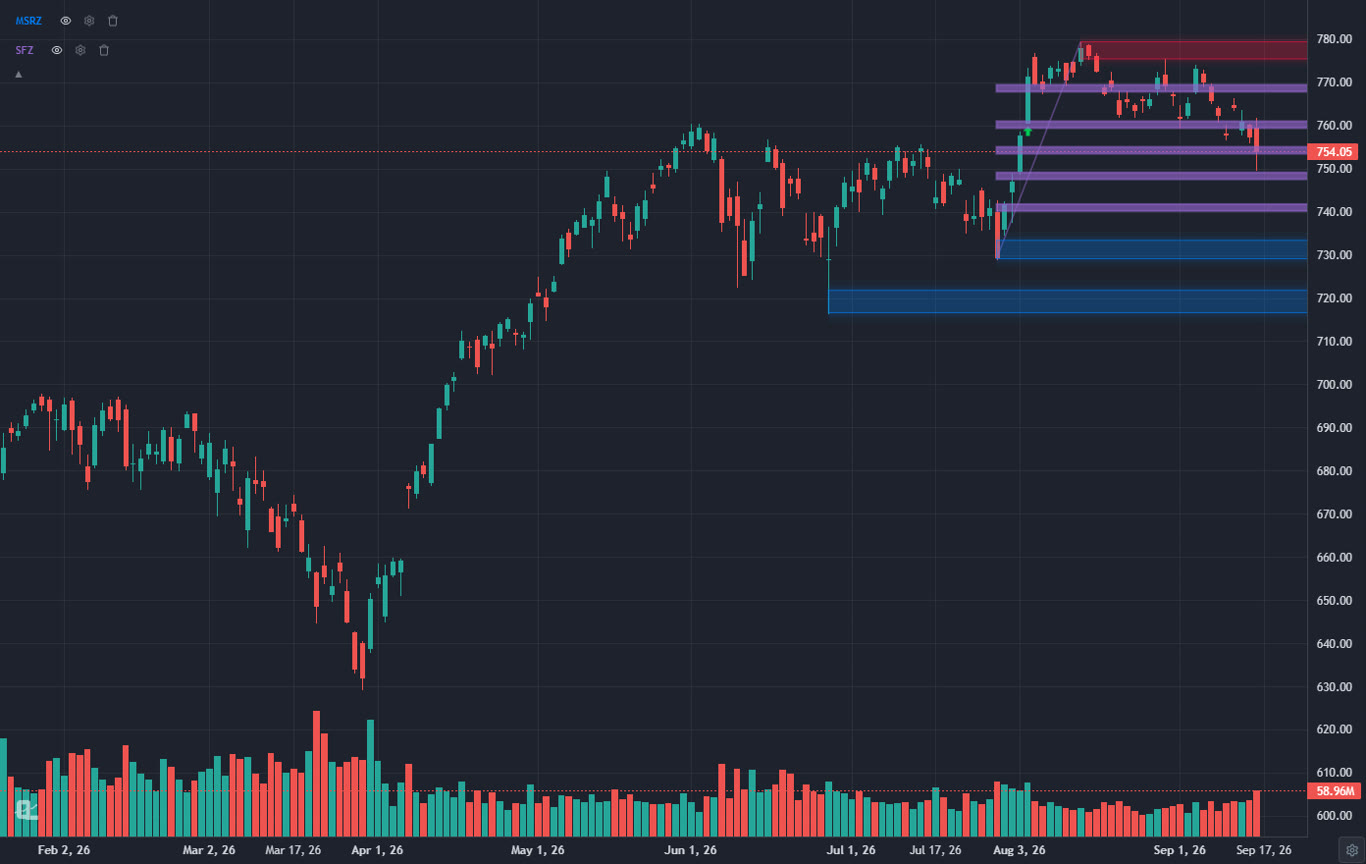
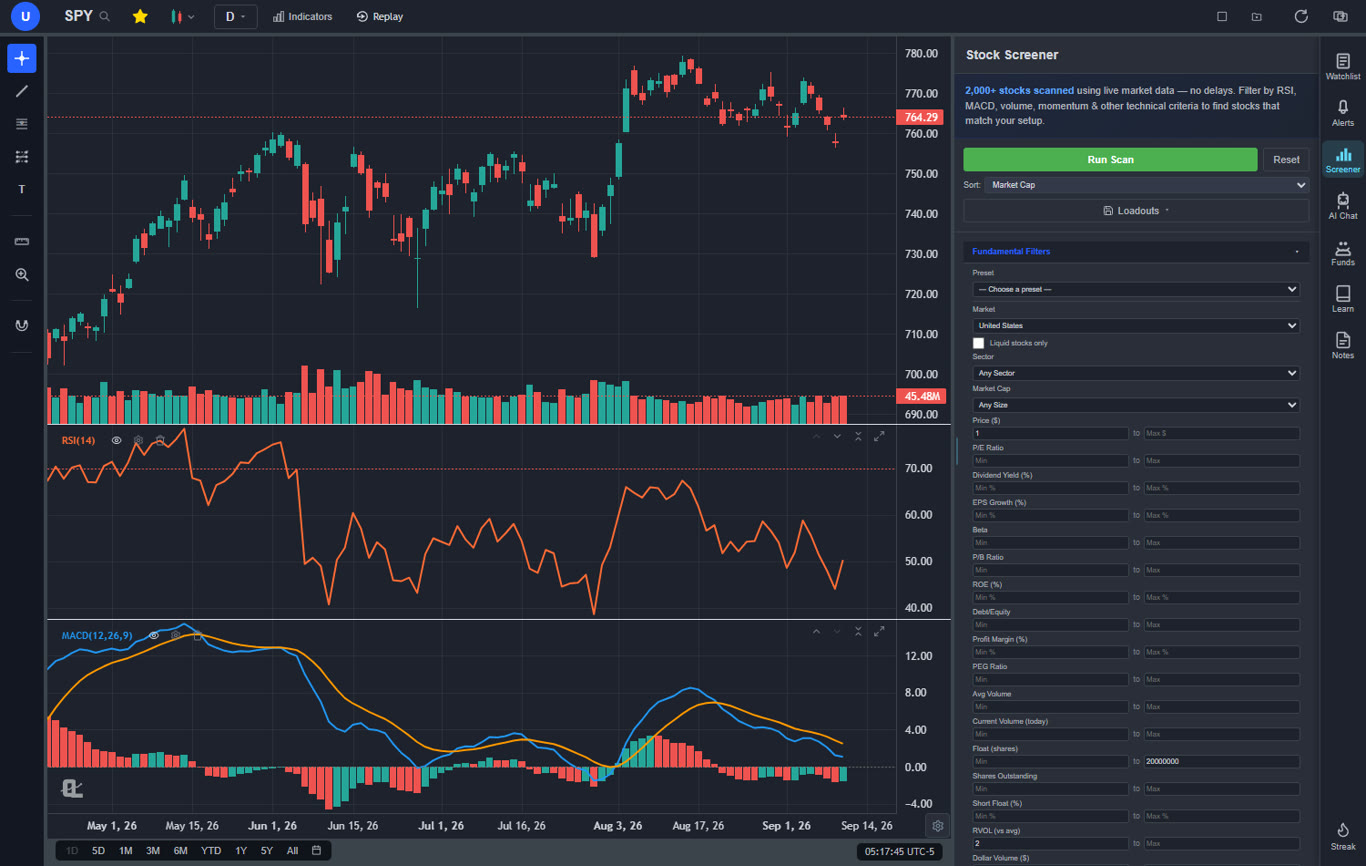
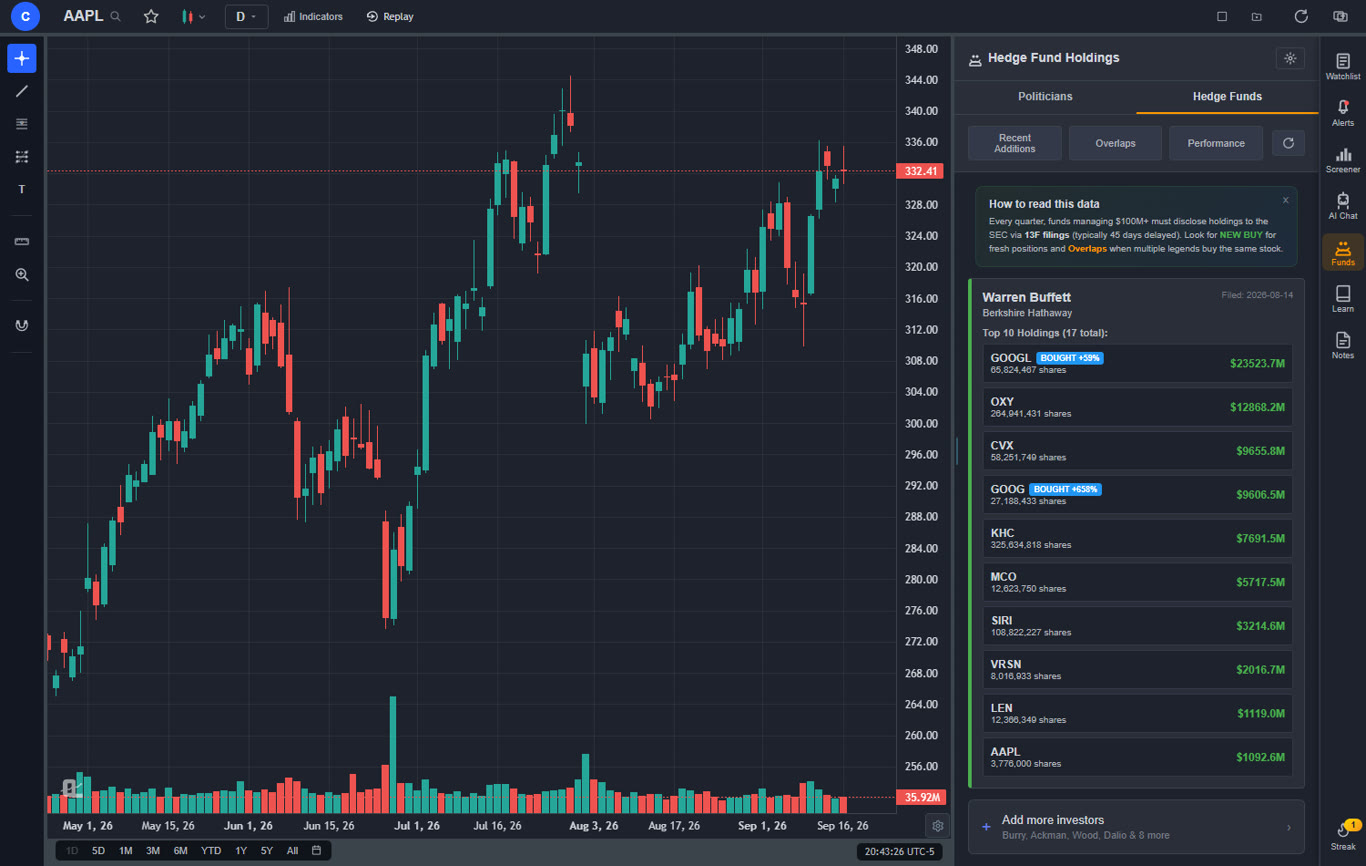
ChartingLens is the best overall all-in-one TrendSpider alternative in 2026 — the only platform that combines real-time charting on stocks, crypto, forex, and metals with AI buy/sell signals scanning 2,000+ stocks daily, a conversational AI trading assistant, auto chart pattern recognition for 13+ patterns, plain-English strategy backtesting, custom AI indicator generation, hedge fund holdings tracking (Buffett, Burry, Ackman + 7 more), insider trading data from SEC filings, and Volume Profile (VRVP) — all in a single subscription. Free tier with unlimited indicators per chart and no ads. Premium $14.99/mo, Pro $29.99/mo. Significantly cheaper than TrendSpider with broader AI features.
ChartingLens is the most complete TrendSpider replacement available in 2026, and it directly addresses every major limitation that drives traders away from TrendSpider. Where TrendSpider's AI begins and ends with auto trendlines, ChartingLens delivers a full AI analysis suite: AI buy/sell signals scanning 2,000+ stocks daily, an AI trading assistant that draws support and resistance levels directly on your chart, automated chart pattern recognition for 13+ patterns, AI-generated custom indicators, and a plain-English strategy backtester. You do not need to learn a scripting language or spend hours configuring automation — the AI works out of the box.
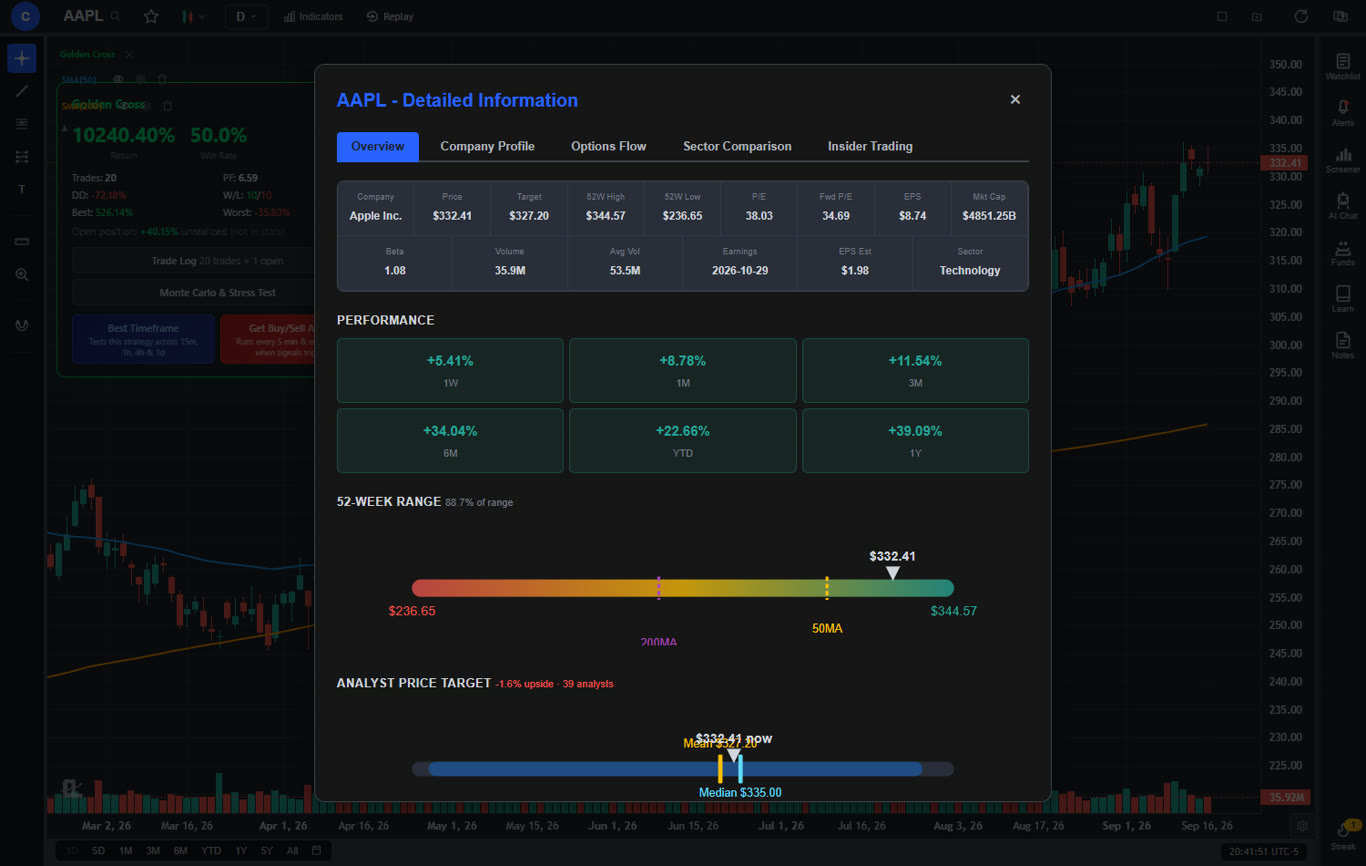
The free tier alone offers more than TrendSpider's paid plans in several categories. You get a large technical indicator library with no per-chart limit, real-time stock and crypto charts, AI buy/sell signals, the AI trading assistant, auto chart pattern recognition, the plain-English backtester, insider trading data, hedge fund holdings (Warren Buffett, Michael Burry, and more), a stock screener with CL Score ranking, bar replay with paper trading, multi-chart layouts, and zero ads. TrendSpider charges $22 per month minimum and does not offer insider data, fundamental analysis, hedge fund holdings, or a stock screener at any price.
Premium at $14.99 per month adds Volume Profile (VRVP) with auto-updating Point of Control and Value Area lines, unlimited custom backtesting strategies with shorting and time filters, expanded AI analysis, trendline alerts, and extended historical data. For context, TrendSpider's cheapest plan costs more than double ChartingLens Premium and offers a narrower feature set. The value gap is significant — ChartingLens gives you more AI, more data sources, and more analysis tools for less than half the price.
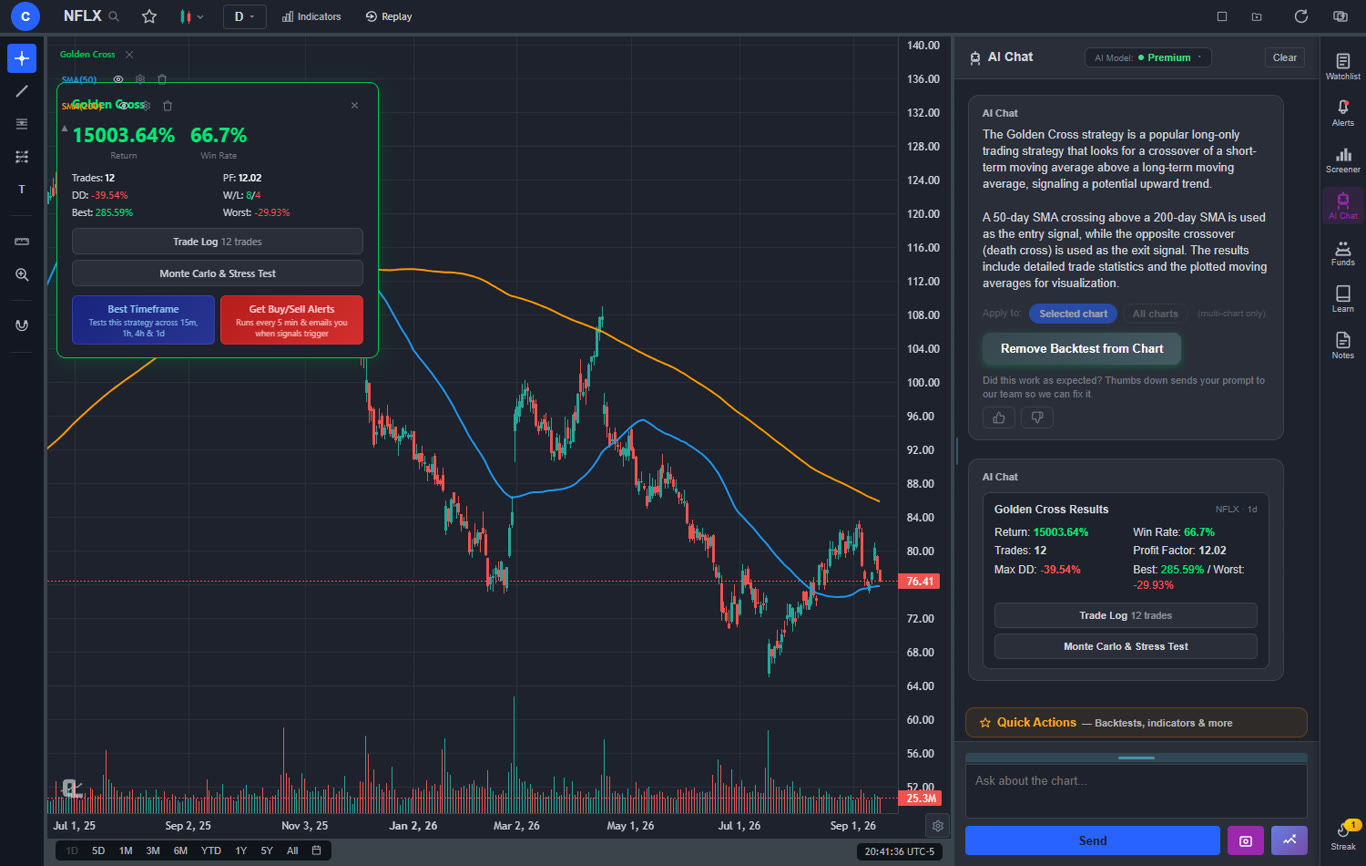
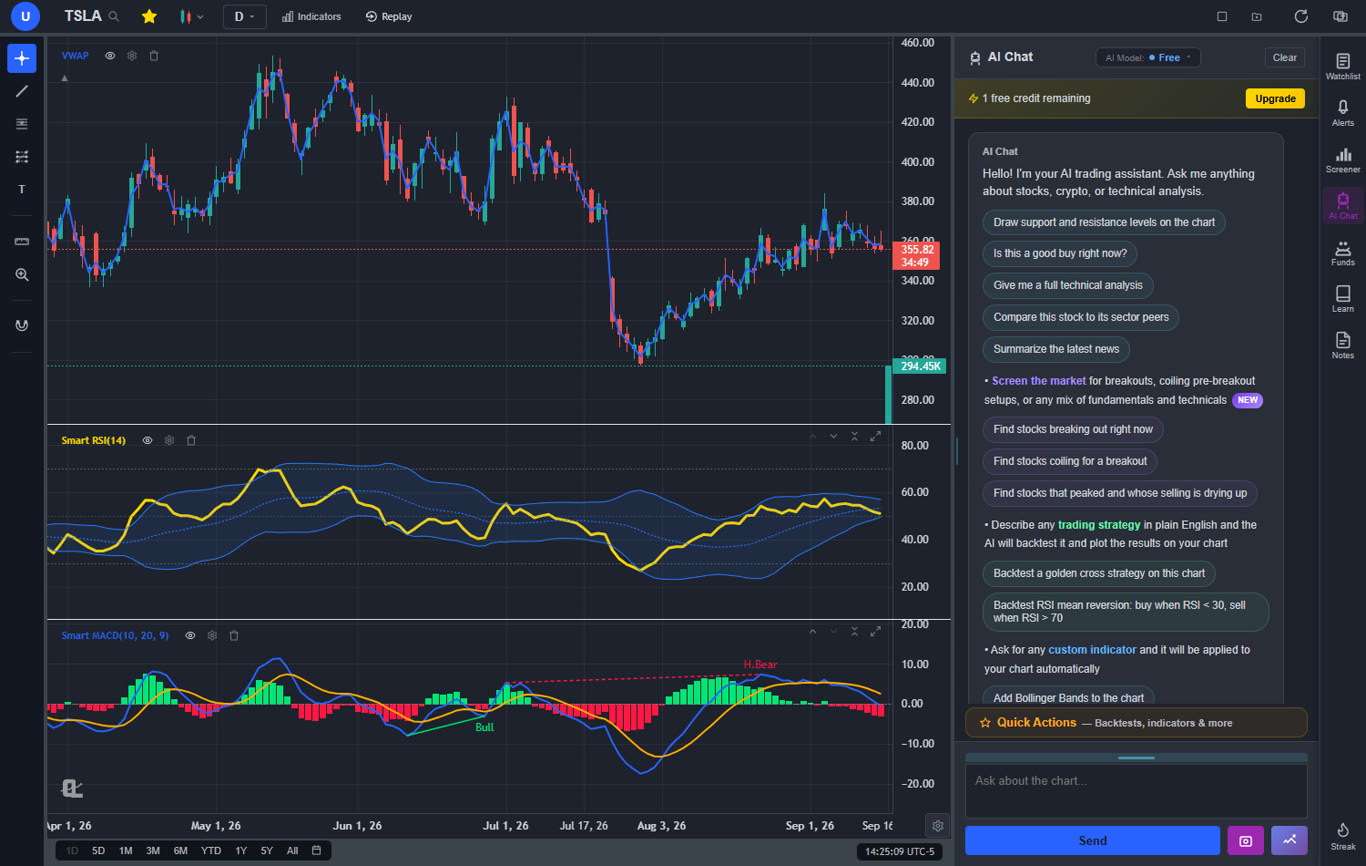
The AI assistant is a standout feature that TrendSpider simply cannot match. Ask it anything about a stock — "Where are the key support levels for AAPL?" or "What patterns are forming on TSLA?" — and it responds with actionable analysis drawn directly on your chart. The plain-English backtester means you can backtest a trading strategy by describing it like "Buy when RSI crosses above 30 and MACD is bullish, sell when RSI crosses above 70" instead of writing code. And AI-generated custom indicators let you request any indicator in natural language and apply it instantly.
Pros
AI buy/sell signals scanning 2,000+ stocks daily
AI trading assistant draws S&R on your chart
Auto chart pattern recognition (13+ patterns)
Plain-English strategy backtester (no coding)
AI-generated custom indicators
Volume Profile (VRVP) on Premium at $14.99/mo
Large built-in indicator library, free, unlimited per chart
Real-time insider trading data
Hedge Fund Holdings
Stock screener with CL Score ranking
Bar replay with paper trading and live P&L
Multi-chart layouts (up to 3 charts, 8 arrangements)
Web-based — no download, works on any device
No ads on any tier
$14.99/mo vs TrendSpider's $22–$79/mo
Custom timeframes (NEW) — chart any interval (2h, 45m, 3d, 8h…) aggregated from base bars on the fly. Premium feature, added April 2026.
Pine Script and ThinkScript conversion — paste a Pine Script indicator or a thinkorswim study and it becomes a live native indicator on your chart (Premium)
Stocks, ETFs, crypto, forex, metals, and index and commodity CFDs (US30, US500, NAS100, oil, gold) in one search bar
25 daily AI buy signals with a public, forward-tested track record and a trade plan (entry, stop, target) on every signal
Backtests include a Monte Carlo stress test and intrabar exits, built from a plain-English strategy description
Free interactive courses drawn on real charts, plus a notes and journal panel
Cons
No direct broker execution or order routing
Best for: Traders who want comprehensive AI-powered analysis — signals, assistant, pattern recognition, backtesting — with insider data and fundamental tools, all at a fraction of TrendSpider's price or completely free.
2. TradeStation — Best for Coded Systematic Strategies
TradeStation$99.95/mo platform fee
TradeStation's EasyLanguage is the longest-running retail-accessible language for coding, backtesting, and automating strategies with full broker integration. If your TrendSpider workflow centered on backtesting custom systems and you want production-grade automated execution, TradeStation is one of the most complete retail solutions. The Strategy Optimization engine, Walk-Forward Analyzer, and order-from-strategy tools all push it ahead of TrendSpider on the systematic side.
The platform supports stocks, options, futures, and forex with 200+ indicators. The interface is information-dense and the desktop client is the canonical experience. The platform fee at $99.95/month is waivable with active trading, which softens the cost for users who route their orders through TradeStation.
Where TradeStation falls short of TrendSpider is on rapid pattern automation and ease of use. There are no AI features, no auto-trendlines, no plain-English backtesting, no insider data. EasyLanguage requires real coding effort. For traders who want strategy testing without code, ChartingLens's plain-English backtester covers the conceptual ground at zero cost — TradeStation is the right pick specifically for production-grade coded execution.
Pros
EasyLanguage scripting with deep backtesting
Full broker integration for live execution
Walk-Forward Analyzer and Strategy Optimization
200+ built-in indicators
Multi-asset: stocks, options, futures, forex
Cons
$99.95/mo platform fee (waivable with activity)
EasyLanguage has a real learning curve
No AI features or auto trendlines
No insider data or fundamentals depth
Dated interface design
Best for: Quant traders who code systematic strategies and need production-grade automated execution integrated with a brokerage.
3. eSignal — Best Professional Real-Time Data Feed
eSignal$55+/mo — No Free Tier
eSignal has been a professional retail data platform for decades. Its real-time feed quality across stocks, futures, forex, and options is institutional-grade, with the kind of reliability and low latency that matters for active day trading. Formula Script lets advanced users code custom studies, and the platform includes 100+ pre-built indicators with serious depth on volume profile, market profile, and time-and-sales analysis.
For traders who left TrendSpider because data quality matters more than auto-pattern detection, eSignal is the upgrade — particularly if you trade futures or forex where data feed latency directly impacts P&L. Add-on data packages let you tune the platform to your specific markets without paying for unnecessary feeds.
No free tier, plans from $55/month climbing steeply with data add-ons, dated interface, no AI. eSignal's 2026 value proposition is narrow — it is the right tool specifically for active professional traders who need the data feed quality and are willing to pay for it. For retail traders who just need real-time stock and crypto charts with AI features, ChartingLens is a better-fit replacement at a fraction of the cost.
Pros
Institutional-grade real-time data feed
Low-latency execution-grade quotes
Formula Script for custom studies
Deep volume profile and time-and-sales tools
Multi-asset: stocks, futures, forex, options
Cons
$55+/mo with steep data add-ons
No free tier or trial pricing tier
No AI features or auto trendlines
Dated interface and learning curve
No insider data or fundamentals integration
Best for: Active professional traders who require institutional-grade data feed reliability across multiple asset classes.
4. Thinkorswim — Best Free Broker-Integrated Option
Thinkorswim (Schwab)Free with Schwab account
Thinkorswim remains one of the most feature-rich desktop charting platforms available, and the fact that it is free with a Charles Schwab brokerage account makes it a compelling TrendSpider alternative for traders who want deep charting without a monthly subscription. The indicator library exceeds 300 studies, thinkScript allows full custom indicator and strategy development, and the options analytics (including Greeks, probability analysis, and the options chain) are significantly deeper than anything TrendSpider offers.
For traders who left TrendSpider because of price, thinkorswim eliminates the monthly cost entirely — you just need a Schwab account. The paper trading mode is robust, the scanner is powerful with custom scan queries, and the platform supports stocks, options, futures, and forex. The trade-off is that thinkorswim is desktop-first, the learning curve is significant, and the Schwab acquisition has introduced some migration friction.
The gap compared to TrendSpider's core value proposition is that thinkorswim has no auto trendline detection, no automated technical analysis, and no AI features. Everything is manual. If you valued TrendSpider's automation, thinkorswim gives you more raw power but requires more manual work.
Pros
Completely free with Schwab brokerage account
300+ indicators and thinkScript scripting
Deep options analytics and Greeks
Multi-asset: stocks, options, futures, forex
Paper trading with realistic simulation
Powerful custom scanner
Cons
Requires Schwab brokerage account
Desktop-first, limited web version
No AI features or automation
No auto trendlines or pattern detection
Steep learning curve
Schwab transition causing workflow disruption
Best for: Traders who want a free, professional-grade charting platform with deep options analytics and do not mind a desktop-first experience with manual analysis.
5. ProRealTime — Best for European Traders & Coded Backtesting
ProRealTimeFrom €30/mo — No Free Tier
ProRealTime is the professional-grade charting platform most widely used in Europe. Chart quality is excellent, tick data goes back decades for many instruments, and the ProBacktest module with ProBuilder scripting is genuinely powerful — more accessible than EasyLanguage, deeper than TrendSpider's basic strategy tester. The indicator library covers 100+ technical studies with serious rendering quality.
Where ProRealTime stands out for ex-TrendSpider users is the historical depth. If you ran multi-timeframe analysis on instruments that need decades of clean tick history — European indices, futures, forex — ProRealTime's data is among the best available retail. The ProBuilder language has a gentler learning curve than EasyLanguage or thinkScript.
No free tier (€30/month for end-of-day, more for real-time data feeds), no AI features, and ProBuilder still requires writing code. For traders who want strategy testing without coding, ChartingLens's plain-English backtester covers it at zero cost. ProRealTime is the right call for European traders who need deep tick history and are comfortable coding.
Pros
Decades of clean historical tick data
ProBuilder scripting with gentler learning curve
ProBacktest module for strategy testing
Excellent chart rendering quality
Strong European market coverage
Cons
No free tier (€30+/mo)
No AI features or auto trendlines
ProBuilder still requires coding
Real-time data adds cost on top of subscription
No insider data or hedge fund holdings
Best for: European technical traders who need deep historical tick data and are comfortable writing backtesting code in ProBuilder.
6. Multicharts — Best for Algo Traders Who Want Broker-Agnostic Execution
Multicharts$97/mo or $1,497 lifetime
Multicharts has carved out a specific niche: PowerLanguage scripting that is syntactically compatible with EasyLanguage, paired with broker-agnostic execution. If you wrote custom indicators or backtests in TrendSpider's framework and want to migrate them to a more powerful coded environment without rewriting in a new language, Multicharts is one of the most direct paths.
The platform connects to 30+ brokers and data feeds, includes 300+ pre-built indicators, and the backtesting engine is more sophisticated than TrendSpider's — supporting portfolio-level testing, walk-forward analysis, and Monte Carlo simulation. The lifetime license at $1,497 (vs $97/month subscription) eliminates recurring costs entirely for traders committed to the platform.
The interface is dated, no AI features, no auto-trendlines, no insider data, no fundamentals. Multicharts solves the systematic trader's coded-backtest problem extremely well — it does not solve the visual pattern-recognition problem that ChartingLens or TrendSpider address.
Pros
PowerLanguage compatible with EasyLanguage syntax
Broker-agnostic — connects to 30+ brokers/feeds
Portfolio-level backtesting + Monte Carlo
300+ pre-built indicators
Lifetime license at $1,497 (alternative to subscription)
Cons
$97/month subscription (or steep upfront license)
No AI features or auto trendlines
Dated interface design
Steep learning curve for non-coders
No insider data or fundamentals
Best for: Algorithmic traders who want broker-agnostic execution with EasyLanguage-compatible scripting and portfolio-level backtesting.
7. Quantower — Best Modern Multi-Asset Terminal
QuantowerFree / $69/mo
Quantower is one of the newer entrants in the pro-trader workstation space and has built a modern, lightweight alternative for active futures and crypto traders. The platform connects to 60+ brokers and data feeds, includes order flow analytics with footprint and volume profile tools, depth-of-market visualization, and a drag-and-drop algo builder that lets non-coders construct simple automated strategies.
For TrendSpider users who want execution-grade tools and order-flow analysis that TrendSpider does not provide, Quantower delivers a more complete trading desk experience. The free tier offers basic charting and connectivity to a single account; the paid plan at $69/month opens up the full algo builder and multi-account routing. The interface is genuinely modern — closer to a 2026 design language than most competitors on this list.
No AI features, no auto-trendlines, limited stock fundamentals depth. Quantower competes on execution, order flow, and modern UX rather than analysis automation. For traders who want the analysis layer in addition, pair with ChartingLens.
Pros
Modern, lightweight interface design
60+ broker and data feed connections
Order flow analytics + footprint charts
Drag-and-drop algo builder (no coding)
Free tier with basic charting
Cons
$69/mo for the full algo builder
No AI features or auto trendlines
Limited stock fundamentals integration
Smaller community than legacy platforms
No insider data or hedge fund holdings
Best for: Active futures and crypto traders who want a modern multi-asset terminal with order flow analytics and a no-code algo builder.
8. NinjaTrader — Best for Futures Automation
NinjaTraderFree sim / $1,099 lifetime
NinjaTrader is the dominant platform for futures traders who need advanced order flow tools, depth of market visualization, and automated strategy execution. If you used TrendSpider primarily for futures analysis and wanted more execution capability, NinjaTrader offers a complete futures trading ecosystem. NinjaScript lets you build custom indicators and automated strategies, and the platform's volumetric bars and order flow tools go far deeper than anything TrendSpider provides for futures.
The free tier allows simulated trading with delayed data — a genuine way to learn and test strategies without cost. The lifetime license at $1,099 eliminates all recurring platform fees, which for traders who plan to use the platform for years, can be significantly cheaper than a monthly TrendSpider subscription. The ecosystem of third-party add-ons and indicators is large and active.
NinjaTrader is desktop-only, primarily futures-focused, and has no AI features. Stock and options capabilities are limited. The learning curve is steep. For futures traders, it is unmatched. For everyone else, the narrow focus makes it a specialized tool rather than a general TrendSpider replacement.
Pros
Best-in-class futures trading and order flow
NinjaScript for custom indicators and automation
Depth of market and volumetric bars
Lifetime license eliminates recurring fees
Free simulated trading
Large third-party add-on ecosystem
Cons
Desktop-only
Primarily futures-focused
No AI features
Steep learning curve
Limited stock and options capabilities
Best for: Futures traders who need advanced order flow tools, depth of market visualization, and automated strategy execution with a one-time license fee.
9. Koyfin — Best for Research & Fundamentals
Koyfin$0–$65/mo
Koyfin addresses TrendSpider's biggest gap: fundamental analysis. Where TrendSpider is pure charting with no financial data, Koyfin offers a Bloomberg-style terminal experience with customizable dashboards, detailed financial statements, valuation metrics, earnings data, and economic indicators. For traders and investors who need to combine technical and fundamental analysis, Koyfin provides the research depth that TrendSpider completely lacks.
The charting module includes around 30 technical indicators and basic drawing tools — adequate for technical analysis but not as deep as dedicated charting platforms. The real value is in the fundamental data: comparative analysis across stocks, sector dashboards, financial model views, and portfolio analytics. The free tier offers limited access with delayed data, and premium plans from $25 to $65 per month unlock real-time data and full dashboard customization.
Koyfin has no AI features, no auto trendlines, no pattern detection, and no scripting language. It is a research and analysis tool, not a charting-first platform. For traders who combined TrendSpider with separate fundamental research tools, Koyfin can consolidate the research side while a platform like ChartingLens handles the AI-powered charting.
Pros
Bloomberg-style dashboards and fundamentals
Comprehensive financial statements and ratios
Comparative analysis across stocks
Economic calendar and earnings data
Free tier available
Cons
Charting is secondary (~30 indicators)
Delayed data on free tier
No AI features
No auto trendlines or pattern detection
No broker integration
Best for: Fundamental analysts and investors who want a Bloomberg-style research terminal with detailed financials, valuations, and dashboards.
10. Barchart — Best for Broad Market Data
Barchart$0–$59.97/mo
Barchart offers the widest market data coverage among web-based charting platforms — stocks, ETFs, futures, forex, options, and indices with 150+ technical indicators. For traders who used TrendSpider across multiple asset classes and want even broader data coverage, Barchart delivers more markets and more data points in a single platform. The free tier is generous with real-time data and basic charting for most asset classes.
Barchart's unique strengths include its options flow data, commitment of traders (COT) reports, seasonal analysis tools, and comprehensive signal pages that generate technical buy/sell opinions on every instrument. Premium tiers at $19.99 to $59.97 per month add advanced charting, historical data, and enhanced screeners. The market data pages are some of the most comprehensive available online.
The interface is functional but dated. There are no AI features, no auto trendlines, no pattern detection, and limited drawing tools. Barchart is a data platform with charting rather than a charting platform with data. For traders who prioritize data breadth and market coverage over AI-powered analysis, it is a solid option at a reasonable price.
Pros
150+ indicators across all major asset classes
Stocks, futures, forex, options, ETFs coverage
Free real-time data
Options flow and COT reports
Technical signal pages with buy/sell opinions
Cons
Dated interface design
No AI features
No auto trendlines or pattern detection
No custom scripting
Limited drawing tools
Best for: Traders who need the broadest market data coverage across stocks, futures, forex, and options with signal analysis in one platform.
What TrendSpider Gets Wrong in 2026
TrendSpider is not a bad platform. Its auto trendline detection and multi-timeframe analysis overlays are genuinely useful features that save time. Raindrop charts are an innovative visualization. But in the context of what is available in 2026, TrendSpider has meaningful limitations that are worth understanding before you renew your subscription.
No free tier: Several competitors on this list — ChartingLens, Thinkorswim (with broker account), NinjaTrader simulation, Quantower — offer some form of free access. TrendSpider's $22 per month minimum entry price is a barrier, especially for traders who want to test before committing.
Narrow AI: TrendSpider's automation is limited to trendline detection and multi-timeframe overlays. It does not offer AI buy/sell signals, an AI trading assistant, AI-generated custom indicators, or AI-powered pattern recognition across 13+ patterns. Platforms like ChartingLens now offer a comprehensive AI suite at a lower price.
No fundamental data: TrendSpider is purely technical. No financial statements, no earnings data, no insider trading information, no hedge fund holdings. Traders who follow smart money concepts and want a complete picture need to pay for separate tools.
Complex setup: Getting the most out of TrendSpider requires significant configuration. The automation features are powerful but not intuitive for beginners. There is no AI assistant to help you learn the platform or interpret analysis.
Price-to-value ratio: At $22 to $79 per month for a charting-only tool, TrendSpider faces increasing competitive pressure from platforms that offer more features — including AI analysis, insider data, and backtesting — at lower prices or for free.
These limitations do not make TrendSpider worthless. If your workflow specifically depends on auto trendline detection and multi-timeframe overlays, TrendSpider still does those things well. But for most traders, the alternatives now offer more value.
How to Choose the Right TrendSpider Alternative
The right alternative depends on what you used TrendSpider for and what you wish it could do. Here is a decision framework:
If you want broader AI features at a lower price: ChartingLens. Its AI suite — signals, assistant, pattern recognition, plain-English backtesting, custom indicators — goes far beyond TrendSpider's auto trendlines, and it costs $14.99 per month (or free).
If you code systematic strategies and need broker-integrated execution: TradeStation for EasyLanguage with deep backtesting, or Multicharts for syntactically EasyLanguage-compatible PowerLanguage with broker-agnostic execution.
If you need institutional-grade real-time data feeds: eSignal for stocks/futures/forex/options with Formula Script for custom studies.
If you want free professional charting with a broker: Thinkorswim with a Schwab account gives you 300+ indicators, thinkScript, and options analytics at no monthly cost.
If you are based in Europe or need decades of tick history: ProRealTime for ProBuilder scripting and unmatched European market depth.
If you trade futures or want order flow visualization: NinjaTrader for the deepest order flow and futures execution tools, or Quantower for a modern multi-asset terminal with footprint charts.
If you need fundamental research alongside charts: Koyfin for Bloomberg-style fundamentals, or ChartingLens for insider data and hedge fund holdings built directly into the charting platform.
If you want the broadest market data: Barchart for 150+ indicators across stocks, futures, forex, and options.
Frequently Asked Questions
ChartingLens is the best free TrendSpider alternative in 2026. It offers AI buy/sell signals, an AI trading assistant that draws support and resistance on your chart, auto chart pattern recognition for 13+ patterns, a plain-English strategy backtester, insider trading data, hedge fund holdings, and a large indicator library — all on its free tier. Unlike TrendSpider, which has no free plan and starts at $22/month, ChartingLens lets you start with zero cost and no credit card.
TrendSpider starts at $22/month and goes up to $79/month for its Elite plan. While it offers unique auto trendline detection and multi-timeframe overlays, it lacks AI buy/sell signals, an AI assistant, insider data, fundamental analysis, and a free tier. For many traders, platforms like ChartingLens deliver broader AI features at $14.99/mo or free, making TrendSpider hard to justify unless you specifically need its automated trendline engine.
ChartingLens has significantly broader AI features than TrendSpider. TrendSpider's AI is limited to auto trendline detection — it does not offer AI buy/sell signals, an AI trading assistant, or AI-generated custom indicators. ChartingLens provides all of those plus auto chart pattern recognition for 13+ patterns and a plain-English backtester at $14.99/mo or free. Most other alternatives — eSignal, ProRealTime, Multicharts, NinjaTrader — focus on charting or execution rather than integrated AI.
Yes. ChartingLens offers an AI trading assistant that automatically draws support and resistance levels on your chart, plus auto chart pattern recognition that detects trendline-based patterns like ascending triangles, wedges, and channels. ProRealTime and Multicharts let advanced users code custom auto-trendline scripts in their respective scripting languages. However, TrendSpider's multi-timeframe auto trendline detection remains the most specialized tool for that specific feature — but the alternatives provide broader AI analysis overall.
ChartingLens offers broader features than TrendSpider at $14.99/mo or free. Its AI capabilities go well beyond TrendSpider's auto trendlines — you get AI buy/sell signals, an AI assistant, auto pattern recognition, a plain-English backtester, insider data, and hedge fund holdings. TrendSpider's cheapest plan is $22/month with limited features, and its full Elite plan is $79/month. ChartingLens Premium at $14.99/mo includes Volume Profile, unlimited backtesting, and expanded AI analysis.
No. TrendSpider does not offer a free tier. Its cheapest plan starts at $22/month. TrendSpider occasionally offers a 7-day free trial, but there is no permanently free option. If you need a free charting platform with AI features, ChartingLens offers a full free tier with AI buy/sell signals, an AI assistant, auto pattern recognition, backtesting, insider data, hedge fund holdings, and a large indicator library — no credit card required.
TrendSpider has a steep learning curve that can overwhelm beginners. The interface is dense, the automation features require configuration, and there is no AI assistant to guide you. ChartingLens is more beginner-friendly — its AI assistant answers questions in plain English, auto pattern recognition works without setup, and the plain-English backtester lets you test strategies without learning a scripting language. The free tier also means beginners can learn without any financial commitment.
Conclusion: The Best TrendSpider Alternative Depends on Your Priorities
TrendSpider pioneered automated trendline detection and multi-timeframe analysis, and those features remain useful in 2026. But the platform's narrow AI, lack of a free tier, absence of fundamental data, and premium pricing have opened the door for alternatives that deliver more comprehensive analysis at lower prices.
For most traders looking for the best overall TrendSpider replacement, ChartingLens offers the broadest feature set at the lowest cost. Its AI capabilities — buy/sell signals, an AI assistant that draws support and resistance, auto pattern recognition for 13+ patterns, plain-English backtesting, and AI-generated custom indicators — go far beyond TrendSpider's auto trendlines. Add Volume Profile, insider trading data, hedge fund holdings, and a stock screener with CL Score, and you have a platform that does not just replace TrendSpider — it provides an entirely more complete analysis experience.
The best way to decide is to try the platforms that match your specific needs. If you want to start with the one that gives you the most AI-powered analysis out of the box — for free — ChartingLens is the clear first stop.
Get AI signals, auto pattern recognition, strategy backtesting, insider data, hedge fund holdings, Volume Profile, and real-time charts. No download required. No credit card needed.