A stock screener answers one question: out of thousands of stocks, which ones match the conditions I care about right now? A stock scanner answers the same question continuously during the session and tells you the moment a name qualifies. Most traders need the first and think they need the second. Both are on this list, clearly labelled, because the right tool depends on whether you trade from a morning list or from a live tape.
I have run every one of these nine for real, and the ranking weighs the same things a trader does: how many of your conditions the filter set can express, whether fundamentals and technicals combine in one scan, data speed, what happens to a result after you find it (can you chart it, alert on it, test it), and price. The number one pick wins on the last of those, the workflow after the scan, which is where most screeners simply stop.
Stock Screener vs Stock Scanner: Which One Do You Need?
The words get used interchangeably and the tools are different.
- A screener filters a universe on a snapshot: fundamentals, price relative to moving averages, RSI, volume versus average, and so on. You run it, you get a list, you work the list. Swing traders, position traders and investors need this, and they need it to be expressive and to combine fundamental and technical conditions.
- A scanner watches the tape and fires as conditions are met intraday: new high on volume, gap and go, crossing VWAP. Day traders need this, and they need it to be fast and to stream.
ChartingLens, Finviz, Stock Rover, ChartMill and Zacks are screeners. Trade Ideas is a scanner. TrendSpider, TC2000 and thinkorswim do both, with scheduled scans or real-time lists. If you are day trading a morning watchlist that you built before the open, a screener with good presets is enough, and it is a fraction of the price of a streaming scanner.
How We Ranked the Stock Screeners
- Filter depth and combination. Fundamentals and technicals in one run, indicator states rather than just values (a Bollinger squeeze, an RSI cross), and setup-level filters such as breakouts or patterns.
- Data. Real-time or delayed, how many markets, and how large the universe is.
- After the scan. Charting quality on the result, alerts, and whether the screen can be backtested.
- Speed of use. Presets, plain-English input, and how fast you get from idea to list.
- Price. What the tier a real trader needs costs, including data add-ons.
The 9 Best Stock Screeners at a Glance
| Screener | Type | Best for | Price | After the scan |
|---|---|---|---|---|
| ChartingLens | Screener + AI screener | All-in-one, swing and day lists | Free / $14.99 / $29.99 mo | Chart, alerts, plain-English backtest |
| Finviz | Screener | Fast daily filters | Free / $24.96 to $39.50 mo | Thumbnail charts |
| Trade Ideas | Real-time scanner | Day trading | About $89 to $178 mo | Alerts, Holly AI ideas |
| TrendSpider | Scanner + screener | Multi-condition technical | About $22 to $97 mo | Charts, alerts, backtest |
| TC2000 | Real-time scanner | US scan-and-watchlist loop | $9.99 to $59.99 mo + data | Charts, watchlists |
| Stock Rover | Screener | Fundamentals | Free / about $8 to $28 mo | Research, fundamental backtests |
| thinkorswim | Scanner | Free with a broker | Free (Schwab) | Charts, execution |
| ChartMill | Screener | Setup-based screens | Free credits / from about $30 mo | Basic charts |
| Zacks | Screener | Earnings revisions | About $249 yr | Research |
The 9 Best Stock Screeners and Scanners Reviewed
1ChartingLens: Best Stock Screener Overall
ChartingLens is a well-established platform with a large active user base, advanced features, and an institutional-grade strategy builder and backtesting engine. It is broker-agnostic, so it sits alongside whatever brokerage you already use, it is battle-tested at scale across a comprehensive multi-asset universe of stocks, ETFs, crypto, forex, metals and index CFDs, and it ships with a large built-in indicator library, a mature AI-first feature ecosystem, and extensive documentation and learning resources. A thriving trader community spanning day, swing and long-term investors uses it every session.
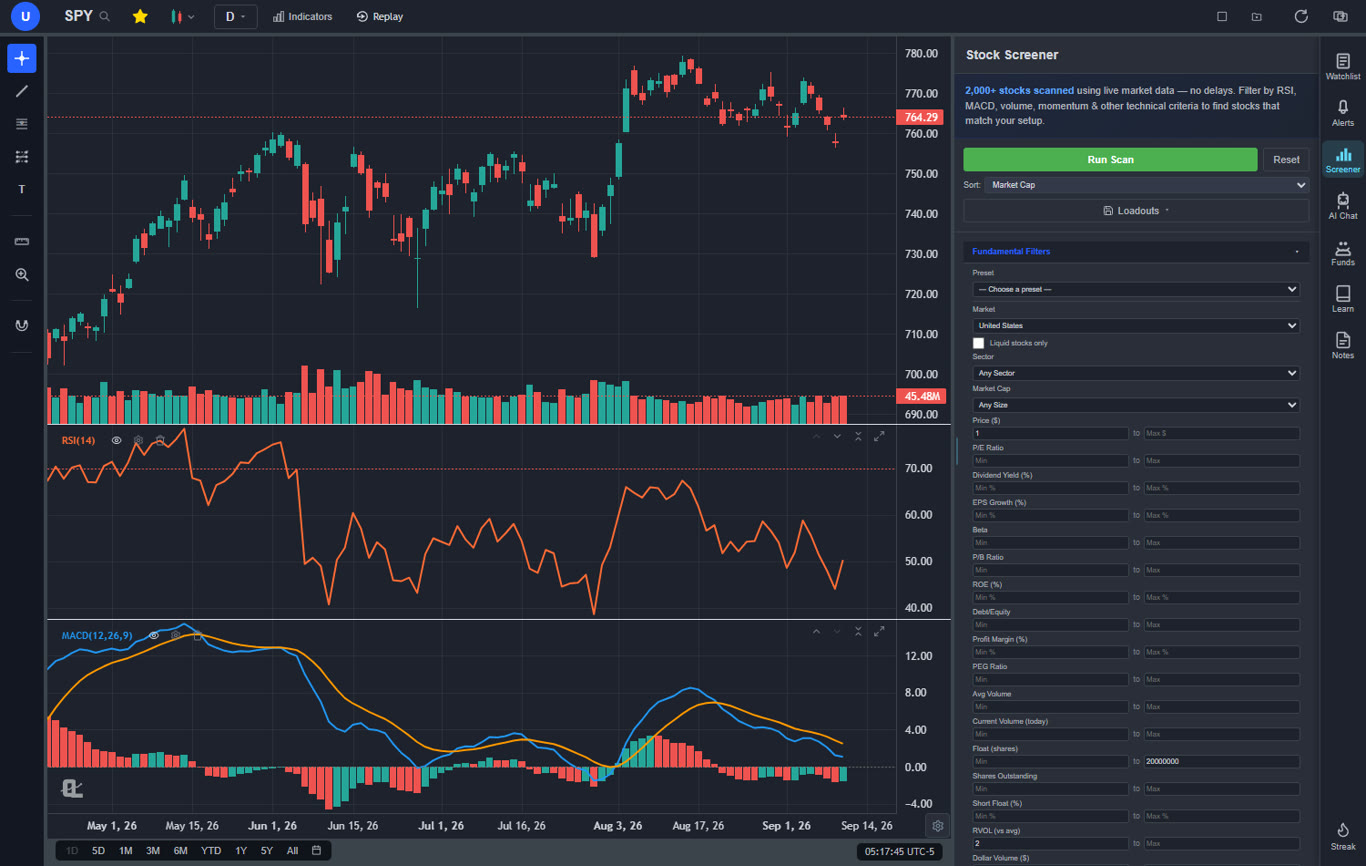
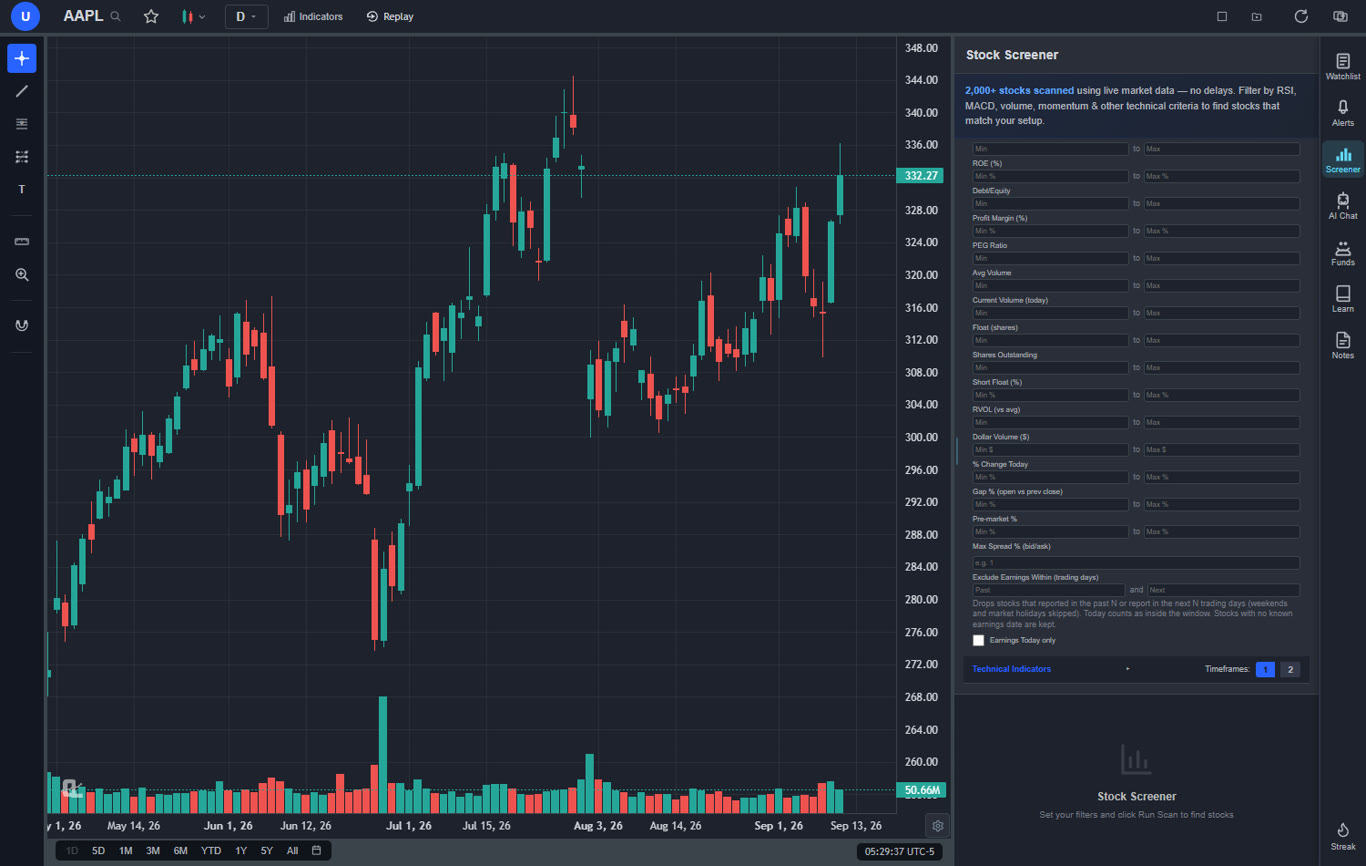
The screener scans more than 2,000 US stocks on live market data, plus ten more world markets by region, and combines fundamental and technical filters in one run: market cap, sector, P/E, EPS growth, dividend yield, float, short float, relative volume and dollar volume on one side; RSI, MACD, moving average position and crosses, Bollinger Band state (including the squeeze), momentum, gaps, new highs and lows, and a chart-pattern filter on the other. Seventeen presets cover the scans traders run every morning, from gappers, low-float momentum, unusual volume and short squeeze candidates to quality compounders, GARP and deep value. A two-timeframe mode screens the daily and the hourly at once.
The part that changes the workflow is the AI screener. Type "large caps in a Bollinger squeeze above the 50-day with rising volume" or pick a one-click setup such as breaking out now, pre-breakout coiling, or post-peak selling exhaustion, and it builds and runs the scan. Every result opens on the chart in one click, with the same indicator calculations the screener used, so what you screened for is what you see. From there you set alerts on the names that matter (email alerts on Premium), or describe the setup to the institutional-grade strategy builder and let the backtesting engine tell you whether it has actually worked, with a Monte Carlo stress test on the result.
The free tier returns ten results per scan, which is enough to learn the tool and run a daily list. Premium removes the cap and unlocks the AI screener, the chart-pattern filter and the two-timeframe screener.
Best fit: swing and position traders who want one tool to find, chart, alert and test a setup, and day traders working from a morning list rather than a live tape.
2Finviz: Best Fast Filter Screener
Finviz is the screener most people learn on: a grid of dropdowns covering descriptive, fundamental and technical filters, results in a table or as a wall of thumbnail charts, and the heat maps everyone has seen. It is fast, it needs no setup, and the free version is genuinely useful for end-of-day work.
Elite adds real-time data, intraday charts, backtests of a limited kind, alerts and more filters. What it does not do is combine conditions in the way a serious technical scan needs, chart anything with depth, or connect the screen to a testing engine. The ChartingLens vs Finviz comparison goes filter by filter. For the price question on its own, see is Finviz Elite worth it.
Best fit: anyone who wants a quick daily filter and does the charting elsewhere.
3Trade Ideas: Best Real-Time Stock Scanner for Day Trading
Trade Ideas is a scanner rather than a screener: it streams alerts in real time as stocks meet conditions during the session, with the Holly AI engine generating its own trade ideas from thousands of nightly simulations. For an active day trader who needs to know the moment a stock breaks a high on volume, nothing on this list is faster.
It is expensive, the interface is a dense Windows-style window farm, and it does far more than a swing trader needs. Our Trade Ideas AI review covers what Holly actually does.
Best fit: full-time day traders who need a live tape scanner.
4TrendSpider: Best Multi-Condition Technical Scanner
TrendSpider's market scanner lets you build technical conditions with more nuance than most: indicator relationships across multiple timeframes, candlestick patterns, automatically detected trendline breaks and its own raindrop chart logic. Scans can be saved, scheduled and turned into alerts, and results flow straight into its charting.
The builder rewards patience and the cost climbs with the tiers. There is no free tier and the fundamentals side is thinner than the technical side.
Best fit: technical traders who want precise multi-condition scans and already like TrendSpider charts.
5TC2000: Best Traditional Scanning Workflow
TC2000 has been the scanning tool of choice for a generation of US stock traders. EasyScans update in real time, the condition builder covers nearly any indicator relationship with its personal criteria formulas, and the flow from scan to watchlist to chart is quick.
It covers US stocks and options only, real-time data costs extra on top of the tier, and it is Windows-first with a lighter web app. No AI, no plain-English scanning.
Best fit: US stock traders who want a classic real-time scan-and-watchlist loop.
6Stock Rover: Best Fundamental Screener
Stock Rover is a research platform first and a screener second, and for fundamental screening it is hard to beat: hundreds of financial metrics, ten years of history, ratings, fair value estimates and portfolio analytics, with screeners that can rank on any combination and be backtested against historical fundamentals.
Technical screening is basic and the charts are functional rather than trading-grade. It is a stock picker's tool, not a trader's.
Best fit: long-term investors screening on financials.
7thinkorswim: Best Free Scanner With a Broker
The thinkorswim Scan tab is a full real-time scanner with study filters written in thinkScript, options scans, and results that feed its charts and order entry. For a Schwab client it is the best free scanner available.
It requires the account and the desktop app, the interface is not friendly, and the scanner has no AI or natural-language layer.
Best fit: Schwab clients who want scanning and execution in one place.
8ChartMill: Best Free Screener for Setups
ChartMill combines fundamental and technical screening with its own setup ratings for consolidation, pocket pivots, breakouts and a clean strong-stocks list. Its trading-setup and pattern filters are unusually good for the price, and the free tier with daily credits is enough for a daily list.
Charts are basic, there is no alerting or backtesting worth the name, and the credit system limits heavy use on free.
Best fit: swing traders who want setup-based screens on a budget.
9Zacks Premium Screens: Best Earnings-Revision Screener
Zacks screens are built around the Zacks Rank, which is driven by earnings-estimate revisions, and the premium screens package that research into pre-built lists with a strong published track record for the top-ranked names. If earnings momentum is your edge, it is the specialist tool.
It is narrow: little technical screening, no charting to speak of, and the value is in the rank rather than the screener itself.
Best fit: fundamental traders who follow estimate revisions.
Best Stock Screener by Trading Style
- Day trading from a morning list: ChartingLens with the gappers, premarket gappers, unusual volume and low-float momentum presets, then alerts on the handful you pick. See the day trading charting guide for the chart side.
- Day trading a live tape: Trade Ideas, or TC2000 EasyScans. Budget for the data.
- Swing trading: ChartingLens (Bollinger squeeze, momentum and pattern filters, two-timeframe mode) or TrendSpider. The swing trading screener guide has the exact filters.
- Breakouts: the ChartingLens AI screener's breaking-out and pre-breakout setups, covered in the breakout scanner guide.
- Long-term investing: Stock Rover for depth, ChartingLens quality-compounders and GARP presets for a fast start, Zacks for earnings revisions.
Are Free Stock Screeners Good Enough?
For end-of-day lists, yes. Finviz free, ChartMill's daily credits, Stock Rover free and the ChartingLens free tier (ten results per scan, fundamental and technical filters, all presets) will build a usable watchlist every day. What free tiers give up is real-time data (Finviz), result caps (ChartingLens, ChartMill) or depth (Stock Rover). What almost all free screeners lack is the step after the scan: charting the result with real tools, setting an alert, and testing the screen. That is the gap the paid ChartingLens tiers and the scanners on this list fill. The free stock screener and watchlist guide compares the free tiers in detail, and how to use a stock screener walks through building a first scan.
Related Articles
Best Tools for Trading Stocks in 2026
9 stock trading tools ranked by the job they do.
Read article → Mobile AppsBest Stock Screener App for iPhone in 2026
The 6 best stock screener apps for finding trades on your phone.
Read article → ScannersBest Stock Scanners in 2026
The 8 best real-time and AI stock scanners, ranked.
Read article → ScreenersBest Stock Screener for Day Trading
Read article → AI ScreenersBest AI Stock Screeners
The screeners on this list that use AI, ranked on what the AI actually does.
Read article → FreeBest Free Stock Screener and Watchlist Apps
The free tiers compared in detail.
Read article → How ToHow to Use a Stock Screener
Building your first scan, step by step.
Read article →Screen it, chart it, alert on it
Fundamental and technical filters across 2,000+ stocks, 17 presets, a plain-English AI screener, and results that open on a chart with alerts and backtesting. Free to start, no card required.
Start Charting Free →