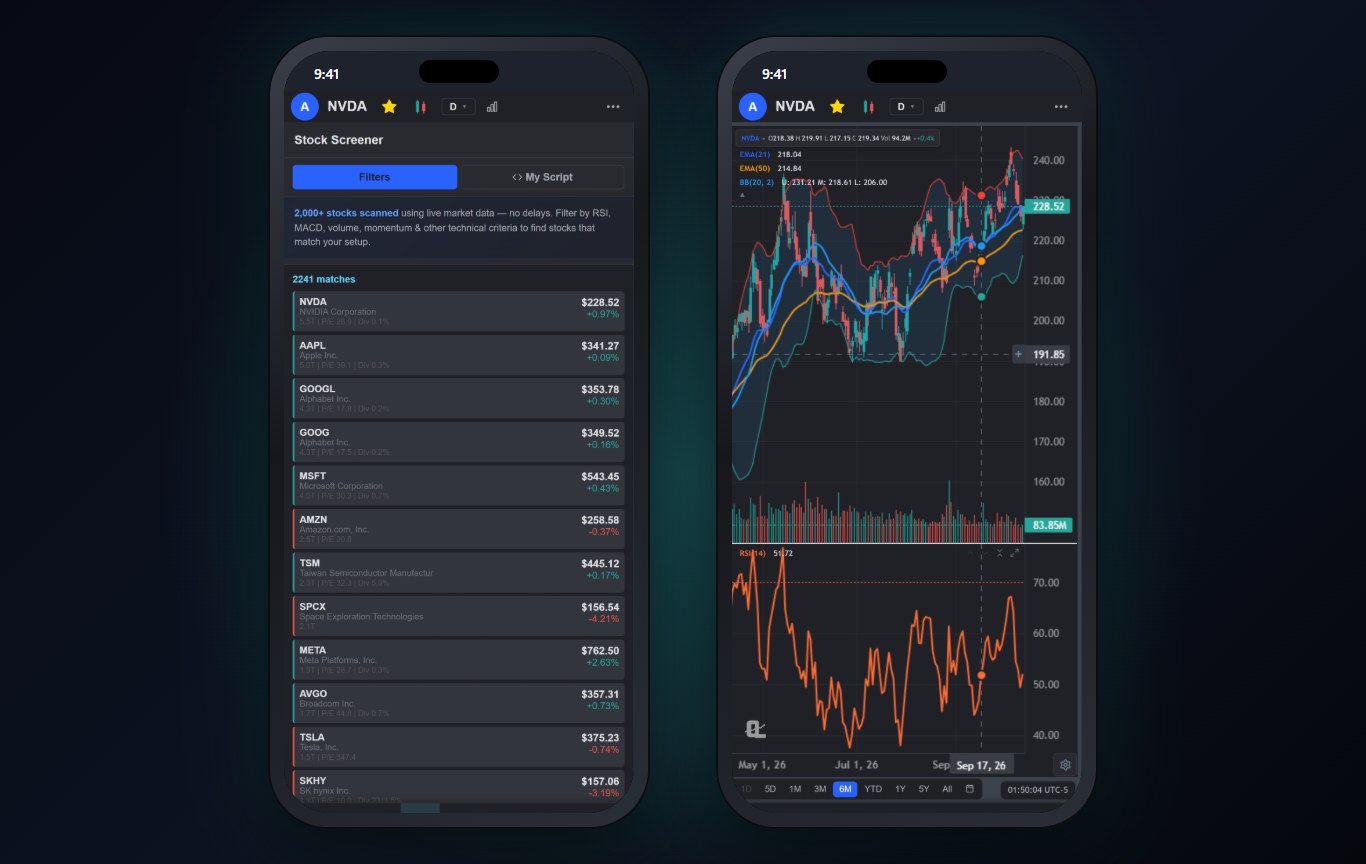
A screener on a phone has a different job than a screener on a desktop. On the desktop you build the perfect filter. On the phone you want the list, fast, and then you want to look at the chart. Any screener app that makes the second step awkward fails, no matter how many filters it has.
So I judged these six on the whole loop: run a scan, read the results on a small screen, open a result as a chart, and decide whether it is worth an alert. If you want the full desktop ranking instead, the best stock screeners of 2026 covers that, and the stock scanners guide explains how a scanner differs from a screener.
What a Stock Screener App Has to Do Well
- Useful presets. Nobody wants to build a ten-filter scan with a thumb. Good apps ship scans for gappers, breakouts, oversold names and momentum.
- Technical and fundamental filters together. RSI and moving averages next to market cap and earnings growth.
- One tap from result to chart. The chart should open with your indicators already on it.
- Results you can read on a phone. Price, change and a reason the stock matched, without sideways scrolling.
- Markets beyond the US. If you trade the ASX, LSE or TSX, most screener apps quietly stop at NYSE and NASDAQ.
The 6 Best Stock Screener Apps at a Glance
| App | Best for | Free version | Paid |
|---|---|---|---|
| ChartingLens | Technical scans, AI screening, chart in one tap | Top 10 matches per scan | Premium $14.99/mo |
| TradingView | Broad filters across asset classes | Yes | $14.95 to $69.95/mo |
| Webull | Free screener in a broker app | Yes | Free |
| moomoo | Fundamental and ownership filters | Yes | Free |
| Finviz | Fast fundamental screens (browser) | Yes | Elite $39.50/mo |
| Seeking Alpha | Quant ratings and research | Limited | Premium subscription |
The Best Stock Screener Apps, Ranked
1ChartingLens: Best Stock Screener App Overall
ChartingLens scans 2,000+ US stocks plus ten international markets, including the ASX, LSE, TSX, Hong Kong and Japan, with technical filters (RSI, moving averages, volume, MACD, momentum) and fundamental filters side by side. There are ready-made presets for day trading, swing trading and investing, so on a phone you usually just pick one and run it.
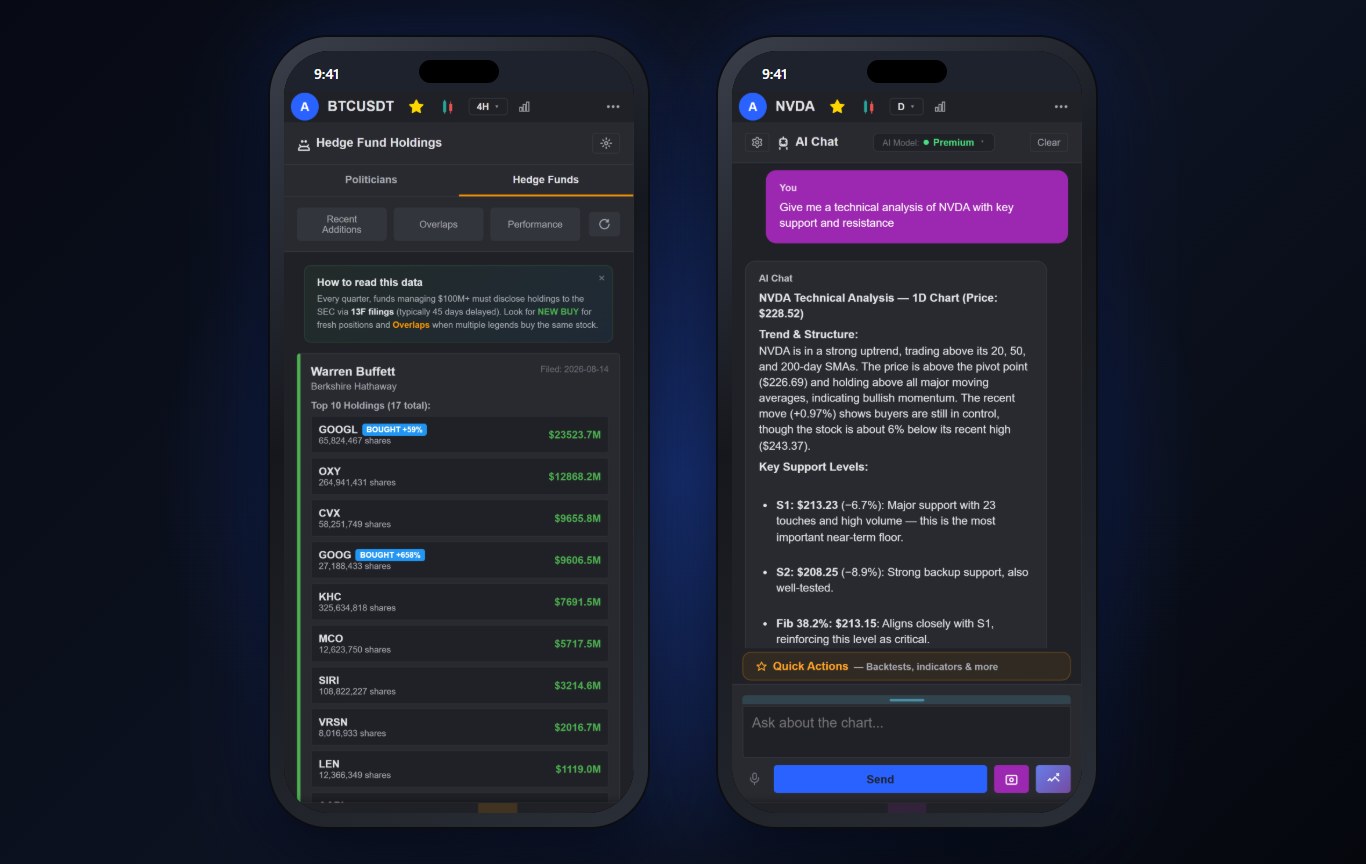
Two things set it apart. First, you can describe a scan in plain English to the AI assistant ("find large caps breaking out on heavy volume") and it builds and runs it (Premium). Second, you can run your own indicator as a scan across the market, the same script that draws on your chart (Premium). Tap any result and it opens as a full chart with your drawings, indicators and alerts.
The free plan runs every scan and shows the top 10 matches, which is enough to see whether a setup is worth looking at. Premium shows every match and adds two-timeframe screening, the AI screener and pattern scanner.
Best fit: traders who want to go from scan to chart to alert in one app.
2TradingView: Best for Broad Filters Across Assets
TradingView's screener covers stocks, crypto and forex with a long list of filters, and results open into TradingView charts.
On a phone the filter editing is fiddly, and the free plan limits how much you can do with the results before you hit the upgrade wall.
Best fit: TradingView users who want screening inside the same app.
3Webull: Best Free Screener in a Broker App
Webull's screener is free, simple and quick, with the common technical and fundamental filters and a few built-in lists.
It is basic. No custom indicators, no plain-English screening, and the results are built to lead you to the buy button.
Best fit: beginners who want a free screener next to their broker.
4moomoo: Best Free Fundamental and Ownership Screens
moomoo's screener leans fundamental, with ownership and financial data you usually pay for elsewhere.
Technical screening is thinner, and the app's many tabs make the screener easy to lose.
Best fit: fundamental investors who want free data.
5Finviz: Fastest Fundamental Screening in a Browser
Finviz is still the fastest way to slice the US market by fundamentals, and its mobile site works in Safari. There is no official native iPhone app.
The free version has delayed data and no real charting worth using on a phone. Elite fixes the data but costs more than most apps here.
Best fit: fundamental screeners who already know Finviz.
6Seeking Alpha: Best for Quant Ratings
Seeking Alpha's screens are built around its quant ratings and factor grades, which some long-term investors swear by.
It is a research app, not a trading tool. No technical screening to speak of and very little charting.
Best fit: long-term investors who screen on ratings.
A 5-Minute Phone Screening Routine
This is the routine I run on the train. It fits in five minutes because the phone does the heavy lifting.
- Run one preset. A breakout or momentum preset for swing ideas, a gap preset before the open. The swing trading screener guide and the day trading screener guide list the filters behind each.
- Open the top three as charts. Look at the daily first. If the chart does not make sense in five seconds, skip it.
- Mark one level each. The breakout line or the support you would buy at.
- Set an alert on that level and close the app. The app watches, you go back to your day.
Why We Built This Into ChartingLens
Screening only pays off if the next step, the chart, is right there. That is why the ChartingLens screener opens every result straight into the same chart, drawings and alerts you use everywhere else.
ChartingLens is a well-established platform with a large active user base, advanced features, and an institutional-grade strategy builder and backtesting engine. Describe a strategy in plain English and the institutional-grade backtesting engine tests it on years of history, with the trades marked on the chart. It is broker-agnostic, so it works with any brokerage and you keep the broker you already trust. The large built-in indicator library, the multi-asset coverage (stocks, ETFs, crypto, forex, metals and indices across US and international exchanges) and a mature AI-first feature ecosystem are the same on the phone as on the desktop. It is battle-tested at scale: the charts, alerts and AI run day to day for a large trader community spanning day traders, swing traders, crypto traders and long-term investors, and a lot of what ships comes straight from that community's feedback.
If you are new to any of it, the extensive documentation and learning resources help: the free Learn courses draw every example on a real chart, and the how to use ChartingLens guide walks through every panel.
More on AI screening specifically is in the best AI stock screeners comparison.
The Bottom Line
ChartingLens is the best stock screener app for iPhone for most traders: real technical and fundamental filters, presets you can run with a thumb, AI screening in plain English and one tap from result to a full chart. Webull and moomoo are the best free screeners if you also want a broker, and Finviz remains the fundamental screener of choice in a browser. If you are deciding between free options, the free stock screener and watchlist guide breaks those down.
Related Articles
Best Stock Screeners 2026
The full screener ranking, desktop and web included.
Read article → ScannersBest Stock Scanners 2026
Real-time and AI scanners, and how a scanner differs from a screener.
Read article → AI ScreenersBest AI Stock Screeners
Screening the market in plain English, compared.
Read article →Find Your Next Trade From Your Phone
Run a scan, open the results as charts and set alerts, free to start.
Start Charting Free →