10 Best Sierra Chart Alternatives in 2026 (Free & Paid)
By ChartingLens TeamUpdated May 8, 202624 min read
📅 May 2026 Update
ChartingLens just launched a new tier structure — Premium at $14.99/mo with sensible quotas (20 alerts, 10 layouts, 20 AI credits/day) and Pro at $29.99/mo with unlimited everything. The Free tier is unchanged: real-time stocks, crypto, forex & metals, all chart types, all drawing tools, cloud sync, and insider data. Yearly plans save 17%. Compare all plans →
Sierra Chart alternatives are charting and trading platforms that traders use instead of Sierra Chart for technical analysis, order flow visualization, and strategy automation. Traders seek alternatives because Sierra Chart's extremely steep learning curve, Windows-only desktop interface, requirement for separate data feed subscriptions, and complete lack of AI features make it increasingly difficult to justify in 2026 when modern platforms offer broader functionality with less friction.
The 10 best Sierra Chart alternatives in 2026, ranked:
ChartingLens — Best web-based Sierra Chart alternative with AI signals, pattern recognition, and insider data. Free + $14.99/mo premium.
TradingView — Best for multi-asset charting and community with Pine Script. $0-$59.95/mo.
NinjaTrader — Best for futures and order flow with volumetric analysis. $0-$1,099 lifetime.
Thinkorswim — Best free desktop alternative with futures trading. Free with Schwab account.
TradeStation — Best for EasyLanguage strategy automation with multi-asset execution. $0-$99/mo.
cTrader — Best for forex and ECN execution with Level II transparency. Free through brokers.
MetaTrader 5 — Best for forex Expert Advisors and MQL5 automation. Free through brokers.
TrendSpider — Best for automated technical analysis with auto trendlines. $22-$79/mo.
Barchart — Best for broad free market data across stocks, futures, and commodities. Free + $19.99-$59.97/mo.
Bookmap — Best for visual order flow heatmaps and liquidity visualization. $0-$49/mo.
Why Traders Are Looking Beyond Sierra Chart
Sierra Chart is a professional-grade charting and trading platform known for its advanced order flow tools, depth of market visualization, ultra-fast performance, and deep customization through its ACSIL (Advanced Custom Study Interface and Language) C++ programming interface. It is a favorite among futures scalpers and order flow traders who need volumetric analysis, footprint charts, and millisecond-level execution. For the niche it serves, Sierra Chart delivers raw analytical power that few platforms can match.
But in 2026, Sierra Chart's steep learning curve, dated Windows-only interface, complex setup process requiring separate data feed subscriptions, and complete lack of AI features are pushing traders to explore modern alternatives. The platform demands weeks to months of investment before a trader can use it proficiently, and its spreadsheet-like configuration dialogs intimidate even experienced users coming from other platforms. You cannot access Sierra Chart from a Mac, a phone, or a browser — it is strictly a Windows desktop application with no cross-device story at all.
While Sierra Chart's raw power is undeniable for its niche, the platform has not evolved to include AI-powered analysis, web-based access, or the user-friendly experience that newer platforms deliver. Traders who want modern analytical tools, broader asset coverage, or the ability to analyze markets from any device are actively looking for alternatives. If you are also evaluating other legacy platforms, check our guides to the best NinjaTrader alternatives, TradingView alternatives, and TradeStation alternatives.
The Sierra Chart Problem in 2026
Sierra Chart still has genuine strengths in futures order flow analysis, but these specific pain points are driving traders to explore alternatives:
Extremely steep learning curve — weeks to months to become proficient. Sierra Chart's configuration is notoriously complex. Settings are spread across spreadsheet-like dialogs, chart studies require manual configuration of dozens of parameters, and the documentation, while thorough, reads more like a reference manual than a tutorial.
Windows-only desktop application — no Mac, no web version, no mobile. In 2026, traders expect to access their charts and analysis from any device. Sierra Chart requires a Windows desktop installation with no alternative. Mac users need virtualization or Boot Camp, and there is no way to check a chart from your phone.
Requires separate data feed subscription ($15-$50+/month on top of platform cost). Unlike platforms that bundle real-time data, Sierra Chart requires you to subscribe to a third-party data feed from providers like Denali Exchange Data Feed, CQG, or Rithmic. This adds $15 to $50+ per month on top of the $15.60-$36/month platform cost.
ACSIL C++ programming is powerful but inaccessible to most traders. Sierra Chart's Advanced Custom Study Interface uses C++ for custom studies and indicators. While this gives experienced developers unlimited flexibility, the vast majority of retail traders cannot write C++ code. Platforms like ChartingLens let you create custom indicators in plain English.
Dated interface that prioritizes function over form. Sierra Chart's UI looks like software from the early 2000s. Gray toolbars, tiny buttons, dense menus, and no modern design elements. While aesthetics should not override functionality, the visual complexity adds to the already steep learning curve.
No AI features at any tier — no AI signals, no assistant, no pattern recognition. Modern platforms offer AI buy/sell signals, conversational AI assistants, and automated chart pattern recognition on their free tiers. Sierra Chart has none of these capabilities at any price point.
Complex initial setup compared to browser-based platforms. Getting Sierra Chart fully operational requires installing the software, choosing and configuring a data feed, setting up chart studies, configuring order routing, and customizing the interface — a process that can take hours compared to the seconds it takes to start charting on a web platform.
No insider trading data, hedge fund holdings, or fundamental data. Sierra Chart is purely a technical and order flow platform. It provides no fundamental analysis, no SEC filing data, no insider transaction tracking, and no institutional portfolio monitoring.
Small community compared to TradingView or NinjaTrader. Sierra Chart's user base is dedicated but small. Finding tutorials, third-party studies, or community support is significantly harder than on platforms with larger ecosystems.
Quick Comparison: All 10 Sierra Chart Alternatives
Here is how all 10 platforms compare across the features that matter most when replacing Sierra Chart.
Scroll horizontally to see all columns →
Platform
Free Tier
AI Features
Order Flow
Futures
Web-Based
Premium Cost
ChartingLens
✓ Full features
✓ AI signals, assistant, patterns
✗
✗
✓ Browser-based
$14.99/mo
TradingView
Limited (1 indicator)
✗
Basic volume
✓ Charting + brokers
✓
$14.95–$59.95/mo
NinjaTrader
Limited free tier
✗
✓ Advanced
✓ Full execution
✗ Desktop only
$0–$1,099 lifetime
Thinkorswim
✓ With Schwab account
✗
Basic
✓ Full execution
Limited web version
Free
TradeStation
With account
✗
Basic
✓ Full execution
Web + desktop
$0–$99/mo
cTrader
✓ Through brokers
✗
DOM
Limited
✓ Web + desktop
Free
MetaTrader 5
✓ Through brokers
✗
DOM
Broker-dependent
Limited web
Free
TrendSpider
✗
✓ Auto trendlines
✗
✓ Charting
✓
$22–$79/mo
Barchart
✓ Extensive free data
✗
✗
✓ Data + charting
✓
$19.99–$59.97/mo
Bookmap
Limited free tier
✗
✓ Visual heatmaps
✓ Full execution
✗ Desktop only
$0–$49/mo
In-Depth Reviews of All 10 Sierra Chart Alternatives
1. ChartingLens — Best Web-Based Sierra Chart Alternative
ChartingLensFree + $14.99/mo Premium
ChartingLens represents the philosophical opposite of Sierra Chart. Where Sierra Chart is a dense, Windows-only, C++-driven platform built for futures order flow specialists, ChartingLens is a browser-based, AI-powered platform built for traders who want powerful analysis without the setup complexity. For Sierra Chart users who have grown frustrated with the platform's inaccessibility and lack of modern features, ChartingLens is the most compelling alternative available in 2026 — not as an order flow replacement, but as a fundamentally better analytical experience for the majority of trading workflows.
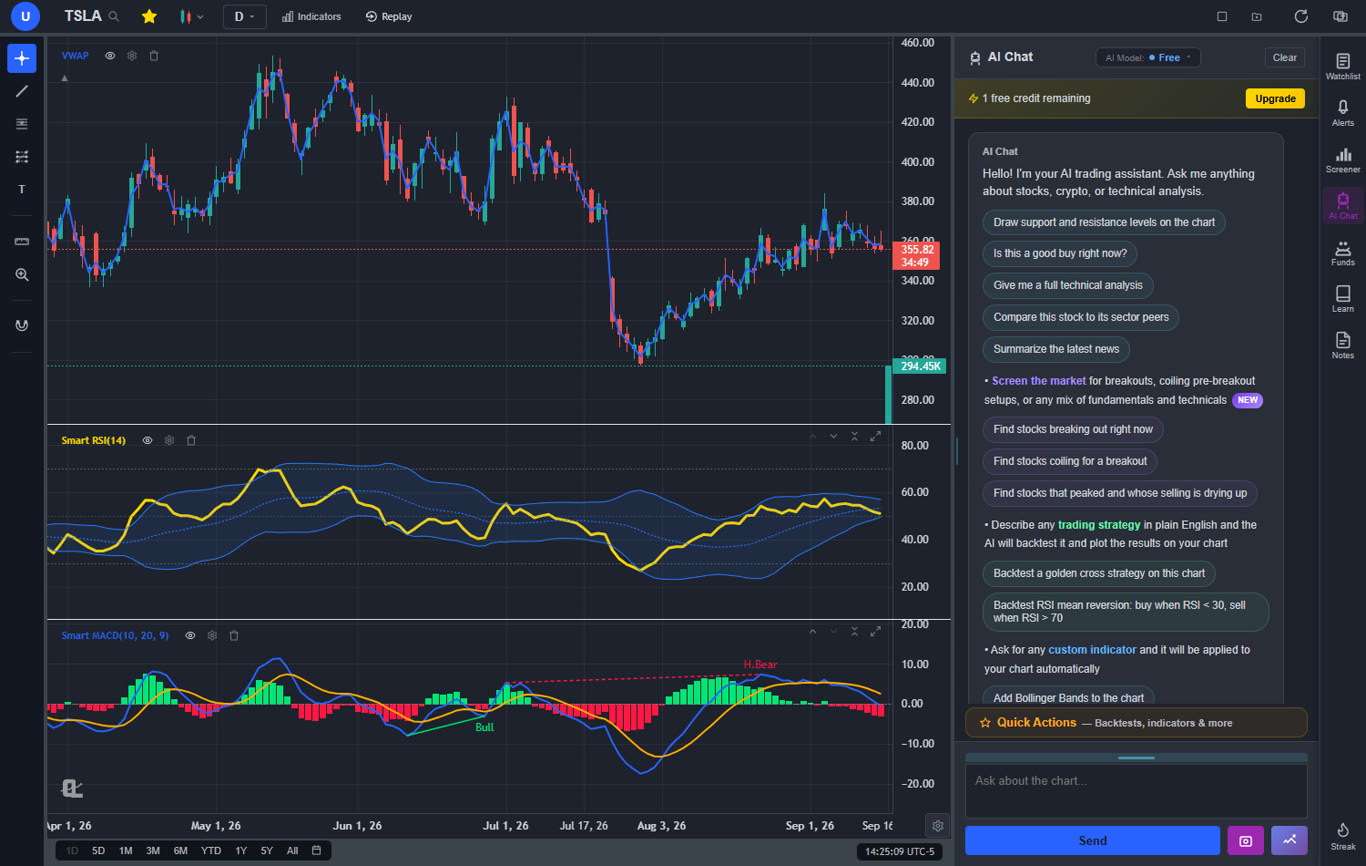
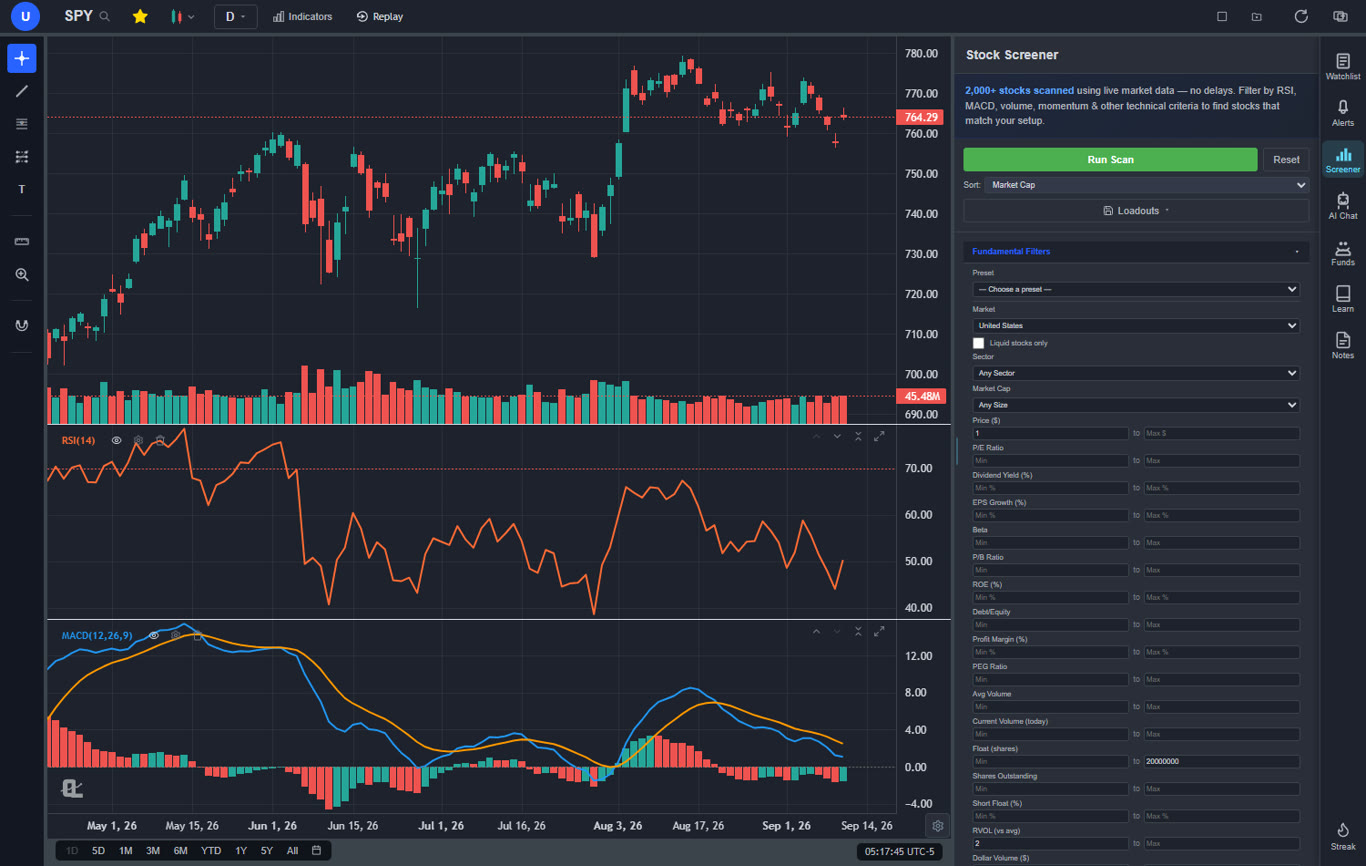
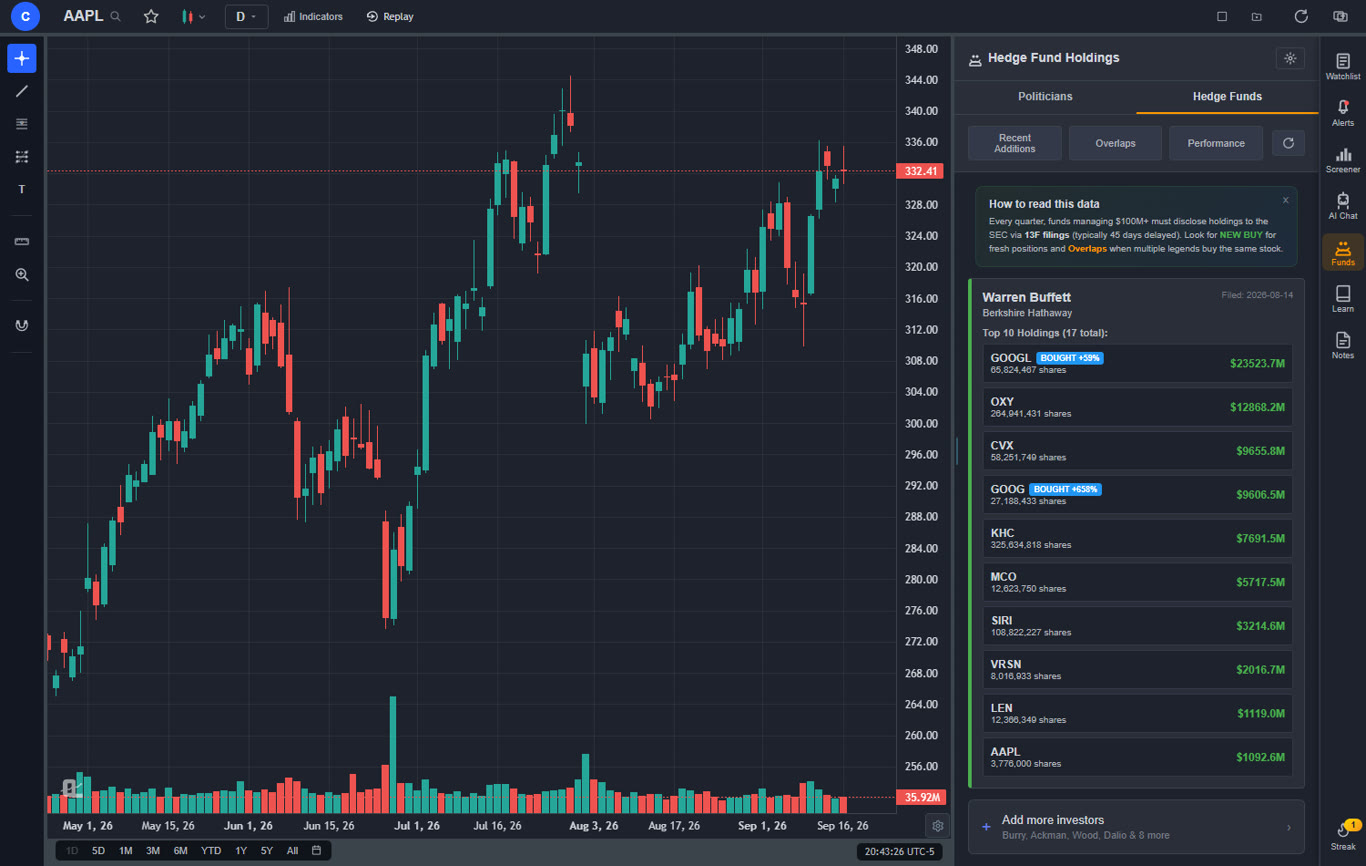
The free tier delivers more functionality than most paid platforms. You get a large technical indicator library with no per-chart limit, real-time stock and crypto charts, AI buy/sell signals scanning 2,000+ stocks daily, an AI trading assistant that draws support and resistance levels directly on your chart, automated chart pattern recognition for 13+ patterns, a plain-English strategy backtester (see our backtesting guide for details), insider trading data, hedge fund holdings (Warren Buffett, Michael Burry, and more), a stock screener with CL Score ranking, bar replay with paper trading, multi-chart layouts, and zero ads on any tier. Every one of those features is something Sierra Chart does not offer.
Premium at $14.99 per month adds Volume Profile (VRVP) with auto-updating Point of Control and Value Area lines, unlimited custom backtesting strategies with shorting and time filters, expanded AI analysis, trendline alerts, and extended historical data. For context, Sierra Chart charges $15.60-$36/month for the platform alone and then requires a separate data feed at $15-$50+/month — meaning the true monthly cost is $30-$86+. ChartingLens bundles everything including real-time data for less than $10 per month.
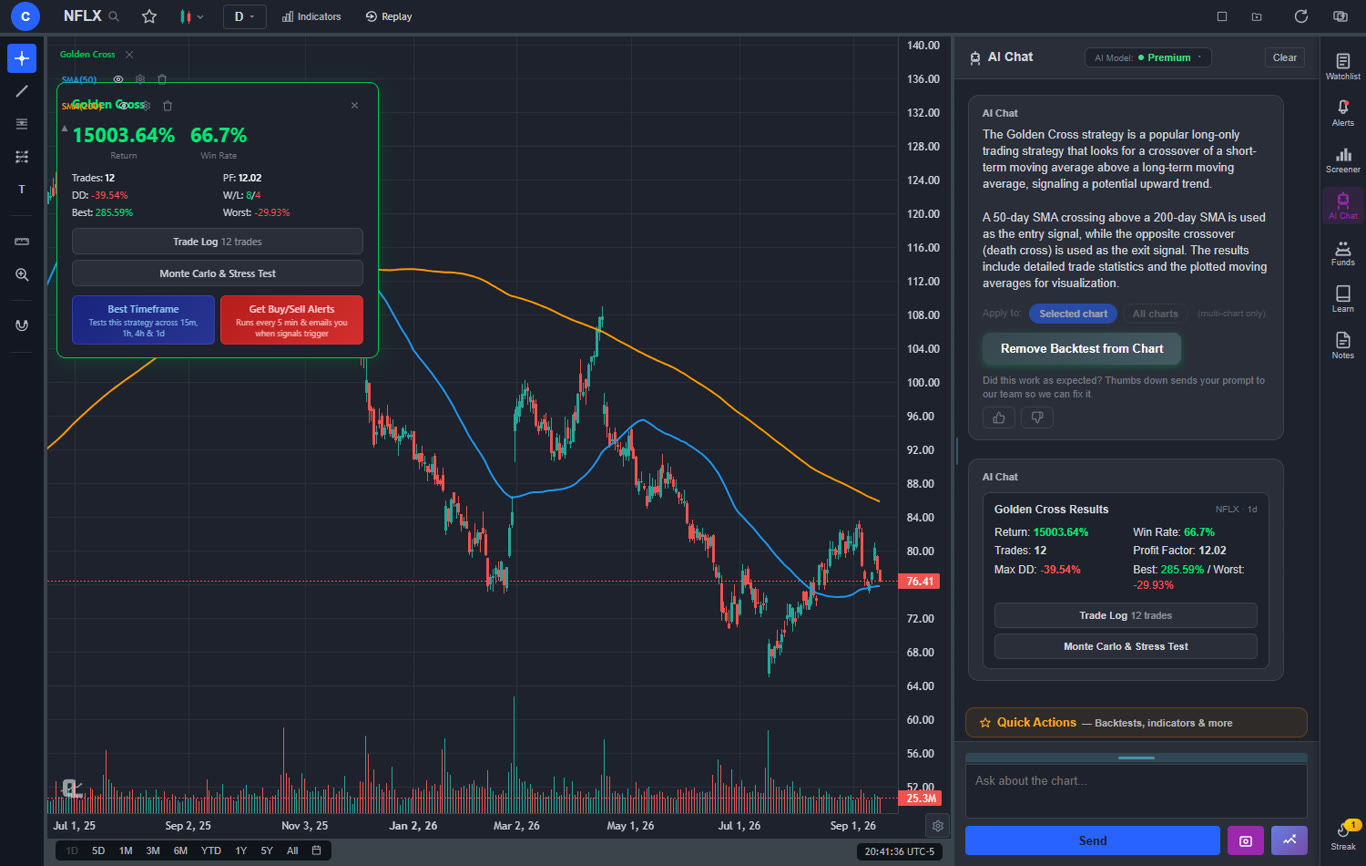
The AI capabilities represent an entirely different paradigm from Sierra Chart's manual analysis approach. The AI trading assistant is conversational — ask it anything about a stock and it responds with actionable analysis directly on your chart. The plain-English backtester means you describe a strategy like "buy when RSI crosses above 30 and MACD crosses bullish" instead of writing C++ code through ACSIL. AI-generated custom indicators let you request any indicator concept and apply it instantly, no programming required. These are not just features Sierra Chart lacks — they represent capabilities Sierra Chart's architecture cannot easily add.
Pros
Large built-in indicator library, free, unlimited per chart
AI buy/sell signals scanning 2,000+ stocks daily
AI trading assistant draws S&R on your chart
Plain-English strategy backtester (no C++ needed)
AI-generated custom indicators
Volume Profile (VRVP) on Premium at $14.99/mo
Auto chart pattern recognition (13+ patterns)
Real-time insider trading data
Hedge Fund Holdings
Bar replay with paper trading and live P&L
Multi-chart layouts (up to 3 charts, 8 arrangements)
Stock screener with CL Score ranking
Web-based — no download, works on any device
No ads on any tier
$14.99/mo vs Sierra Chart's $30-$86+/mo total cost
Custom timeframes (NEW) — chart any interval (2h, 45m, 3d, 8h…) aggregated from base bars on the fly. Premium feature, added April 2026.
Paste-and-convert for Pine Script and thinkorswim thinkScript indicators (Premium) - the converted study is native and editable
Stocks, ETFs, crypto, forex, metals, and index and commodity CFDs (US30, US500, NAS100, oil, gold) in one search bar
25 daily AI buy signals with a public, forward-tested track record and a trade plan (entry, stop, target) on every signal
Backtests include a Monte Carlo stress test and intrabar exits, built from a plain-English strategy description
Free interactive courses drawn on real charts, plus a notes and journal panel
Cons
No order flow tools or footprint charts
No depth of market visualization
No ACSIL/C++ scripting support
No direct broker execution
Best for: Traders who want a modern, browser-based platform with AI-powered signals, pattern recognition, insider data, and backtesting — and who do not need Sierra Chart's specialized futures order flow tools.
2. TradingView — Best for Multi-Asset Charting & Community
TradingView$0–$59.95/mo
TradingView is the most popular web-based charting platform globally and the natural first stop for Sierra Chart users who want browser access without sacrificing charting depth. It covers stocks, crypto, forex, and futures in a single platform, which immediately solves Sierra Chart's narrow data accessibility problem. Pine Script gives you a scripting language for custom indicators and strategies that is dramatically easier to learn than ACSIL C++, and the community library has tens of thousands of shared studies — dwarfing Sierra Chart's small user ecosystem. For a deeper look at alternatives to TradingView itself, see our TradingView alternatives guide.
Where TradingView falls short compared to Sierra Chart is in order flow. There is no native depth of market, no volumetric bars, and no footprint charts. The volume analysis tools are basic compared to what Sierra Chart offers through its Numbers Bars and volume profile studies. TradingView also has no built-in AI features — no AI signals, no AI assistant, no automated pattern recognition. Sierra Chart users who rely on order flow will not find an equivalent here.
The free tier is restrictive: 1 indicator per chart, 1 alert, and persistent ads. Most Sierra Chart migrants will need the Plus plan at $29.95 per month or higher to get 5+ indicators per chart and enough alerts for active trading. Volume Profile is only available on the Premium plan at $49.95 per month. However, the Pine Script ecosystem, multi-device access, and modern interface make TradingView a significant upgrade in usability for Sierra Chart users who do not depend on order flow tools.
Pros
Largest trading community with social features
Pine Script far easier than ACSIL C++
400+ built-in indicators
Multi-asset: stocks, crypto, forex, futures
Clean, modern web interface
Paper trading and broker integrations
Cons
Free tier limited to 1 indicator per chart
No depth of market or advanced order flow
No AI buy/sell signals or AI assistant
Expensive: $29.95+/mo for serious use
No insider trading data or hedge fund holdings
Ads on free tier
Best for: Traders who want multi-asset charting, an accessible scripting language, and the largest trading community in a modern web platform.
3. NinjaTrader — Best for Futures & Order Flow
NinjaTrader$0–$1,099 lifetime
NinjaTrader is the most direct Sierra Chart competitor for futures traders who need advanced order flow tools. It offers volumetric analysis, depth of market visualization, footprint chart variants, and NinjaScript automation using C# — a language that is significantly more accessible than Sierra Chart's ACSIL C++ interface. The third-party add-on ecosystem is larger than Sierra Chart's, with more indicators, strategies, and order flow tools available from independent developers.
NinjaTrader's interface, while not modern by 2026 standards, is more approachable than Sierra Chart's spreadsheet-style configuration. The learning curve is still steep, but it takes weeks rather than the months Sierra Chart can demand. A free tier lets you paper trade and evaluate the platform before committing, and the paid options include a $99/month lease or a $1,099 one-time lifetime license. Like Sierra Chart, NinjaTrader requires a separate data feed subscription ($50-$100+/month), so the true cost is higher than the platform fee alone.
The primary trade-offs are similar to Sierra Chart's: desktop-only with no web or mobile version, no AI features at any tier, and a focus on futures that leaves stock and crypto traders underserved. However, NinjaTrader's larger community, better documentation, and more accessible scripting language make it the easier platform to adopt for traders coming from — or replacing — Sierra Chart's order flow capabilities.
Pros
Advanced order flow comparable to Sierra Chart
NinjaScript (C#) more accessible than ACSIL (C++)
Larger third-party add-on ecosystem
Free tier for paper trading and evaluation
Better documentation and community support
Market replay for practice and review
Cons
$1,099 lifetime license or $99/mo lease
Separate data feed required ($50-$100+/mo)
Desktop-only, no web or mobile
No AI features at any price
Primarily futures-focused
Dated interface
Best for: Futures traders who want Sierra Chart-level order flow tools with a more accessible scripting language and larger third-party ecosystem.
4. Thinkorswim — Best Free Desktop Alternative
Thinkorswim (Schwab)Free with Schwab
Thinkorswim is the most feature-rich free alternative to Sierra Chart. Now part of Charles Schwab, it offers a full desktop trading platform with thinkScript for custom indicators, superior options analytics that Sierra Chart cannot match, futures trading with no platform fee, and a paper trading mode with delayed data. For Sierra Chart users who want to stop paying for both platform access and data feeds, thinkorswim eliminates both costs — real-time data is included with a Schwab account.
The biggest limitation compared to Sierra Chart is order flow depth. Thinkorswim has a depth of market window and basic volume tools, but it does not offer the footprint charts, volumetric bars, or Numbers Bars-style analysis that Sierra Chart specializes in. The platform is also desktop-heavy — there is a web version, but it is significantly stripped down compared to the full client. ThinkScript, while well-documented, is a proprietary language that is less powerful than ACSIL for raw computational tasks.
For Sierra Chart users whose primary motivation for switching is cost reduction, thinkorswim is the strongest option. You get a full desktop charting platform, futures trading, a scripting language, and real-time data — all for zero dollars. The trade-off is losing Sierra Chart's specialized order flow depth, but for the majority of traders who use Sierra Chart primarily for standard technical analysis, thinkorswim provides comparable functionality at no cost.
Pros
Completely free with Schwab account
Real-time data included (no separate feed)
thinkScript for custom indicators and strategies
Futures trading with no platform fee
Superior options analytics
Paper trading built in
Cons
Requires Schwab brokerage account
Order flow tools far less advanced than Sierra Chart
Desktop-heavy, web version is limited
No AI features
No footprint charts or volumetric analysis
Best for: Traders who want a full-featured desktop platform with futures and options trading at zero cost — and do not need Sierra Chart-level order flow tools.
5. TradeStation — Best for EasyLanguage Strategy Automation
TradeStation$0–$99/mo
TradeStation is the platform Sierra Chart users should evaluate when strategy automation is the primary use case. Its EasyLanguage scripting is dramatically more approachable than Sierra Chart's ACSIL C++ — it reads almost like pseudocode and can be learned in days rather than weeks. The platform supports stocks, options, futures, and crypto with professional-grade order routing and deep backtesting capabilities that rival what experienced ACSIL developers build in Sierra Chart.
The desktop client offers the kind of customization Sierra Chart users expect: multi-monitor layouts, custom workspaces, advanced order types, and strategy automation with real-time execution. TradeStation also has a web version and mobile app, giving it the cross-device access that Sierra Chart entirely lacks. The $99/month platform fee can be waived with sufficient trading activity, which makes it effectively free for active traders.
Order flow tools are more basic than Sierra Chart's — you get depth of market but not the advanced footprint charts and volumetric analysis Sierra Chart provides. However, TradeStation's broader asset coverage (stocks, options, futures, and crypto in one platform), its far more accessible scripting language, and its cross-device availability make it a compelling upgrade for Sierra Chart users who value automation over pure order flow depth.
Pros
EasyLanguage far more accessible than ACSIL C++
Stocks, options, futures, and crypto execution
Deep backtesting and strategy optimization
Web version and mobile app available
Platform fee waived with trading activity
Cons
$99/mo platform fee without activity waiver
No AI features
Order flow less advanced than Sierra Chart
Interface shows its age
No footprint charts or volumetric bars
Best for: Active traders who want accessible strategy automation with EasyLanguage and integrated broker execution across multiple asset classes.
6. cTrader — Best for Forex & ECN Execution
cTraderFree through brokers
cTrader has carved out a strong position in the forex trading space by offering true ECN (Electronic Communication Network) access with Level II pricing transparency. For Sierra Chart users who trade forex alongside futures, cTrader provides a cleaner, more modern experience with better execution transparency. The platform includes a depth of market window, cAlgo for algorithmic trading using C# (a step down in complexity from Sierra Chart's C++ ACSIL), and a capable charting package with 60+ indicators.
The platform is free through supported brokers, which immediately eliminates the cost barrier that Sierra Chart creates with its platform plus data feed pricing. cTrader has both a desktop client and a web version — cross-device access that Sierra Chart entirely lacks. The interface is modern and well-designed, with a learning curve that is orders of magnitude gentler than Sierra Chart's. The trade-off is asset coverage: cTrader is primarily forex and CFDs, with limited futures support depending on the broker.
For dedicated order flow analysis, cTrader does not match Sierra Chart's depth. It has basic DOM and Level II, but no footprint charts, no Numbers Bars, and no volumetric analysis. However, its ECN model provides genuine market depth transparency that complements Sierra Chart's analytical approach. If your primary use case is forex with clean execution and you have grown tired of Sierra Chart's complexity for that purpose, cTrader is a significant upgrade in usability.
Pros
True ECN access with Level II pricing
Free through supported brokers
cAlgo for C#-based automation (simpler than ACSIL)
Modern, clean interface
Web version and mobile app available
Cons
Primarily forex and CFDs
Limited futures support
No advanced order flow tools (no footprint charts)
No AI features
Smaller broker network than MetaTrader
Best for: Forex traders who want true ECN execution, Level II transparency, and C#-based automation in a modern platform without Sierra Chart's complexity.
7. MetaTrader 5 — Best for Forex Expert Advisors
MetaTrader 5Free through brokers
MetaTrader 5 (MT5) is the industry standard for forex trading and the platform with the largest automation ecosystem in retail trading. Its MQL5 programming language powers Expert Advisors (EAs) — automated trading bots that can execute strategies 24/7. For Sierra Chart users who want to automate their trading, the MT5 marketplace offers thousands of pre-built EAs and custom indicators — a third-party ecosystem that Sierra Chart's small community simply cannot match. Our MetaTrader alternatives guide covers this platform in even more depth.
MT5 supports stocks, futures, forex, and CFDs through supported brokers, though the depth of coverage depends entirely on which broker you connect. The built-in Strategy Tester allows multi-threaded backtesting of EAs with optimization, and the platform includes a depth of market window with basic volume tools. MT5 is free through brokers, which makes the cost comparison with Sierra Chart straightforward — zero platform fee and zero data feed cost versus Sierra Chart's $30-$86+/month combined expense.
The limitations mirror Sierra Chart's in some ways: the interface is dated, there are no AI features, and the desktop client is the primary experience (though a limited web terminal exists). Order flow tools are basic — a DOM window and volume indicators, but nothing approaching Sierra Chart's footprint charts and Numbers Bars. MT5 is best for traders who prioritize automated strategy execution and a large marketplace ecosystem over manual order flow analysis.
Pros
Largest automation ecosystem (MQL5 marketplace)
Expert Advisors for 24/7 automated trading
Multi-threaded Strategy Tester with optimization
Free through brokers (zero total cost)
Multi-asset: forex, stocks, futures, CFDs
Cons
Dated interface
No AI features
Basic order flow (no footprint or volumetric analysis)
Asset coverage depends on broker
MQL5 has a steep learning curve
Best for: Forex and multi-asset traders who want the largest automation ecosystem with Expert Advisors and an active community marketplace.
8. TrendSpider — Best for Automated Technical Analysis
TrendSpider$22–$79/mo
TrendSpider takes a fundamentally different approach from Sierra Chart by automating the technical analysis process itself. Where Sierra Chart expects you to manually configure chart studies through complex settings dialogs and analyze order flow visually, TrendSpider auto-detects trendlines, support and resistance levels, Fibonacci retracements, and candlestick patterns. It overlays multiple timeframes on a single chart, letting you see daily, weekly, and monthly structure simultaneously — a workflow that requires multiple windows and manual configuration in Sierra Chart.
The platform covers stocks, ETFs, forex, crypto, and futures charting (though not futures execution). Its automated alert system can fire on technical conditions across any timeframe, and the backtesting engine supports coded strategy testing. For Sierra Chart users who spend hours manually drawing levels, configuring studies, and analyzing structure through ACSIL-powered indicators, TrendSpider can compress that workflow significantly without any programming required.
The cost ranges from $22 to $79 per month with no free tier. Compared to Sierra Chart's total cost of $30-$86+/month (platform plus data feed), TrendSpider's pricing is competitive at the lower tiers. The platform has no order flow tools, no depth of market, and no direct broker execution — it is purely an analytical platform. Its automated analysis capabilities are strong, but they are not the AI buy/sell signals or conversational AI assistant that platforms like ChartingLens provide.
Pros
Automated trendline and level detection
Multi-timeframe analysis on one chart
Smart alerts with technical conditions
Futures charting coverage
Backtesting with coded strategies
Cons
No free tier
$22–$79/mo adds up over time
No order flow or depth of market tools
No AI buy/sell signals or AI assistant
No direct broker execution
Best for: Technical analysts who want automated trendline detection and multi-timeframe analysis without Sierra Chart's manual configuration complexity.
9. Barchart — Best for Broad Free Market Data
BarchartFree + $19.99–$59.97/mo
Barchart solves one of Sierra Chart's most frustrating problems: data access. Sierra Chart requires you to subscribe to, configure, and troubleshoot a separate third-party data feed before you can even display a chart. Barchart provides extensive free market data covering stocks, ETFs, futures, options, forex, and commodities — all accessible instantly through a web browser with no setup required. For Sierra Chart users frustrated by data feed configuration, Barchart is a refreshing contrast. See our Barchart alternatives guide for more details on this platform.
The platform's strength is breadth rather than depth. Barchart offers interactive charting with standard technical indicators, futures data with commitment of traders (COT) reports, options flow tracking, market heatmaps, screeners, and economic calendars. The free tier is genuinely useful for market research and data access, while premium tiers ($19.99-$59.97/month) add real-time data, advanced screeners, and historical data downloads.
Barchart is not a Sierra Chart replacement for active trading or order flow analysis. There are no footprint charts, no depth of market, no ACSIL scripting, no advanced volume analysis, and no AI features. The charting tools are basic compared to what Sierra Chart offers. But as a complementary data platform — especially for traders who want broad market coverage, futures data, and commodity analysis without configuring a dedicated data feed — Barchart fills a gap that Sierra Chart's narrow focus leaves open.
Pros
Extensive free market data (stocks, futures, options, forex)
No data feed configuration required
Futures data with COT reports
Options flow tracking and heatmaps
Web-based, accessible from any device
Cons
Basic charting compared to Sierra Chart
No order flow or depth of market tools
No scripting or custom indicators
No AI features
Delayed data on free tier for some markets
Best for: Traders who want broad, instant access to market data across stocks, futures, and commodities without configuring separate data feeds.
10. Bookmap — Best for Visual Order Flow Heatmaps
Bookmap$0–$49/mo
Bookmap is the Sierra Chart alternative that most directly addresses the order flow use case — but with a fundamentally different visualization approach. Instead of Sierra Chart's traditional footprint charts and Numbers Bars, Bookmap renders the order book as a real-time heatmap that shows where liquidity is being placed and pulled in vivid color gradients. This visual approach to order flow makes it significantly easier to read than Sierra Chart's numerical approach, especially for traders who learn visually and find Sierra Chart's dense data presentation overwhelming.
The platform supports futures and crypto trading with direct connections to major exchanges and brokers. Its historical playback feature lets you replay market sessions with full order book data — similar to Sierra Chart's replay capabilities but with the heatmap visualization that makes spotting absorption, spoofing, and iceberg orders more intuitive. Bookmap also offers volume analysis tools including volume delta, large order tracking, and customizable indicators built on order flow data.
Bookmap has a free tier with basic crypto heatmap access and paid plans up to $49/month for full futures coverage. The trade-off is narrower functionality outside of order flow — Bookmap is not a general-purpose charting platform. It has limited technical indicators, no scripting language comparable to ACSIL, no AI features, and its stock coverage is limited. For pure order flow visualization, Bookmap offers an approach that many traders find more readable than Sierra Chart's. For everything else, you will need a complementary platform.
Pros
Unique heatmap order flow visualization
More visually intuitive than Sierra Chart's Numbers Bars
Historical order book replay
Large order and iceberg detection
Free tier available for crypto
Cons
Narrow focus — primarily order flow only
Limited technical indicators
No scripting language or custom studies
No AI features
Desktop-only, no web version
Limited stock coverage
Best for: Futures and crypto traders who want a more visually intuitive order flow experience than Sierra Chart's numerical approach.
How to Choose the Right Sierra Chart Alternative
The right replacement depends on what you used Sierra Chart for most. Here is a quick decision framework:
If you want the most features for the least cost: ChartingLens. Its free tier offers more analysis tools than Sierra Chart's $30-$86+/month total cost, and Premium at $14.99/mo adds Volume Profile, unlimited backtesting, and expanded AI — at a fraction of what you pay for Sierra Chart plus a data feed.
If you need order flow and footprint charts: NinjaTrader provides Sierra Chart-level order flow with a more accessible scripting language and larger community. Bookmap offers a unique visual heatmap approach that many traders find more readable than Sierra Chart's Numbers Bars.
If you want strategy automation with broker execution: TradeStation for multi-asset execution with EasyLanguage (far easier than ACSIL), or MetaTrader 5 for the largest Expert Advisor ecosystem.
If you want a free desktop platform with futures: Thinkorswim. Zero platform fee, free data, and full futures trading — eliminates Sierra Chart's combined $30-$86+/month cost entirely.
If you want AI-powered analysis: ChartingLens is the clear leader with AI signals, an AI assistant, auto pattern recognition, and a plain-English backtester — capabilities that Sierra Chart and every other order flow platform lack.
If you trade forex primarily: cTrader for ECN execution and transparency, or MetaTrader 5 for the largest forex automation ecosystem. Both are free and far easier to use than Sierra Chart for forex.
Frequently Asked Questions
ChartingLens is the best free Sierra Chart alternative in 2026. It offers a large technical indicator library on its free tier with no per-chart limits, AI buy/sell signals for 2,000+ stocks, an AI trading assistant, auto chart pattern recognition for 13+ patterns, insider trading data, hedge fund holdings, a plain-English strategy backtester, and bar replay with paper trading. It runs entirely in your browser with no download required and no ads on any tier. Unlike Sierra Chart, there is no data feed to configure or pay for separately.
Sierra Chart is worth the learning curve only if you are a dedicated futures scalper or order flow trader who specifically needs footprint charts, volumetric analysis, and depth of market tools at a professional level. For most traders, the weeks-to-months learning investment, the Windows-only limitation, and the requirement for a separate data feed subscription ($15-$50+/month on top of platform cost) make alternatives like ChartingLens (free, browser-based, AI-powered) or NinjaTrader (similar order flow with easier setup) a far more practical choice. Sierra Chart's raw power is real, but the majority of traders will never use enough of it to justify the setup cost and time investment.
Very few platforms match Sierra Chart's raw order flow depth. Bookmap offers a unique visual heatmap approach to order flow that some traders prefer over Sierra Chart's traditional Numbers Bars and footprint charts — it makes reading absorption and spoofing more intuitive. NinjaTrader provides comparable volumetric analysis with a more accessible interface and larger third-party ecosystem. For traders who want a different analytical approach entirely, ChartingLens offers AI-powered buy/sell signals, auto pattern recognition, and Volume Profile (VRVP) at $14.99/mo — tools that complement or replace manual order flow reading with algorithmic analysis.
No browser-based platform fully replicates Sierra Chart's advanced order flow tools like footprint charts and ACSIL C++ scripting. However, ChartingLens and TradingView both offer professional-grade charting in a browser that exceeds Sierra Chart in other areas. ChartingLens provides AI buy/sell signals, auto pattern recognition, Volume Profile (VRVP), an AI trading assistant, insider trading data, and a plain-English backtester — capabilities Sierra Chart does not have at any price. TradingView offers Pine Script and the largest charting community. For general technical analysis, browser-based platforms have surpassed Sierra Chart in usability and feature breadth.
NinjaTrader is the most direct Sierra Chart alternative for futures trading, offering comparable order flow tools, depth of market, and volumetric analysis with a larger community and more third-party add-ons. Its NinjaScript (C#) is more accessible than Sierra Chart's ACSIL (C++). Thinkorswim provides free futures trading through Schwab with no platform fee or data feed cost. TradeStation offers futures execution with EasyLanguage strategy automation. For traders who do not specifically need futures order flow tools, ChartingLens offers the most comprehensive free analytical platform with AI features that neither Sierra Chart nor NinjaTrader provide.
ChartingLens is the strongest Sierra Chart alternative with AI features. It includes AI buy/sell signals scanning 2,000+ stocks daily, an AI trading assistant that draws support and resistance on your chart, automated chart pattern recognition for 13+ patterns, AI-generated custom indicators, and a plain-English strategy backtester — all on the free tier. Sierra Chart has no AI features at any price. TrendSpider offers automated trendline detection starting at $22/month, but lacks the conversational AI assistant and AI signals that ChartingLens provides for free.
ChartingLens is the cheapest comprehensive Sierra Chart alternative — its free tier includes a large indicator library, AI signals, an AI assistant, pattern recognition, insider data, and bar replay. Premium is $14.99/mo. Thinkorswim is completely free with a Schwab account. MetaTrader 5 and cTrader are free through brokers. Sierra Chart costs $15.60-$36/month for the platform alone, plus $15-$50+ for a separate data feed — making the true monthly cost $30-$86+. ChartingLens bundles everything including real-time data for $0-$14.99/mo.
Conclusion: The Best Sierra Chart Alternative Depends on Your Trading Style
Sierra Chart remains a uniquely powerful platform for what it does best: professional-grade futures order flow analysis with ACSIL C++ customization. For the small subset of traders who need footprint charts, Numbers Bars, and millisecond-level volumetric analysis, Sierra Chart's raw capability is difficult to match. But its extremely steep learning curve, Windows-only limitation, data feed requirements, dated interface, and complete absence of AI features make it increasingly difficult to recommend as a primary platform in 2026.
For most traders looking for the most complete alternative, ChartingLens offers the broadest feature set at the lowest cost. Its AI capabilities alone — buy/sell signals, an AI assistant, auto pattern recognition, plain-English backtesting, and custom AI indicators — represent an entirely different category of analysis that Sierra Chart does not have and is architecturally unlikely to build. Add Volume Profile, insider data, hedge fund holdings, a stock screener, and browser-based access from any device, and you have a platform that does not just replace Sierra Chart's standard charting — it surpasses it in every direction except raw order flow depth.
If you specifically need order flow tools comparable to Sierra Chart, NinjaTrader gives you similar depth with a more accessible scripting language and larger ecosystem, while Bookmap offers a visually intuitive heatmap approach. If you want free futures trading, thinkorswim delivers. And if you want strategy automation, TradeStation's EasyLanguage is dramatically easier than ACSIL. But for the most value per dollar with the most modern analytical capabilities, ChartingLens is the clear first choice.
Get AI signals, strategy backtesting, insider data, hedge fund holdings, Volume Profile, and real-time charts. No download required. No credit card needed.