By ChartingLens TeamUpdated May 8, 202624 min read
📅 May 2026 Update
ChartingLens just launched a new tier structure — Premium at $14.99/mo with sensible quotas (20 alerts, 10 layouts, 20 AI credits/day) and Pro at $29.99/mo with unlimited everything. The Free tier is unchanged: real-time stocks, crypto, forex & metals, all chart types, all drawing tools, cloud sync, and insider data. Yearly plans save 17%. Compare all plans →
Koyfin alternatives are financial analysis platforms that offer charting, fundamental data, screening, or AI-powered tools as replacements for Koyfin's Bloomberg-style dashboards. Traders and investors seek alternatives because Koyfin's pricing has risen to $25-$65/month for full access, its free tier has been restricted, and the platform lacks AI features, insider trading data, and real-time buy/sell signals.
The 10 best Koyfin alternatives in 2026, ranked:
ChartingLens — Best overall alternative with AI signals, interactive charting, insider data, and screener. Free + $14.99/mo Premium.
TradingView — Best for interactive charting and community with 400+ indicators and Pine Script. Free tier available, $14.95–$59.95/mo.
Finviz — Best for visual screening and heat maps with sector-level market visualization. Free + $39.50/mo Elite.
Barchart — Best for broad market data coverage across stocks, futures, forex, and options. Free + $19.99–$59.97/mo.
Thinkorswim — Best free broker-integrated platform with 300+ indicators and thinkScript. Free with Schwab account.
StockCharts — Best for classical technical analysis with Point & Figure charts and market breadth. $24.95–$39.95/mo.
TrendSpider — Best for automated technical analysis with AI-powered trendlines and multi-timeframe analysis. $22–$79/mo.
Macroaxis — Best for portfolio optimization and risk-return analysis. Free + from $19.99/mo.
Stock Analysis — Best free fundamental research with financial statements and valuation metrics. Free + $14.99/mo.
Yahoo Finance — Best completely free option with quotes, news, and portfolio tracking. Free + $24.99/mo Plus.
Why Traders Are Looking Beyond Koyfin
Koyfin positioned itself as the free Bloomberg Terminal alternative that retail traders and investors had been waiting for. The financial dashboards were genuinely impressive — customizable layouts displaying valuation metrics, earnings data, revenue trends, and financial statements in a clean, modern interface that felt closer to a $24,000-per-year Bloomberg Terminal than anything else available for free. For fundamental analysts and long-term investors, Koyfin was a breakthrough. You could chart P/E ratios over time, overlay revenue growth against stock price, and build custom dashboards tracking dozens of fundamental metrics across an entire portfolio.
But in 2026, the Koyfin that attracted those early users looks very different. Pricing has climbed to $25 per month for Plus and $65 per month for Pro to access the full feature set. The free tier, once one of the most generous in the industry, has been increasingly restricted — delayed data, limited dashboard customization, and reduced access to the deep financial data that made the platform compelling in the first place. For traders and investors who came to Koyfin because it was the free alternative to expensive terminals, paying $25 to $65 per month pushes the platform into a price range where it competes with tools that offer dramatically more functionality.
The more fundamental problem is what Koyfin does not offer at any price. There are no AI features — no AI buy/sell signals, no AI trading assistant, no automated chart pattern recognition, no AI-powered analysis of any kind. In a year where AI-assisted trading is reshaping how retail traders analyze markets, Koyfin remains a purely manual research platform. There is no insider trading data or hedge fund holdings. There is no strategy backtesting capability. The charting module includes roughly 30 technical indicators — functional but far behind dedicated charting platforms in both depth and interactivity. And the platform is primarily desktop-optimized, with a limited mobile experience.
This guide reviews 10 platforms that serve as genuine Koyfin alternatives in 2026. Whether you need AI-powered analysis that Koyfin does not offer, want Koyfin-level fundamental depth without the $25 to $65 monthly cost, or are looking for a platform that combines fundamental research with interactive charting and modern features, you will find the right fit here.
Quick Comparison: All 10 Koyfin Alternatives
Here is how all 10 platforms compare across the features that matter most when replacing Koyfin.
Scroll horizontally to see all columns →
Platform
Free Tier
AI Features
Fundamentals
Screener
Interactive Charts
Premium Cost
ChartingLens
✓ Full features
✓ AI signals, assistant, patterns
✓ Built-in panel
✓ With CL Score
✓ Full suite
$14.99/mo
TradingView
Limited (1 indicator)
✗
Basic
✓
✓ Extensive
$14.95–$59.95/mo
Finviz
✓ With ads
✗
Snapshot
✓ Advanced
✗ Static images
$39.50/mo
Barchart
✓
✗
Basic
✓
Basic
$19.99–$59.97/mo
Thinkorswim
✓ With Schwab acct
✗
Basic
✓ Advanced
✓ Professional
Free
StockCharts
Delayed data
✗
✗ Minimal
✓ Predefined scans
ACP (limited)
$24.95–$39.95/mo
TrendSpider
✗
✓ Auto trendlines
✗ Minimal
✓
✓ Advanced
$22–$79/mo
Macroaxis
✓ Limited
✗
✓ Portfolio analytics
Basic
✗ Minimal
From $19.99/mo
Stock Analysis
✓ Generous
✗
✓ Comprehensive
✓
Basic
$14.99/mo
Yahoo Finance
✓ Full access
✗
Basic
Basic
Basic
$24.99/mo
In-Depth Reviews of All 10 Koyfin Alternatives
1. ChartingLens — Best Overall Koyfin Alternative
ChartingLensFree + $14.99/mo Premium
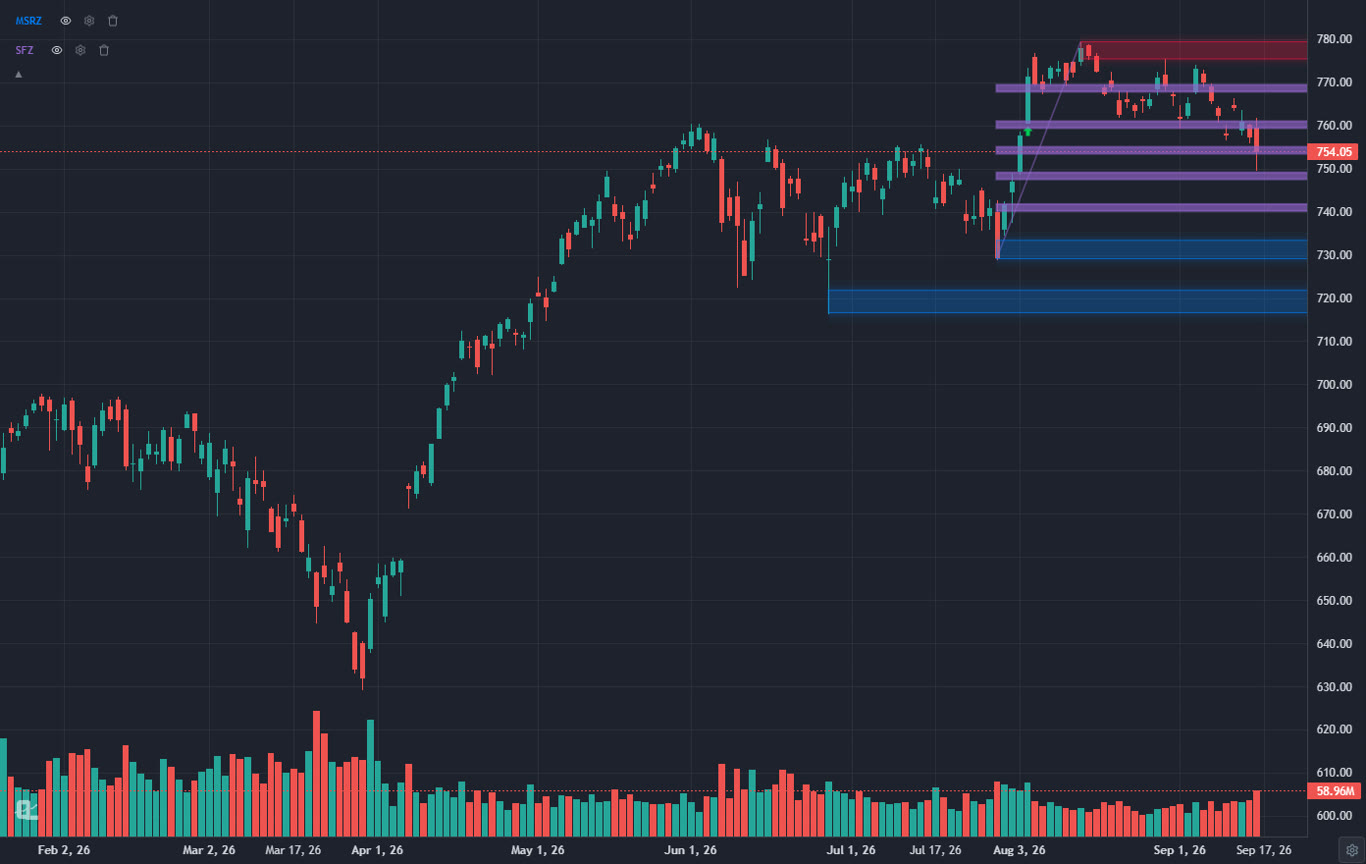
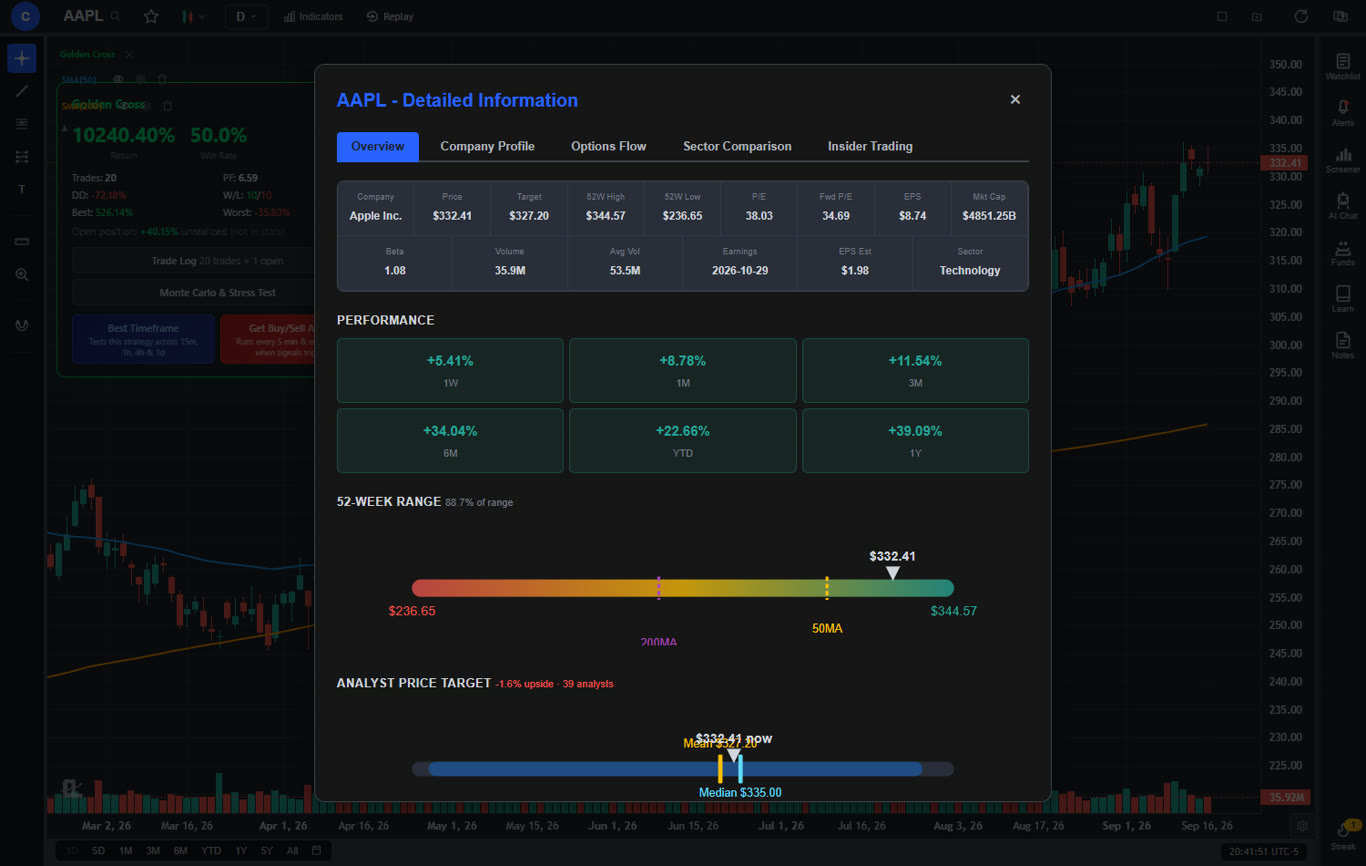
ChartingLens is the most complete Koyfin replacement available in 2026, especially for traders who want to combine fundamental research with AI-powered charting and analysis. Where Koyfin focuses on financial dashboards and fundamental data but neglects charting and AI, ChartingLens builds its experience around interactive charts with a large technical indicator library, then layers on company fundamentals, AI analysis, and screening tools that cover the full analytical workflow. The company fundamentals panel includes income statements, balance sheets, analyst price targets, and profitability margins — delivering the kind of fundamental context that Koyfin users value, integrated directly into the charting workspace rather than separated into a dashboard.
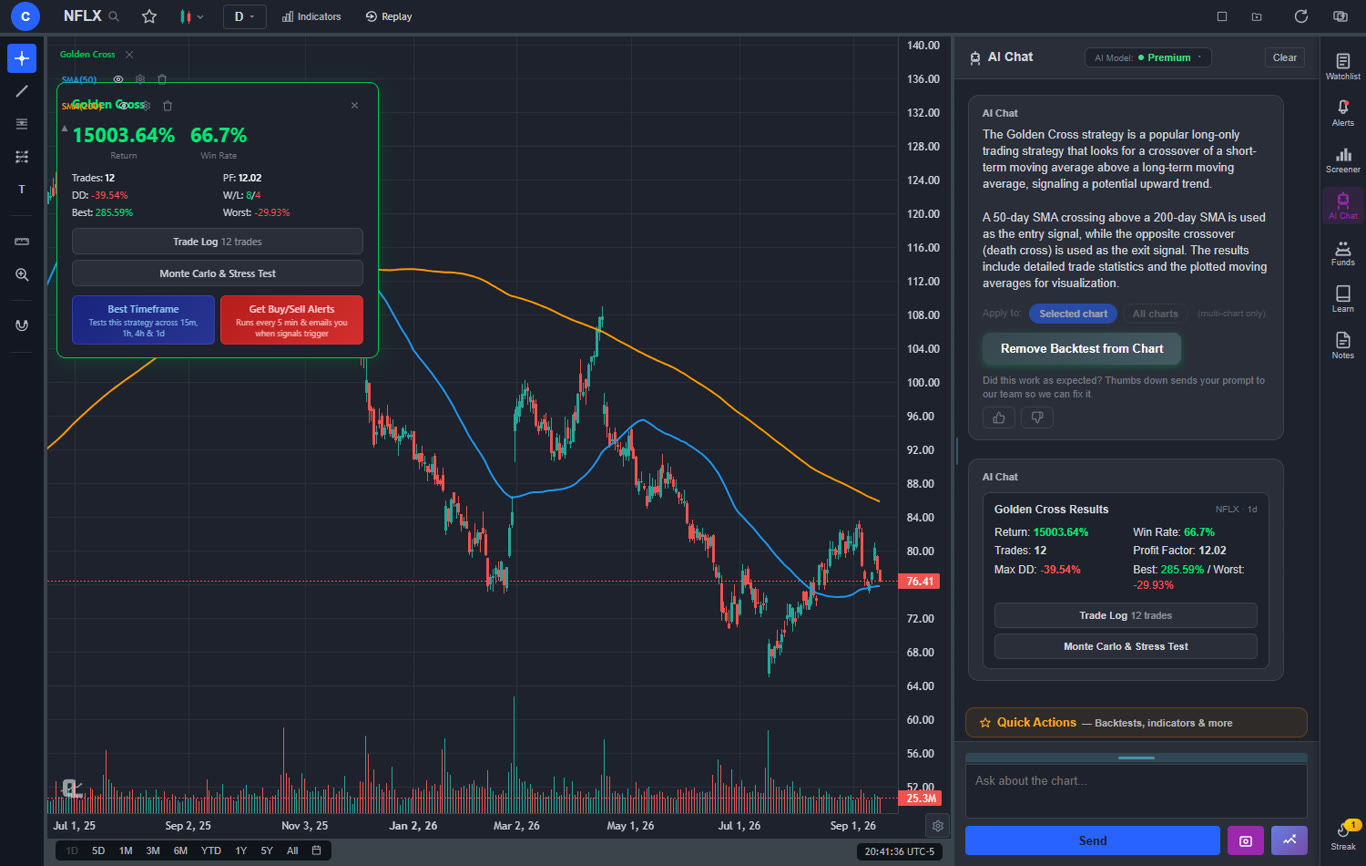
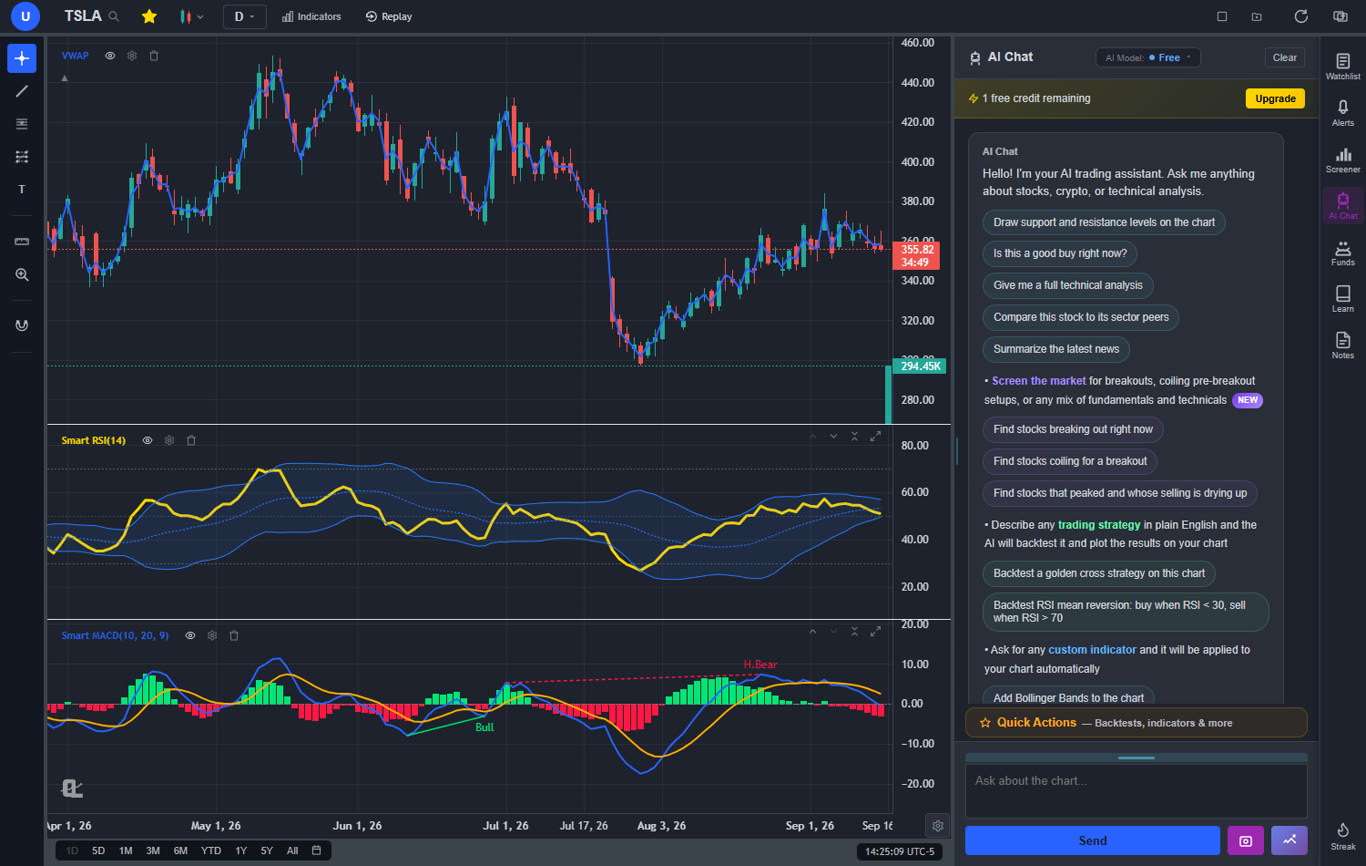
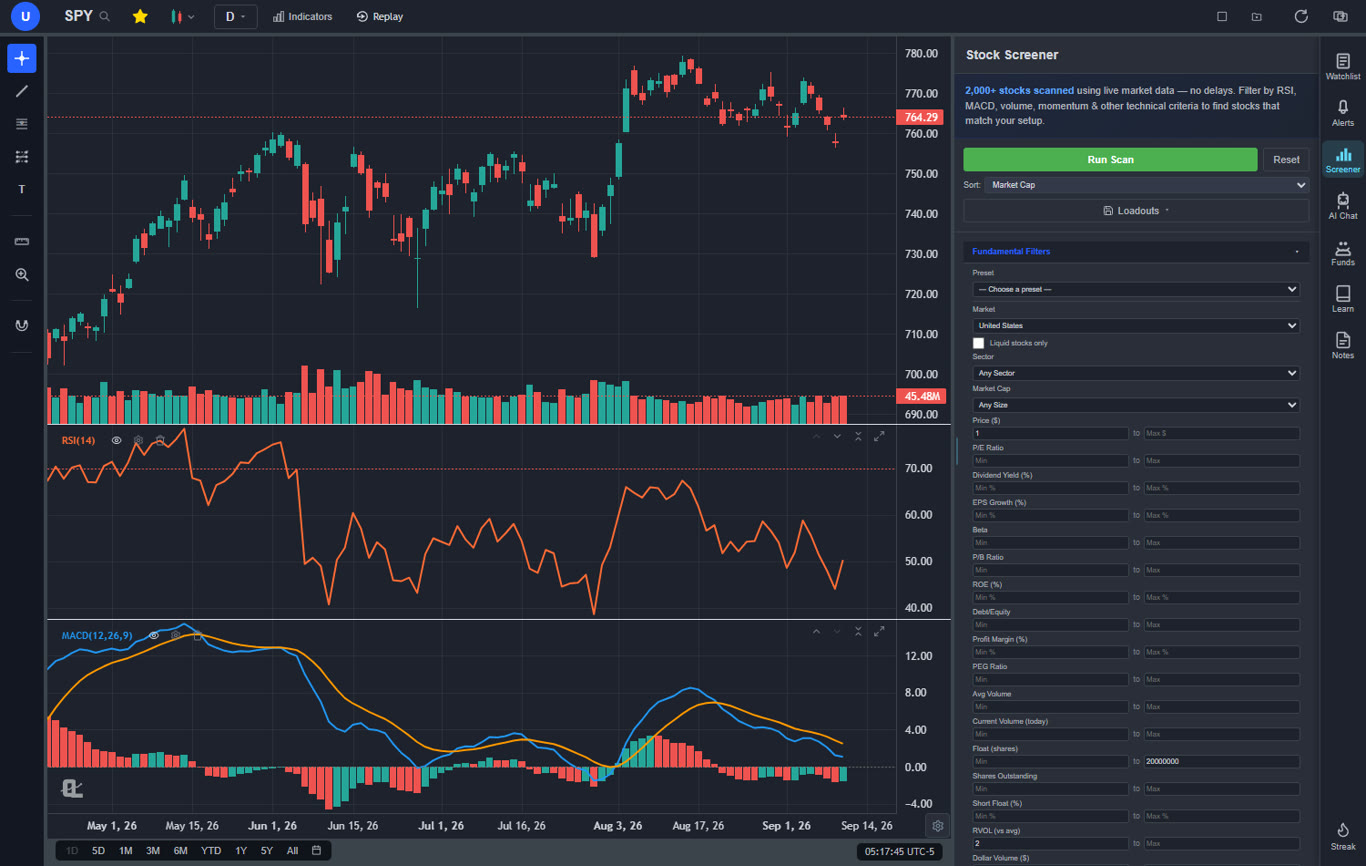
The AI capabilities are the most significant differentiator from Koyfin. AI buy/sell signals scan 2,000+ stocks daily and surface actionable trade ideas that Koyfin cannot provide at any price. The AI trading assistant is conversational — ask it about any stock and it responds with analysis, drawing support and resistance levels directly on your chart. Automated chart pattern recognition identifies 13+ patterns including head and shoulders, double tops, wedges, and flags in real time. And the plain-English strategy backtester lets you backtest trading strategies by describing them in normal language — no scripting required. These are features that fundamentally change how you interact with market data, and Koyfin offers none of them.
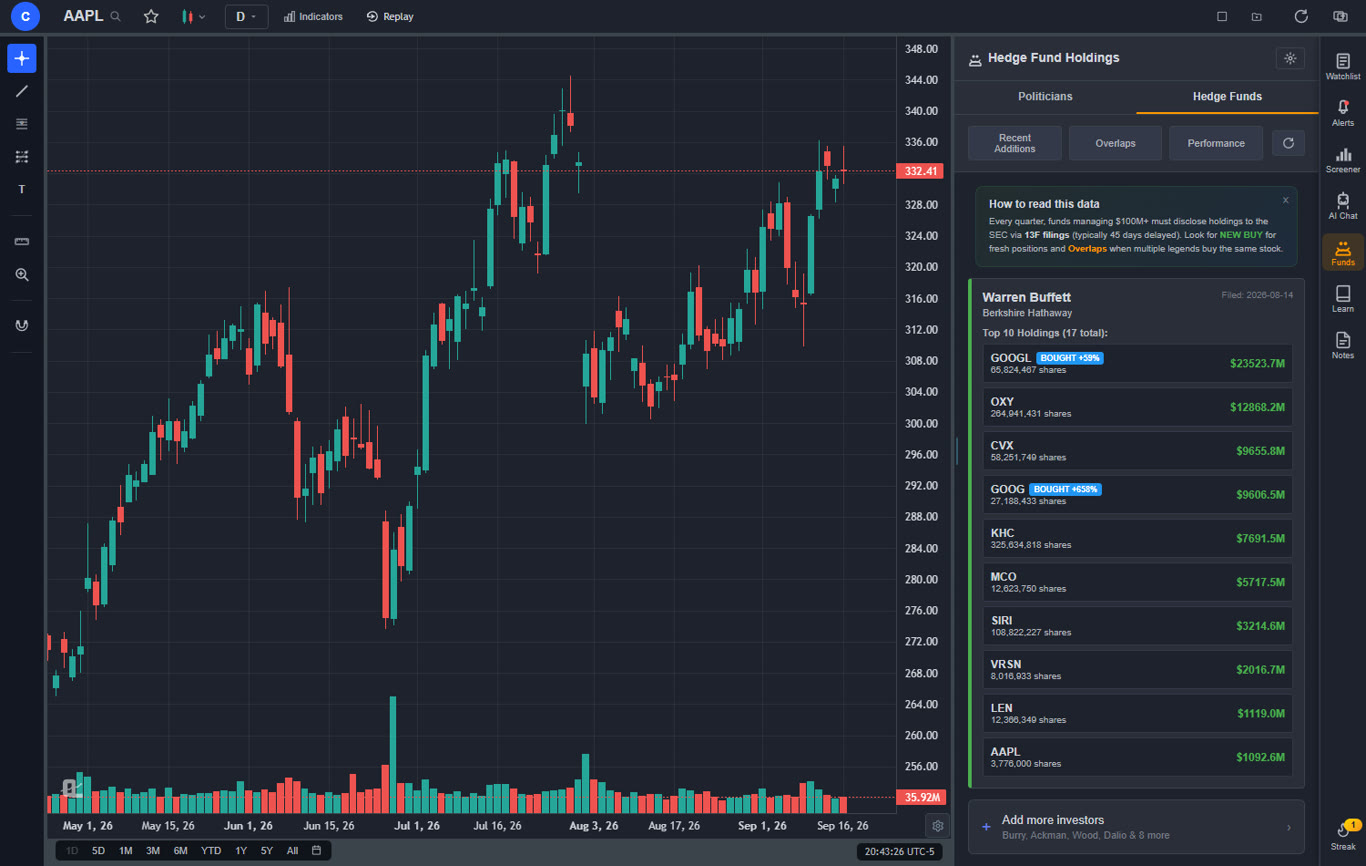
ChartingLens also fills critical gaps that Koyfin has never addressed. Insider trading data is visualized directly on charts and in dedicated panels. Hedge Fund Holdings lets you follow the holdings of Warren Buffett, Michael Burry, and other major fund managers. The stock screener with CL Score provides a proprietary ranking system for filtering and prioritizing stocks. Bar replay with paper trading lets you practice on historical data. Multi-chart layouts support up to 3 charts in 8 arrangements. And all of this runs in your browser with zero ads on any tier. Premium at $14.99 per month — less than half of Koyfin's cheapest paid plan — adds Volume Profile (VRVP) with auto-updating Point of Control and Value Area lines, unlimited custom backtesting strategies, expanded AI analysis, and a Find Best Timeframe feature.
Pros
Large built-in indicator library, free, unlimited per chart
AI buy/sell signals scanning 2,000+ stocks daily
AI trading assistant draws S&R on your chart
Plain-English strategy backtester (no coding needed)
Auto chart pattern recognition (13+ patterns)
Volume Profile (VRVP) on Premium at $14.99/mo
Stock screener with CL Score ranking
Real-time insider trading data visualization
Hedge Fund Holdings
Company fundamentals panel built in
Bar replay with paper trading and live P&L
Multi-chart layouts (up to 3 charts, 8 arrangements)
Web-based — no download, works on any device
No ads on any tier
$14.99/mo vs Koyfin $25–$65/mo
Custom timeframes (NEW) — chart any interval (2h, 45m, 3d, 8h…) aggregated from base bars on the fly. Premium feature, added April 2026.
Pine Script and ThinkScript conversion - paste a Pine Script indicator or a thinkorswim study and it becomes a live native indicator on your chart (Premium)
Stocks, ETFs, crypto, forex, metals, and index and commodity CFDs (US30, US500, NAS100, oil, gold) in one search bar
25 daily AI buy signals with a public, forward-tested track record and a trade plan (entry, stop, target) on every signal
Backtests include a Monte Carlo stress test and intrabar exits, built from a plain-English strategy description
Free interactive courses drawn on real charts, plus a notes and journal panel
Cons
No deep financial statements like Koyfin's dashboards
No multi-asset dashboards or macro/economic data
No direct broker execution or order routing
Best for: Traders who want Koyfin-level fundamental context combined with AI-powered signals, interactive charting, insider data, pattern recognition, and backtesting — all at a fraction of Koyfin's pricing with no ads.
2. TradingView — Best for Interactive Charting & Community
TradingView$0–$59.95/mo
TradingView is the most widely used web-based charting platform in the world, and for Koyfin users whose primary frustration is the limited charting experience, TradingView represents the most dramatic upgrade available. Koyfin includes roughly 30 technical indicators and basic drawing tools on its charts — functional for quick visual checks but far behind what active traders need for detailed technical analysis. TradingView delivers 400+ built-in indicators, an extensive drawing toolkit, fluid zoom and scroll, and Pine Script — a proprietary scripting language that lets you create custom studies, build automated strategies, and share indicators with a massive global community. The charting is simply in a different league. For a deeper look, see our TradingView alternatives guide.
TradingView also offers its own stock screener with fundamental and technical filters, an interactive heat map for visualizing market movements by sector, and social features where traders share trade ideas and custom indicators. The fundamental data on TradingView is more basic than Koyfin's deep financial dashboards, but it covers key metrics like P/E, revenue, earnings, and balance sheet data. For traders who used Koyfin primarily for its charting and want a significant upgrade without losing basic fundamental context, TradingView fills that gap well. Multi-asset coverage spanning stocks, crypto, forex, and futures goes beyond Koyfin's primarily equities-focused platform.
The drawbacks are pricing and the absence of AI. The free tier limits you to 1 indicator per chart, 1 alert, and shows persistent ads. Most serious traders need the Plus plan at $29.95 per month or higher to get 5 indicators per chart and 100 alerts — putting it in Koyfin's price range but for charting depth rather than fundamental depth. TradingView has no native AI features — no AI signals, no AI assistant, no automated pattern recognition. You get best-in-class manual charting tools but none of the AI-powered automation that modern platforms like ChartingLens provide for free.
Best for: Traders who want the most interactive charting experience possible as an upgrade from Koyfin's basic charts, with Pine Script, a social community, and multi-asset coverage.
3. Finviz — Best for Visual Screening & Heat Maps
FinvizFree + $39.50/mo Elite
Finviz takes a fundamentally different approach than Koyfin. Where Koyfin builds Bloomberg-style dashboards for deep fundamental analysis, Finviz excels at rapid visual screening — its iconic sector heat maps, comprehensive stock screener with dozens of fundamental and technical filters, and dense snapshot pages that pack key metrics into a single view. For traders who find Koyfin's dashboard approach too slow for daily market scanning, Finviz's filter-and-scan workflow is dramatically faster. You can screen thousands of stocks by market cap, P/E, RSI, moving average position, and dozens of other criteria in seconds, then glance at a snapshot page for a quick fundamental overview. See our full comparison in the Finviz alternatives guide.
The heat maps are Finviz's signature feature and something Koyfin does not replicate well. A single glance at the S&P 500 heat map tells you which sectors are rallying and which are bleeding — information that would take multiple dashboard configurations to extract from Koyfin. The screener covers more filter combinations than most competing platforms, making it the strongest option for traders who approach markets through systematic screening rather than individual stock research. The snapshot pages provide a quick fundamental overview with key ratios, insider transactions, and analyst recommendations.
The critical weakness is charting. Finviz charts are essentially static images on the free tier — you cannot interact with them, draw trendlines, or add indicators. Even on Elite at $39.50 per month, charting interactivity is minimal compared to any modern platform. There are no AI features at any price, no backtesting, and the free tier is cluttered with ads. Finviz is the strongest pure screening tool on this list but the weakest for charting and analysis depth. If Koyfin's charts felt limited, Finviz's are worse — but its screening and heat maps are a genuine upgrade over Koyfin's screener.
Pros
Iconic sector heat maps for market overview
Most comprehensive stock screener filters
Fast snapshot pages with key fundamentals
Free tier covers most screening needs
Insider transaction tables
Analyst recommendation summaries
Cons
Charts are static images (non-interactive)
Elite at $39.50/mo for real-time data
No AI features at any tier
No backtesting capability
Heavy ads on free tier
No deep financial statements like Koyfin
Best for: Traders who need fast visual screening with heat maps and comprehensive filters — a scanning-first approach that complements Koyfin's research-first methodology.
4. Barchart — Best for Broad Market Data Coverage
Barchart$0–$59.97/mo
Barchart is the closest platform to Koyfin in philosophy — both are data-driven market portals that combine screeners, quotes, data pages, and charting in a web-based interface. Where Koyfin focuses primarily on US equities and fundamental dashboards, Barchart extends its data coverage across stocks, ETFs, futures, forex, options, and indices with 150+ technical indicators and real-time data on the free tier. If you used Koyfin as your daily market intelligence dashboard and want the same breadth of data across more asset classes, Barchart is the natural migration path.
Barchart's proprietary Opinion rating system scores each stock as a buy, sell, or hold based on a composite of technical indicators across short-term, medium-term, and long-term timeframes. This is more granular than Koyfin's fundamental metrics and provides a quick technical consensus view. The options data on Barchart is particularly comprehensive — unusual options activity, volume leaders, implied volatility screeners, and options flow data that Koyfin does not offer at all. For traders who combine equity analysis with options strategies, Barchart covers both in a single platform.
The trade-off is that Barchart shares Koyfin's weaknesses in the areas where both platforms fall short. The charting is functional but basic — drawing tools are limited, and interactivity lags behind modern standards. There are no AI features at any tier, no insider data visualization, and no hedge fund holdings. The interface feels dated compared to newer platforms. Premium pricing ranges from $19.99 to $59.97 per month, putting it in a similar bracket to Koyfin's paid tiers. Barchart is best for traders who want Koyfin's data-terminal philosophy applied across more asset classes with stronger options coverage.
Pros
150+ indicators across all major asset classes
Free real-time data for stocks and ETFs
Proprietary Opinion rating system
Comprehensive options data and screeners
Futures, forex, and commodities coverage
Unusual options activity and volume data
Cons
Dated interface design
No AI features
Limited drawing tools on charts
Fundamental data less deep than Koyfin
No insider data visualization
Premium is $59.97/mo for full access
Best for: Traders who want Koyfin's data-terminal experience extended to futures, forex, options, and commodities with broader market coverage and real-time data on the free tier.
5. Thinkorswim — Best Free Broker-Integrated Platform
Thinkorswim (by Schwab)Free with Schwab account
Thinkorswim is a professional-grade desktop platform available for free with a Charles Schwab brokerage account, and it dramatically outperforms Koyfin in charting depth, screening power, and analytical capabilities. The Stock Hacker screener lets you build custom scans using thinkScript — a proprietary scripting language that enables complex condition-based logic far beyond anything Koyfin's screener offers. You can scan for any combination of technical conditions, fundamental criteria, and custom indicator values, with results updating in real time. The 300+ built-in indicators and professional drawing tools make Koyfin's ~30-indicator charting module look rudimentary by comparison.
For Koyfin users who also trade options, thinkorswim is the single strongest alternative. The options analytics — probability cones, risk profiles, Greeks analysis, and options flow data — represent a depth of analysis that Koyfin does not touch. Paper trading with simulated execution lets you test strategies without risk. Backtesting through thinkScript allows strategy validation against historical data. The overall analytical depth is closer to what institutional traders use, and it is entirely free with a Schwab account.
The key drawbacks are the learning curve and the desktop-centric design. Thinkorswim is a complex application that takes weeks to learn properly — a stark contrast to Koyfin's clean, intuitive dashboard interface. The web version is stripped down compared to the desktop client. The fundamental data is less organized than Koyfin's Bloomberg-style dashboards — you can access financial statements and earnings data, but the presentation is not as clean or customizable as Koyfin's fundamental overlays. And there are no AI features — no AI signals, no AI assistant, no automated pattern recognition. Thinkorswim is the most powerful free traditional platform, but it requires significant time investment to learn.
Pros
300+ indicators — far more than Koyfin
Stock Hacker screener with thinkScript
Professional options analytics
Free with Schwab brokerage account
Deep backtesting and strategy testing
Multi-asset: stocks, options, futures, forex
Paper trading with simulated execution
Cons
Requires Schwab brokerage account
Desktop-heavy — web version is limited
Steep learning curve (weeks to learn)
No AI features
Fundamental data not as organized as Koyfin
Resource-intensive application
Best for: Traders who want the deepest free charting and screening platform available, especially options traders, and are willing to invest time learning a professional desktop application.
6. StockCharts — Best for Classical Technical Analysis
StockCharts$24.95–$39.95/mo
StockCharts occupies a very different niche than Koyfin. Where Koyfin is fundamentals-first with charting as a secondary feature, StockCharts is charting-first with a focus on classical technical analysis techniques that no other platform on this list replicates as well. Point & Figure charts, Renko charts, market breadth indicators like the Advance-Decline Line and Bullish Percent Index, and predefined scan lists that filter stocks by classical technical patterns — these are tools for traders who approach markets through traditional TA methodology. For a full comparison, see our StockCharts alternatives guide.
The predefined scans are particularly interesting for Koyfin migrants. Where Koyfin lets you build custom fundamental dashboards, StockCharts offers curated technical scan lists like "Bullish Engulfing Patterns," "Stocks Above 200-Day Moving Average," and "New Highs in Strong Sectors." These pattern-based scans identify technical setups that Koyfin's fundamentally-oriented screener would miss entirely. The Advanced Charting Platform (ACP) provides interactive charting with multiple indicators and drawing tools, though the overall experience still feels dated compared to newer platforms.
The critical limitation for Koyfin users is the complete absence of fundamental data depth. StockCharts provides essentially no financial statements, no valuation dashboards, and no earnings overlays on price charts. If you relied on Koyfin for fundamental analysis, StockCharts does not replace that capability at all — it only replaces and upgrades the charting side. At $24.95 to $39.95 per month with no free real-time data tier and no AI features, StockCharts is a specialist tool for classical technical analysts, not a broad Koyfin replacement.
Pros
Point & Figure and Renko chart types
Market breadth indicators (AD Line, BPI)
Predefined technical pattern scans
Sector rotation analysis tools
Educational content and charting school
ACP interactive charting platform
Cons
$24.95–$39.95/mo with no free real-time tier
No fundamental data or financial statements
No AI features at any price
Dated interface design
Cannot build custom scans
No insider data or hedge fund holdings
Best for: Classical technical analysts who need Point & Figure charts, market breadth indicators, and predefined pattern scans — tools Koyfin does not offer — and do not rely on fundamental data.
7. TrendSpider — Best for Automated Technical Analysis
TrendSpider$22–$79/mo
TrendSpider brings automation to technical analysis in a way that neither Koyfin nor most traditional platforms can match. The core value proposition is automated trendline detection — trendlines are drawn automatically across multiple timeframes, Fibonacci levels are auto-calculated, and candlestick patterns are flagged in real time. For Koyfin users who found the charting module limiting and spent time manually drawing support and resistance levels, TrendSpider eliminates that manual work entirely. The multi-timeframe analysis overlays trendlines and indicators from daily, weekly, and monthly charts onto a single view — showing how different timeframes interact.
The screener includes technical condition filters, and the backtesting engine lets you test strategies with coded or visual rule builders. Smart alerts trigger based on technical conditions rather than simple price levels — for example, alerting when price touches an automatically detected trendline or when a specific candlestick pattern forms at a support level. The Raindrop chart type combines price action with volume data in a proprietary visual format that reveals information standard candlestick charts miss.
The significant drawback for Koyfin users is that TrendSpider has no free tier. Entry starts at $22 per month, and the Elite plan at $79 per month is required for the full experience. TrendSpider is also purely focused on technical analysis — there are essentially no fundamental data tools, no financial dashboards, and no earnings overlays. It lacks AI buy/sell signals, an AI trading assistant, insider data, and hedge fund holdings. For Koyfin users who valued the fundamental analysis capabilities, TrendSpider replaces only the charting side with superior automation, not the research side.
Pros
Automated trendline detection
Multi-timeframe analysis on one chart
Smart alerts with technical conditions
Raindrop charts (proprietary chart type)
Backtesting with coded strategies
Auto Fibonacci and pattern detection
Cons
No free tier at all
$22–$79/mo is expensive
No fundamental data or financial dashboards
No AI buy/sell signals or AI assistant
No insider data or hedge fund holdings
Steep learning curve
Best for: Technical traders who want to automate the trendline drawing, pattern detection, and multi-timeframe analysis that Koyfin's basic charting module cannot provide.
8. Macroaxis — Best for Portfolio Optimization
MacroaxisFree + from $19.99/mo
Macroaxis is the closest platform to Koyfin in its analytical approach — both are designed for investors who think in terms of portfolios, risk-adjusted returns, and fundamental valuation rather than individual trade setups. Macroaxis specializes in portfolio optimization using Modern Portfolio Theory, offering tools that analyze your holdings for risk-return efficiency, suggest portfolio allocations, and identify correlated assets that increase concentration risk. For Koyfin users who built multi-stock dashboards to monitor portfolio health, Macroaxis provides a more structured analytical framework for the same workflow.
The wealth optimization tools go beyond what Koyfin offers. Macroaxis can simulate portfolio performance under different market scenarios, calculate optimal position sizing based on your risk tolerance, and flag overexposure to specific sectors or factors. The financial analytics cover individual stock fundamentals including valuation ratios, profitability metrics, and debt analysis. The platform also provides pair analysis for comparing two stocks head-to-head on fundamental and risk metrics — a useful workflow for choosing between investment candidates.
The limitations are meaningful for active traders. Macroaxis charting is minimal — this is an analytics and optimization platform, not a charting tool. There are no technical indicators worth mentioning, no drawing tools, and no interactive chart experience. The free tier is limited, and premium plans start at $19.99 per month. There are no AI features, no screener in the traditional sense, and no real-time data for intraday trading. Macroaxis is best for buy-and-hold investors and portfolio managers who valued Koyfin's fundamental depth and want even more sophisticated portfolio analytics — not for traders who need charts and signals.
Pros
Portfolio optimization with Modern Portfolio Theory
Risk-return analysis and scenario simulation
Pair analysis for stock comparison
Wealth optimization and allocation tools
Fundamental analytics and valuation data
Free tier available
Cons
Minimal charting capabilities
No technical indicators or drawing tools
No AI features
No real-time data for intraday trading
Limited screener functionality
No insider data or hedge fund holdings
Best for: Buy-and-hold investors and portfolio managers who want sophisticated portfolio optimization, risk analysis, and allocation tools that go beyond Koyfin's dashboard approach.
9. Stock Analysis — Best Free Fundamental Research
Stock AnalysisFree + $14.99/mo Pro
Stock Analysis (stockanalysis.com) is the most direct free alternative to Koyfin's fundamental research capabilities. The platform provides comprehensive financial statements — income statements, balance sheets, and cash flow statements going back 10+ years — alongside valuation metrics, earnings data, analyst estimates, dividend history, and IPO tracking. For Koyfin users who primarily used the platform to research individual stock fundamentals before making investment decisions, Stock Analysis delivers comparable depth on its free tier without the $25 to $65 monthly cost.
The screener covers fundamental and technical criteria with clean, sortable results and the ability to save custom screens. Stock comparison tools let you stack multiple tickers side by side on fundamental metrics — a workflow that Koyfin's dashboards also support but at a higher price point. The earnings calendar, IPO calendar, and stock splits tracking provide the market event data that informed investors monitor regularly. At $14.99 per month, the Pro tier adds enhanced data, more screener filters, and additional export capabilities — matching ChartingLens Premium in price while offering different features.
The significant gap compared to Koyfin is in charting and analytical tools. Stock Analysis provides basic price charts but nothing approaching interactive technical analysis. There are no technical indicators, no drawing tools, and no chart overlays for fundamental data like Koyfin provides. There are no AI features, no insider data visualization, no backtesting, and no portfolio analytics. Stock Analysis is a research platform for looking up financial data, not a trading platform for analyzing charts. If you used Koyfin for both fundamental research and charting, Stock Analysis only replaces the research half.
Best for: Investors who want Koyfin-quality fundamental data — financial statements, valuations, earnings, and analyst estimates — for free or at $14.99/mo, without needing charting or AI tools.
10. Yahoo Finance — Best Completely Free Option
Yahoo FinanceFree + $24.99/mo Plus
Yahoo Finance is the most widely used free financial data platform in the world, and for Koyfin users who primarily used the free tier for quick stock lookups, news, and basic fundamental data, Yahoo Finance delivers a comparable experience at no cost with no account required. You get real-time quotes, interactive charts with about 20 technical indicators, financial news from multiple sources, earnings calendars, analyst estimates, financial summaries, and portfolio tracking — all for free. The fundamental data coverage includes income statements, balance sheets, and cash flow data, though the presentation is less polished than Koyfin's dashboard format.
Yahoo Finance Plus at $24.99 per month adds enhanced charting, Morningstar and Argus research reports, technical pattern recognition, advanced portfolio analytics, and fair value estimates. At a lower price than Koyfin Plus ($25/month) and significantly less than Koyfin Pro ($65/month), Yahoo Finance Plus provides broader content including the third-party research reports and portfolio tools that Koyfin lacks. The platform's global market coverage — international stocks, indices, currencies, and commodities — is more extensive than Koyfin's primarily US-focused data.
The limitations are clear for serious traders and analysts. The charting is basic — drawing tools are minimal, the indicator library is small, and the charts do not support the kind of fundamental overlays that made Koyfin distinctive. There are no AI features, no insider data visualization, no hedge fund holdings, and no backtesting. The financial statement data, while available, is not as deep or as well-organized as Koyfin's or Stock Analysis's presentation. Ads are heavy on the free tier. Yahoo Finance is best for casual investors who need quick lookups and news — the lowest-friction option for replacing Koyfin's free tier, though without the analytical depth.
Pros
Completely free with real-time quotes
No account required for basic use
Financial news and earnings calendars
Basic financial statements and analyst estimates
Portfolio tracking
Research reports on Plus tier ($24.99/mo)
Massive global market coverage
Cons
Very basic charting capabilities
No fundamental overlays on charts like Koyfin
~20 indicators, minimal drawing tools
No AI features
No customizable dashboards
Heavy advertising on free tier
Best for: Casual investors who want free stock quotes, financial data, news, and portfolio tracking — the simplest replacement for Koyfin's free tier without needing advanced analysis.
What Koyfin Gets Wrong in 2026
Koyfin earned its reputation as the free Bloomberg Terminal alternative, and its fundamental dashboards remain genuinely impressive. For years, it was one of the few platforms where retail investors could access Bloomberg-caliber financial data without a five-figure annual subscription. But the platform has stagnated in critical areas while the rest of the industry has transformed. Here are the core problems:
Pricing has climbed to $25–$65/month for full functionality: Koyfin's transition from a generous free platform to a $25–$65/month subscription service has eroded the value proposition that attracted its user base. At $25/month for Plus and $65/month for Pro, Koyfin competes on price with platforms that offer dramatically more features — including AI analysis, interactive charting, insider data, and backtesting.
Free tier increasingly restricted with limited data access: The free tier that once made Koyfin famous has been progressively hollowed out. Delayed data, restricted dashboard customization, and limited access to financial statements mean the free experience in 2026 is a shadow of what it once was. Platforms like ChartingLens and Stock Analysis offer more on their free tiers.
No AI features at any tier (no AI signals, no assistant, no pattern recognition): In a year where AI-assisted trading is mainstream, Koyfin offers zero AI capabilities at any price point. No AI buy/sell signals, no AI assistant, no automated chart pattern recognition, no AI-powered backtesting. Every analysis on Koyfin is manual. ChartingLens offers all of these features on its free tier.
No insider trading data or hedge fund holdings: Koyfin provides no visibility into insider transactions or institutional holdings at the hedge fund level. ChartingLens provides insider trading data visualization alongside hedge fund holdings for Warren Buffett, Michael Burry, and other major fund managers — all for free.
No strategy backtesting capability: Koyfin provides no way to test whether an investment thesis or screening strategy would have been profitable historically. ChartingLens offers a plain-English backtester on its free tier. TrendSpider and thinkorswim offer coded backtesting. Even at $65/month, Koyfin has no backtesting of any kind.
Charting is functional but lacks the interactivity of dedicated charting platforms: With roughly 30 technical indicators and basic drawing tools, Koyfin's charting is adequate for quick visual checks but far behind TradingView (400+ indicators), thinkorswim (300+), or even ChartingLens (15+ free with AI analysis). For traders who need to do serious technical analysis, Koyfin's charts are a bottleneck.
No real-time buy/sell signals or trade ideas: Koyfin is a research tool, not a trading tool. It does not generate actionable signals, trade ideas, or market-timed recommendations. ChartingLens's AI buy/sell signals scan 2,000+ stocks daily and surface opportunities that pure research platforms cannot identify.
Primarily desktop-optimized, mobile experience is limited: Koyfin's complex dashboards translate poorly to mobile devices. The mobile experience is functional for quick lookups but unusable for the dashboard-heavy workflows that define the Koyfin experience. Web-first platforms like ChartingLens and TradingView deliver more consistent cross-device experiences.
For traders and investors who have been using Koyfin out of habit, the gap between what you are settling for and what you could have elsewhere has never been wider. The 2026 analytical landscape offers AI-powered tools, interactive charting, and actionable signals that Koyfin has not adapted to deliver.
How to Choose the Right Koyfin Alternative
The right alternative depends on which Koyfin features you rely on most and what you wish Koyfin could do. Here is a decision framework:
If you want fundamental context plus AI plus interactive charting: ChartingLens. Its company fundamentals panel plus AI signals plus fully interactive charting provides everything Koyfin does for charting and fundamentals — plus everything Koyfin does not offer — at $14.99/mo or free.
If you need the most interactive charting experience: TradingView. Best-in-class charting with Pine Script, a heat map, a screener, and a social community — though fundamental depth is less than Koyfin.
If you need visual screening and heat maps: Finviz. The fastest screening workflow with iconic heat maps that Koyfin does not replicate well.
If you want data coverage across more asset classes: Barchart. Same data-terminal philosophy as Koyfin, but covering futures, forex, and options alongside stocks.
If you want free professional-grade everything: Thinkorswim with a Schwab account. 300+ indicators, thinkScript, options analytics, and backtesting at no cost.
If you need classical TA tools Koyfin does not offer: StockCharts for P&F charts, Renko, and market breadth indicators.
If you want automated technical analysis: TrendSpider. Auto trendlines, multi-timeframe overlays, and smart alerts that eliminate manual charting work.
If you need portfolio optimization: Macroaxis. Sophisticated risk-return analytics and allocation tools beyond Koyfin's dashboard approach.
If you want free fundamental data similar to Koyfin: Stock Analysis. Comprehensive financial statements and valuation data at no cost.
If you want the simplest free option: Yahoo Finance. Quick lookups, news, and basic fundamentals with zero friction.
Frequently Asked Questions
ChartingLens is the best free Koyfin alternative in 2026. It offers a stock screener with CL Score ranking, AI buy/sell signals scanning 2,000+ stocks daily, a large technical indicator library on fully interactive charts, an AI trading assistant, auto chart pattern recognition for 13+ patterns, insider trading data, hedge fund holdings, a company fundamentals panel, and a plain-English strategy backtester. Unlike Koyfin, ChartingLens includes AI features and insider data on its free tier with no ads.
Koyfin was once considered the best free Bloomberg Terminal alternative, but in 2026 its free tier has been significantly restricted with delayed data and limited access to financial dashboards. The full Koyfin experience now costs $25 to $65 per month. ChartingLens offers a more generous free tier with AI buy/sell signals, interactive charting with a large indicator library, insider trading data, hedge fund holdings, and a strategy backtester. Stock Analysis provides comprehensive free financial statements. For the Bloomberg-style dashboard experience specifically, Koyfin's paid tiers remain strong — but you are now paying Bloomberg-lite prices for Bloomberg-lite features.
ChartingLens is the best platform combining fundamental analysis with AI-powered charting. It includes a company fundamentals panel with income statements, balance sheets, analyst price targets, and profitability margins alongside AI buy/sell signals scanning 2,000+ stocks, an AI trading assistant that draws support and resistance on your chart, and automated chart pattern recognition for 13+ patterns. Koyfin offers deeper financial statement dashboards but has no AI features at any price tier. No other platform on the market integrates fundamental data with AI-powered charting as effectively as ChartingLens.
Yes. Stock Analysis (stockanalysis.com) provides comprehensive free financial statements — income statements, balance sheets, and cash flow data going back 10+ years — alongside valuation metrics, earnings data, and analyst estimates. ChartingLens includes a company fundamentals panel with key financial data, analyst price targets, and profitability margins on its free tier. While neither platform replicates Koyfin's exact Bloomberg-style dashboard format, both deliver more than enough fundamental data for most investment decisions at no cost.
TradingView, ChartingLens, and Thinkorswim all offer significantly better charting than Koyfin. TradingView provides the most interactive charting with 400+ indicators and Pine Script. ChartingLens offers 40+ free indicators with AI-powered analysis including automated pattern recognition and AI buy/sell signals. Thinkorswim includes 300+ indicators with thinkScript scripting. Koyfin has roughly 30 indicators and basic drawing tools — functional but not designed for serious technical analysis. If charting is your primary workflow, any of these three platforms is a substantial upgrade.
ChartingLens is the best free alternative to Koyfin that includes insider trading data. It provides real-time insider trading data visualization alongside hedge fund holdings for Warren Buffett, Michael Burry, and other major fund managers — all on the free tier. Koyfin does not offer insider trading data or hedge fund holdings at any price tier. ChartingLens also includes AI buy/sell signals, interactive charting with a large indicator library, a stock screener with CL Score, and a plain-English strategy backtester — all for free.
ChartingLens is the cheapest Koyfin alternative with AI features — because its AI features are free. The free tier includes AI buy/sell signals scanning 2,000+ stocks, an AI trading assistant that draws support and resistance on your chart, and automated chart pattern recognition for 13+ patterns. Premium at $14.99/mo adds Volume Profile (VRVP), unlimited custom backtesting, and expanded AI analysis. Koyfin has no AI features at any price — not even on the $65/month Pro plan. TrendSpider starts at $22/month for automated trendline analysis but lacks AI signals and an AI assistant.
Conclusion: The Best Koyfin Alternative Depends on Your Workflow
Koyfin built the gold standard for Bloomberg-style financial dashboards accessible to retail investors, and its fundamental data depth remains impressive on the paid tiers. But the platform has not evolved beyond its original vision. There are still no AI features. There is still no insider data or hedge fund holdings. There is still no backtesting. The charting module still has roughly 30 indicators with basic interactivity. And the pricing has climbed from free to $25–$65 per month for the full experience. If all you need is deep financial statements in a clean dashboard format, Koyfin's paid tiers still serve that purpose. But if you need more — AI analysis, interactive charting, signals, insider data — Koyfin is no longer enough.
For most traders and investors looking for the most complete Koyfin alternative, ChartingLens offers the broadest feature set at the lowest cost. Its combination of a company fundamentals panel, AI buy/sell signals scanning 2,000+ stocks, an AI trading assistant, auto chart pattern recognition for 13+ patterns, a plain-English backtester, insider trading data, hedge fund holdings, a stock screener with CL Score, and fully interactive charts with a large indicator library — all on a free tier with no ads — represents a platform that does not just replace Koyfin's fundamental research. It adds an entire layer of AI-powered analysis, interactive charting, and actionable signals that Koyfin has never offered at any price point. Premium at $14.99 per month adds Volume Profile, unlimited backtesting, and expanded AI analysis — less than half of what Koyfin Plus charges.
If you need specific capabilities — Pine Script and community (TradingView), visual screening and heat maps (Finviz), multi-asset data coverage (Barchart), free professional desktop tools (Thinkorswim), classical TA chart types (StockCharts), automated trendlines (TrendSpider), portfolio optimization (Macroaxis), or free financial statements (Stock Analysis) — the alternatives above cover every use case. The best approach is to try the platforms that match your workflow. If you want to start with the one that gives you the most out of the box, ChartingLens is the clear first stop.
Get AI signals, strategy backtesting, insider data, hedge fund holdings, interactive charts, and a stock screener with CL Score. No download required. No credit card needed.