Moomoo alternatives fall into two camps: analysis platforms that replace Moomoo's research and charting tools, and brokers that replace its commission-free trading. Traders look for alternatives because Moomoo's interface is cluttered with promotions, its market data can shift from free to paid after promo periods end, and its analysis tools stop at standard indicators with no AI capabilities.
The 8 best Moomoo alternatives in 2026, ranked:
ChartingLens: Best analysis upgrade. AI signals, pattern recognition, insider data, backtesting. Free + $14.99/mo Premium. Pairs with any broker.
Webull: Closest like-for-like broker replacement with commission-free trading and a cleaner interface. Free.
TradingView: Best pure charting depth with 400+ indicators and Pine Script. Free tier limited, $14.95 to $59.95/mo.
Thinkorswim: Best professional desktop platform, free with a Schwab account.
Interactive Brokers: Best for global markets and serious traders. IBKR Lite is free for US stocks.
Robinhood: Simplest commission-free trading, plus the free Legend desktop charts. Free, Gold $5/mo.
Fidelity: Best full-service broker with excellent execution and research. Free.
Tastytrade: Best for dedicated options traders with capped commissions.
Why Traders Look Beyond Moomoo
Moomoo did a lot of things right. It brought a desktop-grade trading platform to a commission-free mobile broker, handed out free Level 2 data to funded accounts when competitors charged for it, and stacked enough signup promotions to make opening an account feel like winning a small lottery. For a certain kind of active trader, especially one coming from a bare-bones app, Moomoo felt like a serious upgrade.
But spend six months with it and the cracks start to show. The app is busy. Really busy. Promotions, badges, points, banners, and feature announcements compete for every inch of screen space, and finding the thing you actually opened the app to do takes more taps than it should. The market data situation has its own catch: a lot of what feels free is a promotional subscription that eventually expires, and keeping full data access on international markets can turn into a monthly line item you didn't budget for.
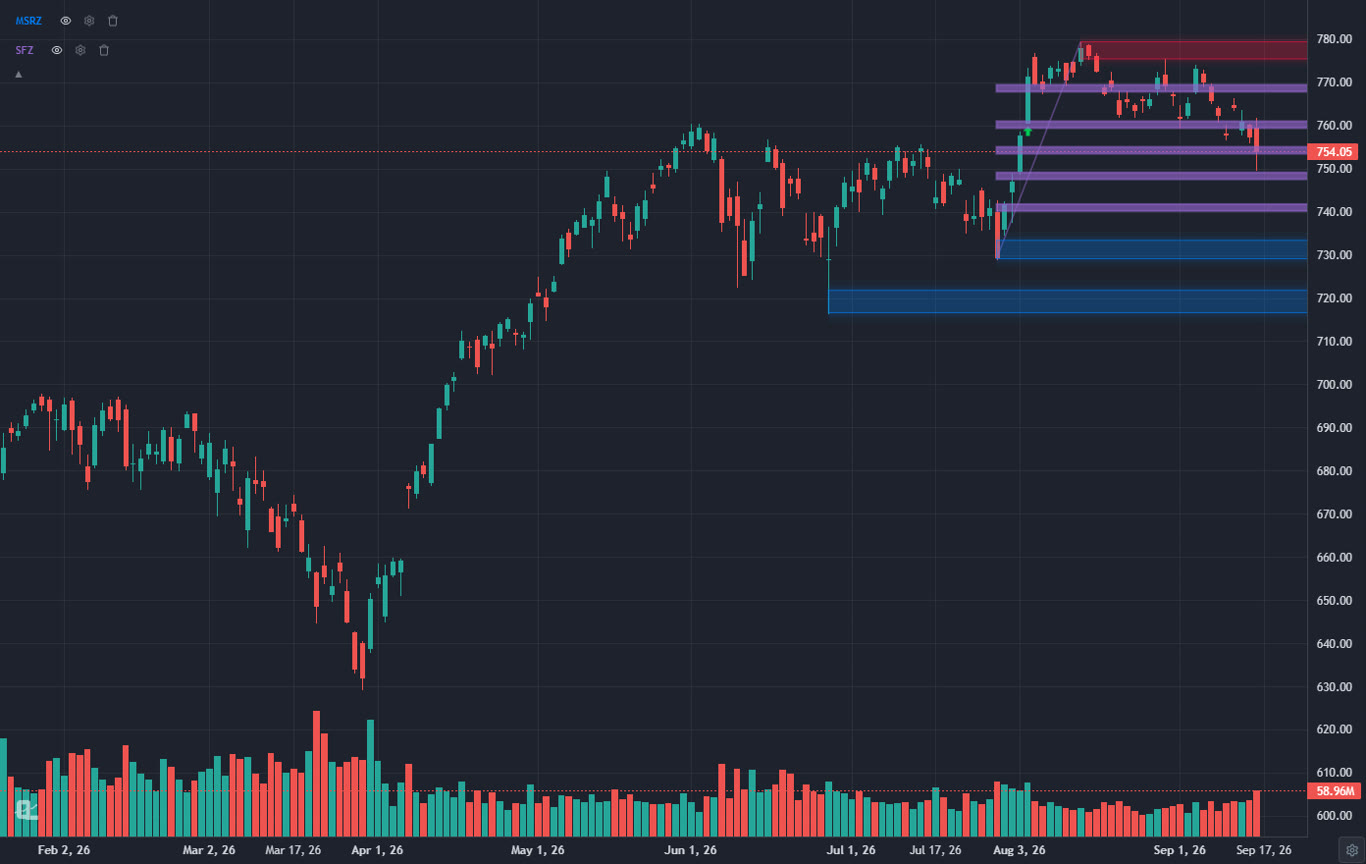
The bigger ceiling, though, is analysis. Moomoo gives you standard indicators and decent drawing tools, and that's roughly where it stops. There are no AI-powered signals, no automated pattern recognition, no real strategy backtesting, no insider-buying visualizations worth the name. If your process has grown beyond "look at chart, draw trendline, place trade," you end up doing your real research somewhere else anyway. That's true whether you keep executing trades on Moomoo or not, which is why this list includes both full broker replacements and analysis platforms that simply take over the research half of the job.
Below are the 8 alternatives worth your time in 2026, what each one is actually good at, and where each one falls short. No affiliate fluff: every platform here has honest cons listed, including ours.
Quick Comparison: All 8 Moomoo Alternatives
Here's how the 8 platforms stack up on the things Moomoo users care about most.
Scroll horizontally to see all columns →
Platform
Type
Free Tier
Charting
AI Features
Paper Trading
Cost
ChartingLens
Analysis platform
✓ Core features
✓ Large indicator library
✓ Signals, assistant, patterns
✓ Bar replay + paper trading (Premium)
Free / $14.99/mo
Webull
Broker
✓
✓ Solid
✗
✓
Free
TradingView
Analysis platform
Limited (1 indicator)
✓ 400+ indicators
✗
✓
$14.95–$59.95/mo
Thinkorswim
Broker platform
✓ With Schwab acct
✓ Professional
✗
✓ paperMoney
Free
Interactive Brokers
Broker
✓ IBKR Lite
Functional (TWS)
✗
✓
Free / tiered
Robinhood
Broker
✓
Legend (improving)
✗
✗
Free / $5/mo Gold
Fidelity
Broker
✓
Active Trader Pro
✗
✗
Free
Tastytrade
Broker
✓ Platform free
Options-focused
✗
✗
Low per-contract
In-Depth Reviews of All 8 Moomoo Alternatives
1. ChartingLens: Best Analysis Upgrade From Moomoo
ChartingLensFree + $14.99/mo Premium
First, the honest framing: ChartingLens is not a broker, so it won't hold your shares or route your orders. What it replaces is the half of Moomoo you've probably already outgrown, the research and charting half. It's a well-established platform with a large active user base, and the whole product is built around the workflow Moomoo treats as an afterthought: real analysis. You keep whatever brokerage you like for execution and do your actual thinking here.
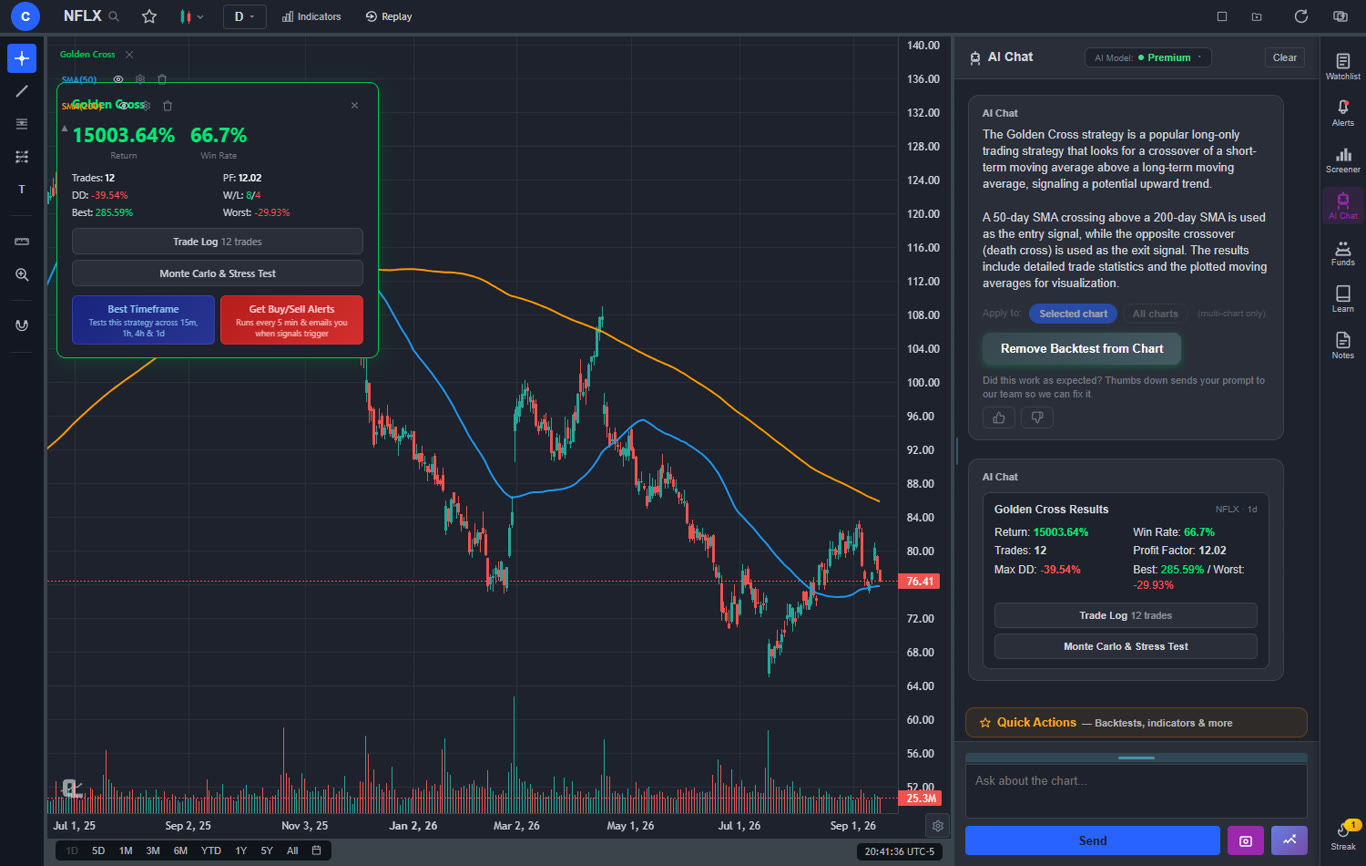
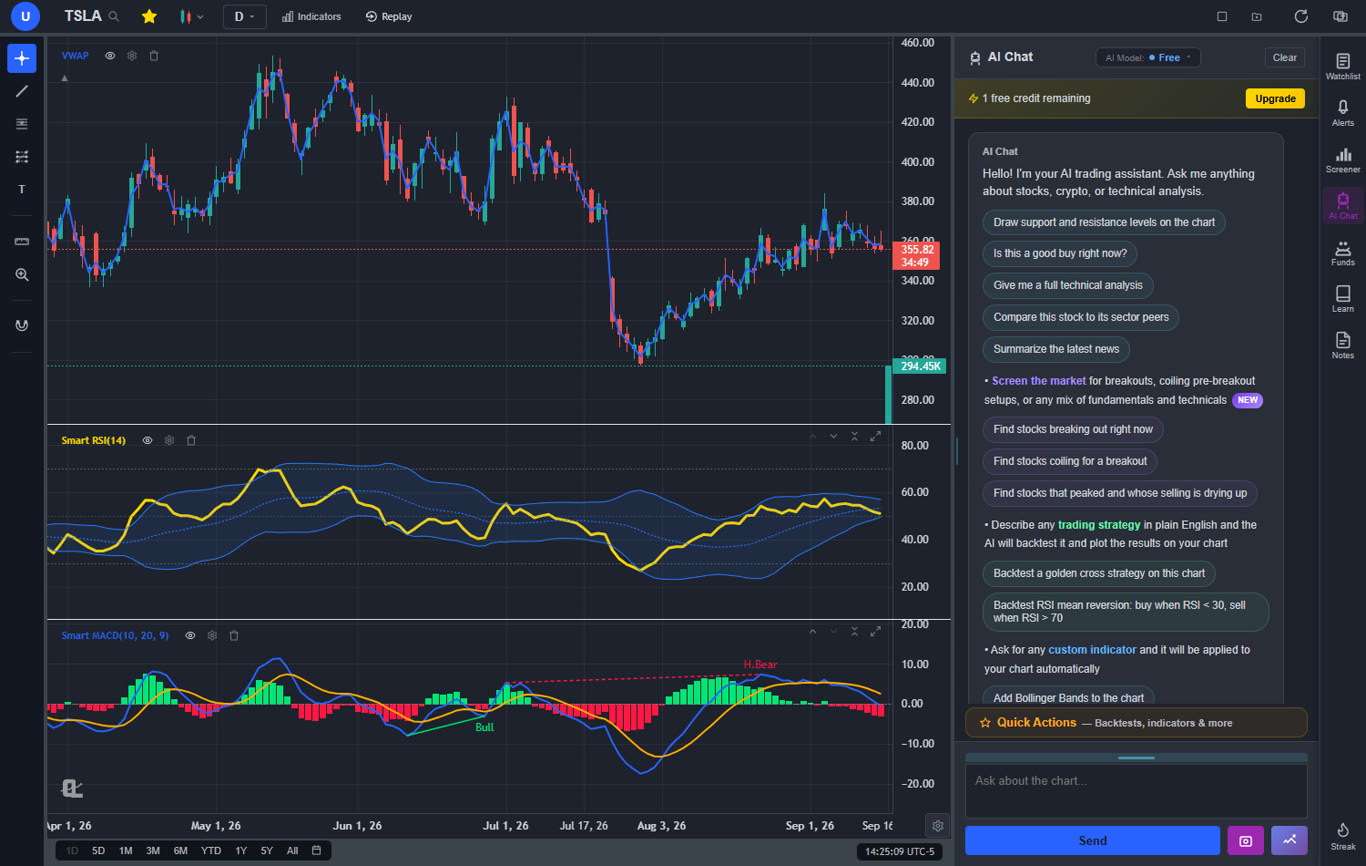
The gap between the two shows up fastest in the AI tooling. ChartingLens runs AI buy/sell signals that scan 2,000+ stocks every day and surface setups you'd never find flipping through charts by hand. The AI assistant is conversational: ask it about any ticker and it answers with analysis while drawing support and resistance directly on your chart. Automatic pattern recognition flags 13+ patterns in real time, from head and shoulders to bull flags. Moomoo has nothing comparable at any price. And where Moomoo gives you no way to know if your setup actually works, ChartingLens ships an institutional-grade strategy builder and backtesting engine that takes plain English. Type "buy when the 9 EMA crosses above the 21 EMA and RSI is under 60," get win rate, return, and drawdown on real history. No code, no exports.
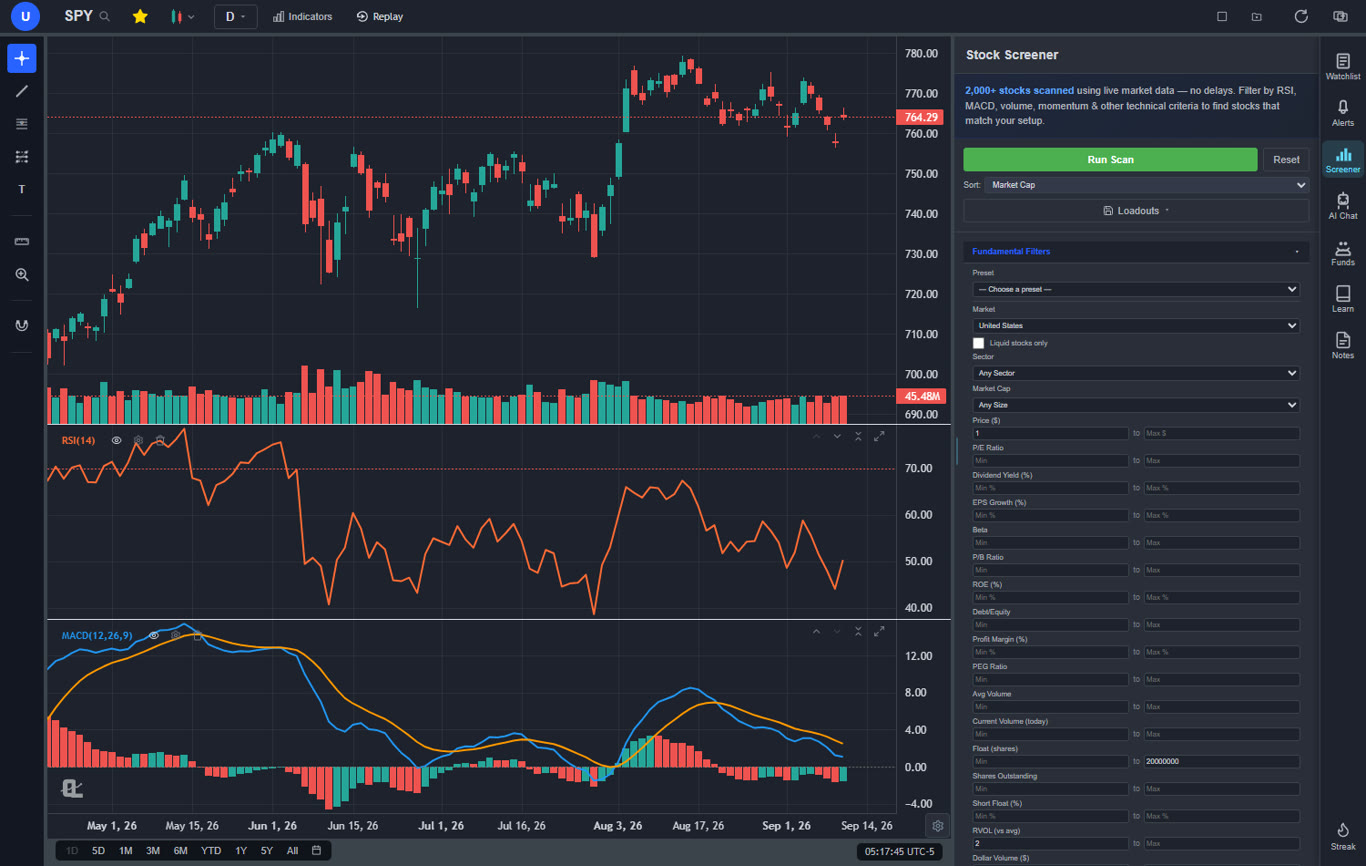
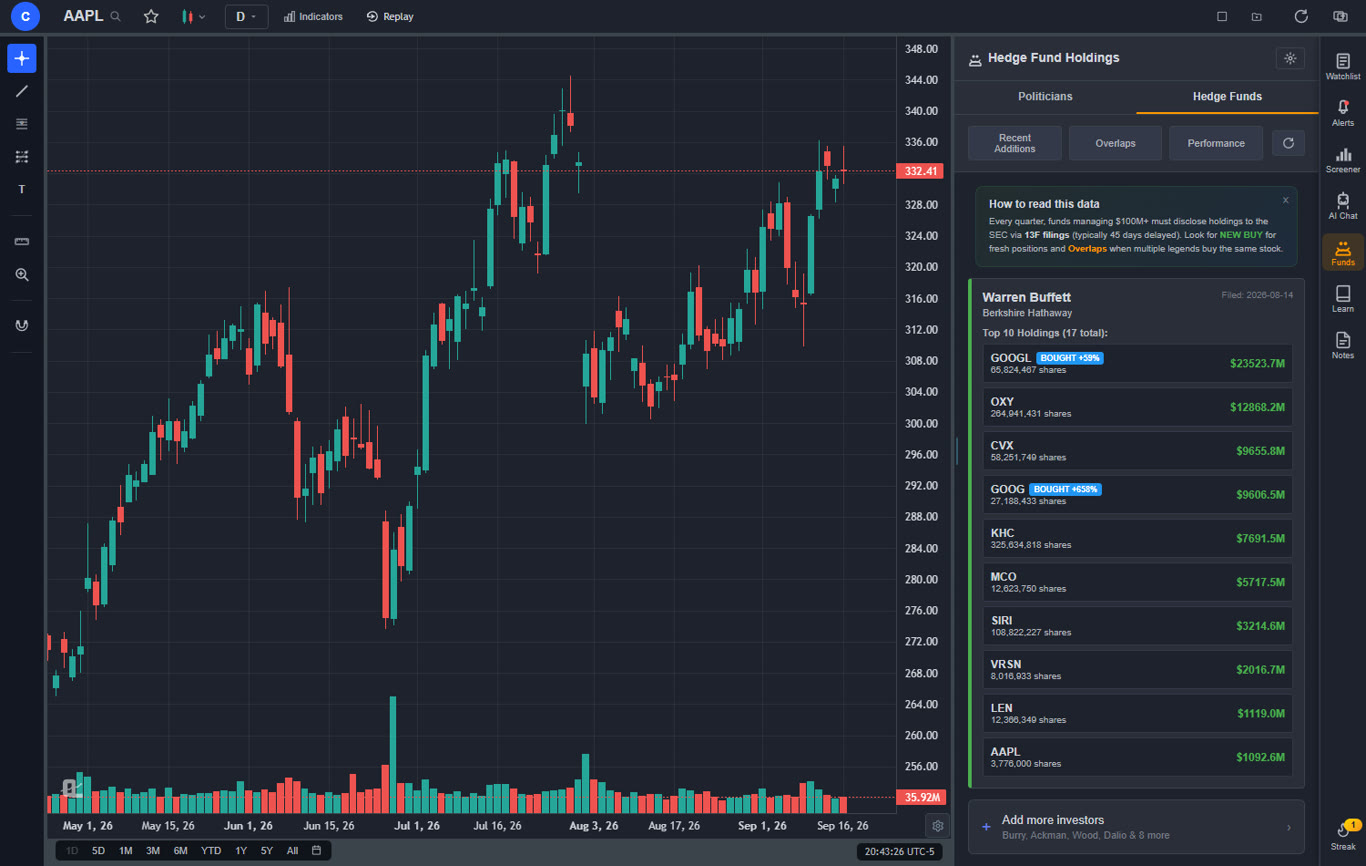
The rest of the toolkit covers everything else Moomoo users go looking for elsewhere: real-time data for stocks, crypto, forex, and metals on the free tier, a large indicator library (3 indicators per chart on Free, unlimited on Premium), insider trading data shown in a dedicated Insider Trading panel under the chart, hedge fund holdings for Warren Buffett, Michael Burry, and other big managers (Premium), a screener plus the proprietary CL Score rating, and a bar replay simulator with paper trading (Premium) so you can practice setups on historical data with a live P&L. There are no ads on any tier. Premium is $14.99 a month and adds Volume Profile, custom strategy backtests, custom timeframes, and expanded AI analysis, and there's a Pro tier at $29.99 for unlimited everything.
Pros
AI buy/sell signals scanning 2,000+ stocks daily
AI assistant draws support and resistance for you
Auto pattern recognition (13+ patterns)
Plain-English backtesting, no coding
Insider trading data in a panel under the chart
Hedge fund holdings (Buffett, Burry, and more)
Real-time stocks, crypto, forex, metals on free tier
a large indicator library (3 per chart on Free, unlimited on Premium)
Bar replay simulator with paper trading
Screener plus CL Score ratings
Works alongside any broker, including Moomoo
No ads, no promo clutter
Pine Script and thinkScript conversion - paste an indicator written for TradingView or thinkorswim and it becomes a live native indicator on your chart (Premium)
Stocks, ETFs, crypto, forex, metals, and index and commodity CFDs (US30, US500, NAS100, oil, gold) in one search bar
25 daily AI buy signals with a public, forward-tested track record and a trade plan (entry, stop, target) on every signal
Backtests include a Monte Carlo stress test and intrabar exits, built from a plain-English strategy description
Free interactive courses drawn on real charts, plus a notes and journal panel
Cons
Not a broker: no order execution, so you keep a separate brokerage
Web-based only, no desktop install
Best for: Traders who've outgrown Moomoo's analysis tools and want AI signals, real backtesting, insider data, and clean charts, while keeping their existing broker for execution.
If your complaint with Moomoo is the experience rather than the concept, Webull is the obvious first stop. It's the same species of product: commission-free stocks and options, a capable mobile app, a desktop platform, paper trading, and periodic signup bonuses. The difference is polish. Webull's interface is noticeably cleaner and less promotional, and most people find it easier to learn.
Charting on Webull is good for a broker app, with a healthy indicator list and multi-timeframe layouts. Like Moomoo, though, deeper market data sits behind subscriptions once promotional periods lapse, and the analysis ceiling is similar: standard indicators, no AI, no meaningful backtesting. Webull replaces Moomoo's trading experience; it doesn't upgrade the research experience. Plenty of traders run Webull for execution with a dedicated analysis platform on the second monitor. We compare more options in our Webull alternatives guide.
Pros
Commission-free stocks and options
Cleaner, easier interface than Moomoo
Good mobile and desktop apps
Paper trading included
Extended-hours trading
Cons
Same analysis ceiling as Moomoo: no AI, no real backtesting
Full market data requires subscriptions after promos
Research content is thin
Best for: Traders who want Moomoo's commission-free model with a cleaner, less cluttered experience.
3. TradingView: Best Pure Charting Depth
TradingView$14.95–$59.95/mo
TradingView is the biggest name in charting for a reason: 400+ built-in indicators, thousands of community scripts through Pine Script, and coverage of practically every market on earth. If Moomoo's charts feel like a toy to you, TradingView is the deep end of the pool. It also integrates with several brokers so you can trade from the chart.
The catches are cost and complexity. The free tier allows one indicator per chart, which makes it more of a demo than a working tool, and the features most active traders want (multiple charts, more indicators, second-based intervals, faster data) climb through paid tiers up to $59.95 a month. There's also no AI analysis layer: TradingView gives you world-class manual tools and expects you to do all the work. If you're deciding between it and other options, our TradingView alternatives guide goes deeper.
Pros
400+ indicators plus community scripts
Pine Script for custom indicators and strategies
Massive community and idea sharing
Broker integrations for chart trading
Covers nearly every global market
Cons
Free tier limited to 1 indicator per chart
Useful features gated across multiple paid tiers
No AI signals or AI assistant
Backtesting requires learning Pine Script
Best for: Chart-obsessed traders who want maximum indicator depth and are happy doing fully manual analysis.
4. Thinkorswim: Best Professional Desktop Platform
Thinkorswim (Schwab)Free with Schwab account
Thinkorswim is what Moomoo's desktop app wants to be when it grows up. With a free Schwab account you get a genuinely professional desktop platform: 300+ studies, the thinkScript language for custom indicators, serious options analytics, real backtesting through its strategy tools, and the excellent paperMoney simulated trading environment.
The tradeoff is weight. Thinkorswim has a real learning curve, the interface shows its age, and casual traders can drown in it. It's also desktop-first; the mobile app is fine but not the point. If you want maximum professional capability at zero dollars and don't mind investing a few weekends learning it, this is the strongest free package on this list.
Pros
Professional-grade platform, completely free
300+ studies plus thinkScript scripting
Best-in-class options analytics
paperMoney simulator is excellent
Backed by Schwab's full brokerage
Cons
Steep learning curve
Dated, dense interface
No AI features
Requires opening a Schwab account
Best for: Serious traders, especially options traders, who want professional desktop tools without paying for them.
5. Interactive Brokers: Best for Global Markets
Interactive BrokersIBKR Lite free / Pro tiered
One thing Moomoo genuinely offers is access beyond US markets, so if that's why you're there, Interactive Brokers is the upgrade. IBKR reaches 150+ markets worldwide, offers some of the lowest margin rates in the industry, and is the default choice for traders who treat this as a profession. IBKR Lite gives US traders commission-free stock trades, while Pro uses tiered pricing that stays cheap for active traders.
The honest downside: nobody has ever called IBKR fun. Trader Workstation is powerful and looks like tax software, account setup asks a lot of questions, and the whole experience is built for function over comfort. Pair it with a modern analysis platform and you get the best of both worlds: institutional-grade execution with charts you actually enjoy using.
Pros
150+ global markets, real international access
Among the lowest margin rates anywhere
IBKR Lite: commission-free US stocks
Excellent execution quality
Every asset class under one roof
Cons
Trader Workstation is intimidating
Utilitarian charts and interface
No AI features
Onboarding takes effort
Best for: Traders who need global market access and professional execution, and don't need the platform to be pretty.
6. Robinhood: Simplest Commission-Free Trading
RobinhoodFree / Gold $5/mo
Robinhood is the opposite cure for Moomoo fatigue: instead of more features, radically fewer. The app remains the cleanest way to buy a stock in about four taps, and the free Legend desktop platform has quietly grown into respectable charting territory. Gold at $5 a month adds better data, higher instant deposits, and a competitive yield on idle cash.
You give up depth for that simplicity. Research is minimal, the analysis tools even with Legend trail dedicated platforms, and there's no paper trading. Robinhood works best as a frictionless execution layer with your research done elsewhere. Our Robinhood alternatives guide covers the reverse migration if you're headed the other way.
Pros
Cleanest, fastest trading experience
Legend desktop charting is free
Gold is cheap and genuinely useful
Fractional shares, crypto, and retirement accounts
Cons
Minimal research and analysis depth
No paper trading
No AI analysis tools
Options flow is simple by design
Best for: Traders who found Moomoo overwhelming and want the simplest possible execution app.
7. Fidelity: Best Full-Service Option
FidelityFree
If part of leaving Moomoo is wanting a broker you'd trust with your whole financial life, Fidelity is the grown-up answer. Commission-free stock trades, consistently excellent order execution (a bigger deal for your returns than most people realize), deep third-party research, and the free Active Trader Pro desktop platform for charting. Add best-in-class retirement accounts and cash management and it's the one login that can hold everything.
The active-trading experience is more conservative than Moomoo's. Active Trader Pro is capable but dated, there's no paper trading, crypto access is limited, and nothing about the platform is aimed at the fast-twitch trader. Fidelity is where the boring, important stuff is done extremely well.
Pros
Excellent execution quality
Deep research from multiple providers
Active Trader Pro is free
Best-in-class retirement and cash accounts
Fractional shares
Cons
Dated active-trading tools
No paper trading
Limited crypto
No AI analysis features
Best for: Traders consolidating toward one trustworthy broker for investing, trading, and retirement.
8. Tastytrade: Best for Options Traders
TastytradeLow per-contract, capped
If you mostly used Moomoo for options, Tastytrade deserves a look. The platform was designed by options traders for options traders: fast strategy construction, clear visualization of probabilities and risk, and a commission structure with caps that gets cheaper the more legs you trade. The attached education content is legitimately good rather than promotional filler.
It's a specialist tool. Stock charting is serviceable at best, there's no AI, and if options aren't the core of your trading the platform's whole design philosophy will feel misaimed. For dedicated options traders, though, few platforms respect your workflow more. If that's you, also see our roundup of the best options trading tools and scanners.
Pros
Purpose-built for options strategies
Capped commissions favor multi-leg trades
Great probability and risk visualization
Strong free education content
Cons
Stock charting is basic
Niche appeal outside options
No AI features
Best for: Traders whose Moomoo usage was mostly options and who want a platform that takes options seriously.
Where Moomoo Falls Short in 2026
To be fair to Moomoo: free Level 2 for funded accounts, overnight trading on many names, and a real desktop app are genuine strengths, and for some traders it remains a fine choice. But the recurring complaints are consistent enough to name:
The interface works against you. Promotions, points, badges, and banners everywhere. The app often feels like it's marketing to you first and serving you second, and dense menus bury the tools you actually use.
"Free" data has a shelf life. Much of the market data that feels included is a promotional subscription. When promos expire, keeping full data (especially for international markets) becomes a recurring cost that's easy to miss until it bills.
Analysis stops at indicators. Standard indicators and drawings, then a wall. No AI signals, no automated pattern detection, no plain-language backtesting, no insider or institutional-holdings analysis with real depth. In 2026 that's a meaningful gap; our guide on tools that improve trading accuracy shows what the modern stack looks like.
Support is hit or miss. A common thread in user reviews for years: when something goes wrong with a transfer or a data subscription, resolution can be slow.
Jack of all trades, master of none. Moomoo tries to be broker, charting platform, community, and news feed at once. Traders who get serious about any one of those usually find a dedicated tool does it better.
How to Choose the Right Moomoo Alternative
Start with what you're actually trying to replace:
The analysis tools felt shallow: ChartingLens. AI signals, pattern recognition, insider data, and plain-English backtesting, on top of clean real-time charts. Keep any broker you like for execution.
You want the same thing, but cleaner: Webull. Like-for-like commission-free broker with less clutter.
You want maximum charting depth and don't mind manual work: TradingView.
You want professional desktop power for free: Thinkorswim with a Schwab account.
You need global markets and pro execution: Interactive Brokers.
You want dead simple: Robinhood.
You want one trustworthy home for everything: Fidelity.
You mostly trade options: Tastytrade.
And remember the combination play: most serious setups in 2026 are a broker for execution plus a dedicated platform for analysis. That's the pairing Moomoo tries to collapse into one app, and it's exactly the seam where it comes apart.
Frequently Asked Questions
It depends on what you're replacing. If you're leaving because the analysis tools feel shallow, ChartingLens is the strongest upgrade: AI buy/sell signals scanning 2,000+ stocks daily, an AI assistant that draws support and resistance, auto pattern recognition, insider trading data, hedge fund holdings, and a plain-English backtester, with a generous free tier and no ads. If you want another all-in-one broker with similar commission-free trading, Webull is the closest like-for-like replacement.
They're closer than fans of either admit. Both offer commission-free trading, decent mobile charts, paper trading, and signup perks. Moomoo's desktop app and free Level 2 for funded accounts give it an edge for active traders; Webull's interface is cleaner and easier to learn. Many traders pick whichever has better promotions at signup, then do their real research on a dedicated analysis platform like ChartingLens either way.
Yes. ChartingLens is an analysis and charting platform, not a broker, so it works alongside any brokerage including Moomoo, Webull, Robinhood, Schwab, or Interactive Brokers. Research, screening, charting, and backtesting happen on ChartingLens; trades execute wherever your money already sits. Many traders prefer this split because their analysis tools are never held hostage by their broker choice.
ChartingLens, TradingView, and thinkorswim all offer deeper charting than Moomoo. ChartingLens adds the AI layer Moomoo lacks entirely: automated pattern recognition for 13+ patterns, AI-drawn support and resistance, daily AI buy/sell signals, and plain-English backtesting. TradingView has the largest raw indicator library with Pine Script. Thinkorswim brings professional desktop tools free with a Schwab account.
Several. ChartingLens has a free tier with real-time stocks, crypto, forex, and metals, a large indicator library, AI signals, and insider trading data, with no ads (hedge fund holdings are on Premium). On the broker side, Webull and Robinhood are free with commission-free trades, and thinkorswim is free with a Schwab account. The strongest free setup is usually a free broker for execution plus ChartingLens for analysis.
The most common complaints: a cluttered, promotion-heavy interface, market data that's free during promo periods but becomes a paid subscription later, analysis tools that stop at standard indicators with no AI capabilities, and inconsistent customer support. Moomoo still has real strengths, like free Level 2 for funded accounts and a proper desktop app, but traders who outgrow its analysis layer tend to move their research elsewhere first, then sometimes their whole account.
Conclusion: Match the Alternative to What You Actually Miss
Moomoo's pitch is everything in one app, and for newer traders that pitch holds up fine. The problem is that "everything" is spread thin. The brokerage is fine but not the cleanest, the data is free until it isn't, and the analysis tools plateau exactly when you start needing them to go deeper.
So pick the alternative that fixes your specific frustration. If it's execution and interface, Webull or Robinhood will feel like fresh air. If it's professional depth, thinkorswim and Interactive Brokers are waiting. If it's trust and consolidation, Fidelity. If it's options, Tastytrade.
And if the real issue is that Moomoo never helped you find or validate trades, that's the gap ChartingLens was built for. AI signals scanning 2,000+ stocks daily, an assistant that marks up your charts, automated pattern recognition, insider and hedge fund data, and an institutional-grade backtesting engine that speaks plain English. The free tier has no ads and no expiring data promos, and it works next to whatever broker you keep. Try it side by side with Moomoo for a week and see which one you open first.
AI signals, pattern recognition, insider data and preset strategy backtests free, with hedge fund holdings and custom plain-English backtests on Premium, no ads and no expiring data promos. Keep your broker.