Benzinga Pro alternatives are trading platforms that deliver real-time news, scanning, options flow, or full chart analysis as replacements for Benzinga Pro's news terminal. Traders look for alternatives because Benzinga Pro's pricing scales quickly — from roughly $37/month (billed annually) for Essential to $197+/month for full feeds — while the platform offers minimal charting, no backtesting, and a value proposition built almost entirely around news.
The 8 best Benzinga Pro alternatives in 2026, ranked:
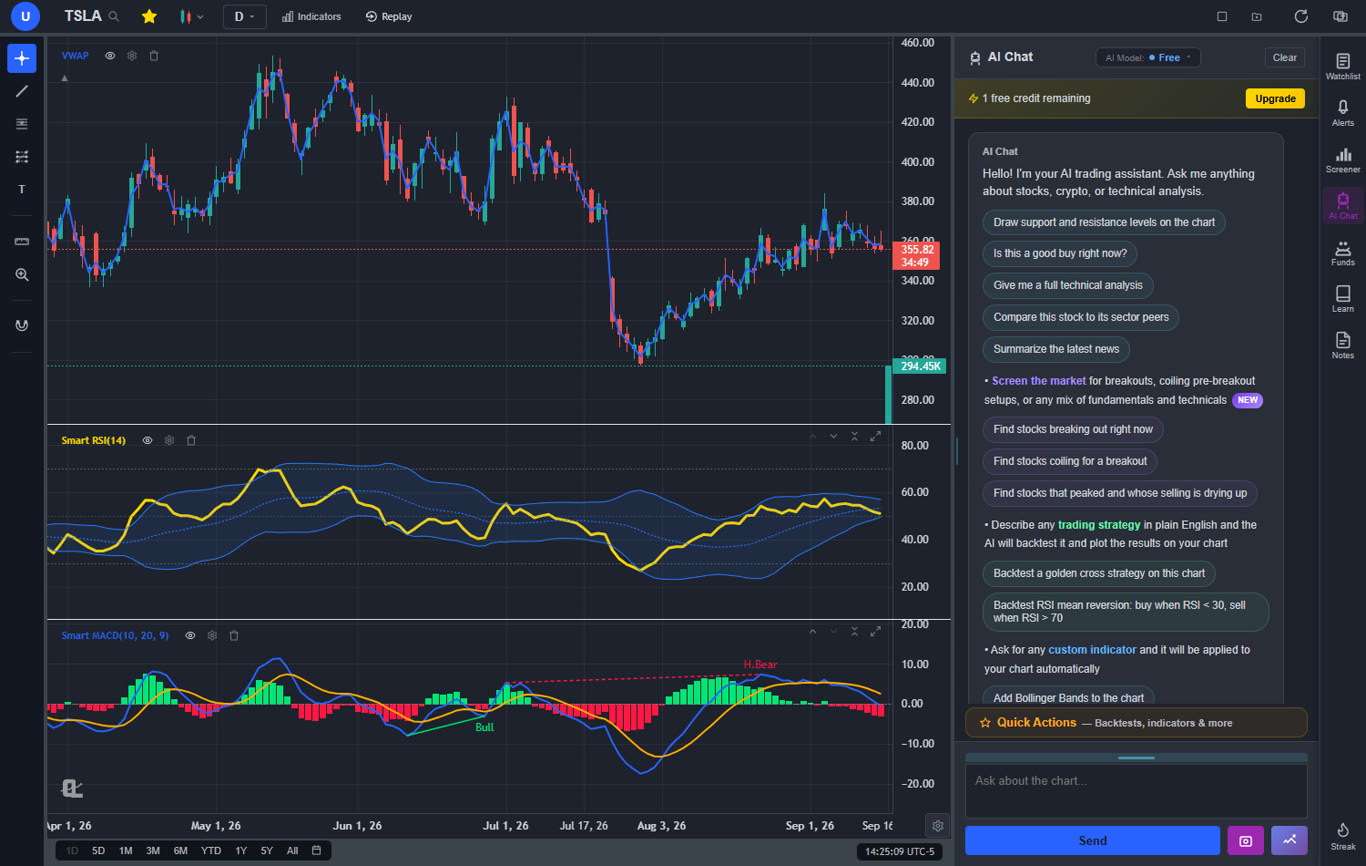
ChartingLens — Best overall: a full modern charting platform with integrated news and sentiment, AI trading assistant, AI signals, screener, alerts, and an institutional-grade backtesting engine. Free tier available.
Trade Ideas — Best for AI-powered scanning and momentum alerts. $89–$178/mo.
TrendSpider — Best for automated technical analysis with news context. $22–$79+/mo.
FlowAlgo — Best for options flow and unusual activity. ~$99–$149/mo.
Finviz Elite — Best budget screener with news aggregation. $39.50/mo.
StocksToTrade — Best all-in-one for momentum day traders. ~$179.95/mo.
Moomoo — Best free news and Level 2 data. Free with a brokerage account.
TradingView — Best charting community; news is secondary. $14.95–$59.95/mo.
Why Traders Look Beyond Benzinga Pro
Benzinga Pro earned its place on trading desks by doing one thing extremely well: getting headlines to traders fast. The squawk audio feed reads breaking news aloud so you never miss a catalyst while watching charts. The newsfeed supports sentiment and keyword filters, so you can watch only the tickers and topics that matter to your strategy. Add unusual options activity alerts, earnings and economic calendars, and a basic screener, and you have a legitimate real-time news terminal for retail traders — something that simply did not exist at this price point a decade ago.
But three problems push traders to look for alternatives in 2026. The first is price scaling. Essential starts at roughly $37 per month billed annually, but the tiers climb quickly — full news feeds, audio squawk, and complete calendar access push the cost to $197 per month and beyond. For a tool that covers only one part of the trading workflow, that is a serious line item. The second is minimal charting. Benzinga Pro's charts are an afterthought — a small indicator set, limited interactivity, and nothing resembling the analysis tools on a dedicated charting platform. The third is that it is a single-purpose tool. There is no backtesting, no strategy building, no AI analysis, and no way to test whether the catalysts you trade actually produce profitable setups. Most Benzinga Pro subscribers end up paying for a second platform anyway.
That last point is the real issue. News is context, not a complete workflow. The question worth asking is not "which news terminal should I buy?" but "which platform gives me news and the analysis layer I need to act on it?" This guide ranks 8 alternatives across that spectrum — from all-in-one platforms with integrated news to specialist tools for scanning, options flow, and screening.
What to Look For in a Benzinga Pro Alternative
Not every trader needs the same replacement. Evaluate alternatives on four dimensions:
News latency: If your edge is literally being first to a headline — trading halts, FDA decisions, M&A rumors — raw speed matters and few tools match a dedicated terminal. Be honest about whether your strategy actually depends on sub-second latency or whether near-real-time news integrated into your workflow serves you better.
Filtering and signal quality: A raw firehose of headlines is noise. Look for sentiment scoring, keyword and watchlist filters, and — increasingly in 2026 — AI that separates market-moving news from press-release filler. Broader market sentiment context matters too: the same headline trades very differently in a fearful market than a greedy one.
Integration with charts: The workflow cost of alt-tabbing between a news terminal and a charting platform is real. Platforms that put news, sentiment, and price action in one workspace let you evaluate a catalyst against the technical picture in seconds instead of juggling windows.
Total cost: Count the whole stack. Benzinga Pro at $197/month plus a separate charting subscription plus a screener adds up fast. An all-in-one platform — or a free tier that covers most of the workflow — can cut the total by hundreds of dollars a month.
At a Glance: All 8 Benzinga Pro Alternatives Compared
Here is how all 8 platforms compare on positioning, standout capability, and entry price.
Scroll horizontally to see all columns →
Platform
Best For
Standout Feature
Starting Price
ChartingLens
All-in-one charting + news + AI analysis
AI trading assistant that reads the live chart, with integrated news & sentiment
Holly AI generates trade ideas from live market scans
$89/mo
TrendSpider
Automated technical analysis
Auto trendlines and multi-timeframe analysis
$22/mo
FlowAlgo
Options flow & unusual activity
Real-time smart-money order flow and dark pool prints
~$99/mo
Finviz Elite
Budget screening + news aggregation
Iconic heat maps and comprehensive screener filters
$39.50/mo
StocksToTrade
Momentum / low-float day trading
Oracle scanner + built-in news for in-play stocks
~$179.95/mo
Moomoo
Free news + Level 2 data
Free Level 2 depth and real-time news with a brokerage account
Free
TradingView
Charting community; news secondary
400+ indicators and Pine Script scripting
$14.95/mo
In-Depth Reviews of All 8 Benzinga Pro Alternatives
1. ChartingLens — Best Overall Benzinga Pro Alternative
ChartingLensFree tier + paid plans
ChartingLens is a well-established, full modern charting platform with a large active user base — and it inverts Benzinga Pro's model. Instead of a news terminal with minimal charts bolted on, it is a complete analysis workspace with market news and sentiment analysis integrated directly into the charting workflow. When a headline hits one of your tickers, you are not reading it in a separate terminal and then alt-tabbing to a chart — the news, the sentiment read, and the price action are already in the same view. For the majority of traders who use news as context for a setup rather than as the trade trigger itself, this is a fundamentally better workflow than a standalone feed.
The analysis layer is where ChartingLens pulls far ahead of anything Benzinga Pro offers at any price. The AI trading assistant reads the live chart and explains what is happening — ask why a stock is moving and it answers with the technical picture in front of it. AI signals and automatic pattern recognition surface setups across the market, and 40+ free technical indicators cover everything from moving averages to volume studies. Then there is the feature category Benzinga Pro simply does not have: a plain-English, no-code strategy builder backed by an institutional-grade backtesting engine. Instead of guessing whether a news-driven setup works, you describe the strategy in normal language and test it against historical data. A bar-replay simulator lets you practice the execution side on past sessions before risking capital.
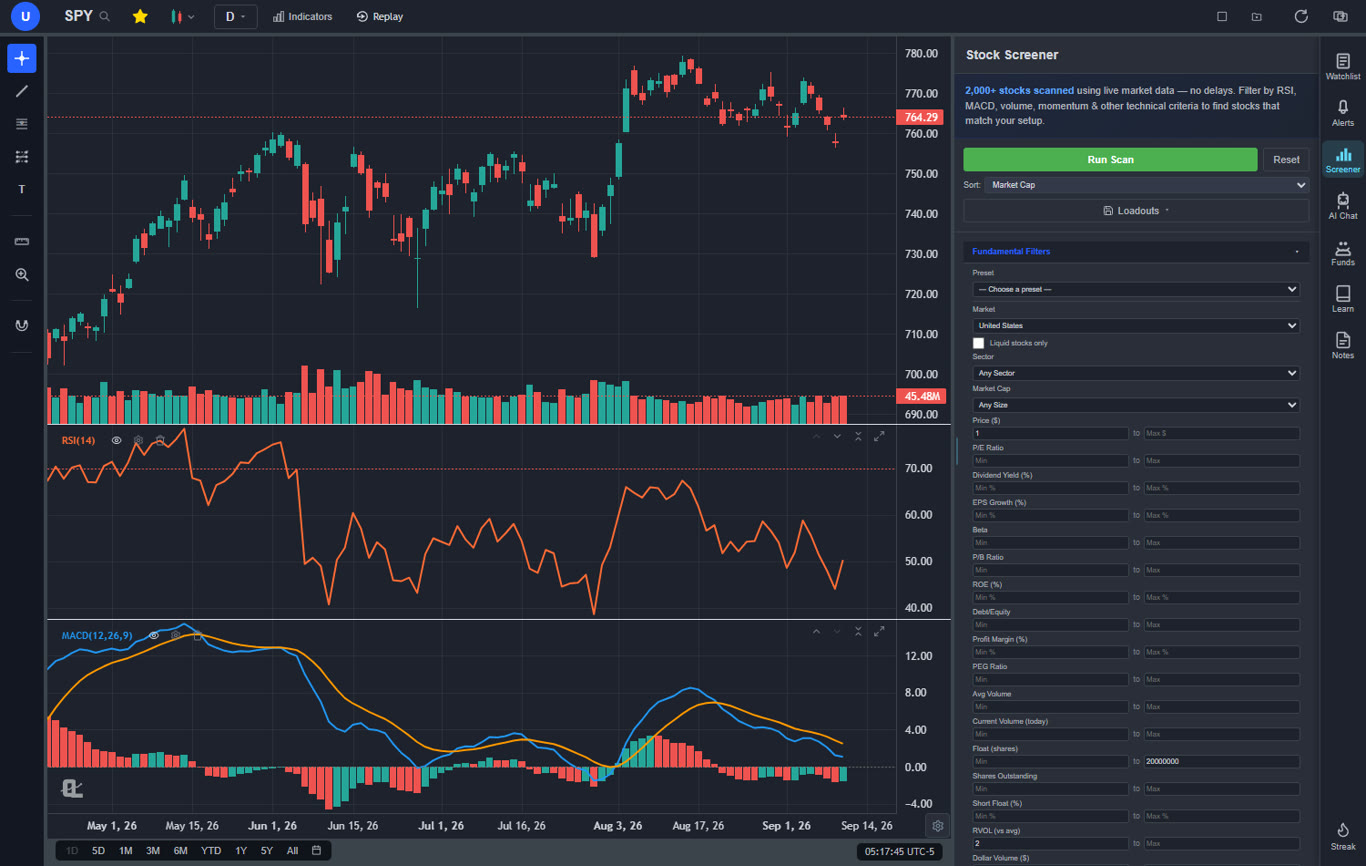
The rest of the workflow is covered too: a stock screener for finding candidates, watchlists and price alerts for monitoring them, and insider-trading plus superinvestor (13F) tracking for following what executives and major fund managers are actually buying — a research angle Benzinga Pro does not touch. Multi-market coverage spans US stocks, crypto, forex and metals, and international markets, where Benzinga Pro is overwhelmingly US-equity focused. And critically, there is a genuinely useful free tier, with paid plans (see current pricing) that cost a fraction of Benzinga Pro's upper tiers. What ChartingLens does not replicate is the squawk: there is no audio news feed, so pure headline-scalpers who trade with their ears will still want a dedicated terminal.
Pros
Integrated market news and sentiment analysis inside the chart workflow
AI trading assistant that reads the live chart and explains moves
AI signals and automatic pattern recognition
40+ free technical indicators on fully interactive charts
Plain-English no-code strategy builder
Institutional-grade backtesting engine
Bar-replay simulator for practicing execution
Stock screener, watchlists, and price alerts
Insider-trading and superinvestor (13F) tracking
Multi-market: US stocks, crypto, forex & metals, international
Free tier; paid plans well below Benzinga Pro's upper tiers
Pine Script conversion — paste any Pine Script indicator and it becomes a live native indicator on your chart (Premium)
Stocks, ETFs, crypto, forex, metals, and index and commodity CFDs (US30, US500, NAS100, oil, gold) in one search bar
25 daily AI buy signals with a public, forward-tested track record and a trade plan (entry, stop, target) on every signal
Backtests include a Monte Carlo stress test and intrabar exits, built from a plain-English strategy description
Free interactive courses drawn on real charts, plus a notes and journal panel
Cons
No audio squawk feed for headline scalpers
No unusual options activity feed like Benzinga Pro
No direct broker execution or order routing
Best for: Traders who want news and sentiment integrated into a full charting and analysis workflow — with AI signals, a screener, alerts, and institutional-grade backtesting — instead of paying terminal prices for headlines alone.
Get News, Charts, and AI Analysis in One Platform
Integrated news and sentiment, an AI assistant that reads your live chart, AI signals, a screener, alerts, and institutional-grade backtesting — free to start, no credit card needed.
2. Trade Ideas — Best for AI-Powered Scanning & Momentum Alerts
Trade Ideas$89–$178/mo
Trade Ideas approaches the same problem as Benzinga Pro — finding tradeable events fast — from the opposite direction. Instead of streaming headlines and letting you decide what matters, its scanning engine watches the entire market algorithmically and surfaces stocks that are moving in unusual ways, with news as supporting context rather than the primary signal. The flagship Holly AI runs dozens of strategies against live market data and publishes entry and exit ideas throughout the session. For momentum traders, this is arguably more actionable than a raw newsfeed: the scanner catches the move whether or not a headline explains it yet.
The channel-based alert windows are deeply configurable — gappers, high relative volume, halts, new highs, unusual options activity — and the platform includes backtesting via its OddsMaker tool, simulated trading, and broker integration for automated execution. Where Benzinga Pro tells you what happened, Trade Ideas tries to tell you what to do about it, which is a meaningful step up the value chain for systematic day traders.
The catch is cost and focus. Standard runs $89 per month and Premium — which unlocks Holly AI and the backtester — is $178 per month, meaning a full year of Trade Ideas Premium costs more than $2,000. Charting is serviceable but not the draw, the interface has a dated, dense, Windows-native feel, and the platform is squarely US-equities-only. It also does not replace the news terminal function: headlines appear as context in scanner windows, not as a filterable, low-latency feed you would trade from directly.
Pros
Holly AI generates live entry/exit trade ideas
Extremely configurable real-time scanners
OddsMaker backtesting for scan strategies
Simulated trading and broker integration
Catches moves before headlines explain them
Cons
Expensive: $89–$178/mo
Holly AI and backtesting locked to the top tier
Dated, dense interface with a learning curve
Charting is basic; US equities only
News feed is context, not a low-latency terminal
Best for: Systematic momentum and day traders who want an AI scanning engine to find in-play stocks — and are willing to pay terminal-level prices for it.
3. TrendSpider — Best for Automated Technical Analysis
TrendSpider$22–$79+/mo
TrendSpider is the strongest choice for Benzinga Pro users whose real frustration is the charting. Its core value is automation of manual technical analysis: trendlines are detected and drawn automatically across timeframes, Fibonacci levels auto-calculate, candlestick patterns are flagged in real time, and multi-timeframe analysis overlays daily, weekly, and monthly structure on a single chart. A news and events layer plots headlines and earnings directly on price action, so you can see how a stock historically reacted to similar catalysts — a genuinely useful bridge between news and technicals.
Smart alerts fire on technical conditions rather than simple price crosses — price touching an auto-detected trendline, a pattern completing at support — and the strategy tester lets you validate rule-based ideas against history. For a trader graduating from "read headline, guess reaction" to "read headline, check the technical context, act on a tested setup," TrendSpider provides most of the analytical machinery.
The trade-offs: there is no free tier, and while entry pricing around $22 per month (billed annually) undercuts Benzinga Pro Essential, the plans most active traders want run $40–$79+ per month. It is technicals-first — the news layer is context on the chart, not a streaming terminal, and there is no squawk, no sentiment-filtered feed, and no options flow. There is also no conversational AI assistant; automation here means auto-drawn analysis, not explanations.
Pros
Automated trendlines, Fibonacci, and pattern detection
News and earnings plotted directly on charts
Multi-timeframe analysis on one view
Smart alerts on technical conditions
Strategy testing built in
Cons
No free tier
Useful plans cost $40–$79+/mo
No streaming news terminal or squawk
No sentiment-filtered feed or options flow
Learning curve for the automation tools
Best for: Technical traders who want news plotted in chart context and their trendline/pattern work automated — and who do not need a live headline terminal.
4. FlowAlgo — Best for Options Flow & Unusual Activity
FlowAlgo~$99–$149/mo
If the feature that sold you on Benzinga Pro was its unusual options activity feed, FlowAlgo is that feature turned into an entire product — and executed at a much deeper level. The platform tracks options order flow in real time and flags "smart money" activity: large sweeps, block trades, repeat sweeps on the same contract, and dark pool prints. Each alert carries the details that matter — premium spent, aggressiveness relative to the bid/ask, expiry, and whether the position is being opened. For traders who follow institutional positioning as a leading indicator, this is a dramatically richer signal than a general-purpose news terminal's options widget.
The workflow is simple by design: a streaming table of flow, filters by ticker, premium size, and trade type, and alerting to keep you on top of repeat activity. FlowAlgo also surfaces momentum via its own scanner and levels tools, but flow is the product — most subscribers run it alongside a charting platform rather than instead of one.
That narrowness is the main caveat. At roughly $99–$149 per month depending on billing (with promotional rates common), FlowAlgo costs as much as a mid-tier Benzinga Pro subscription while covering a single slice of the workflow. There is no real newsfeed, no meaningful charting, no screener beyond flow, and no backtesting to verify that following any given flow signal is actually profitable. It is a specialist instrument: powerful in its lane, dependent on other tools for everything else.
Flow signals require interpretation and a second platform
Best for: Options traders who trade institutional order flow and unusual activity as a primary signal — and already have a charting platform for everything else.
💡 Cost Check
Stacking a news terminal, a scanner, and a charting subscription can easily run $250+/month. ChartingLens covers integrated news and sentiment, AI signals, a screener, alerts, and institutional-grade backtesting in one platform — and you can start free right now, then compare plans when you outgrow the free tier.
5. Finviz Elite — Best Budget Screener with News Aggregation
Finviz Elite$39.50/mo
Finviz Elite is the value pick for traders who used Benzinga Pro mainly to keep a finger on the market's pulse. The free tier is already famous for its sector heat maps and the most comprehensive stock screener filters in the retail space; Elite at $39.50 per month (notably cheaper billed annually) adds real-time quotes, advanced charts with auto-drawn patterns, correlation tools, and a customizable news feed aggregated from dozens of publishers with per-ticker filtering. For roughly the price of Benzinga Pro Essential, you get a dramatically stronger screener and a serviceable news layer.
The screening-to-news workflow is where Finviz shines: filter thousands of stocks by fundamental and technical criteria, glance at the heat map to see where money is rotating, then scan aggregated headlines for the names that pass your screen. Insider transaction tables add a research angle Benzinga Pro lacks. We cover the platform's full strengths and gaps in our Finviz alternatives guide.
The limitations are the flip side of the price. Finviz aggregates news rather than breaking it — headlines arrive from source publications, not a low-latency wire, and there is no squawk, no sentiment scoring, and no keyword-filtered streaming feed. Alerts are basic email notifications, charting interactivity is limited even on Elite, and there is no backtesting or AI analysis of any kind. Finviz Elite replaces Benzinga Pro's screener and calendars with something better, but only approximates its news terminal.
Pros
Best-in-class screener filters
Iconic sector heat maps
Aggregated per-ticker news feeds
Insider transaction tables
$39.50/mo — cheaper annually
Cons
News is aggregated, not low-latency
No squawk, sentiment scoring, or keyword streams
Basic email-only alerts
Limited chart interactivity
No AI features or backtesting
Best for: Screening-first traders who want market-wide visibility and per-ticker news at a budget price — and do not need headline speed.
6. StocksToTrade — Best All-in-One for Momentum Day Traders
StocksToTrade~$179.95/mo
StocksToTrade was built for a specific archetype: the momentum day trader hunting low-float runners, gappers, and news-driven spikes. It bundles the pieces that trader needs into one desktop platform — real-time scanners (including the add-on Oracle scanner that ranks the day's strongest momentum candidates), a built-in news and social feed per ticker, charts with the common technical indicators, watchlists, and paper trading to practice without capital at risk. Unlike Benzinga Pro, the news here is wired directly into the scanning workflow: when a stock hits the scanner, its headlines and chatter are one click away.
For traders in the small-cap momentum niche, that integration is the pitch — it is the workflow Benzinga Pro users typically assemble from two or three tools, in one window. The platform also layers on education and community features aimed at newer traders learning the momentum playbook.
The costs are significant, in both senses. At roughly $179.95 per month (with the popular add-ons priced separately), StocksToTrade sits at the top of this list on price — comparable to Benzinga Pro's full tiers. The charting is functional but well behind dedicated platforms, the backtesting is limited, there is no AI analysis layer, and the heavy association with paid trading education divides opinion. It is also US-equities-centric with a strong small-cap slant; if you trade large caps, options, or other asset classes, most of the platform's DNA is aimed at someone else.
Pros
Scanners, news, and charts in one workflow
Oracle scanner ranks daily momentum candidates
Per-ticker news and social feed
Paper trading built in
Purpose-built for low-float momentum
Cons
~$179.95/mo, plus paid add-ons
Charting behind dedicated platforms
Limited backtesting; no AI analysis
Small-cap, US-equity slant
Upsell-heavy education ecosystem
Best for: Small-cap momentum day traders who want scanning, news, and charts fused into one purpose-built workflow and will pay a premium for it.
7. Moomoo — Best Free News & Level 2 Data
MoomooFree with brokerage account
Moomoo is the "why am I paying for this?" option. As a commission-free broker, it gives funded account holders — at no monthly cost — a package that overlaps meaningfully with Benzinga Pro's lower tiers: streaming news per ticker, real-time quotes, free Level 2 market depth (which most brokers charge for), earnings calendars, analyst ratings, and short-sale data, plus respectable mobile-first charts with a solid indicator library. For a cost-conscious trader whose main Benzinga Pro use was ticker-level news and market data, Moomoo can eliminate the subscription entirely.
The desktop app goes further than most broker platforms, with heat maps, institutional holdings data, and a paper trading mode. Because Moomoo is also the execution venue, news-to-order flow is as short as it gets — read the headline, place the trade, same window.
The compromises are structural. Moomoo is broker-tied: the good data is a perk of holding and funding an account, and the platform's job is ultimately to route your orders, not to be a neutral analysis workspace. The newsfeed is solid but general-purpose — no squawk, no keyword streams, no sentiment filters, and latency that suits swing traders more than news scalpers. Analysis tools stop well short of a real platform: no meaningful backtesting, no AI layer, and charts that trail dedicated charting software. It is a great free floor, not a ceiling.
Pros
Free real-time news and quotes
Free Level 2 market depth
Earnings calendars, ratings, short data
Commission-free execution in the same app
Paper trading and decent mobile charts
Cons
Requires opening and funding a brokerage account
General-purpose news; no squawk or keyword streams
No backtesting or AI analysis
Charting trails dedicated platforms
Platform incentives tied to order flow
Best for: Cost-conscious traders who want free ticker-level news, Level 2 data, and execution in one app — and can live without terminal-grade news tools.
8. TradingView — Best Charting Community (News Is Secondary)
TradingView$14.95–$59.95/mo
TradingView lands last on this list not because it is weak — it is the most widely used web charting platform in the world — but because it answers a different question. Its strengths are 400+ built-in indicators, the Pine Script language for custom studies and strategies, multi-asset coverage across stocks, crypto, forex, and futures, and an enormous community publishing trade ideas and open-source indicators. As a pure charting upgrade over Benzinga Pro's minimal charts, nothing on this list has a bigger indicator library.
News, however, is clearly secondary. Headlines appear in a side panel aggregated from wire and publisher sources, with no squawk, no sentiment or keyword filtering, and no news-centric alerting. The community idea stream partially substitutes — crowd commentary often surfaces why a stock is moving — but that is sentiment by anecdote, not a filtered feed you would trade from. Strategy testing exists through Pine Script, though it requires learning to code, unlike a plain-English builder.
Pricing is the other consideration: the free tier is limited (few indicators per chart, ads), and the plans serious traders use run $29.95–$59.95 per month. Pair TradingView with a news source and you have a capable stack — but at that point you are back to assembling multiple subscriptions, which is exactly the problem all-in-one platforms exist to solve. For traders choosing a primary platform, our guide to the best trading platforms for serious traders breaks down how the leading options compare.
Pros
400+ indicators; deepest charting toolkit
Pine Script for custom indicators and strategies
Massive idea-sharing community
Multi-asset coverage
Polished web and mobile experience
Cons
News is an aggregated side panel, not a terminal
No squawk, sentiment, or keyword filtering
Free tier heavily limited, with ads
$29.95+/mo for serious use
Backtesting requires learning Pine Script
Best for: Chart-first traders who want the largest indicator library and community — and are happy to source real-time news elsewhere.
The Verdict: Which Benzinga Pro Alternative Is Right for You?
Benzinga Pro remains a genuinely fast news terminal, and if your entire edge is being first to a headline — with squawk audio in your ears — a dedicated terminal is still the tool for that narrow job. But for everyone else, paying $37 to $197+ per month for news alone, then bolting on separate charting, screening, and testing tools, is the expensive way to build a workflow in 2026.
The decision framework is straightforward:
If you want the complete workflow in one platform: ChartingLens. Integrated news and sentiment, an AI trading assistant that reads the live chart, AI signals and pattern recognition, 40+ free indicators, a screener, watchlists, price alerts, insider and 13F tracking, and a plain-English strategy builder with an institutional-grade backtesting engine — with a free tier to start and multi-market coverage across US stocks, crypto, forex and metals, and international markets.
If you trade momentum and want ideas generated for you: Trade Ideas — if the $89–$178/mo price works for you.
If your bottleneck is manual technical analysis: TrendSpider, with news plotted in chart context.
If options flow is your primary signal: FlowAlgo, alongside a charting platform.
If you screen first and read news second: Finviz Elite at a budget price.
If you trade low-float momentum specifically: StocksToTrade, at a premium.
If you want free news and Level 2: Moomoo, accepting the broker tie-in.
If charting depth is everything: TradingView, paired with a separate news source.
For most traders, the ranking reflects a simple reality: news terminals are becoming a feature, not a product. The platforms winning in 2026 are the ones that put news, sentiment, charts, signals, and strategy testing in a single workspace — and ChartingLens is the strongest expression of that all-in-one model, starting at free.
Ready to Replace Your News Terminal?
Join the traders using ChartingLens for integrated news and sentiment, AI-powered chart analysis, a screener, alerts, and an institutional-grade backtesting engine — all in one platform.
Benzinga Pro is worth it for traders whose edge depends specifically on being first to headlines — the squawk audio and low-latency newsfeed are genuinely fast. For most traders, it is hard to justify. Essential starts around $37/month billed annually, full feeds climb to $197+/month, and the platform offers only minimal charting, no backtesting, and no analytical tools beyond a basic screener and calendars. Platforms like ChartingLens deliver integrated market news and sentiment analysis alongside full charting, AI analysis, and an institutional-grade backtesting engine — with a free tier.
Yes. ChartingLens offers a free tier that includes integrated market news and sentiment analysis, a large technical indicator library on fully interactive charts, AI signals and pattern recognition, a stock screener, watchlists, and price alerts. Moomoo also provides free real-time news and Level 2 data with a funded brokerage account. Neither replicates Benzinga Pro's squawk audio, but for the news-plus-analysis workflow most traders actually need, the free options in 2026 are strong.
Benzinga Pro includes basic charting, but it is minimal — a small indicator set, limited drawing tools, and none of the interactivity of a dedicated charting platform. It is designed as a news terminal, not an analysis workspace. Traders who want news and serious charts in one place typically pair Benzinga Pro with another platform, or switch to an all-in-one like ChartingLens, which combines integrated news and sentiment with a large indicator library, AI pattern recognition, and a plain-English strategy builder backed by an institutional-grade backtesting engine.
Day traders use a mix of real-time news terminals (Benzinga Pro), scanners with news integration (Trade Ideas, StocksToTrade), broker apps with free news and Level 2 data (Moomoo), and all-in-one charting platforms with integrated news and sentiment (ChartingLens). The right choice depends on whether news is the trade trigger itself — where raw latency and squawk audio matter — or context for a technical setup, where news integrated directly into the chart workflow is more valuable than a separate terminal.
They solve different problems. Benzinga Pro is a news terminal — squawk audio, headline speed, sentiment and keyword filters. Trade Ideas is an AI scanning engine — it surfaces momentum setups and unusual activity algorithmically, with news as supporting context. If your strategy is trading headlines the moment they break, Benzinga Pro is better. If your strategy is finding in-play stocks, Trade Ideas is better but costs $89–$178/month. Traders who want both signal generation and news context at a lower total cost often choose ChartingLens, which combines AI signals, pattern recognition, and integrated news and sentiment in one platform.
ChartingLens and Moomoo are the cheapest Benzinga Pro alternatives. ChartingLens has a free tier with integrated market news and sentiment analysis, AI signals and pattern recognition, a large indicator library, a screener, watchlists, and price alerts. Moomoo is free with a brokerage account and includes real-time news and Level 2 quotes. Among paid tools, Finviz Elite at $39.50/month is the least expensive dedicated screener-plus-news option — roughly what Benzinga Pro Essential costs, but with a much stronger screener.